
Answer

ZOHO CRM - all zaps have stopped MY_CONTACTS_OVERFLOW_COUNT

  • July 27, 2023
  • 4 replies
  • 93 views

United

We use a lot of Zaps to transfer new client deails onto ZOHO CRM but as of today all of them have stopped with the message MY_CONTACTS_OVERFLOW_COUNT. I have spoken to ZOHO who have confirmed nothing is wrong with the account and we have a lot of space left.

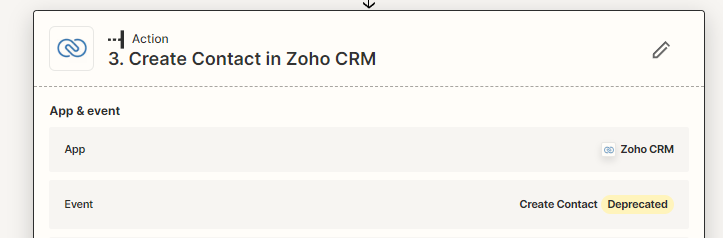
Looking at the Zaps it says that Create Contact is now Deprecated so have tried to change it to Create/Update Module Entry but still getting the same thing ……. please help


Best answer by United

OK so managed to resolve this now

If anyone gets the same sort of issue in the future this was linked to 2 google contacts one of which is a backup but had reached 25k contacts so it kept crashing out


cheers all

This post has been closed for comments. Please create a new post if you need help or have a question about this topic.

4 replies

Troy Tessalone
Zapier Orchestrator & Solution Partner
Forum|alt.badge.img+14
  • Zapier Orchestrator & Solution Partner
  • July 27, 2023

Hi @United 

Good question.

Please post detailed screenshots with how your Zap steps are configured along with the encountered error.


United
  • Author
  • Beginner
  • July 28, 2023

Hi Tony

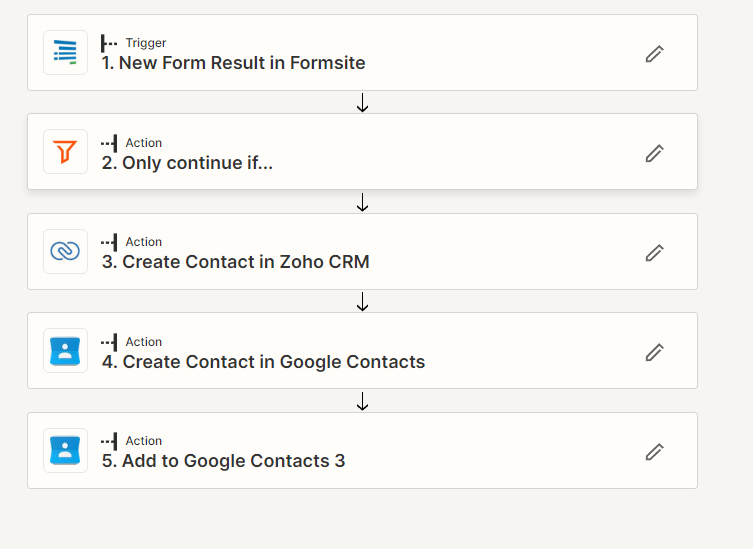
Many thanks for the reply, ok so this is how the ZAP runs normally


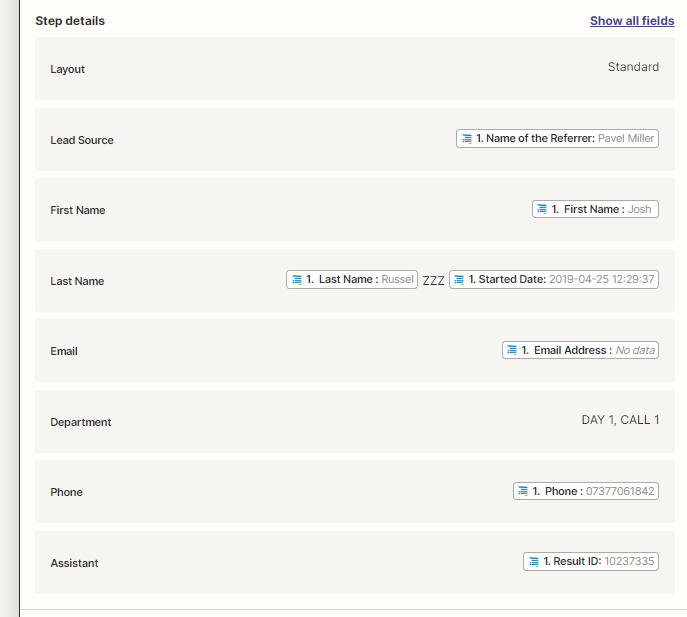
or at least how it should run, the prt it fails at is step 3 where is tries to create a contact - I have changed that to change module on some which dont say deprected but still the same result

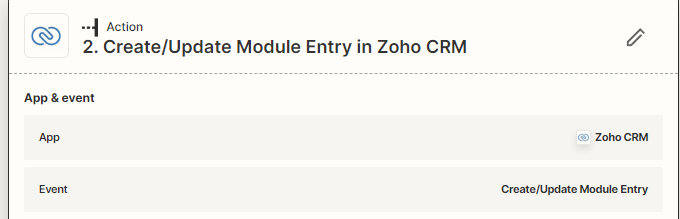
as you can see from below the create uodate module is used instead but still the same result


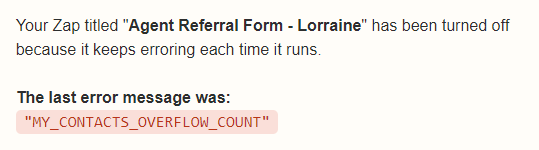
and this was the error email that I receive


Many thanks


United
  • Author
  • Beginner
  • Answer
  • July 28, 2023

OK so managed to resolve this now

If anyone gets the same sort of issue in the future this was linked to 2 google contacts one of which is a backup but had reached 25k contacts so it kept crashing out


cheers all


rachael.silvano
Forum|alt.badge.img+7

Thanks so much for letting us know you resolved what was breaking, @United ! I’ll go ahead and mark this above response as the best answer so others can learn what happened and how you fixed it. Come back any time :]


Best,

Rachael