Hi, I have a problem with the integration of my instagram account and zapier. What should I do step by step to list instagram account
here
Thank you for help !
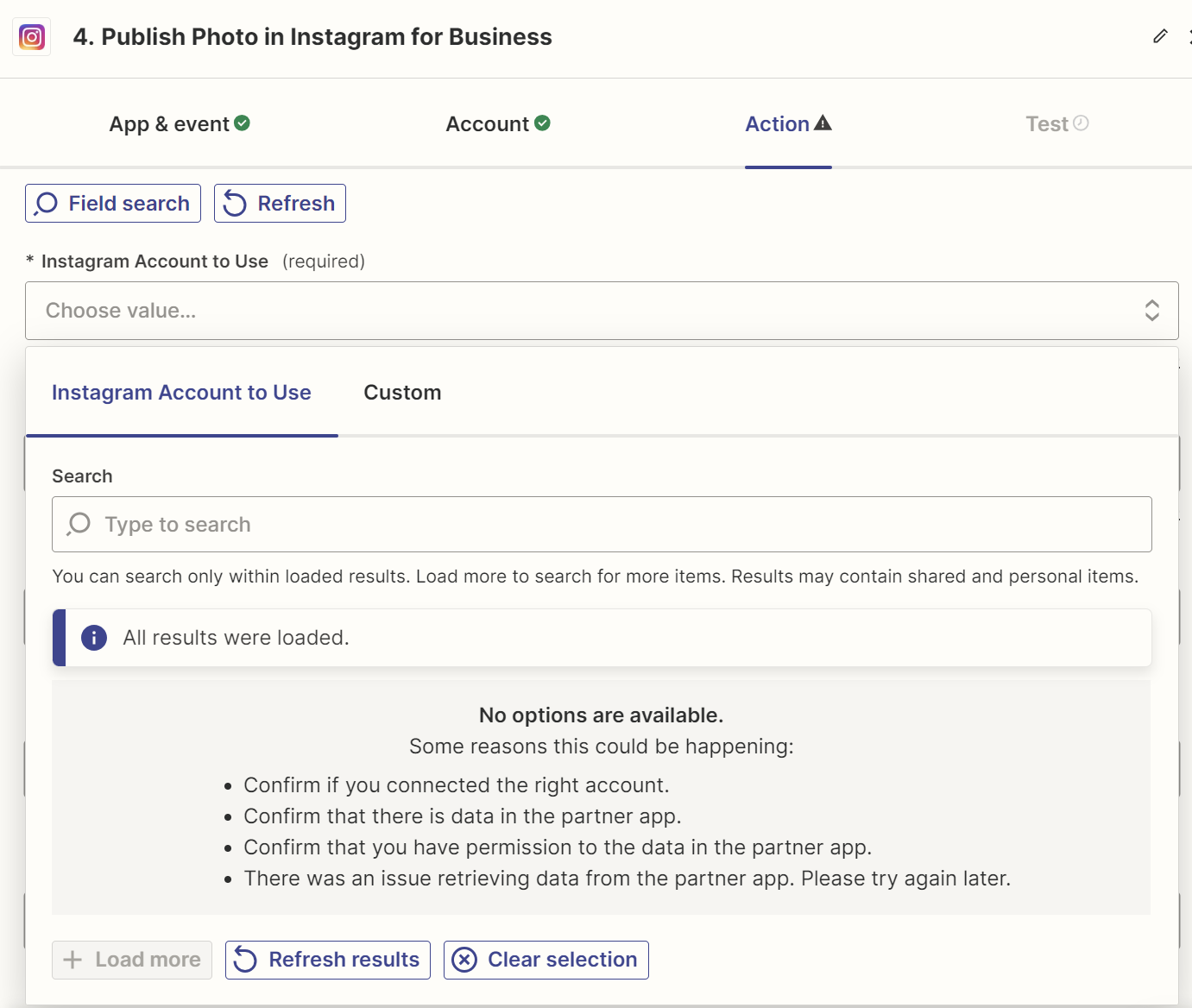
Hi, I have a problem with the integration of my instagram account and zapier. What should I do step by step to list instagram account
here
Thank you for help !

 +14
+14
Hi
Help articles for using Instagram for Business app in Zaps that may provide guidance:
Thank you for the article, I did all of the steps but still can’t see the account conected to the zapier. Can you help me with that ?
 +6
+6
Hi
Welcome to the Community! 🎉
Before we dig deeper into this, could you please confirm if the Instagram account has correct permissions according to this screenshot below?
Additionally, I think it will be helpful to check these business settings in Instagram, to ensure your Instagram page is enabled for Business use: https://help.instagram.com/502981923235522 *Creator accounts are not supported
After making changes like this in Instagram, it's helpful to reconnect Instagram in Zapier, using this page here: https://zapier.com/app/connections
If Instagram account is still not showing up. Could you please try inputting the Instagram account ID as a custom value in the “Account To Use” field You can find the Instagram account ID here:
Hopefully, this helps!
Enter your E-mail address. We'll send you an e-mail with instructions to reset your password.