Best answer

How to get the JSON response from a URL?

  • June 11, 2022
  • 3 replies
  • 2491 views

newmag

I have this URL https://newmag.com.br/wp-json/wp/v2/media/6358

which returns 
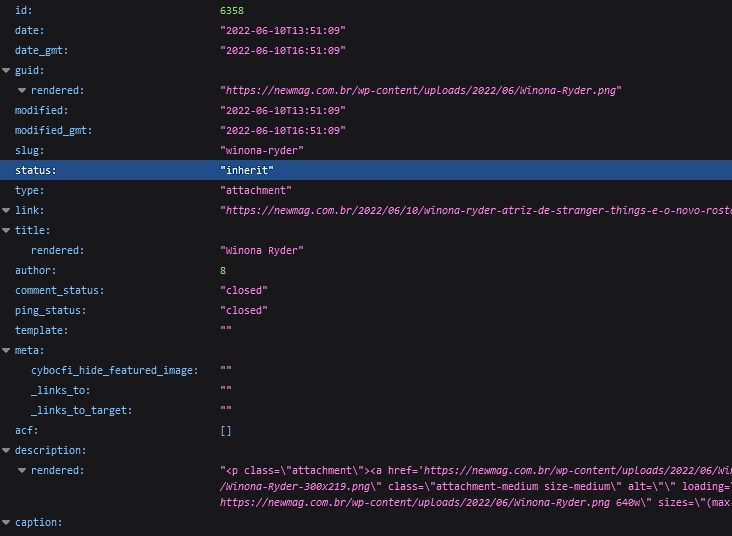
 

from that response I need to parse it and get figure URL in the field

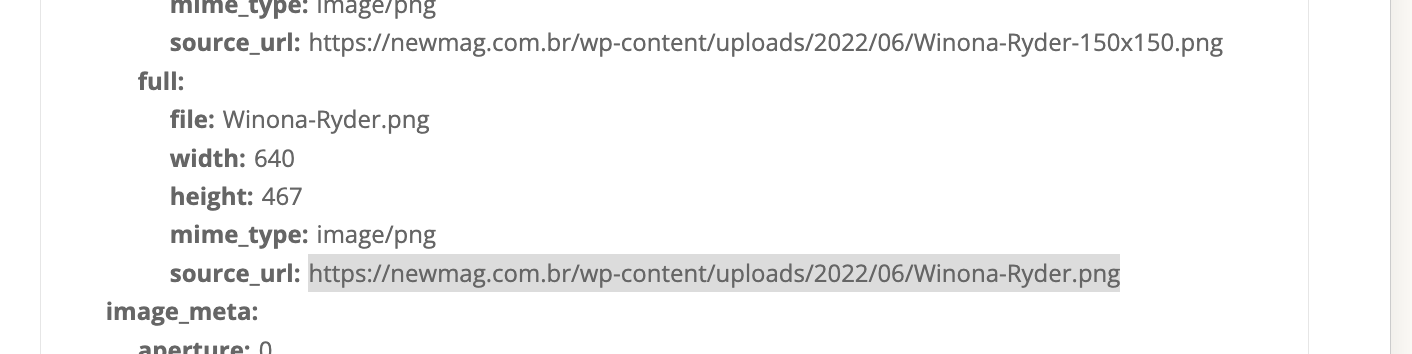
media details: full: source_url:

https://newmag.com.br/wp-content/uploads/2022/06/Winona-Ryder.png

to feed into the next action and post it to Instagram.


Best answer by GetUWired

Hi @newmag 

You can use the Webhook feature in Zapier to make a GET request to the url. The response will contain the JSON. 


This post has been closed for comments. Please create a new post if you need help or have a question about this topic.

3 replies

Danvers
Forum|alt.badge.img+12
  • Zapier Staff
  • June 13, 2022

Hi @newmag!

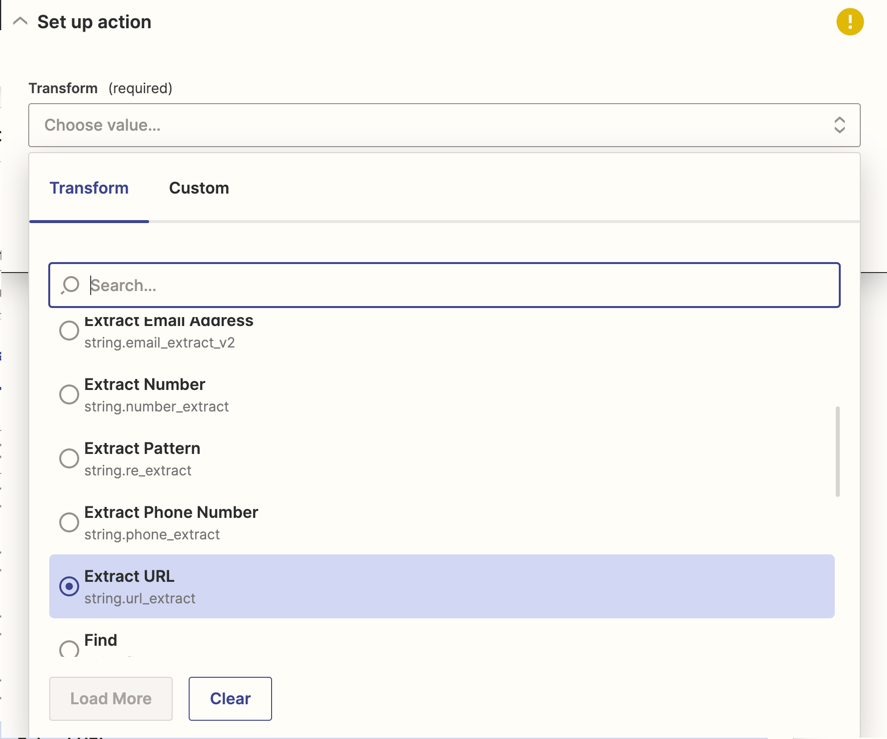
Have you seen the Formatter by Zapier action Extract url? That will pull the find and extract the first url it finds in a piece of text, which should work if you have the raw json response.


If that doesn’t work, could you share how the json looks in the Zap editor as that will give us the context that we need to think of some more solutions 😊


GetUWired
Forum|alt.badge.img+12
  • Zapier Solution Partner
  • Answer
  • June 13, 2022

Hi @newmag 

You can use the Webhook feature in Zapier to make a GET request to the url. The response will contain the JSON. 


Forum|alt.badge.img+5
  • Zapier Staff
  • July 7, 2022

Hey, @newmag

Just checking to see if those responses did the trick. If not, can you provide a screenshot of how the json looks in the Zap editor?