Best answer

Zap not running when new members added in Slack

  • August 26, 2025
  • 14 replies
  • 81 views

Created first zap and published, turned on and test but not running when new members are added to slack channel. I do receive a copy of DM when I test
 

Best answer by Scott S

Hi again ​@RayP.


I’m glad Troy could help more here to clear this up, and you are almost all set. 


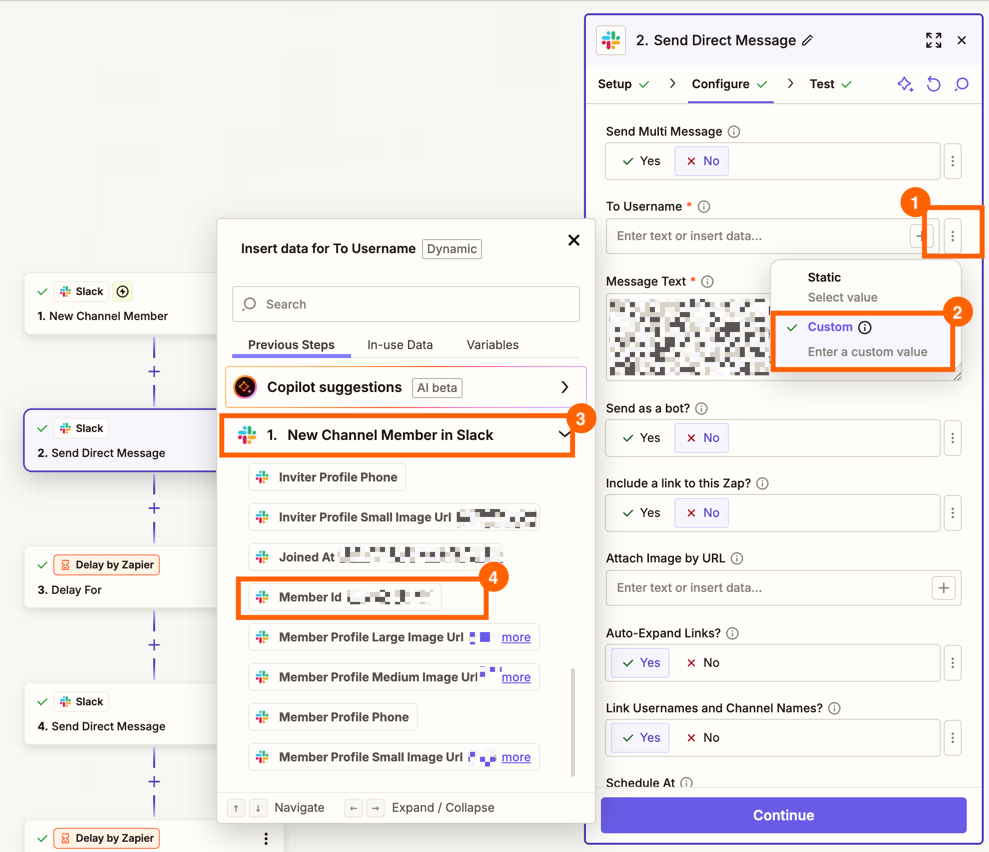
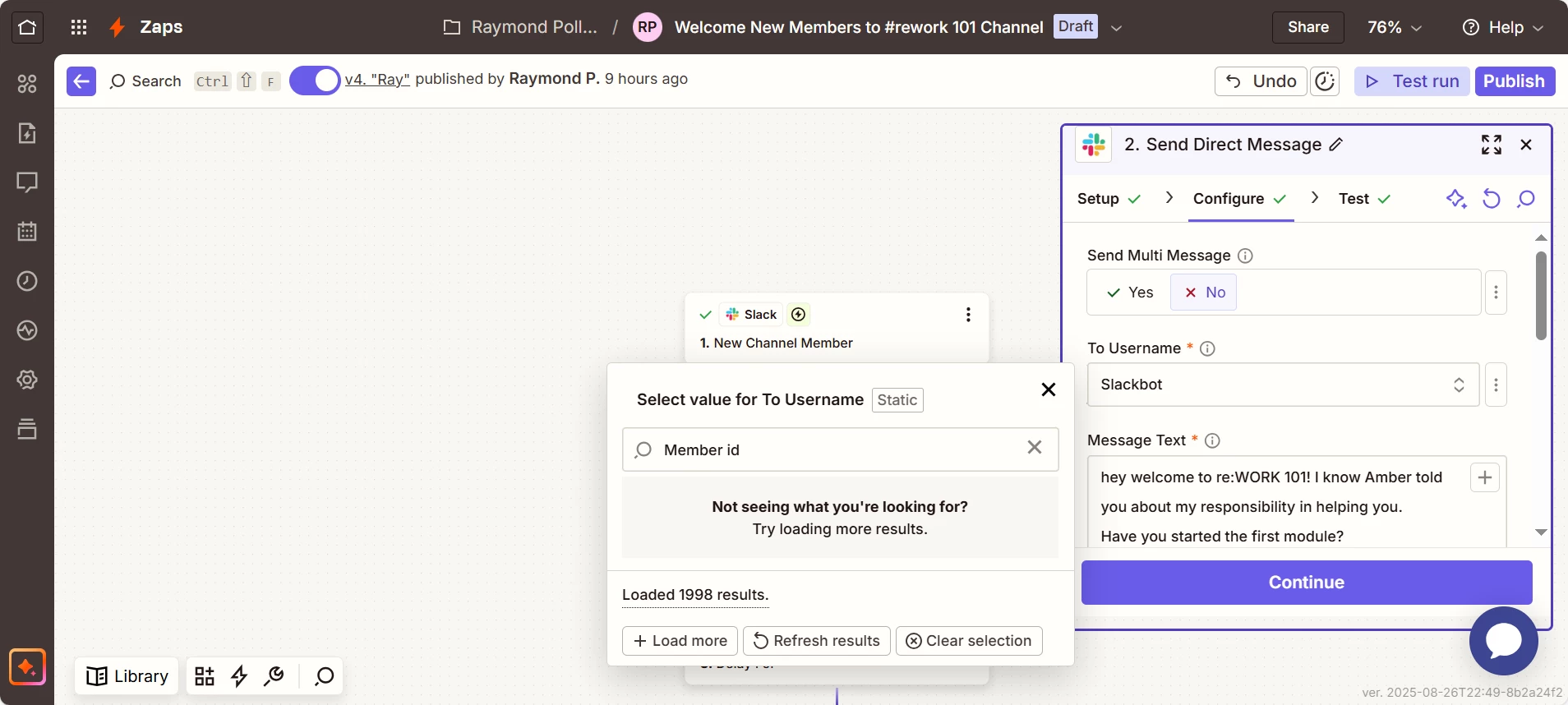
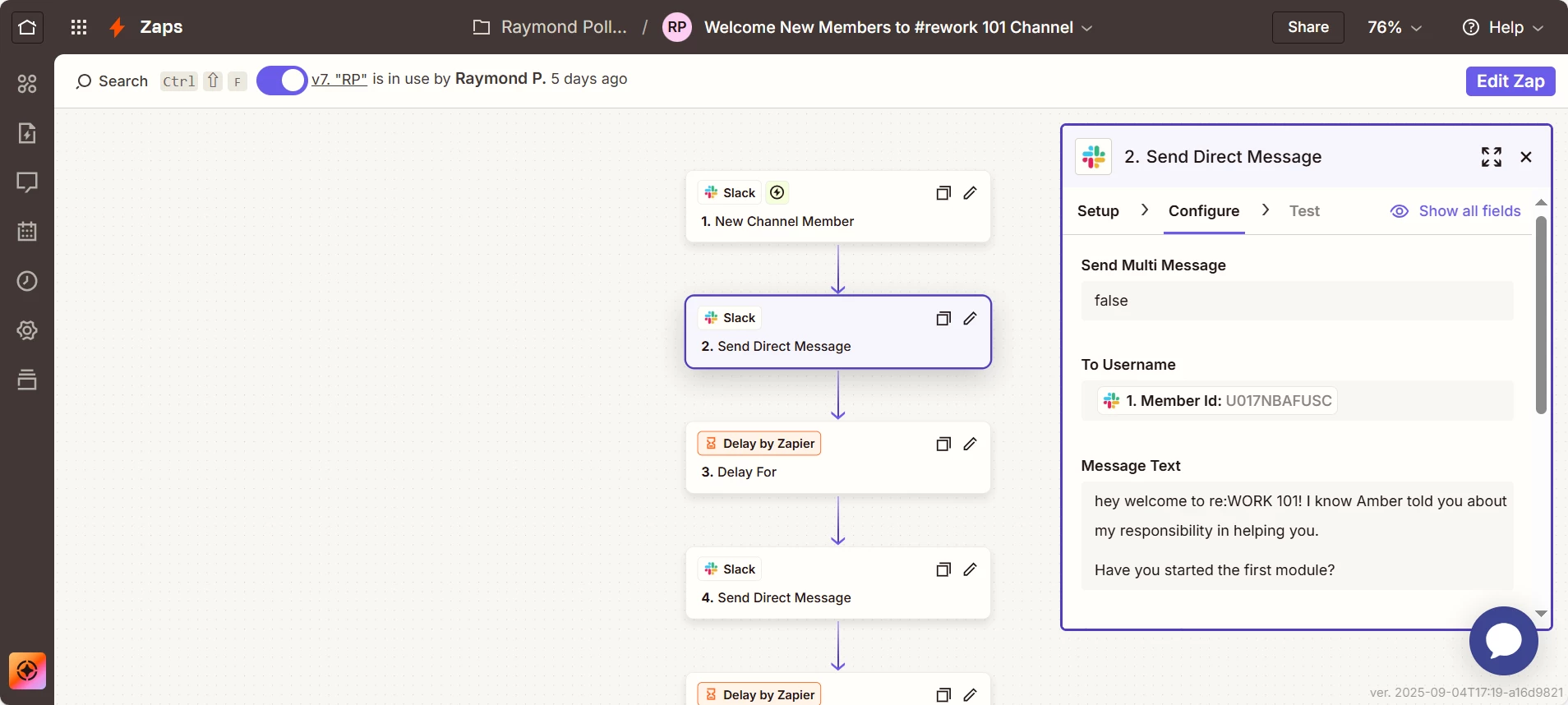
So in that dropdown, it wont give you Member ID as an option, this is just a field you would want to map in the “To Username” Field. 


To better explain mapping on our platform at a top level, I have more here: https://help.zapier.com/hc/en-us/articles/8496343026701-Send-data-between-steps-by-mapping-fields


To better show this at a more direct level, here is a quick example screenshot, with the button clicks in order.


2acdc6a8786b3347d8c451125961008e.png
(view larger)


Once this is all set, this should then use the member ID from the slack trigger, to send that message directly to the new member.


I hope this clears things up, but if you have further questions, please ask. As I will be glad to clarify more where we can. 

This post has been closed for comments. Please create a new post if you need help or have a question about this topic.

14 replies

Scott S
Forum|alt.badge.img+1
  • Zapier Staff
  • August 26, 2025

Hi there Ray, 


My name’s Scott and I’m a Technical Support Specialist here at Zapier. I hope you're having a great day so far—happy to lend a hand here.

In situations like this where more direct troubleshooting is needed, we recommend reaching out to our support team here. https://zapier.com/app/get-help

This will give us a more direct line of communication and give us a better visual of the full picture on why this is not triggering as expected. 

Scott S. - Zapier Support


Troy Tessalone
Zapier Orchestrator & Solution Partner
Forum|alt.badge.img+14
  • Zapier Orchestrator & Solution Partner
  • August 26, 2025

Hi ​@RayP. 

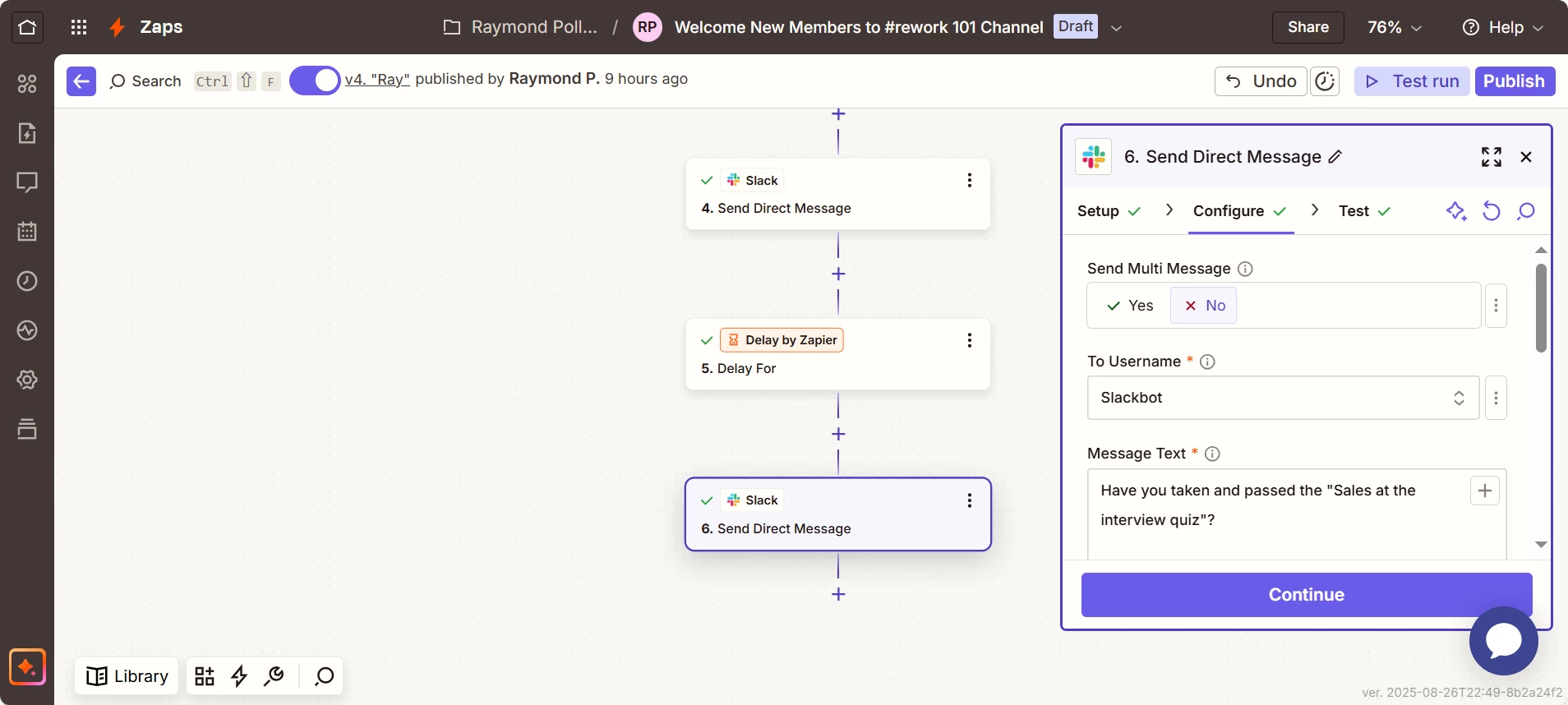
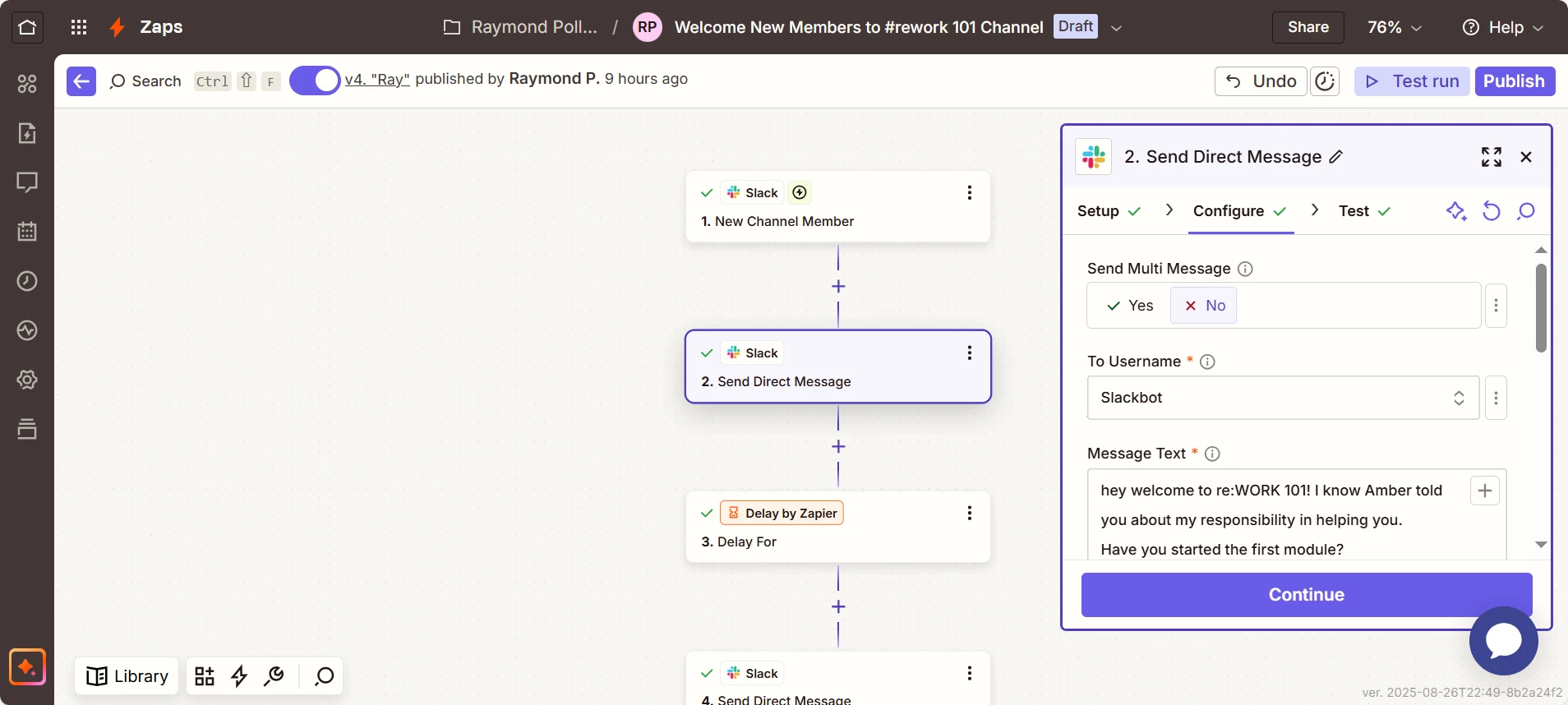
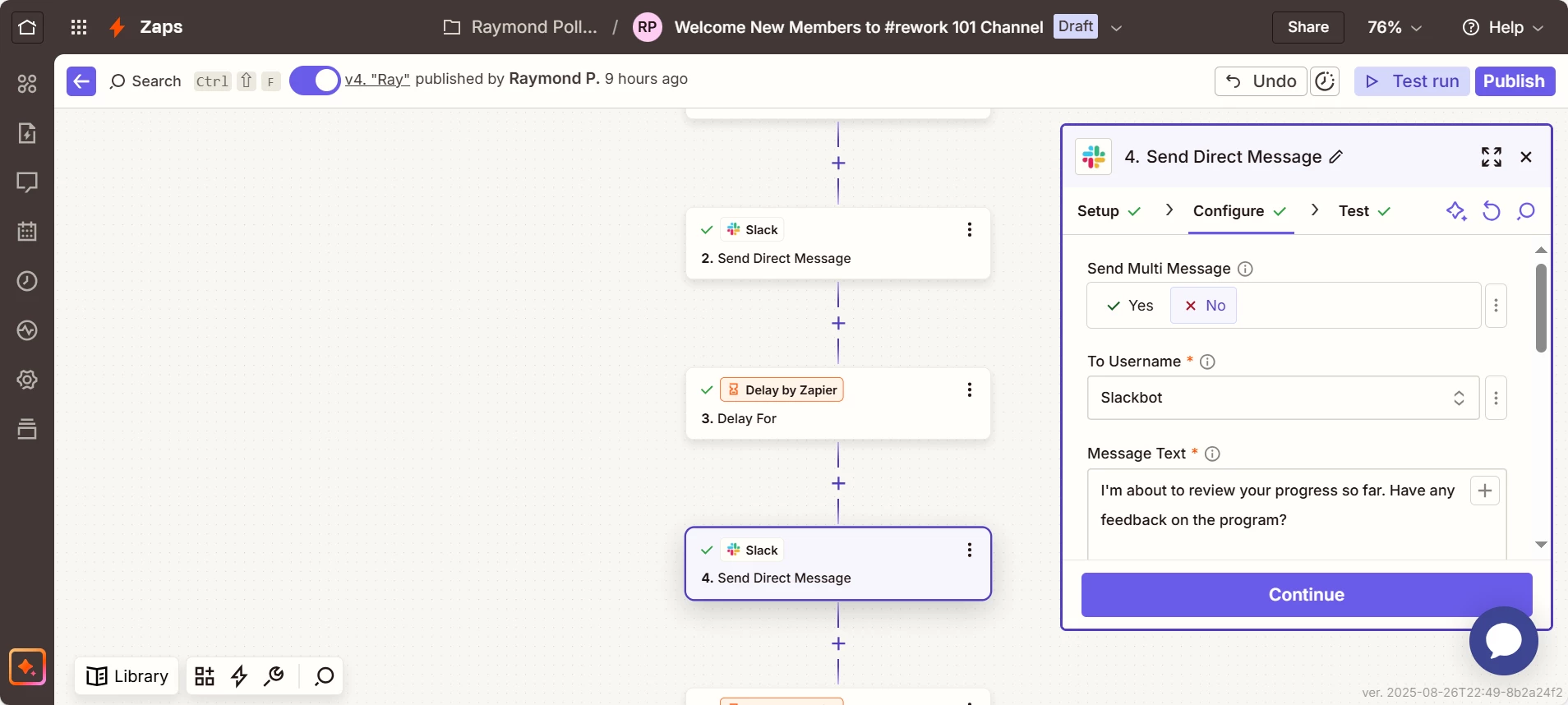
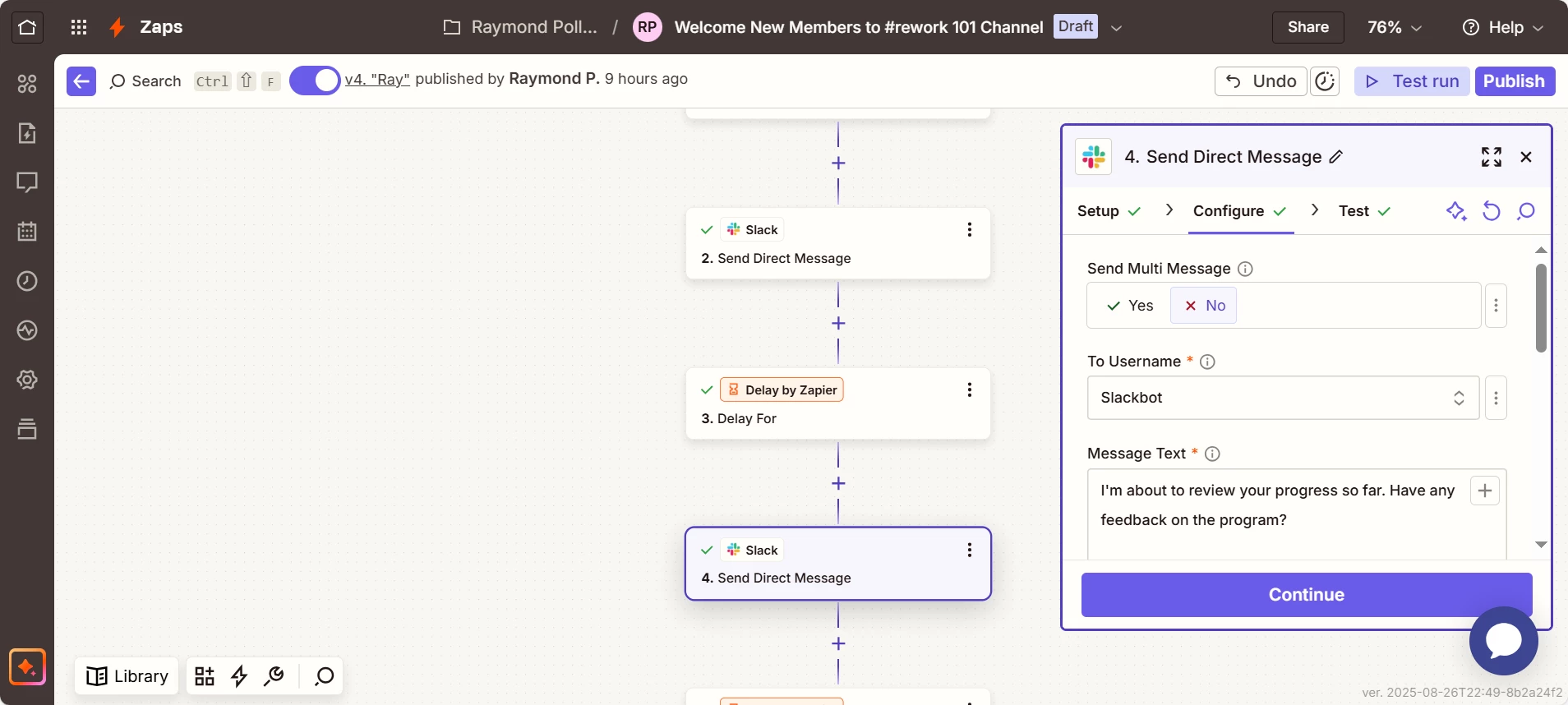
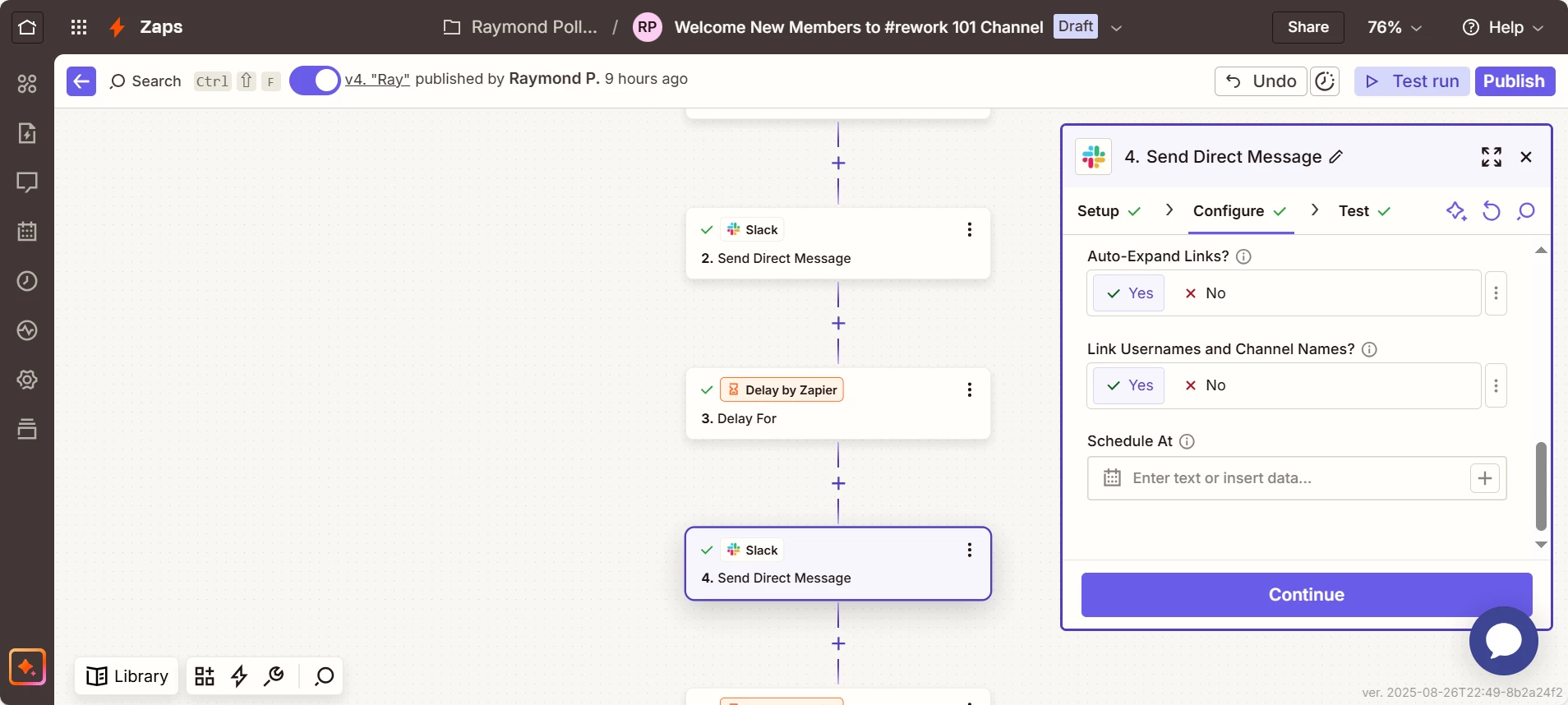
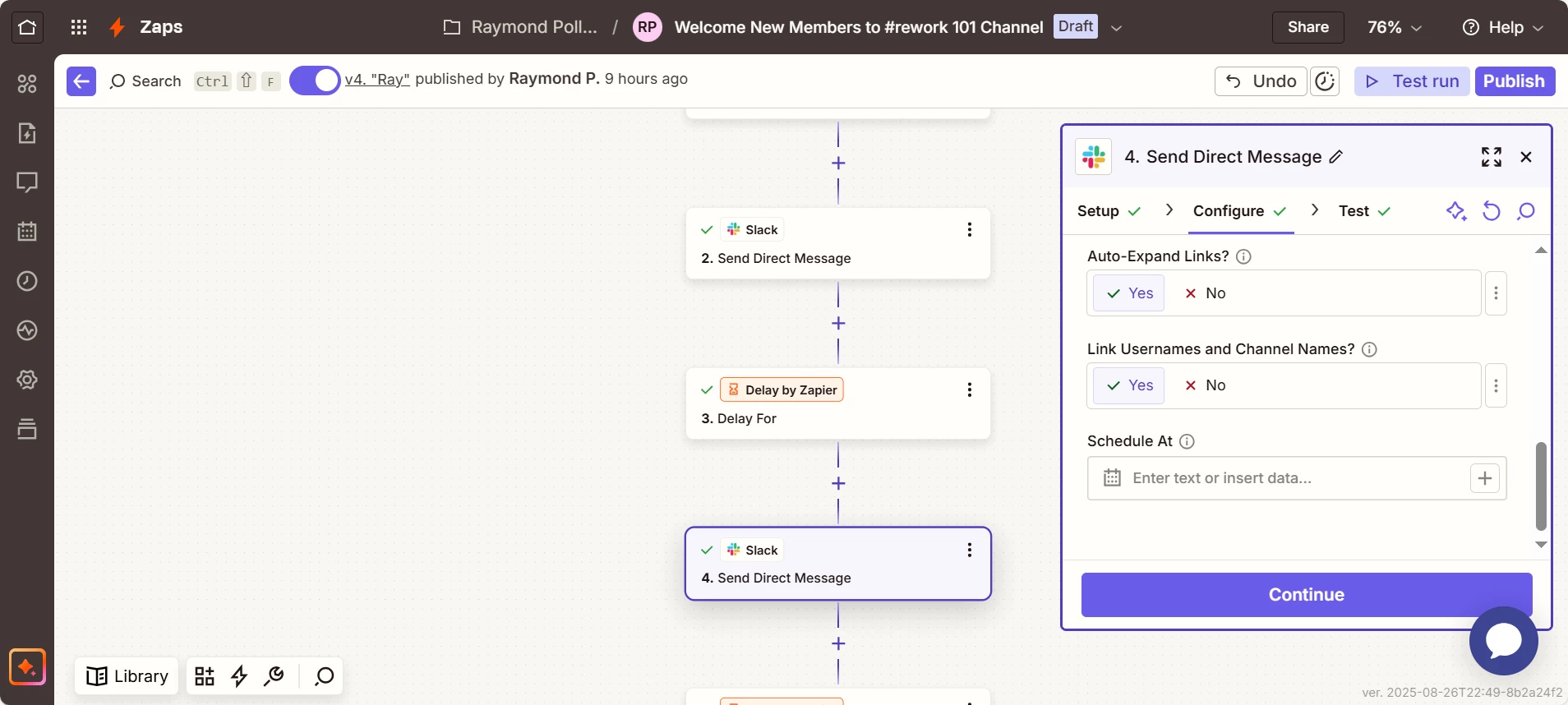
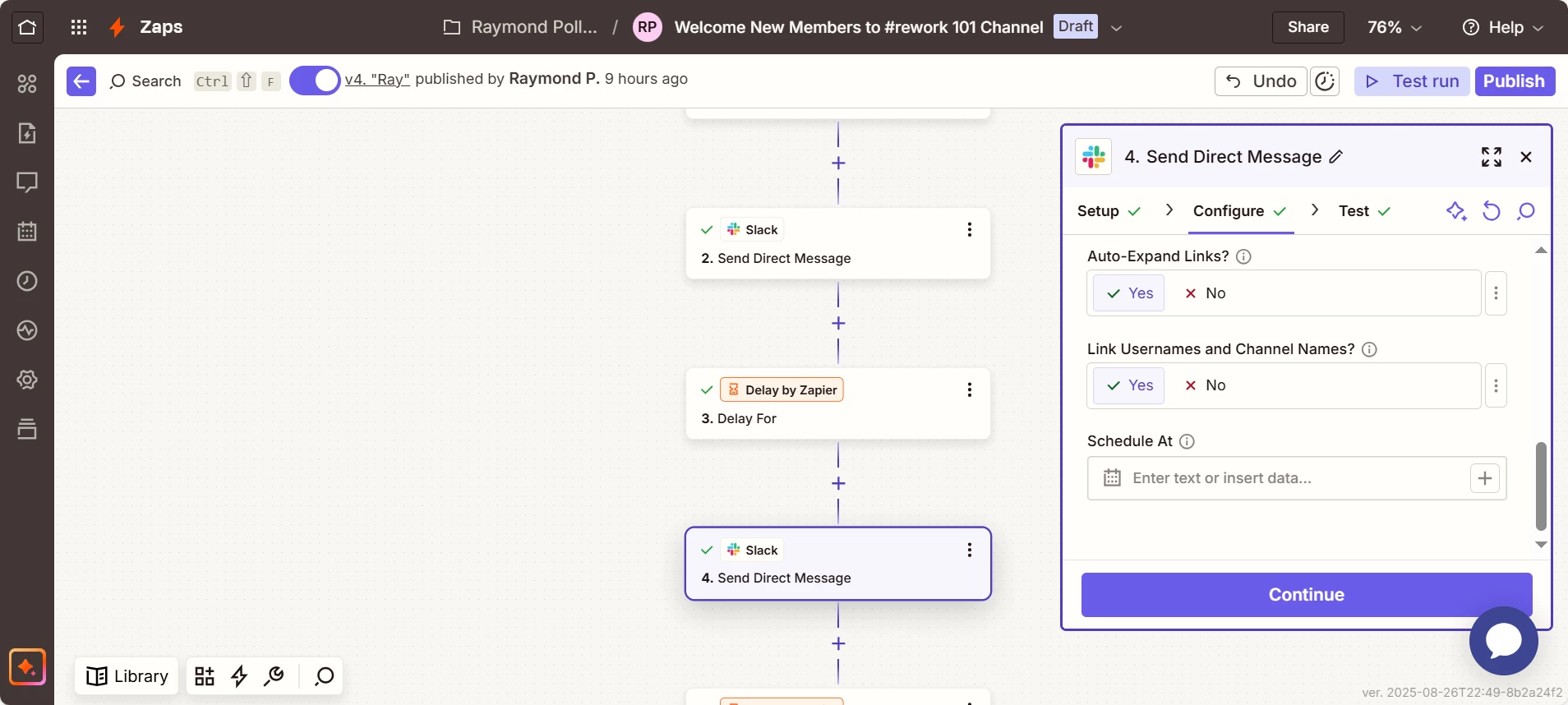
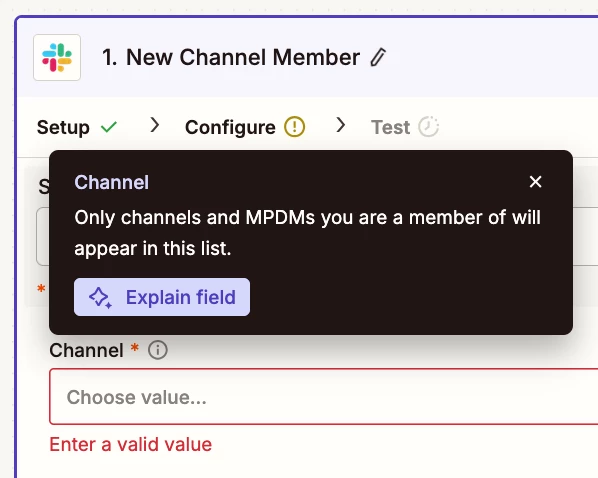
For us to have more context, post screenshots showing how your Zap steps are configured in the CONFIGURE tab while in EDIT mode with the field mappings visible.


  • Author
  • Beginner
  • August 27, 2025


  • Author
  • Beginner
  • August 27, 2025


Troy Tessalone
Zapier Orchestrator & Solution Partner
Forum|alt.badge.img+14
  • Zapier Orchestrator & Solution Partner
  • August 27, 2025

@RayP. 

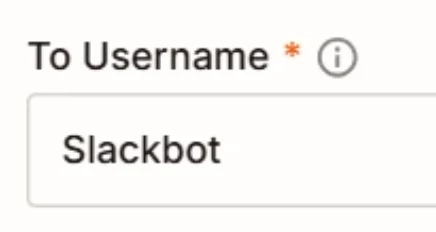
In your screenshots, you have the Slack DM being sent to Username: Slackbot


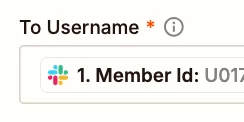
If you are trying to sent a DM to the new Channel Member in Zap step 1, then you need to map a variable for the Member ID. (see screenshot below)


In your Zap Run history details check the DATA IN/OUT for each step to help you trace the data flow and troubleshoot: https://zapier.com/app/history/


  • Author
  • Beginner
  • August 27, 2025

Ok, I’m going to look at that now


  • Author
  • Beginner
  • August 27, 2025

I don’t have “Member Id” as an option under “To Username”


  • Author
  • Beginner
  • August 27, 2025


Scott S
Forum|alt.badge.img+1
  • Zapier Staff
  • Answer
  • August 27, 2025

Hi again ​@RayP.


I’m glad Troy could help more here to clear this up, and you are almost all set. 


So in that dropdown, it wont give you Member ID as an option, this is just a field you would want to map in the “To Username” Field. 


To better explain mapping on our platform at a top level, I have more here: https://help.zapier.com/hc/en-us/articles/8496343026701-Send-data-between-steps-by-mapping-fields


To better show this at a more direct level, here is a quick example screenshot, with the button clicks in order.


2acdc6a8786b3347d8c451125961008e.png
(view larger)


Once this is all set, this should then use the member ID from the slack trigger, to send that message directly to the new member.


I hope this clears things up, but if you have further questions, please ask. As I will be glad to clarify more where we can. 


  • Author
  • Beginner
  • August 27, 2025

Awesome! Your the best! I made the change will check Zap history once a new member is added. I’ll keep posted on success.


  • Author
  • Beginner
  • August 29, 2025

Hi Scott, I just checked the run history and still not success. There were 2 new members that joined the channel 2 days ago


Troy Tessalone
Zapier Orchestrator & Solution Partner
Forum|alt.badge.img+14
  • Zapier Orchestrator & Solution Partner
  • August 29, 2025

@RayP. 

FYI: Zaps work while turned ON for new data going forward, so make sure to test with a new Slack Channel Member being added to the Channel after the Zap was turned ON.


  • Author
  • Beginner
  • September 4, 2025

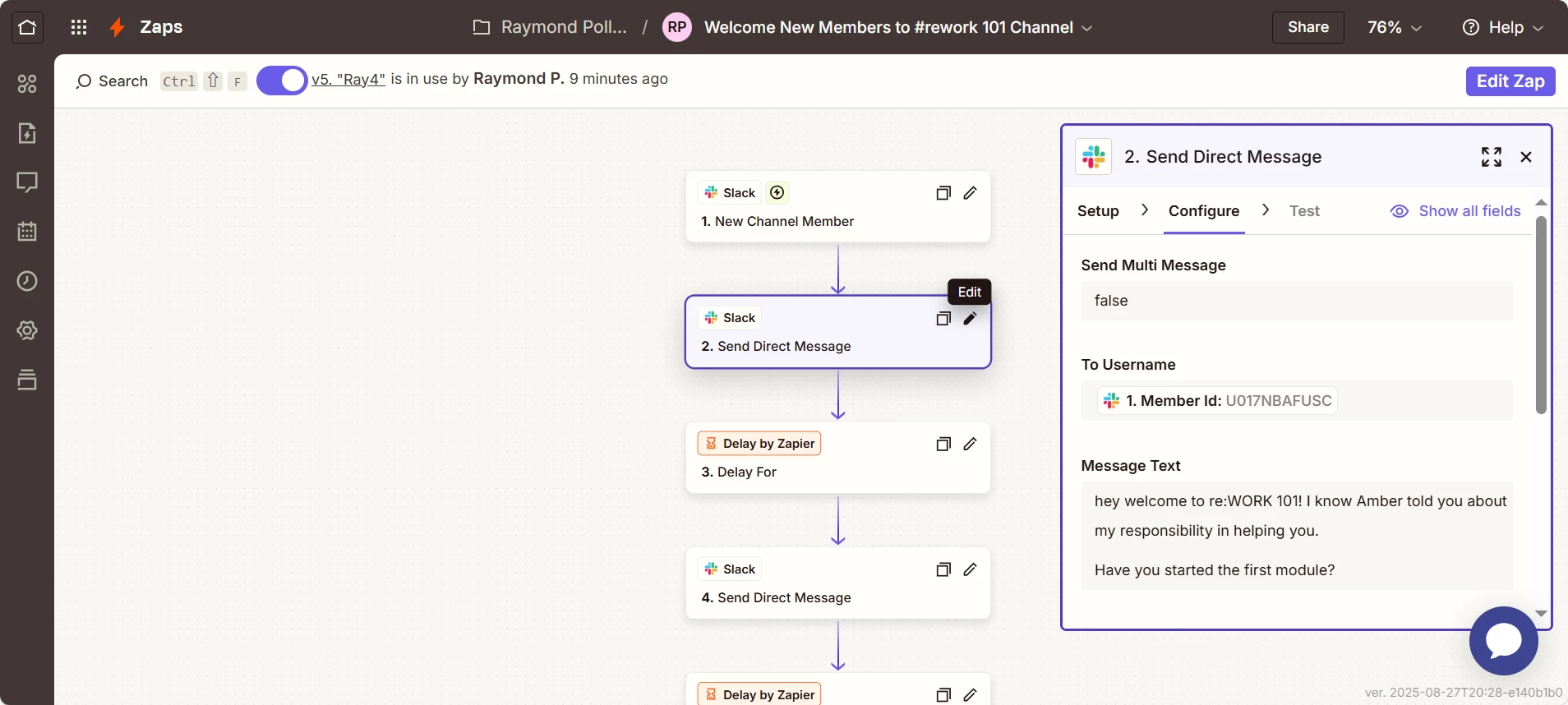
Good Afternoon, It still doesn’t seem to be working. I’ve screenshot the Zap with Member Id in the Username field per your directions. I’ve also re-tested and turned on the Zap.


Troy Tessalone
Zapier Orchestrator & Solution Partner
Forum|alt.badge.img+14
  • Zapier Orchestrator & Solution Partner
  • September 4, 2025

@RayP. 

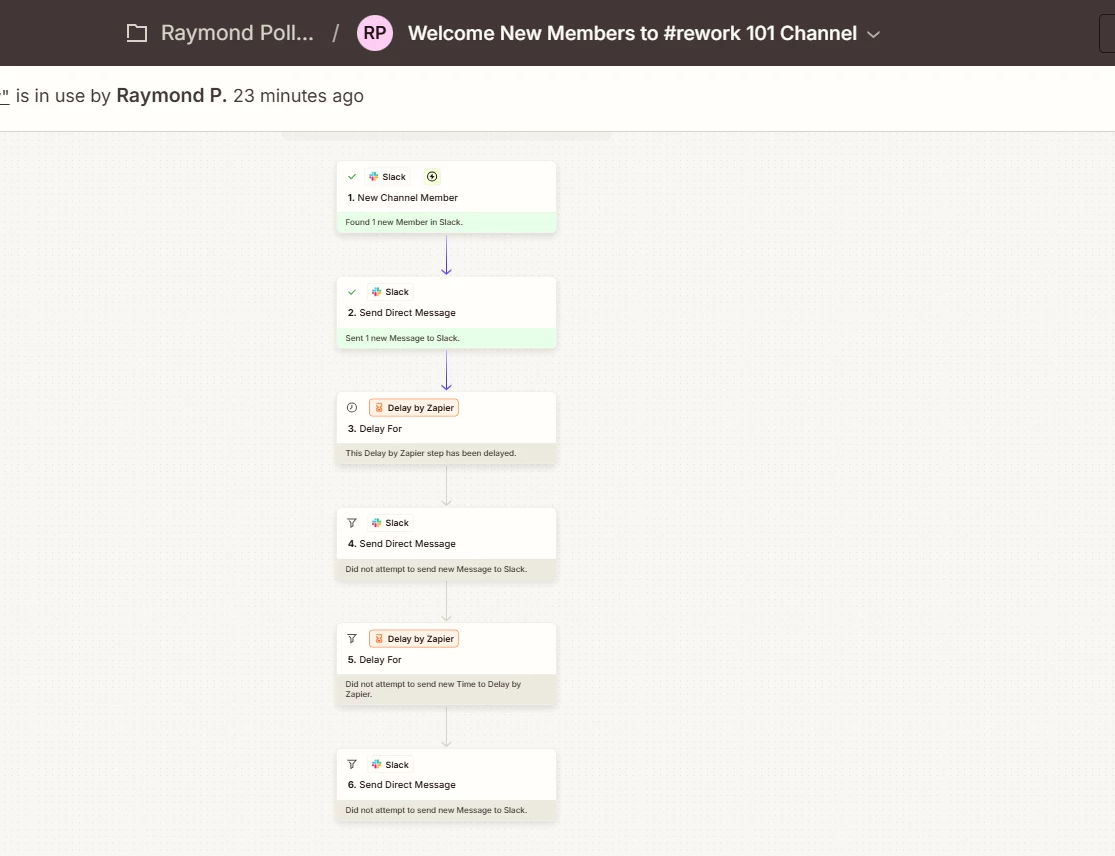
Check your Zap Runs history for activity/errors: https://zapier.com/app/history/


If you are still having issues, then you can try opening a ticket with Zapier Support: https://zapier.com/app/get-help