Best answer

Why isn't my Zap triggering after file uploads?

  • November 9, 2025
  • 6 replies
  • 31 views

I’ve created two Zap’s that run fine during testing, but then when I upload files to the folder that is supposed to trigger the Zap (at a later time), nothing happens. But if I run it again manually, it’s fine. Very frustrated because it really defeats the purpose of an automation if I have to run it manually

Help greatly appreciated

Best answer by SamB

Hi there ​@lukewilson21 👋

I just came across this and saw that you reached out to our Support team, and they opened a bug report for this. It seems that there is an issue with the handling of authentication errors for the Google Drive account and they sent over some steps for you run through to assist them in identifying whether the issue is specific to the current connection.

If you could follow up with the Support team over email after giving those a steps try it would be much appreciated. 🙏

If there’s anything else that we can help with in the meantime, please do let us know.

6 replies

Troy Tessalone
Zapier Orchestrator & Solution Partner
Forum|alt.badge.img+14
  • Zapier Orchestrator & Solution Partner
  • November 9, 2025

Hi ​@lukewilson21 

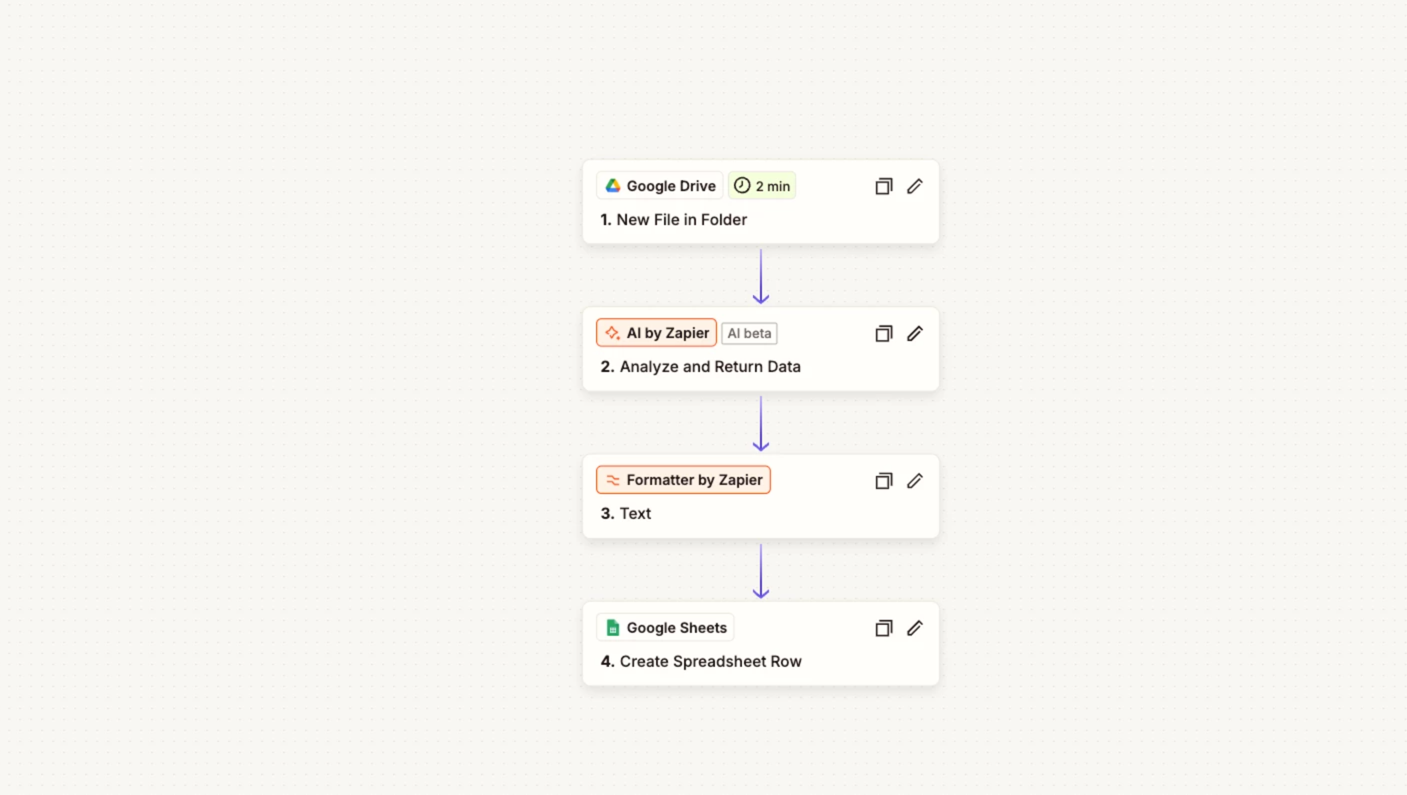
For us to have more info, indicate what apps are being used in your Zap steps by posting screenshots showing how your Zap steps are outlined in order.


  • Author
  • New
  • November 10, 2025

Hi Troy, thanks for the message.

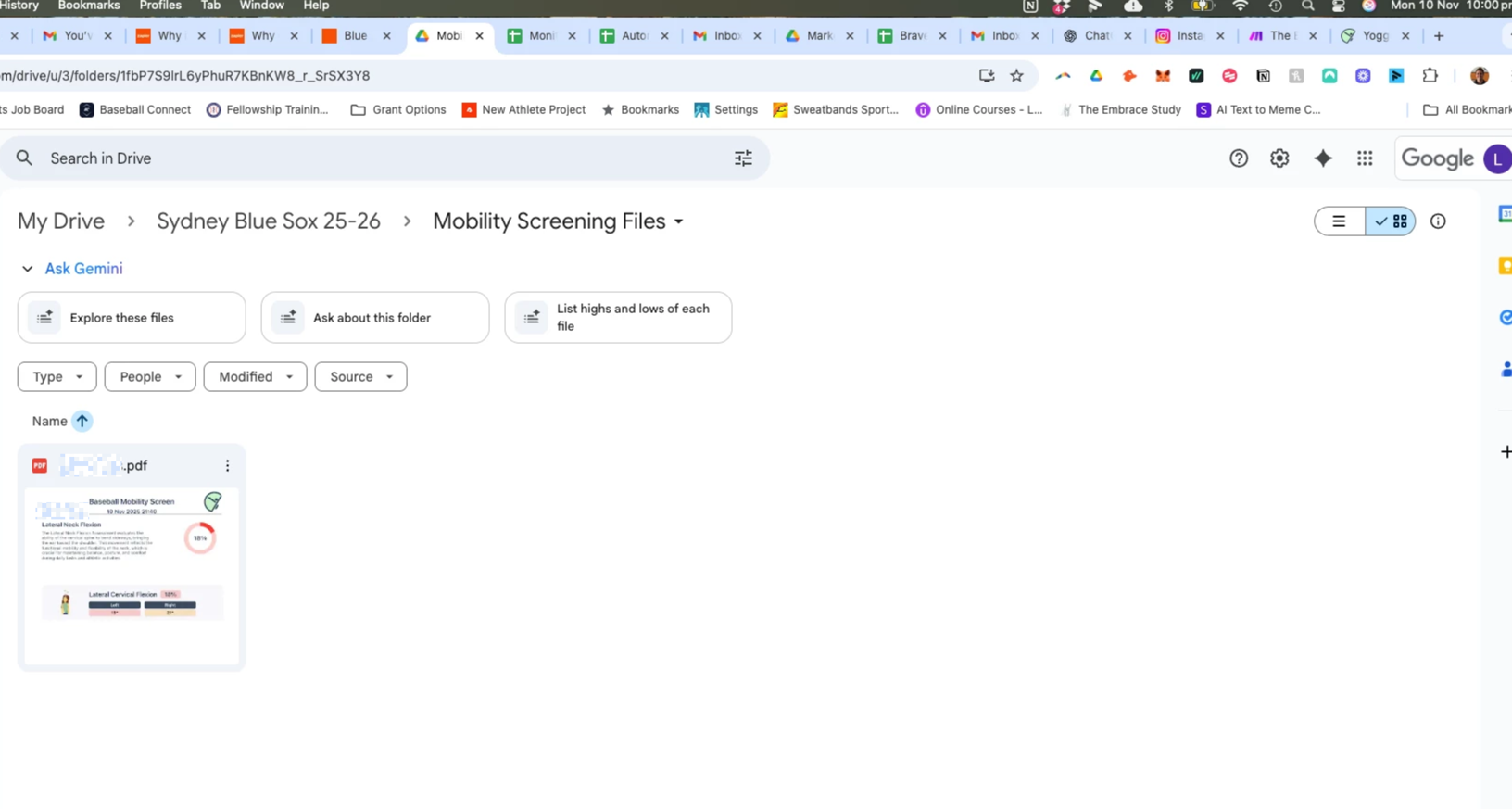
Attached is a screen shot of my set up, as well as one showing a file upload (which is the trigger). If you look closely, you can see on the file it says 9:40pm November 10th, and the clock on my screen shows 10pm November 10th-a 20 minute difference. The trigger is supposed to look for new files every 2 minutes and yet after 20, has not activated. 

e52974cf6f762024a1af5c1a5a068cb9.png
c1d915c878a467ae4bdd50228b552b61.png
 

This post has been edited by a moderator to remove personally identifiable information (PII). Please remember that this is a public forum and avoid sharing personal or potentially sensitive details.


AndrewJDavison
Forum|alt.badge.img+11
  • Zapier Solution Partner
  • November 10, 2025

Hi ​@lukewilson21 

Which app are these files going into? Dropbox, Google Drive etc? It’ll help narrow this.


Sparsh from Automation Jinn
Forum|alt.badge.img+6

Hey ​@lukewilson21,

Here is a helpful article about common problems with Google Drive- https://help.zapier.com/hc/en-us/articles/8495965264397-Common-Problems-with-Google-Drive

Referencing the trigger nuances from the article-

The New File in Folder trigger has some nuance about what it will trigger on:

Google Files (e.g. Google Doc, Google Sheets etc)

  • If a file was created within the folder, the Zap will trigger
  • If a file was modified fewer than 4 days ago and moved to the folder, the Zap will trigger
  • If a file was modified greater than 4 days ago and moved to the folder, the Zap won't trigger
  • If a file was created greater than 4 days ago and modified less than 4 days ago and moved to the folder, the Zap won't trigger

Non-Google files (e.g. pdf or jpg):

  • If a file is directly added to the folder, the Zap will trigger
  • If a file is directly added to the folder but was modified/created greater than 4 days ago, the Zap won't trigger
  • If a file is moved to the folder (even if it was added to Google Drive in the last 4 days), the Zap won't trigger

Also, you can't trigger or act upon a folder shared with you, so files added to folders you don't own will not trigger the Zap. The connected account must be the owner.

Hope it helps!


Troy Tessalone
Zapier Orchestrator & Solution Partner
Forum|alt.badge.img+14
  • Zapier Orchestrator & Solution Partner
  • November 10, 2025

Hi ​@lukewilson21 

Help links for using GDrive in Zaps: https://zapier.com/apps/google-drive/integrations#help


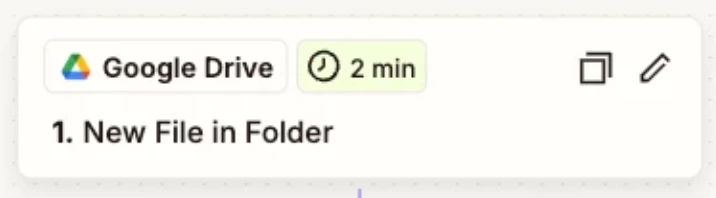
Zap trigger is scheduled, which checks for new data every 2 minutes, so factor that in to your testing.


Check your Zap Run history details for activity and to see the DATA IN/OUT for each step to help you trace the data flow and troubleshoot: https://zapier.com/app/history/


SamB
Community Manager
Forum|alt.badge.img+11
  • Community Manager
  • Answer
  • November 27, 2025

Hi there ​@lukewilson21 👋

I just came across this and saw that you reached out to our Support team, and they opened a bug report for this. It seems that there is an issue with the handling of authentication errors for the Google Drive account and they sent over some steps for you run through to assist them in identifying whether the issue is specific to the current connection.

If you could follow up with the Support team over email after giving those a steps try it would be much appreciated. 🙏

If there’s anything else that we can help with in the meantime, please do let us know.