Best answer

Why are my Twilio messages being truncated?

  • November 13, 2025
  • 5 replies
  • 47 views

I need help. I integrated Twilio Sandbox for sending and receiveing  messages with my zapier agent handling the Responses to users but i have realised the messages my agent genarates are all being cut short what could be the problem ?? 

Best answer by SamB

Hi ​@Busox 👋

I had a look and found we’ve got a bug report open for this issue. It seems to be that it’s related to Twilio segmenting messages over 160 characters long:

f8c9217138bee7024bffbb030ece4c45.png

While we can’t provide a timeline for a fix, I’ve added you to the bug report as an affected user, so you’ll be notified via email as soon as it’s sorted. 

In the meantime, since you’re using a Zapier Agents action to generate the message, perhaps you could try adjusting the prompting so that it only produces messages under 160 characters in length? 

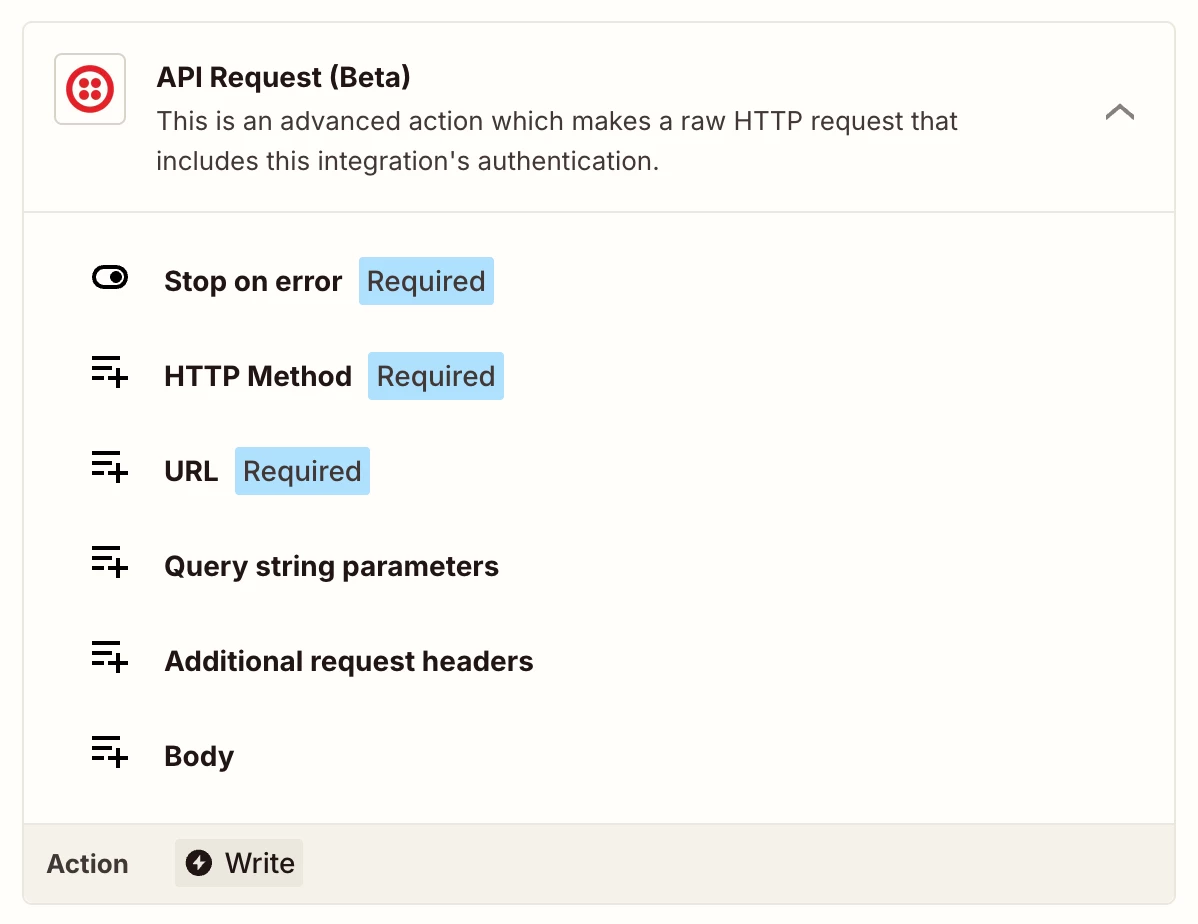
But if the messages need to be over 160 characters every time then an API Request action as Sparsh suggested may be the best approach.

Let us know if you give either of those a try and get stuck, always happy to lend a hand!

5 replies

Sparsh from Automation Jinn
Forum|alt.badge.img+6

Hey ​@Busox,

Make sure that Send Large Message( up to 1600 characters) option is set to Yes to send the full message as otherwise Twilio app in Zapier will automatically truncate messages down to 160 characters. Hope it helps!


  • Author
  • Beginner
  • November 13, 2025

Thank you for the response

It’s actually sending whatsapp messages so i cant see the option of setting it to send a full message. Could there be another option?


Sparsh from Automation Jinn
Forum|alt.badge.img+6

Hey ​@Busox,

Do you get the full response from AI step and the truncation is happening only in Twilio step? Please post screenshots of Data In, Data Out as well as how each Zap step is configured for us to have more context.

If it’s happening on the Twilio step, then it may be a limitation on the Zapier. There is a workaround by quering the Twilio API directly using API request action. See more about it here-https://www.twilio.com/docs/messaging/api/message-resource#create-a-message-resource

Here is a helpful article about API request action in Zapier-https://help.zapier.com/hc/en-us/articles/12899607716493-Create-an-API-Request-action


I know it can get a bit more technical and complex but if it’s important for you, you can give this approach a try. Hope it helps!

PS: If you need more active help, I’m happy to connect through my Zapier Solution Partner page if you’d like to reach out here- https://zapier.com/partnerdirectory/automation-jinn


  • Author
  • Beginner
  • November 14, 2025
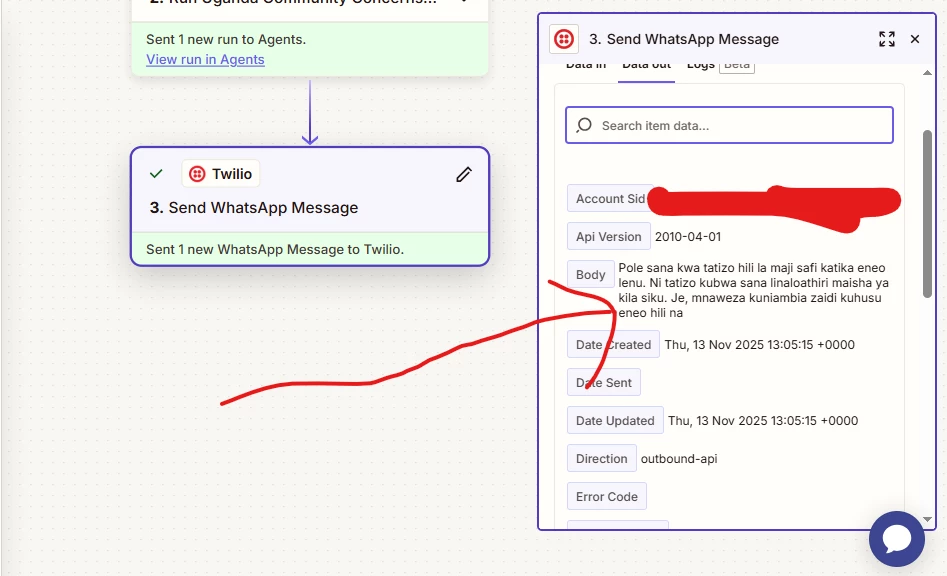
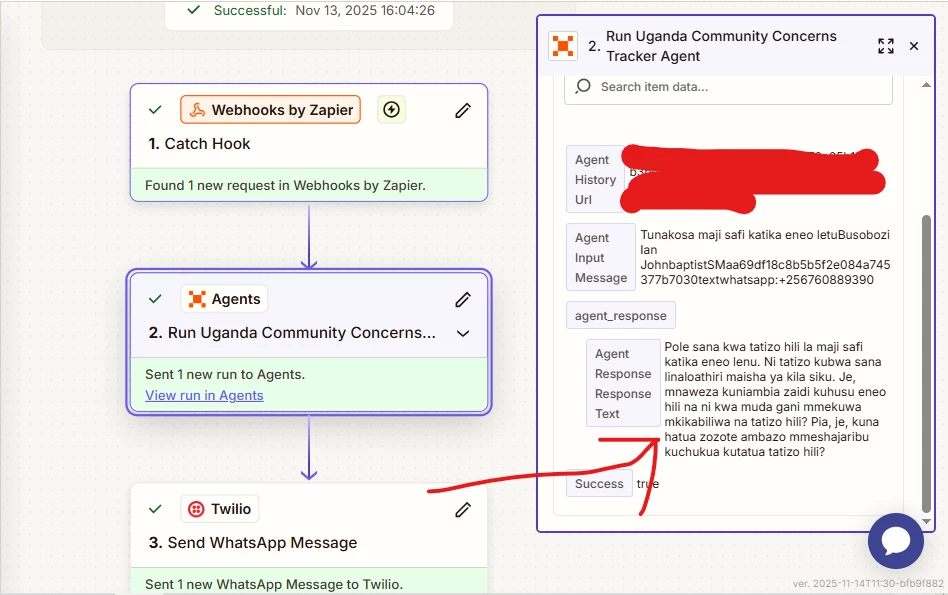
So these 2 imgaes showcse a step where the agent generated a full response but then the sending step via whatsapp truncated the agent response. How can i fix that?


SamB
Community Manager
Forum|alt.badge.img+11
  • Community Manager
  • Answer
  • November 17, 2025

Hi ​@Busox 👋

I had a look and found we’ve got a bug report open for this issue. It seems to be that it’s related to Twilio segmenting messages over 160 characters long:

f8c9217138bee7024bffbb030ece4c45.png

While we can’t provide a timeline for a fix, I’ve added you to the bug report as an affected user, so you’ll be notified via email as soon as it’s sorted. 

In the meantime, since you’re using a Zapier Agents action to generate the message, perhaps you could try adjusting the prompting so that it only produces messages under 160 characters in length? 

But if the messages need to be over 160 characters every time then an API Request action as Sparsh suggested may be the best approach.

Let us know if you give either of those a try and get stuck, always happy to lend a hand!