Question

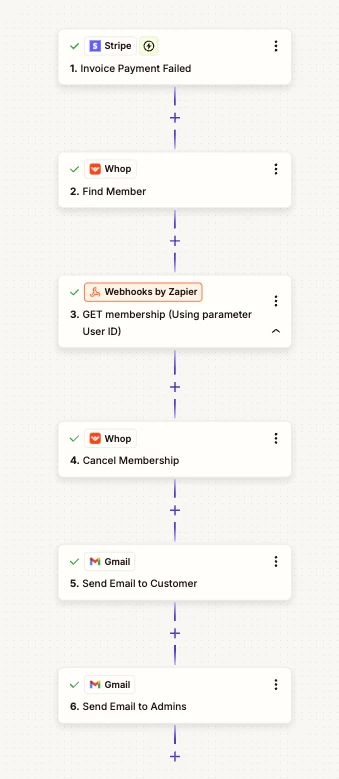
Whop Integration – Missing Membership ID when using “Find Member”

  • May 1, 2026
  • 2 replies
  • 8 views

Hi everyone,

I’m currently working on an automation using the Whop integration in Zapier and ran into a blocking issue.

When I use the “Find Member” action (searching by email), Zapier successfully returns the member’s data, including:

  • Member ID
  • User ID
  • Other member details

However, it does not return the Membership ID.

This is a problem because all membership-related actions in Zapier (such as:

  • Cancel Membership
  • Pause Membership
  • Resume Membership
  • Add Free Days

require the membership ID to work.

What I’ve tried:

  • Using different search fields (email, user ID)
  • Checking all returned fields/output
  • Testing different members/accounts

But I still can’t find a way to retrieve the membership ID within Zapier.

My question:

Has anyone here faced the same issue?

👉 How are you retrieving the membership ID in your Zaps?
👉 Are you using a workaround (API, Webhooks, external DB, etc.)?


At the moment, this limitation makes it impossible to fully automate membership management in Whop through Zapier.


Any help or insight would be greatly appreciated!

Thanks in advance 🙏
2 replies

Forum|alt.badge.img+3
  • Zapier Solution Partner
  • May 1, 2026

Hy ​@whitebox 

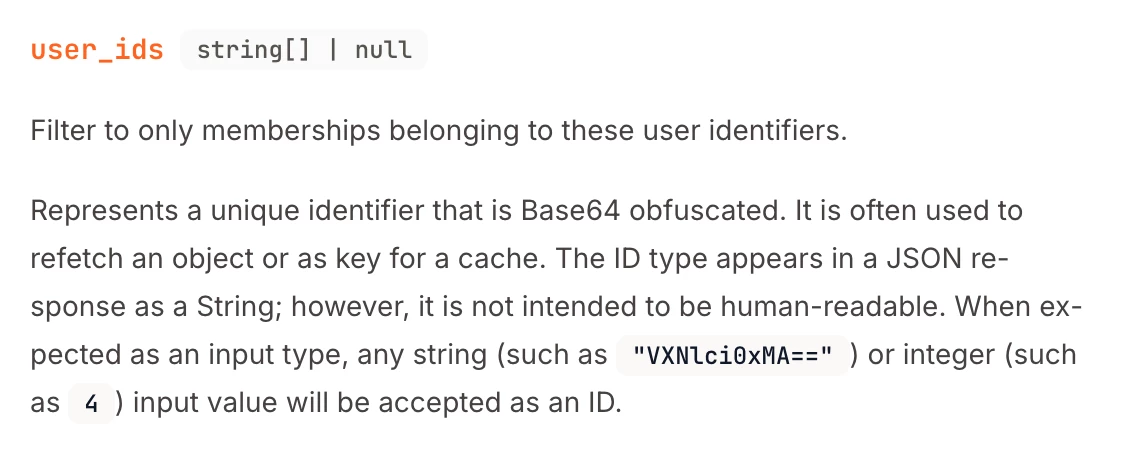
Here's the Whop API doc that might help: Link

If you're still running into issues, drop a screenshot of the error and a quick description of what your Zap is doing, happy to take a look!

And if you'd rather just get it sorted quickly, I offer a free 20-min Zapier troubleshooting call. Book it under Resources on my Zapier Directory profile: https://zapier.com/partnerdirectory/automatemybiz

!-->


Troy Tessalone
Zapier Orchestrator & Solution Partner
Forum|alt.badge.img+14
  • Zapier Orchestrator & Solution Partner
  • May 1, 2026

Hi ​@whitebox 

If supported, try creating a Custom Action with the help of AI.

Help: https://help.zapier.com/hc/en-us/articles/16277139110157-Create-a-custom-action


Otherwise, you would need to use the Whop APIhttps://docs.whop.com/api-reference/memberships/list-memberships


You can use one of these apps:


TIP: Try asking AI for help creating the API request