Question

Troubleshooting Pipeline creation in Bigin with Zapier

  • April 6, 2026
  • 5 replies
  • 35 views

Hello,

I am having an with a few Zaps’ action steps that are configured to create Pipeline records in Bigin. But first, some backstory…

In Bigin, we are using several types of Pipeline records, using OOB and custom fields, specified to each particular Pipeline type. One OOB field is named “Product ID.”  For each Zap that is failing, we are not using associated products, and do not need the required Product ID field.

Currently, the action step to create a Pipeline record is failing as it is not receiving data for the required Product ID. The issue is that there are not Products related to the specific Pipelines that are used in the Zaps, and no Product IDs.

Can you help me understand why Zapier is querying all fields used by Pipelines, versus only querying fields that are related to specifieid pipeline types in the Zap?

Thank you! 

 

5 replies

Troy Tessalone
Zapier Orchestrator & Solution Partner
Forum|alt.badge.img+14
  • Zapier Orchestrator & Solution Partner
  • April 7, 2026

Hi ​@Seattle Rain 

For us to have more info about what you are referring to, post screenshots showing:

  • how your Zap steps are outlined
  • how your Zap steps are configured in the CONFIGURE tab while in EDIT mode with the field mappings visible
  • errors from Zap steps

Sparsh from Automation Jinn
Forum|alt.badge.img+6

Hey ​@Seattle Rain,

This behaviour is expected as this is a limitation of the Bigin Zapier integration. The Bigin Zapier integration defaults to the first pipeline and doesn’t load fields from other available pipelines.

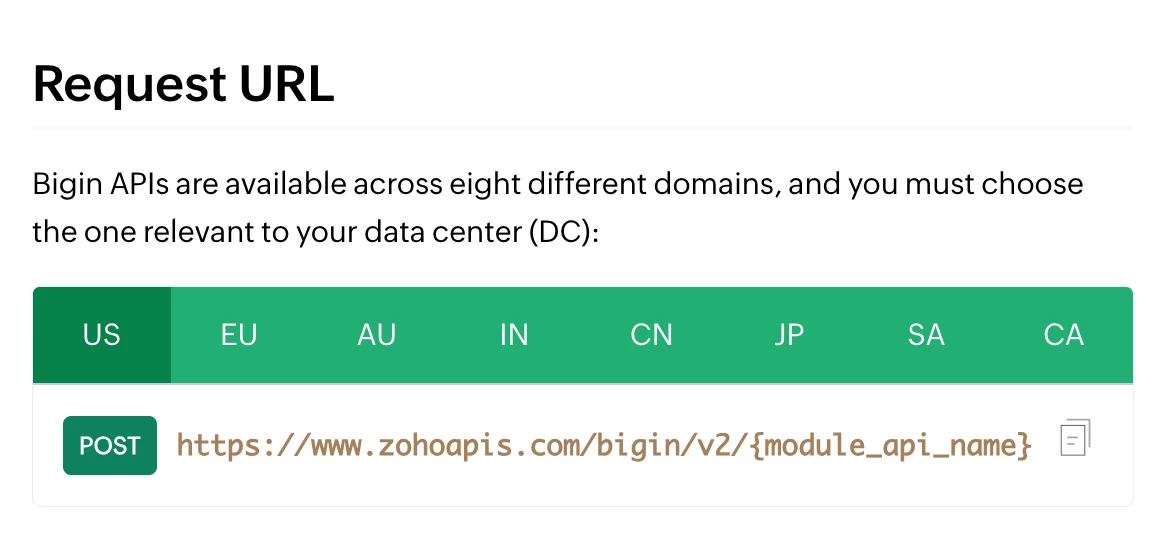
But there is a workaround by querying the Bigin API directly using API request action. Here is the API documentation for adding pipeline records- https://www.bigin.com/developer/docs/apis/v2/insert-records.html. Here is a helpful article about using API request action in Zapier- https://help.zapier.com/hc/en-us/articles/12899607716493-Create-an-API-Request-action.


I know it can get a bit more technical and complex but if it’s important for you, you can give this approach a try. Hope it helps!

PS: If you need more active help, I’m happy to connect through my Zapier Solution Partner page if you’d like to reach out here- https://zapier.com/partnerdirectory/automation-jinn


Forum|alt.badge.img+2
  • Zapier Solution Partner
  • April 7, 2026

Hi ​@Seattle Rain 

Here's the Bigin API doc that might help: link

This is a known limitation of the Bigin Zapier integration. It defaults to your first pipeline and loads only its required fields (like "Product ID"), even when you select a different pipeline.

Fix: Use the Bigin API directly via Zapier's "Webhooks by Zapier" action instead of the standard Bigin action. This lets you omit the Product ID field entirely.

Quick steps:

  1. Add Webhooks by Zapier → POST action

  2. URL: https://www.zohoapis.com/bigin/v1/Deals (or your module)

  3. Add OAuth 2.0 authentication to connect Bigin

  4. Send JSON with only your needed fields 

If you're still running into issues after trying these steps, feel free to drop a screenshot of the error and a quick description of what your Zap is doing—happy to take a look and help troubleshoot.

And if you'd rather just get it sorted quickly, I offer a free 20-min Zapier troubleshooting call. Book it under Resources on my Zapier Directory profile: https://zapier.com/partnerdirectory/automatemybiz!-->


Forum|alt.badge.img+2

This looks like a Zapier app-field issue, not something wrong with your pipeline setup.

If Product ID is marked as required in the Begin Zap action, Zapier will ask for it even if that pipeline type does not really use products. In Zapier, required fields are controlled by the app’s action setup, and dropdown/field lists may not always change perfectly by record type.

Simple answer:

Zapier is likely loading the action’s full required field set, not only the fields for your chosen pipeline type.

Best next steps:

  1. Try Refresh fields in the Begin action
  2. Re-select the pipeline type and test again
  3. If Product ID is still forced, use a custom value / placeholder only if Begin accepts it
  4. If not, this likely needs Zapier Support or a custom API/Webhooks workaround, because a truly required field cannot be left empty in Zapier.

So the short version is:

You are probably not doing anything wrong.
Zapier is treating Product ID as required at the app-action level, even for pipeline types where you do not need it.


  • Author
  • Beginner
  • April 7, 2026

Thank you all for your support on this.

As a CRM app, part of Bigin’s main function is to utilize Pipelines. As is typically the case with pipelines, they are associated with Products OOB. Having made the Product ID a required field for one of our Pipeline types, this enabled it to be a system-required field. This is why Product ID suddenly became required for any and all types of Pipelines that we use, whether we associate Products with them or not. My workaround was to create a placeholder $0 product in Bigin, and use its ID as a static value in our Zaps action steps that create any Pipeline record. 

Thanks again - “Big”in lesson learned!