Hi everyone,
I'm building a Zap that extracts data from PDF files stored in Google Drive and populates a Google Sheets spreadsheet. I've had this automation working a few months ago with the same setup, so I'm not sure what changed.
What I'm trying to do:
- Trigger: New file in Google Drive folder (PDF reports)
- AI step: Extract 8 specific fields from the PDF (date, project name, company, responsible person, number of workers, incidents, preventive measures, signature)
- Action: Add extracted data to Google Sheets
The Problem: When I test the Zap, ALL fields in the spreadsheet are filled with "No especificado" (Not specified). This tells me the AI is not accessing the PDF content at all, it's receiving something but can't read it.
What Zapier Copilot told me: The copilot suggested that the issue is likely that I'm passing the PDF URL (application/pdf export link) to the AI, but AI by Zapier cannot directly download and process PDFs. The suggestion was to:
- Change the
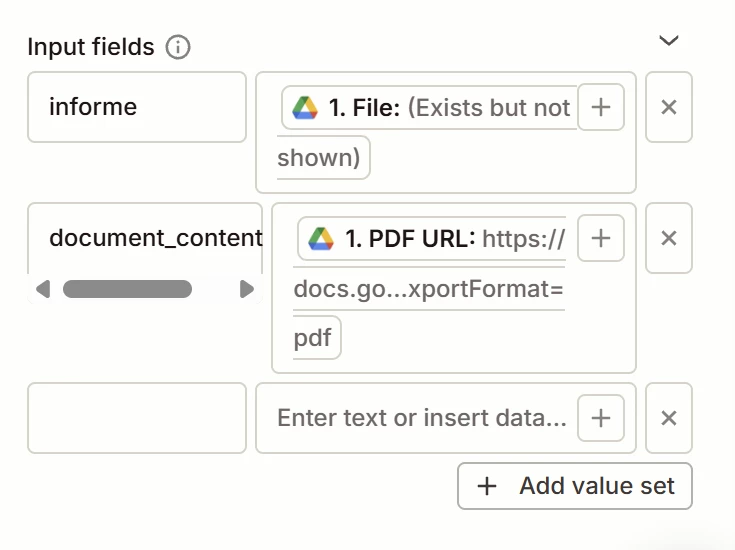
document_contentinput field from{{=gives["367881179"]["exportLinks"]["application/pdf"]}}to{{=gives["367881179"]["exportLinks"]["text/markdown"]}} - Enable a checkbox called "Is 'document_content' a file URL?" to tell AI to download and process the file
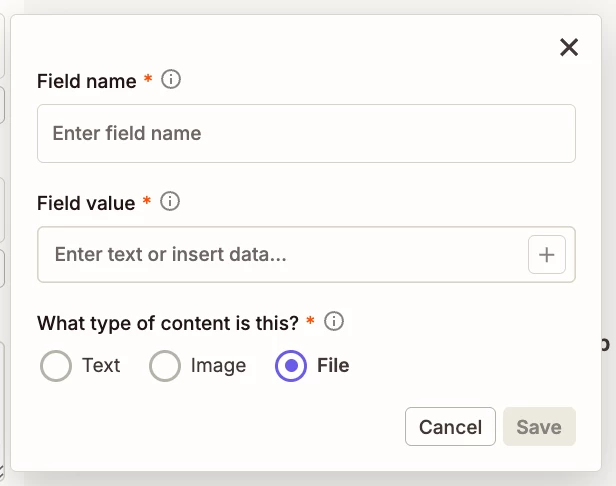
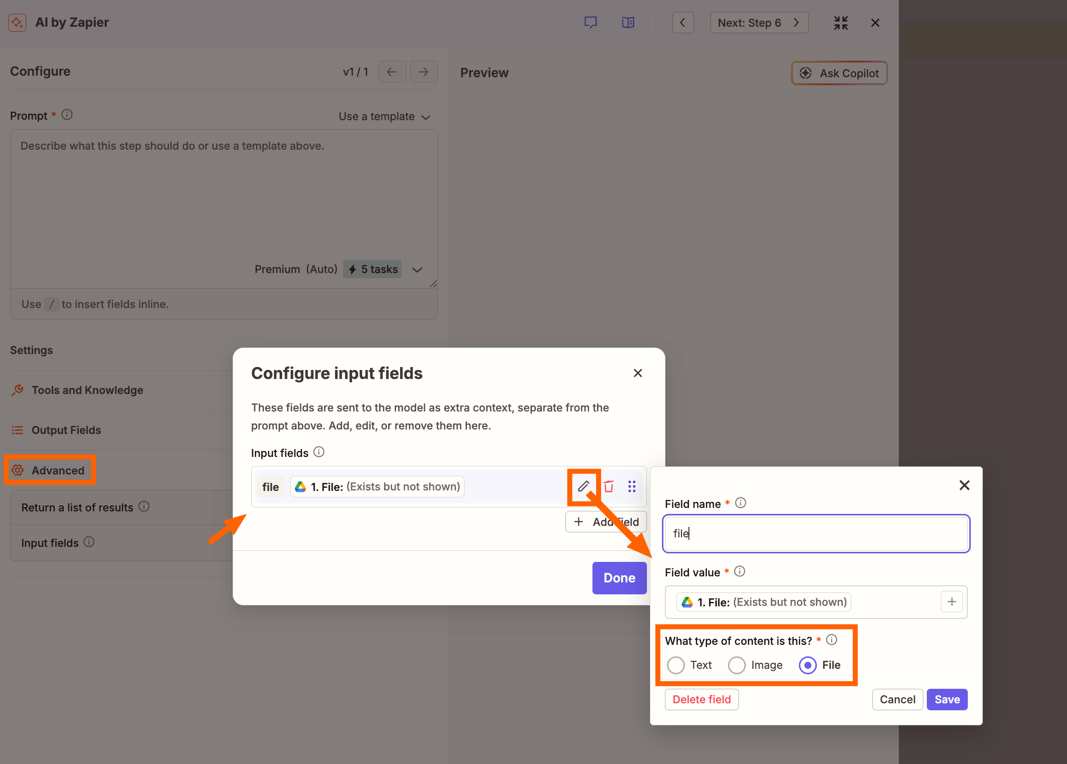
What I found in the documentation: According to the AI by Zapier help docs, Input fields should have a "What type of content is this?" dropdown with three options:
- Text (default)
- Image (for image URLs)
- File (for file URLs like PDFs)
However, this dropdown is NOT appearing in my UI nor the checkbox “Is ‘document_content’ a file URL?”, even after changing the field value. I only see:
- Field name
- Field value
- No "What type of content is this?" option below
My question:
- Should the "What type of content is this?" dropdown always appear after adding an input field, or only under certain conditions?
- Is there another way to tell AI by Zapier to process a PDF from a URL?
- Could this be a UI bug or am I missing something?
I'll attach screenshots showing exactly what I see in my Zap configuration:
Any help would be greatly appreciated!