I’m using a Korea form tool called Smore to send messages to Slack.
When someone submits a Smore form, I customize the content and send it to slack.
However, the bot icon aren’t showing up as expected.
Can anyone help me figure this out?
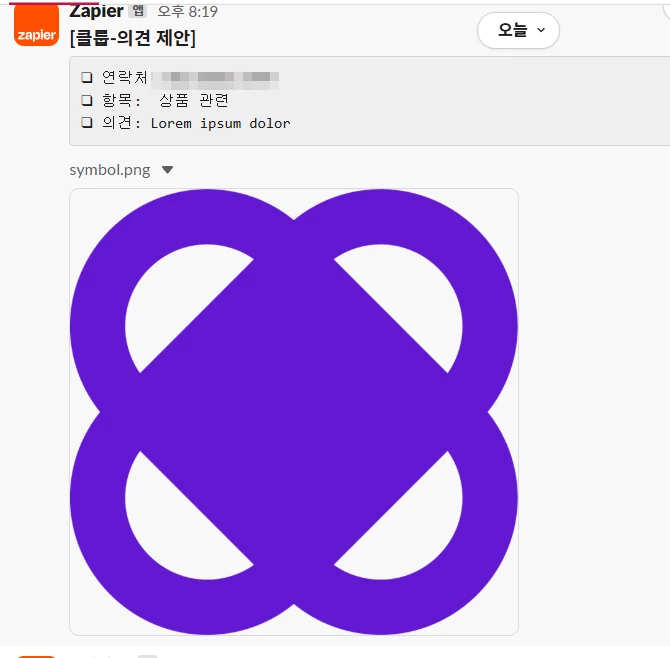
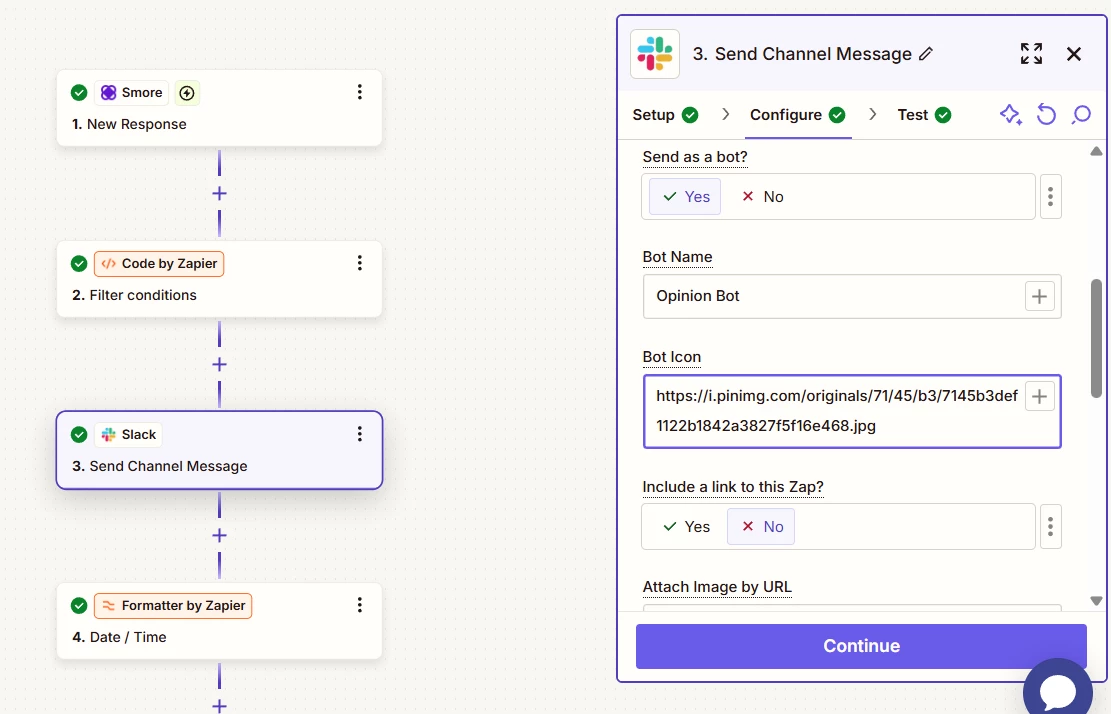

I’m using a Korea form tool called Smore to send messages to Slack.
When someone submits a Smore form, I customize the content and send it to slack.
However, the bot icon aren’t showing up as expected.
Can anyone help me figure this out?
Best answer by SamB
Hey there,
I see you also reached out to our Support team about this and they added your vote to a feature request for the ability to customise the bot settings when sending a file to Slack. According to the help text for the File field that’s the expected behavior currently:
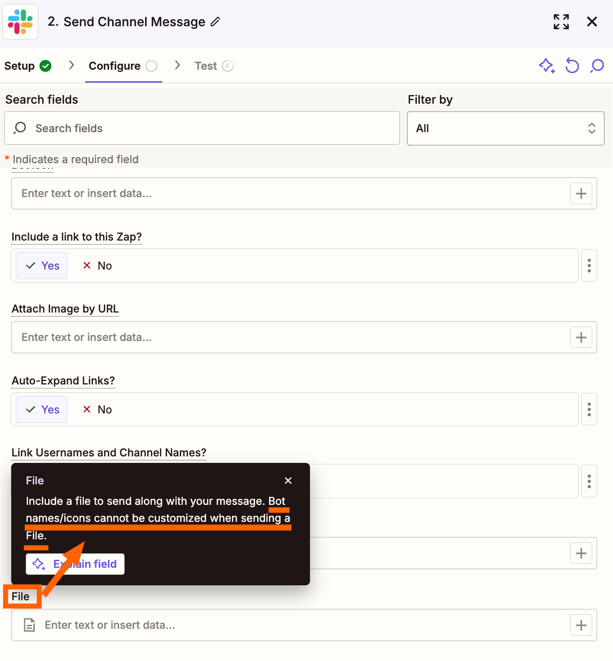
As a workaround, could you add a link to the Smore file within the Message Text field instead of in that File field? Just wondering if that might then allow the message and file to be shared on Slack with the desired Bot icon and name used.
Can you give that a try and let us know if that does the trick?

Build and deploy automations from AI tools you already use. With Agentic Management, if anything breaks, the agent diagnoses the issue and proposes a fix.
No account yet? Create an account
Enter your E-mail address. We'll send you an e-mail with instructions to reset your password.