Best answer

Pipedrive to Evoliz: how to send multiple product line items?

  • January 6, 2026
  • 5 replies
  • 24 views

Hello community! I’m setting up an automation from Pipedrive → Zapier → Evoliz and I’m stuck with product line items.

In Pipedrive, my deals can contain multiple products. Zapier correctly retrieves these products as line items (using the product code, currently mapped via a Zapier table). However, when the data is sent to Evoliz, only one product line is created. Additional products are not added and halts the flow. I don’t see any option in Zapier or the Evoliz integration to create or update multiple product lines in a single action.

Does the Evoliz Zapier integration support multiple line items in one request? If not, is the recommended approach to use Looping by Zapier (one product per loop)?

Best answer by Sparsh from Automation Jinn

Hey ​@ticus6822,

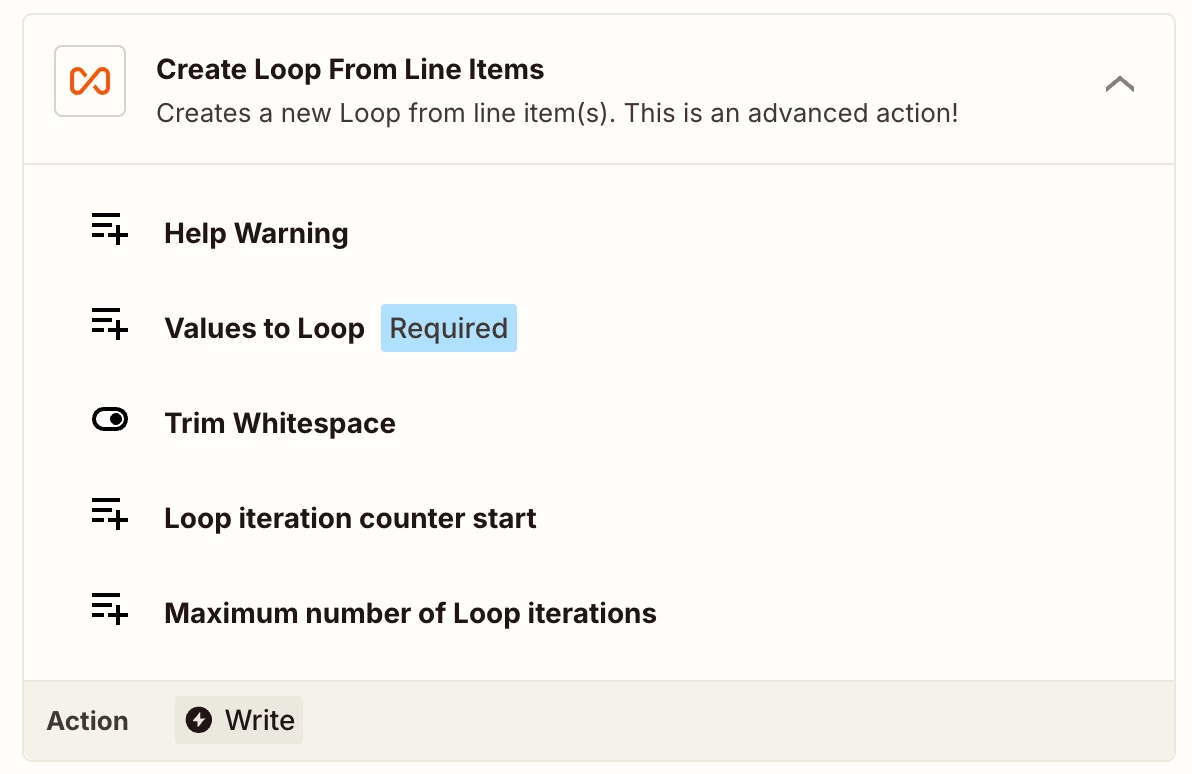
As said previously as well, you will have to use Create Loop from Line Team action before the Create Quote to do lopping. 

If the data is not in Line items format, you can also use Create Loop from Text and there you can put the delimiter in the Text Delimiter. Hope it helps!

5 replies

Sparsh from Automation Jinn
Forum|alt.badge.img+6

Hey ​@ticus6822,

Yes the correct approach would be to use Create Loop from Line items action from Looping by Zapier. 

Here is a helpful article about Looping in Zapier here- https://help.zapier.com/hc/en-us/articles/8496106701453-Loop-your-Zap-actions. Hope it helps!


Troy Tessalone
Zapier Orchestrator & Solution Partner
Forum|alt.badge.img+14
  • Zapier Orchestrator & Solution Partner
  • January 6, 2026

Hi ​@ticus6822 

For us to have more info, post screenshots showing how your Zap steps are outlined and configured in the CONFIGURE tab while in EDIT mode with the field mappings visible.


  • Author
  • New
  • January 8, 2026

Hello ​@Troy Tessalone , 

Thanks. How do I loop items? There’s no option to add that. Is it under cutom actions? Even then, evoliz natively doesn’t have an option to add a second line, or am I missing something here


  • Author
  • New
  • January 8, 2026

Also when used “+” it actually adds the product in the same line instead of under it


Sparsh from Automation Jinn
Forum|alt.badge.img+6

Hey ​@ticus6822,

As said previously as well, you will have to use Create Loop from Line Team action before the Create Quote to do lopping. 

If the data is not in Line items format, you can also use Create Loop from Text and there you can put the delimiter in the Text Delimiter. Hope it helps!