Answer

New Email Search Thread not returning value when published

  • January 15, 2024
  • 5 replies
  • 244 views

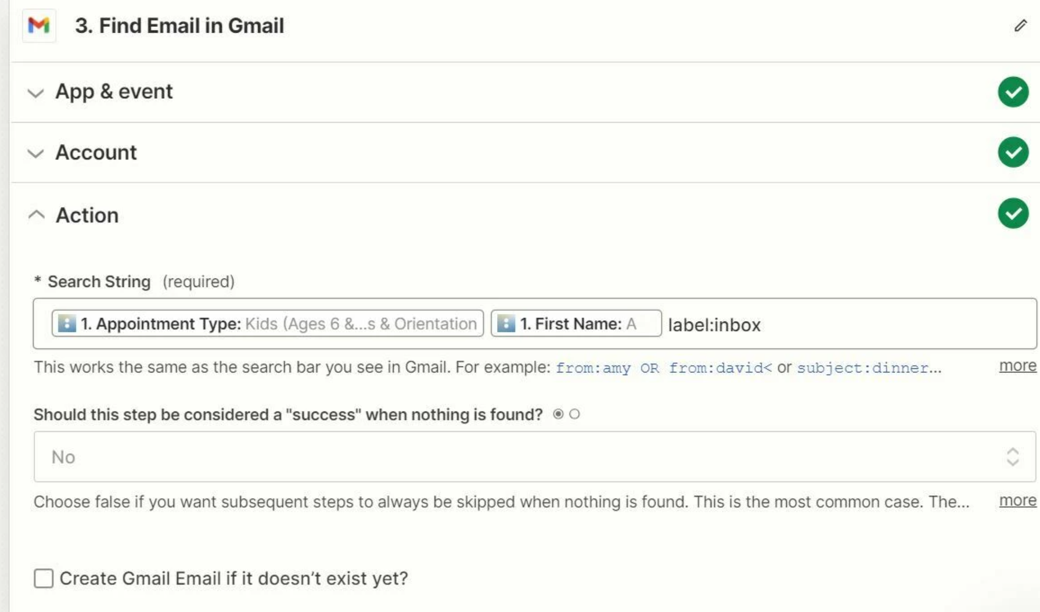
I am trying to create a draft email in Gmail tied to email submissions coming in from a Scheduler.  So I built the Zap to use the New Email Search function and used the Subject of the email for it to search.  The thread works when testing the Zap.  It creates a Draft email on the right thread.  When I publish it I get an error saying The app returned "Requested entity was not found." and the error is on the Draft portion of the Zap.

Anyone have any ideas?  I have two Zaps doing the same thing working in test erroring in publish.

Best answer by ken.a

Hi there @QuantumPDX,

Welcome to the Community! 🎉

It looks like you’ve reached out to our Support Team regarding this issue and now has been resolved. I’ll share the suggestion of our Support Team here so that our other amazing Community members who might run into a similar issue can find the solution here.

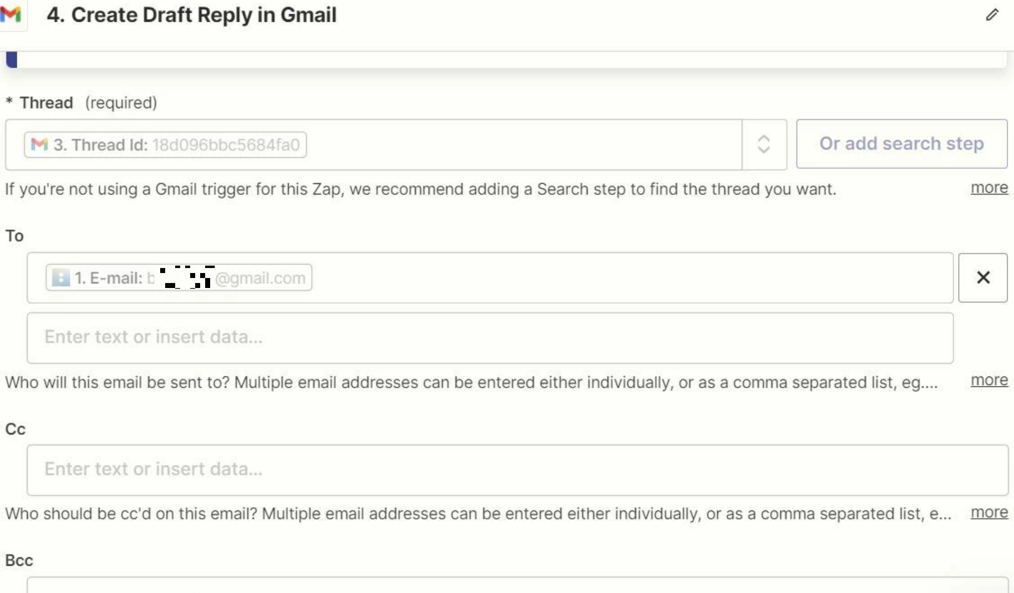
It looks like the ID of the email was being used instead of the Thread ID: 
 
552b63c418e2b244b56973bb8e2f1bd4.png
(view larger)
 
dd615285c1a6bb0e2c45c8b9f254cac2.png
(view larger)
 
I see you have selected the Thread ID in the Zap now, can you please try to publish that change and then turn the Zpa on? 
f19a56f3828138132a055156859e5e20.png
(view larger)

This post has been closed for comments. Please create a new post if you need help or have a question about this topic.

5 replies

  • Author
  • New
  • January 15, 2024


  • Author
  • New
  • January 15, 2024


  • Author
  • New
  • January 15, 2024


  • Author
  • New
  • January 15, 2024


ken.a
Forum|alt.badge.img+6
  • Zapier Staff
  • Answer
  • January 16, 2024

Hi there @QuantumPDX,

Welcome to the Community! 🎉

It looks like you’ve reached out to our Support Team regarding this issue and now has been resolved. I’ll share the suggestion of our Support Team here so that our other amazing Community members who might run into a similar issue can find the solution here.

It looks like the ID of the email was being used instead of the Thread ID: 
 
552b63c418e2b244b56973bb8e2f1bd4.png
(view larger)
 
dd615285c1a6bb0e2c45c8b9f254cac2.png
(view larger)
 
I see you have selected the Thread ID in the Zap now, can you please try to publish that change and then turn the Zpa on? 
f19a56f3828138132a055156859e5e20.png
(view larger)