Answer

LifterLMS - HubSpot Mapping Issues

  • May 6, 2024
  • 5 replies
  • 47 views

We are attempting to connect our LMS (i.e., LifterLMS) to our CRM (i.e., HubSpot) but hit a wall when mapping the fields appropriately.

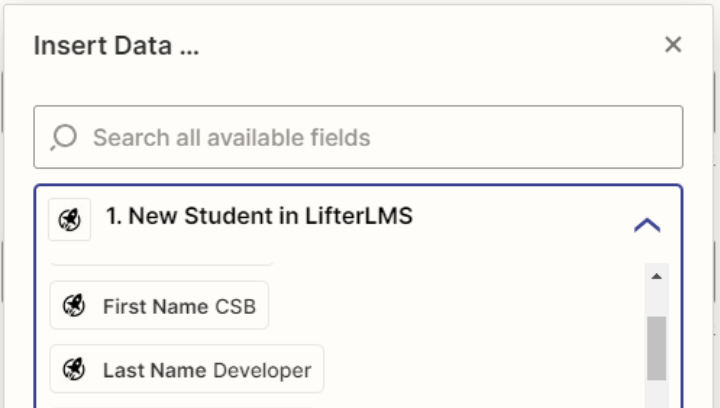
Our Registration Form (https://thebmci.com/register-now/) contains several key fields, but several are not appearing in the list of selectable fields (from LifterLMS) when we are creating the Zap recipes. Namely, the Age, Gender, Island, Phone, and How did you hear about us fields. 

We’re hoping that someone can help to guide us on what’s needed to be done to effectively automate the synchronization of data between our LMS and CRM.


Best answer by bmci_chief

Thanks, @Troy Tessalone & @ken.a.

Unfortunately, after contacting LifterLMS, we’ve determined that the Zapier integration is still young concerning LifterLMS, so they’re lacking in that regard.

We’re going to have use an alternative in the meantime.

This post has been closed for comments. Please create a new post if you need help or have a question about this topic.

5 replies

Troy Tessalone
Zapier Orchestrator & Solution Partner
Forum|alt.badge.img+14
  • Zapier Orchestrator & Solution Partner
  • May 6, 2024

Hi @bmci_chief 

For us to have more context, post screenshots with how your Zap steps are outlined and configured in EDIT mode.


  • Author
  • Beginner
  • May 6, 2024

Hi @Troy Tessalone.

Thanks for responding!

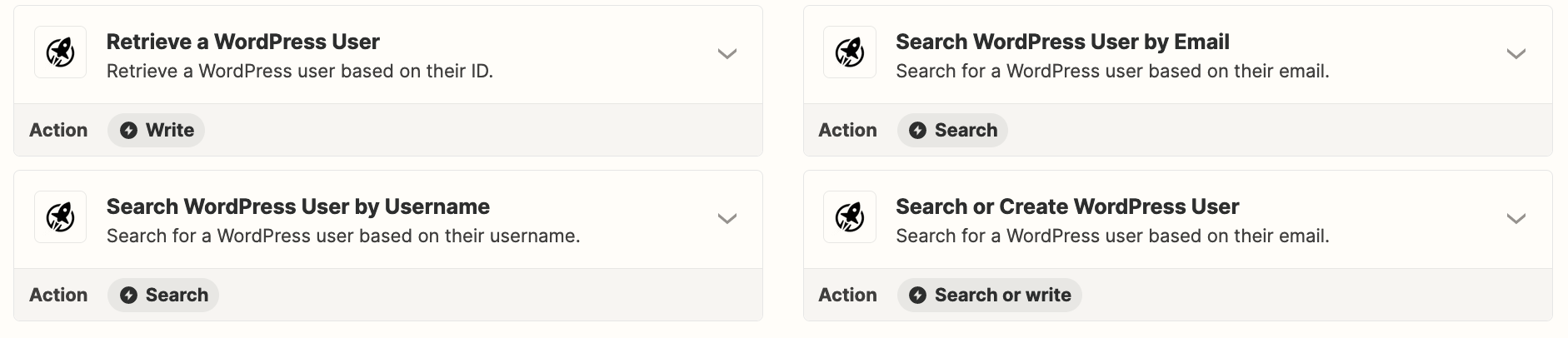
Here are a few screenshots.


Troy Tessalone
Zapier Orchestrator & Solution Partner
Forum|alt.badge.img+14
  • Zapier Orchestrator & Solution Partner
  • May 6, 2024

@bmci_chief 

You can try searching/scrolling for the desired field/value to see if it is available to map.

You can try adding a retrieve/search step after the Zap trigger step for LifterLMS to see if that will pull additional data points to map to HubSpot.


Otherwise, you may have to try reaching out to LifterLMS Support for help with their Zap app integration to determine if the desired fields are available for their triggers/actions.

Help article from LifterLMS that may have provide guidance: https://lifterlms.com/docs/getting-started-with-lifterlms-and-zapier/


ken.a
Forum|alt.badge.img+6
  • Zapier Staff
  • May 7, 2024

Hi @bmci_chief,

Welcome to the Community! 🎉

I agree with Troy here. I’d recommend reaching out to LifterLMS Support since the fields you’re looking for might not be supported. You can reach LifterLMS Support here: https://lifterlms.com/help/

Hopefully, this helps!


  • Author
  • Beginner
  • Answer
  • May 16, 2024

Thanks, @Troy Tessalone & @ken.a.

Unfortunately, after contacting LifterLMS, we’ve determined that the Zapier integration is still young concerning LifterLMS, so they’re lacking in that regard.

We’re going to have use an alternative in the meantime.