Best answer

Kajabi form submission is not getting triggered

  • December 17, 2025
  • 7 replies
  • 39 views

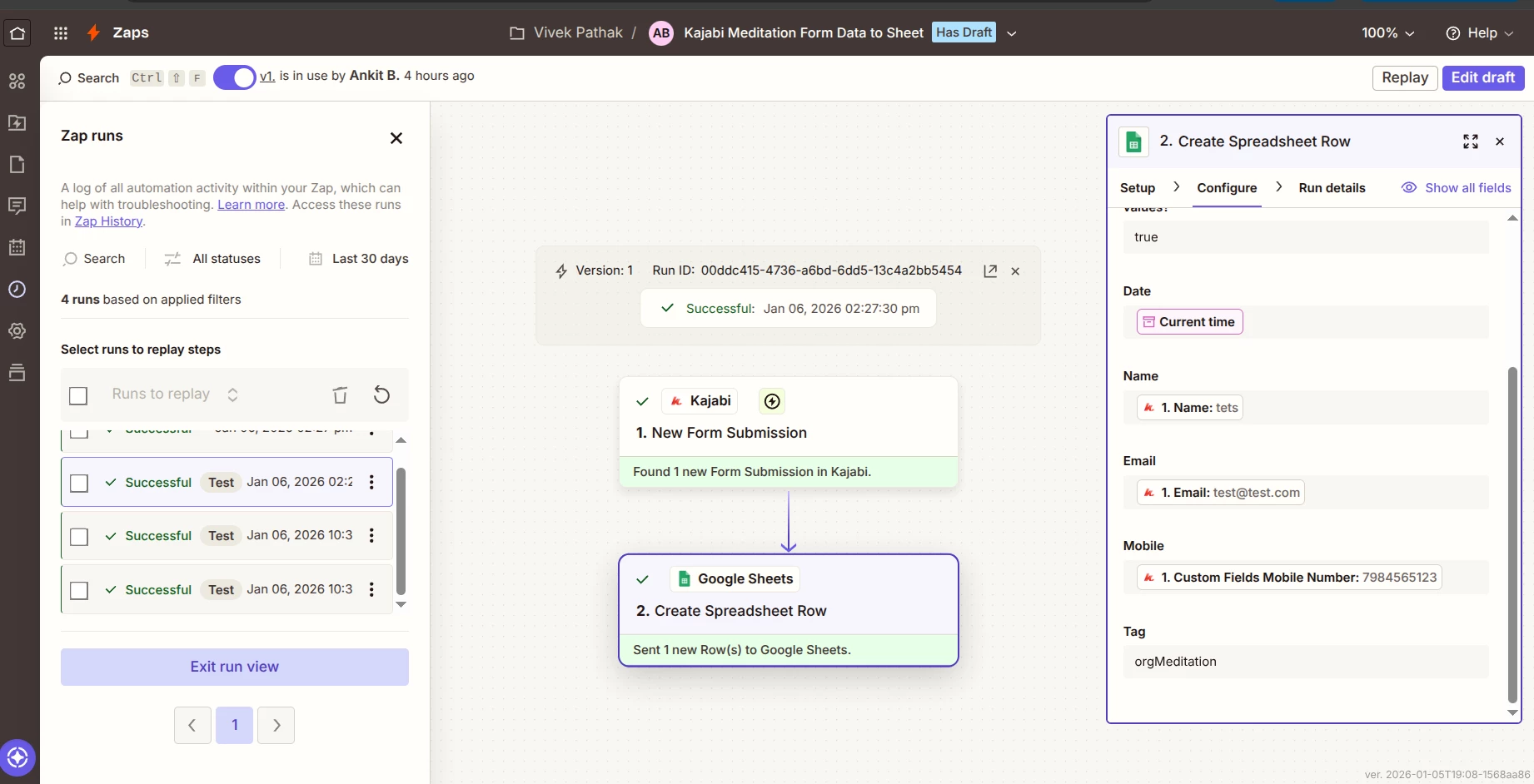
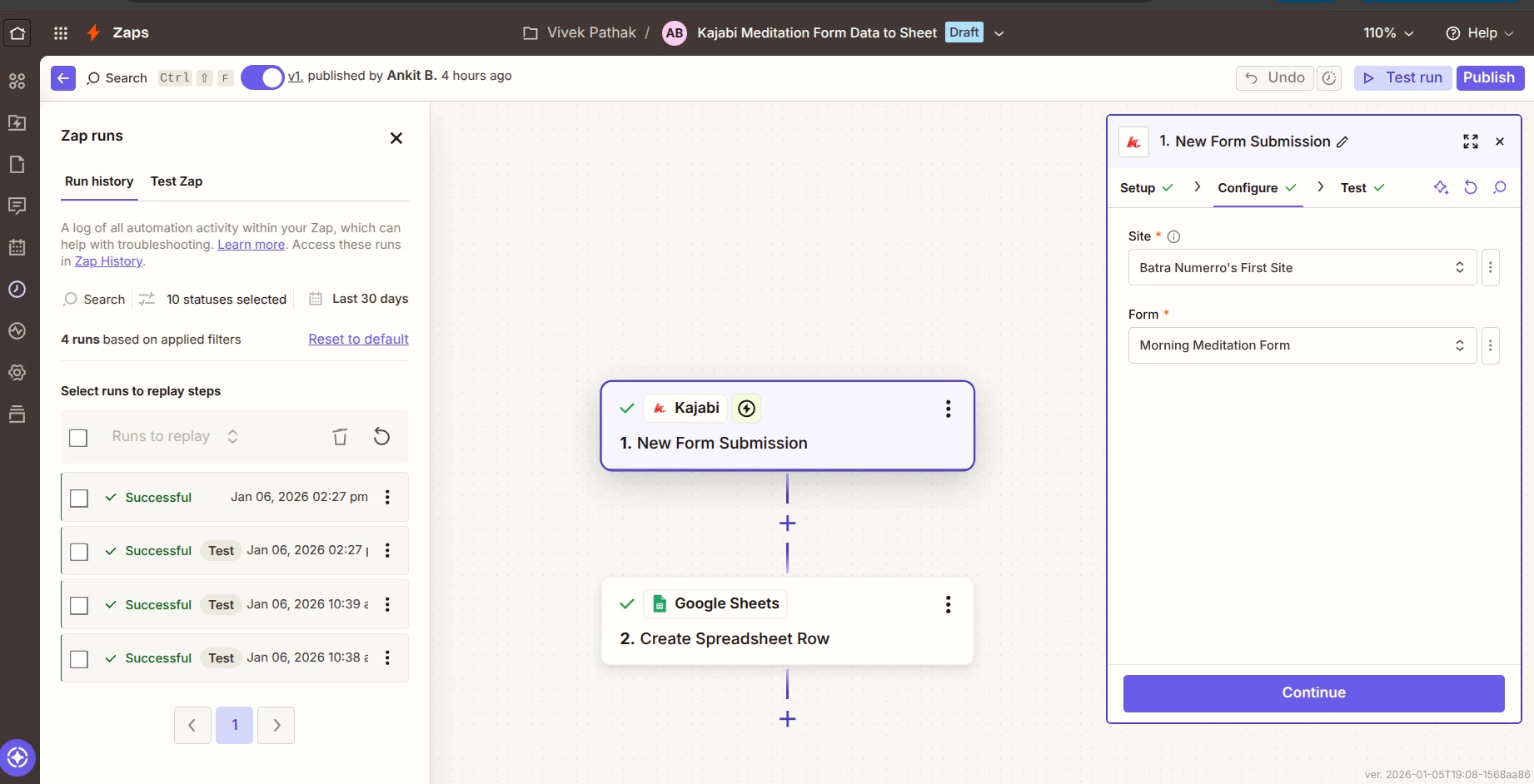
I am facing an issue with a Zap that sends Kajabi form submission data to Google Sheets. The form is working correctly in Kajabi, and the submission data is visible there. Zapier test runs also work perfectly, and test data is successfully pushed to Google Sheets. However, when the form is live and published, the actual user submissions are not triggering the Zap, and no data is being sent to Google Sheets. The Zap is turned ON, the site and form are published, and there are no errors visible in the Zap history—only test submissions are captured, not real ones. Please help me understand why live Kajabi form submissions are not triggering the Zap and if any configuration, permission, or form connection is missing.

this is the link for zap https://zapier.com/editor/XXXXXXXX/published
and fro google sheet https://docs.google.com/spreadsheets/d/XXXXXXXXXXXXXXXXXXXXXXXXXXXXXXXXXXX/edit?gid=XXXXXXXXXXXX#gid=XXXXXXXXXXXX


This post has been edited by a moderator to remove sensitive details. Please remember that this is a public forum and avoid sharing private information such as Zap links, Google Sheets links.

Best answer by SamB

Hi all,

This issue is due to a bug that’s being discussed in a more recent Community topic. To keep updates in one place, I’m going to close this topic.

If you’re experiencing similar issues, please comment on the following thread so we can add you to the bug report: 

Thanks for your understanding 🙏

This post has been closed for comments. Please create a new post if you need help or have a question about this topic.

7 replies

Troy Tessalone
Zapier Orchestrator & Solution Partner
Forum|alt.badge.img+14
  • Zapier Orchestrator & Solution Partner
  • December 17, 2025

Hi ​@Priya Batra 

For us to have more info, post screenshots showing how your Zap steps are outlined and configured in the CONFIGURE tab while in EDIT mode with the field mappings visible.


Help links for using each Zap App: 

Kajabihttps://zapier.com/apps/kajabi/integrations#help

GSheetshttps://zapier.com/apps/google-sheets/integrations#help


  • Author
  • Beginner
  • January 6, 2026

find the image here. 
 

Please provide me the solution As soon as possible. 


Troy Tessalone
Zapier Orchestrator & Solution Partner
Forum|alt.badge.img+14
  • Zapier Orchestrator & Solution Partner
  • January 6, 2026

@Priya Batra 

Check that you meet the prereqs for using Kajabi in Zaps…

Prerequisites

To use the Kajabi app on Zapier, you must have:

  • An active Kajabi account (any paid plan - Kickstarter, Basic, Growth, or Pro). 
  • At least 1 purchase, form submission, or completed assessment on your Kajabi site (depending on the specific Zapier connection you want to create). 

  • Author
  • Beginner
  • January 6, 2026

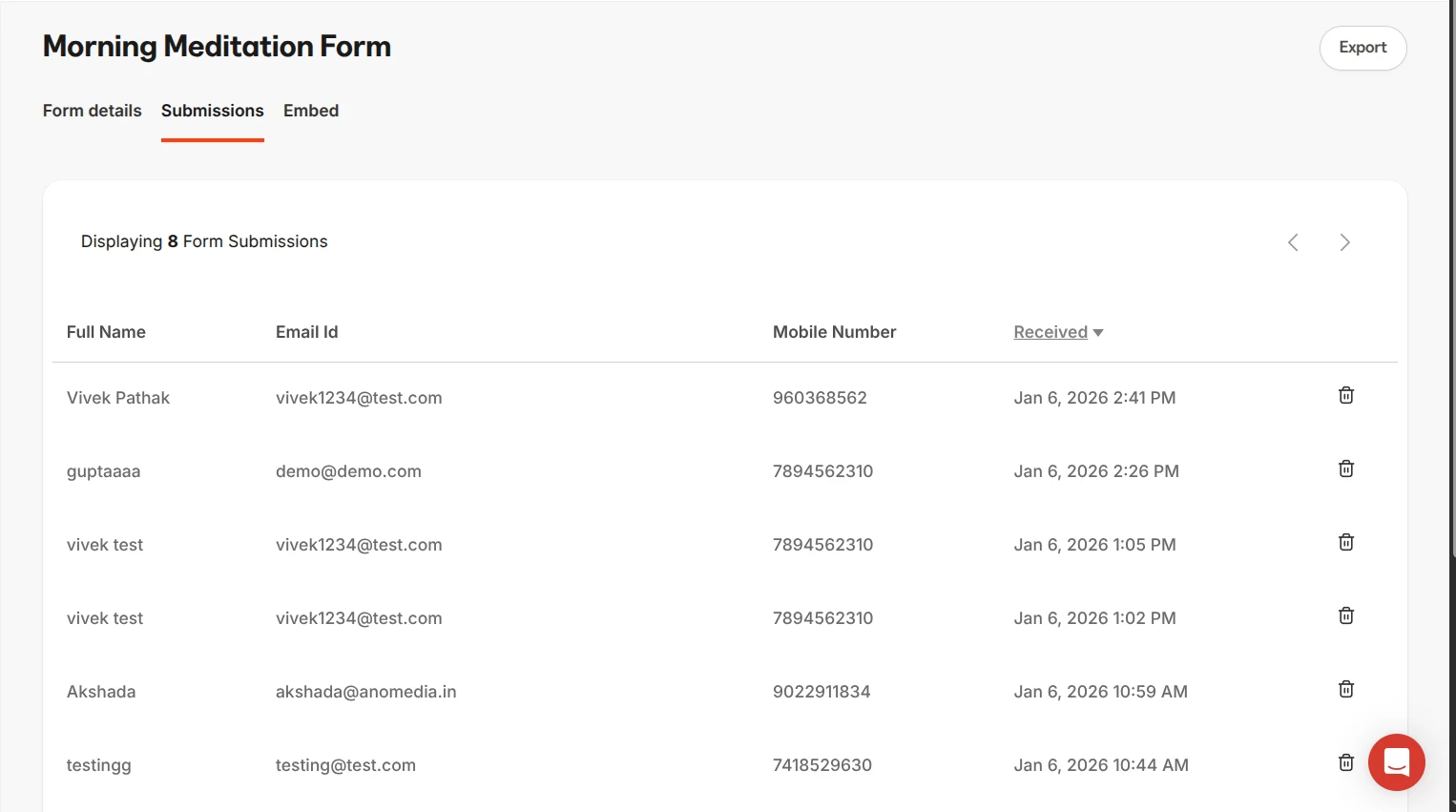
We are on pro plan of kajabi. We are getting form submission data on kajabi form submission. 
I can share the ss here for your ref.

This is the data which is getting captured at kajabi. 


Troy Tessalone
Zapier Orchestrator & Solution Partner
Forum|alt.badge.img+14
  • Zapier Orchestrator & Solution Partner
  • January 6, 2026

@Priya Batra 

Kajabi may not be firing the Zap due to the dummy data being used to test the Kajabi form. (e.g. @test.com)


You can try reaching out to Kajabi Support for help with their Zap app integration.

You can try reaching out to Zapier Support: https://zapier.com/app/get-help


  • Author
  • Beginner
  • January 6, 2026

I tried with the zap help and get this communication channel. 


SamB
Community Manager
Forum|alt.badge.img+11
  • Community Manager
  • Answer
  • January 9, 2026

Hi all,

This issue is due to a bug that’s being discussed in a more recent Community topic. To keep updates in one place, I’m going to close this topic.

If you’re experiencing similar issues, please comment on the following thread so we can add you to the bug report: 

Thanks for your understanding 🙏