Question

Javascript address importing issue

  • May 8, 2026
  • 5 replies
  • 30 views

I am testing to import addresses using Javascript within Zapier from Acculynx to Handwrytten for 3 groups. When I get the coding to work for one group, I duplicate that Zap, make a new zap and import the new information for the different groups. I have Javascript set up to parse up the mailing address to conform to Handwryttens requirements. But when I import the new information the address from the previous zap shows up for this current zap. How do I clear the customer’s information without losing the coding? Or do I need to not duplicate the zap and start fresh each time? I am worried that if I publish the zap it will keep pulling the same address and not pull new addresses each time. Thanks! 

5 replies

Forum|alt.badge.img+3
  • Zapier Solution Partner
  • May 8, 2026

Hi ​@Ander05 

You do not need to start fresh each time. Duplicating the Zap is fine.

The old address is usually just cached test/sample data in Zapier — not what the live Zap will use after publishing.

To clear it:

  1. Open the Trigger step
  2. Click Test Trigger → Find New Records
  3. Select a NEW customer/job record
  4. Re-test the Code step

Also make sure your JavaScript uses dynamic fields like:

const address = inputData.address;

and not hardcoded addresses.

If needed, re-map the fields in the Code step after duplicating the Zap.
If you're still running into issues after trying these steps, feel free to drop a screenshot of the error and a quick description of what your Zap is doing—happy to take a look and help troubleshoot.


  • Author
  • Beginner
  • May 8, 2026

Thank you Fahad! 


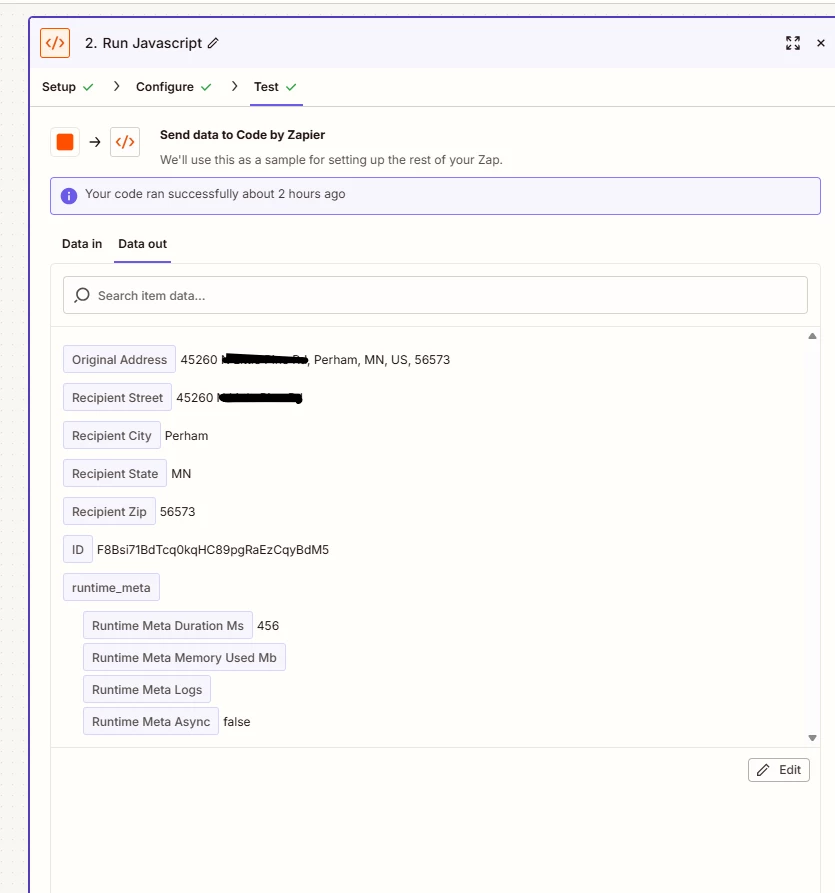
I clicked on a new job record and verified the inputData:address is correct. I went through the process, but it still grabbed the old address: 1009 instead of the 45260. Any help would be greatly appreciated! 


Thank you!  


Forum|alt.badge.img+3
  • Zapier Solution Partner
  • May 8, 2026

Hy ​@Ander05 

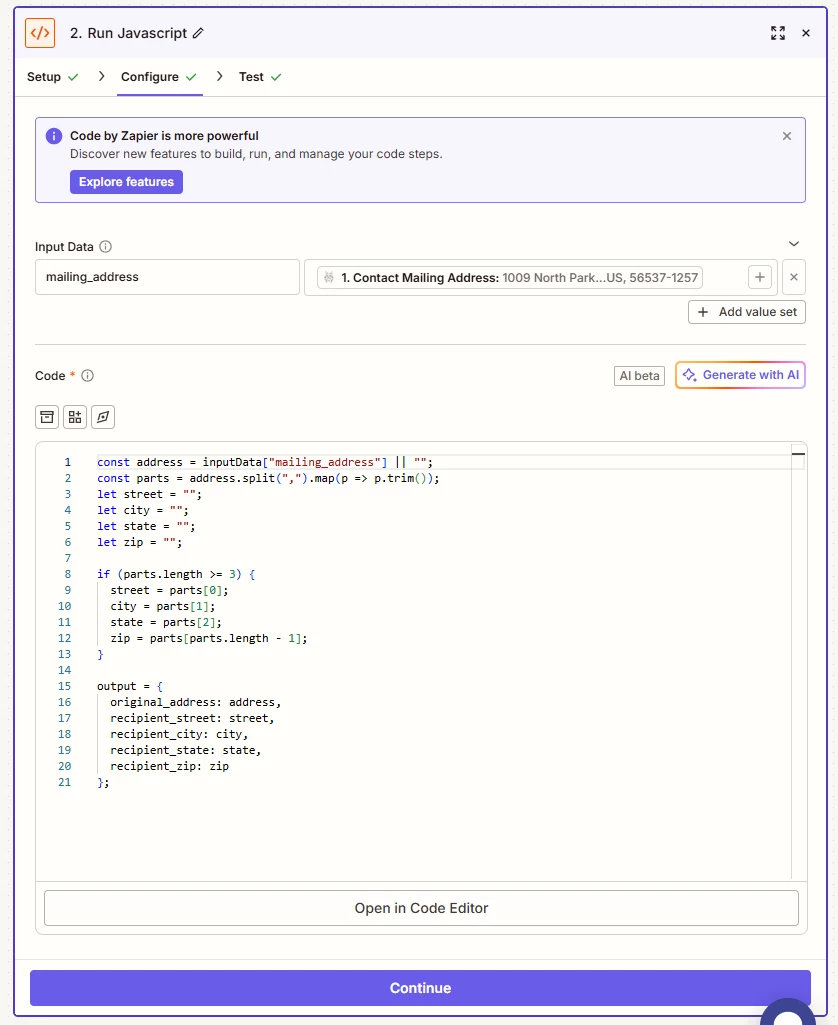
The screenshot shows the issue clearly: your Configure tab is still using the old mapped sample value: 

1. Contact Mailing Address: 1009 North Park...
Even though your Test tab shows 45260, the input field itself never refreshed after duplicating the Zap.

Fix:

  • In the mailing_address field, click the X to remove the old mapping
  • Re-select Contact Mailing Address from the new trigger sample
  • Test again

Your JavaScript is fine. The stale mapping is the problem.


  • Author
  • Beginner
  • May 11, 2026

Thank you! Is there anything that I need to do before publishing this zap to make sure the old mapping does not stay? Thanks 


SamB
Community Manager
Forum|alt.badge.img+11
  • Community Manager
  • May 12, 2026

Hi there ​@Ander05 👋 When the Zap runs live, whatever address value is in the selected address field will be passed to the Code action so you should be all set!

But if you want to double-check before publishing the Zap you can always select a different test record that has a different address, then just retest the Code action to make sure it outputs the right address.