Best answer

How to get the correct event name from a new booking in TicketSource

  • September 7, 2025
  • 17 replies
  • 166 views

I want to add/update a contact in MailChimp each time a new booking for an event is made in TicketSource, with the ability to assign tag/s dependent on the event name. I’ve created a zap which uses New Booking, Find Event and Find Customer steps, followed by a number of paths each of which tests whether the event name contains a particular string, and assigns the appropriate tag/s for that event.

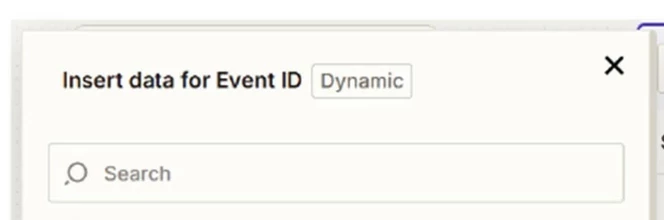
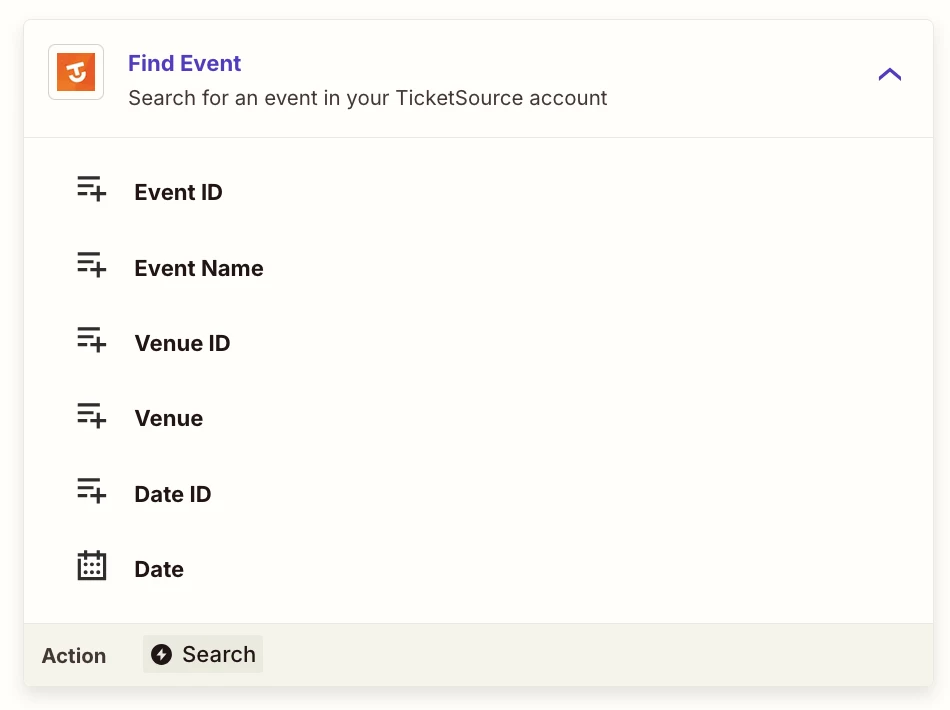
The customer data is handled correctly, so the correct contact is always being added/updated in MailChimp. BUT the correct tag/s are not being assigned. I have traced this back to the Find Event step, which outputs an incorrect Name string in “Data Out” when it runs. The Configuration for this step seems to be pre-configured with the Zapier Booking ID assigned to the Event ID field, which I think is the problem. Looking at the suggested alternative available fields from the New Booking step, which include TicketSource Customer ID, Booking Reference, etc. there is no TicketSource Event ID which I would expect.

At this point, I can’t see how to get the correct Name out of the Find Event step, so that the subsequent steps then work correctly.


Thanks

Steve

Best answer by Sparsh from Automation Jinn

Hey ​@Steve Welford,

Can you try using Date ID instead of Event ID to see if it fixes it? See more about TicketSource Zapier integration here- https://help.ticketsource.com/en/article/zapier-integration-p5mvf6. Hope it helps!

This post has been closed for comments. Please create a new post if you need help or have a question about this topic.

17 replies

Sparsh from Automation Jinn
Forum|alt.badge.img+6

Hey ​@Steve Welford,

Can you try using Date ID instead of Event ID to see if it fixes it? See more about TicketSource Zapier integration here- https://help.ticketsource.com/en/article/zapier-integration-p5mvf6. Hope it helps!


Troy Tessalone
Zapier Orchestrator & Solution Partner
Forum|alt.badge.img+14
  • Zapier Orchestrator & Solution Partner
  • September 8, 2025

Hi ​@Steve Welford 

Help us have more info by posting screenshots showing:

  • how your Zap steps are outlined
  • how your Zap steps are configured in EDIT mode in the CONFIGURE tab with the field mappings visible
  • check your Zap Run history details to see the DATA IN/OUT for each step to help you trace the data flow and troubleshoot: https://zapier.com/app/history/

SamB
Community Manager
Forum|alt.badge.img+11
  • Community Manager
  • September 15, 2025

Hey ​@Steve Welford, just checking in! 👋 Were you able to get this sorted by using the Date ID instead of the Event ID like Sparsh suggested? 

Want to make sure you’re all set so please let us know if you still need any help. 🙂


  • Author
  • Beginner
  • September 19, 2025

Hi, no unfortunately not. The output fields from the New Booking trigger event just don’t appear to offer any useful fields for getting the TS event information, eg. event name or event date. See attached screenshot. Getting customer data (from TicketSource Customer ID) works fine, but there’s no handy TicketSource Event ID


Steve


Troy Tessalone
Zapier Orchestrator & Solution Partner
Forum|alt.badge.img+14
  • Zapier Orchestrator & Solution Partner
  • September 19, 2025

@Steve Welford 

Did you try using the search bar to search for either variable labels or variable values?

e.g. Try searching for “event” to narrow the list of variables to see if there is a variable that has a value for the event name or event ID.

e.g. Try searching for the name of the event to narrow the list of variables to see if there is a variable that has a value for the event name.


If the Event ID is returned, but not the Event Name, then try adding this Zap step: TicketSource - Find Event

Search by Event ID


  • Author
  • Beginner
  • September 19, 2025

Hi, yes, using Search to search for “Name” did turn up field Event Name; I hadn’t realised the list of fields displayed was not exhaustive, and not tried Search before. BUT, now a different problem which I can’t figure - the value in Event Name is not correct, whereas customer name, email, etc are correct; same issue with Event Description. How can event details for New Booking be incorrect but customer info is correct?

Steve


Troy Tessalone
Zapier Orchestrator & Solution Partner
Forum|alt.badge.img+14
  • Zapier Orchestrator & Solution Partner
  • September 19, 2025

@Steve Welford 

Try mapping the variables in the Zap step.

  1. Turn the Zap ON.
  2. Test live.
  3. Check your Zap Runs: https://zapier.com/app/history/
  4. Click into a Zap Run to see the DATA IN/OUT for each step to help you trace the data flow and troubleshoot to confirm if the correct data points are being used.

Sparsh from Automation Jinn
Forum|alt.badge.img+6

Hey ​@Steve Welford,

Is it possible that there are multiple events for the same customer as you said the customer details are correct? Maybe try using searching using the Event Id instead of the name for Find event action to find the exact events associated with the customer. Hope it helps!


  • Author
  • Beginner
  • September 23, 2025

Thanks for your input; I’m finding this deeply frustrating, even with everyone’s great suggestions. The New Booking step outputs useful data, including 

  • Zapier Booking ID 42498084/1758632828
  • TicketSource Customer ID cst-5082rbW4K6ER6A3Y
  • TicketSource Booking ID bkg-gDMlwDjXAalvoK0m
  • TicketSource Date ID dat-K23GJ4WvnjvZVNaq

and I can configure the Find Customer step with TicketSource Customer ID and get out the required customer information (name, email address, etc.). Works great.

But I can’t figure out how to configure the Find Event step to get out the Event Name which is really what I want so that in the following paths I can test each path for a specific event name. I’m trying to map the obvious fields either Event ID or Date ID to output fields from the previous steps (New Booking and Find Customer) but there are NO suitable fields offered to map to. Maybe I’m doing this completely wrong??

Steve


Sparsh from Automation Jinn
Forum|alt.badge.img+6

Hey ​@Steve Welford,

I can understand it can get a bit frustrating. If the Date ID is not working as expected, you may need try other try other triggers or actions to see which one exposes the Event ID. Maybe also try Find Customer action, maybe you can find an Event associated with them. You may also want to look into the Ticketsource account for a Event ID and enter it manually to see if it works.

You may also want to look into Ticketsource API to better understand their fields. Hope it helps!

PS: If you need more active help, I’m happy to connect through my Zapier Solution Partner page if you’d like to reach out here- https://zapier.com/partnerdirectory/automation-jinn


Forum|alt.badge.img
  • September 28, 2025

Find event’s pulling the wrong ID, better to grab the event name straight from the booking data.


  • Author
  • Beginner
  • September 28, 2025

Yes, but how? I’ve not found a way of getting the Event Name from the Ticketsource ‘New Booking’ event.


  • Author
  • Beginner
  • September 30, 2025

Thanks; I can’t see the Event Name in the data out fields from the New Booking trigger. I see the output below; is there a way to configure this, or does the TS function not return that data?


ID

42538457/1758793633

Customer Id

cst-pzmxRwdzgGlZ87VD

Booking Id

bkg-XnVqwkMoOoavDPl9

Date Id

dat-K23GJ4WvnjvZVNaq

Lines

1

line_type

TICKETS

payment_method

TS

is_refund

false

giftaid

false

amount

gross

66

fee

4.29

fee_vat

0.86

discounts

automatic

0

code

description

amount

0

net

60.85

created_at

2025-09-25T10:47:13+01:00

updated_at

2025-09-25T10:47:13+01:00

Reference

WKQN47

Booking Created At

2025-09-25T10:47:13+01:00

Booking Updated At

2025-09-25T10:47:13+01:00

User Booked By

Referral Source

Event flyer

consent

Consent Third Party

Consent Email

false

Consent Post

false

Consent Sms

false

Edit

ver. 2025-09-30T13:59-3ab12f18

Add MC Contact On TS Booking With Paths | Zapier

ppt=25982;g=pageview;gid=66415;ord=5217223302384.8545;v=120


Sparsh from Automation Jinn
Forum|alt.badge.img+6

Hey ​@Steve Welford,

As I said previously it might be some bug or problem with the Find Event action. You can try contacting the Zapier support here- https://zapier.com/app/get-help.

Alternatively, you can try using the Get Event endpoint in Ticketsource API to see if it can give you the name of the event correctly. See more about it here- https://reference.ticketsource.io/#/operations/get-event

You can use a Webhooks in Zapier action to do a GET request to this endpoint to get the details. Here is a helpful article about Webhooks in Zapier- https://help.zapier.com/hc/en-us/articles/8496083355661-How-to-get-started-with-Webhooks-by-Zapier. It can get a bit more technical and complex but if it’s important for you, you can give this approach a try. Hope it helps!


  • Author
  • Beginner
  • October 1, 2025

Hi ​@Sparsh from Automation Jinn - I went back over previous suggestions plus the TS help article you mentioned and again tried using Date ID as input to Find Event, and this seems to work with a booking that came in today! Apologies I wasted folks time by not testing this thoroughly at the time - I guess I got confused thinking Date ID was the booking date not the event date, also getting hung up on trying to find a name field to feed into Find Event. The TS article does suggest using Date ID … message: always read the documentation, as it’s a sign someone’s figured it out before! Thanks all. 


Sparsh from Automation Jinn
Forum|alt.badge.img+6

Hey ​@Steve Welford,

Glad you were able to figure it out by using the Date ID.


SamB
Community Manager
Forum|alt.badge.img+11
  • Community Manager
  • October 2, 2025

YAY! Glad to hear it's sorted now ​@Steve Welford 🎉 Appreciate you following up here to confirm that Sparsh's original suggestion did the trick - nice one ​@Sparsh from Automation Jinn! 🙌 If anything else comes up, don’t hesitate to reach out to the Community again. In the meantime, happy Zapping! ⚡