
Question

Greenhouse to Zapier Workflow Issue: Slack Notifications for Internal Job Openings

  • June 22, 2023
  • 8 replies
  • 131 views

JoshJosh

I'm currently experiencing an issue with an automation workflow between Greenhouse and Zapier. The workflow is designed to create a Slack notification whenever there's a new internal job opening in Greenhouse. Despite my Greenhouse API key having all the necessary permissions (which I have double-checked), the "New Job" trigger in Greenhouse is not sending data to Zapier as expected. This is preventing the intended notifications from being posted on Slack.

I'm interested in hearing from anyone who has faced similar issues with the integration of Greenhouse and Zapier, particularly with the "New Job" trigger. Any advice or suggestions for troubleshooting this problem would be greatly appreciated. Keeping our team promptly informed about new internal opportunities is a priority for our operations, and this automation plays a significant role in that process. Thank you in advance for your help and insights!


This post has been closed for comments. Please create a new post if you need help or have a question about this topic.

8 replies

Troy Tessalone
Zapier Orchestrator & Solution Partner
Forum|alt.badge.img+14
  • Zapier Orchestrator & Solution Partner
  • June 22, 2023

Hi @JoshJosh 

Good question.

The Greenhouse Zap triggers are all scheduled, meaning those can take from 1-15 minutes to fire, depending on your Zapier plan.

Check your Zap Runs history to see if the Zap fired and encountered errors: https://zapier.com/app/history/


JoshJosh
  • Author
  • Beginner
  • June 22, 2023

Hi @troy

There’s nothing in the history, so I know its because the Zap isn’t getting triggered at all.

I’m hoping there’s some deeper info to be shared about the Greenhouse side and its ping to Zapier.

Thanks


Troy Tessalone
Zapier Orchestrator & Solution Partner
Forum|alt.badge.img+14
  • Zapier Orchestrator & Solution Partner
  • June 22, 2023

@JoshJosh 

Greenhouse status page: https://status.greenhouse.io/

This may be related.


Troy Tessalone
Zapier Orchestrator & Solution Partner
Forum|alt.badge.img+14
  • Zapier Orchestrator & Solution Partner
  • June 22, 2023

@JoshJosh 

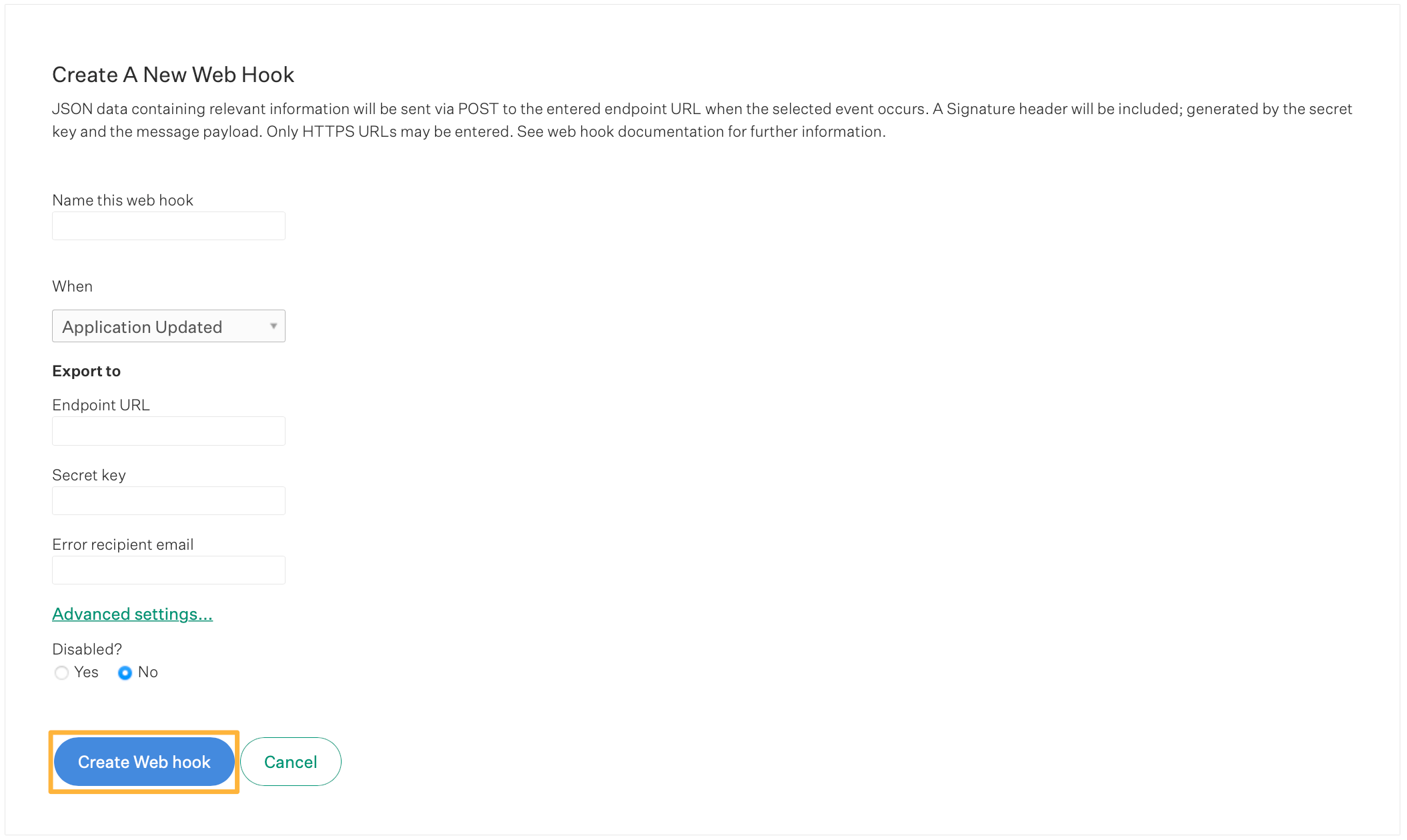
A workaround is to use webhooks in Greenhouse.

Guide: https://support.greenhouse.io/hc/en-us/articles/360005574531-Create-a-web-hook

Zap trigger: Webhook - Catch Hook

This will provide the unique webhook url to configure in Greenhouse.


JoshJosh
  • Author
  • Beginner
  • June 22, 2023

Ah thanks Troy!

It’s not been working for a week now, I’ve been trying different things, so not sure if the current status is the case, but let me try the web hook option now - can’t believe I didn’t think of that, thank you!


shalgrim
Forum|alt.badge.img+8
  • Zapier Staff
  • June 23, 2023

Hi @JoshJosh,

Do you have a lot of job postings? Like, a few hundred? We’ve noticed this happening with other users who have a lot of job postings due to the way the job listings are sorted.

It’s a known bug and the main community thread is here.

If setting the Limit to Live Posts parameter would still meet your needs, I recommend turning that on. Another possible workaround would be to set up Greenhouse to send an email on a new job posting and then have a Email Parser step be your Zap trigger.

In any case, I’ve added your email to the list of affected users, so when there are any updates you’ll know right away.


JoshJosh
  • Author
  • Beginner
  • June 23, 2023

Hi @shalgrim.

We only have 60-70 postings. I’ll try switching it to “Live Posts” only and see if that makes a difference, but I’m pretty sure I tried and that wasn’t unfortunately working.

I’m just trying the webhook method, but there isnt any information coming through the test of the webhook that I can use (e.g. job title, location, etc) - do I need to wait for a real job post to be created to be able to use the placeholders of this webhook info in the next step of the zap (send to slack)?

If that doesn’t work, I’ll try the email method.

Thanks for your help!


shalgrim
Forum|alt.badge.img+8
  • Zapier Staff
  • June 23, 2023

> do I need to wait for a real job post to be created to be able to use the placeholders of this webhook info in the next step of the zap (send to slack)?

Probably, yeah. Let us know if that doesn’t work out!