Best answer

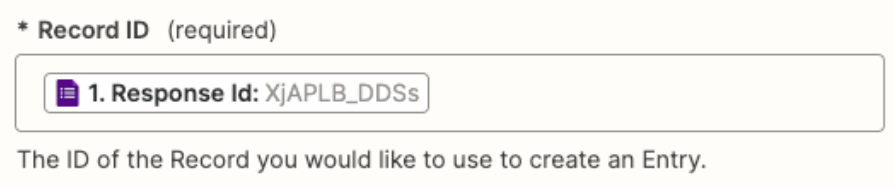
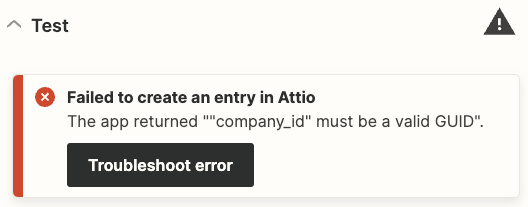
Failed to create an entry in Attio: The app returned ""company_id" must be a valid GUID

  • December 19, 2023
  • 6 replies
  • 272 views

  • Beginner
  • 3 replies

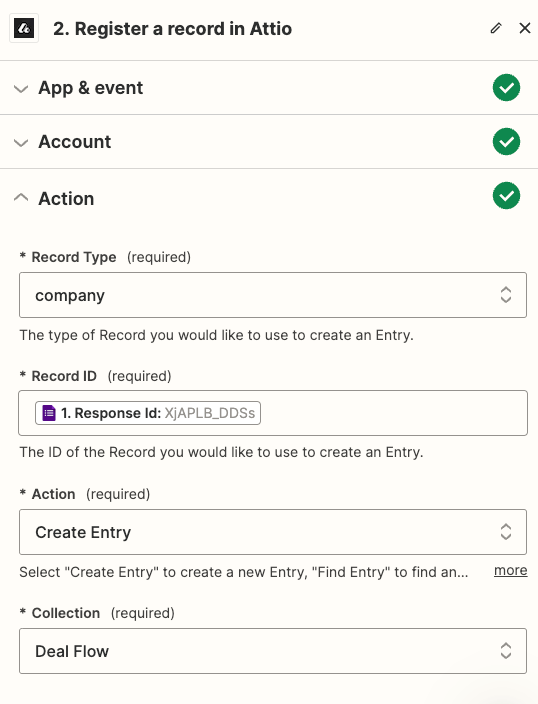
I have a Google Form and once I receive a new submission, a new entry in Attio should be created, but I’m having some troubles on testing the zap and I guess is related to the Record ID field, probably I need to put something different on that field. Below is a screenshot of the error message returned. What should I change?


Best answer by Troy Tessalone

Hi @SolB 

In Step 2, the Record ID expects a Company Record ID from Attio, rather than a Response ID from GForms.


Add this Zap step.


This post has been closed for comments. Please create a new post if you need help or have a question about this topic.

6 replies

Troy Tessalone
Zapier Orchestrator & Solution Partner
Forum|alt.badge.img+14
  • Zapier Orchestrator & Solution Partner
  • 34081 replies
  • Answer
  • December 19, 2023

Hi @SolB 

In Step 2, the Record ID expects a Company Record ID from Attio, rather than a Response ID from GForms.


Add this Zap step.


ken.a
Forum|alt.badge.img+6
  • Zapier Staff
  • 6780 replies
  • December 21, 2023

Hi there @SolB,

I’m jumping in to see if I can help.

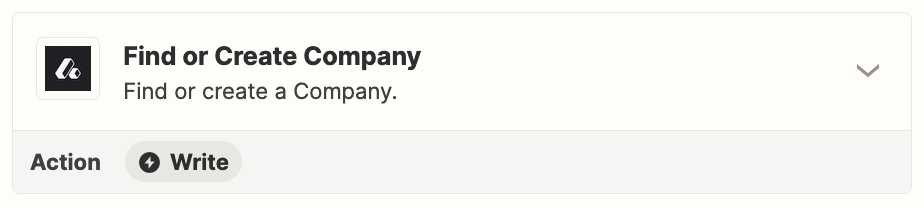
I believe you’d need to use the “Update Record Attributes Values” action and use the Record ID from the “Find or Create Company” step.

Hopefully, this helps!


  • Author
  • Beginner
  • 3 replies
  • December 19, 2023


  • Author
  • Beginner
  • 3 replies
  • December 20, 2023

Hi @SolB 

In Step 2, the Record ID expects a Company Record ID from Attio, rather than a Response ID from GForms.


Add this Zap step.


Thanks Troy Tessalone , it worked!

Now I have the following question. Once I create the new entry in Attio, I want to add the answers from the Google Form as Attributes in the company recorded in Attio, how can I do that? Which record ID should I use for this zap?

Thanks!


  • Author
  • Beginner
  • 3 replies
  • December 21, 2023

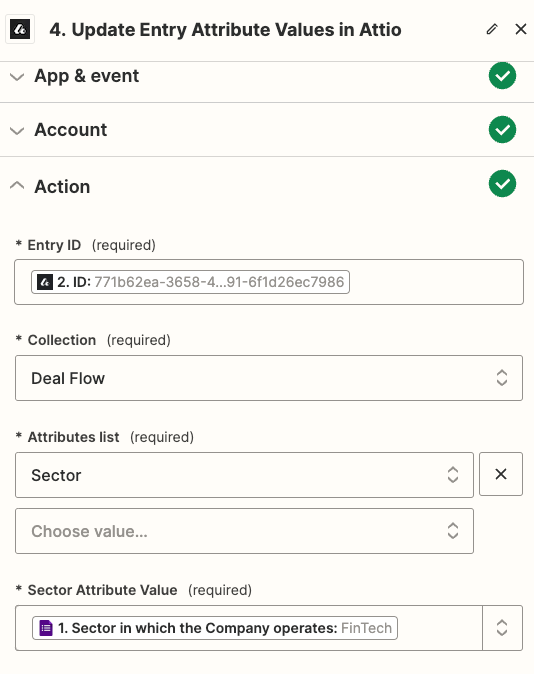
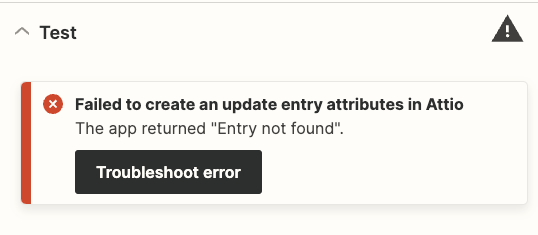
Hi @ken.a , thanks for your reply, but I’m stuck. When I put the ID from the “Find or Create Company” step in the ID field in “Update Entry Attributes Values” step I got the error message: “Entry not found”


ken.a
Forum|alt.badge.img+6
  • Zapier Staff
  • 6780 replies
  • December 22, 2023

Hi there @SolB,

Thanks for the update here.

It looks like you are using the incorrect action here. Could you please try changing the action step to “Update Record Attribute Values”?

554b68db6c3fe055208bdd719a545728.png
(view larger)

Please let me know if this works. Thanks!