Best answer

Duplicate Name Error

  • Oct 22, 2024 8:37 PM UTC
  • 13 replies
  • 147 views

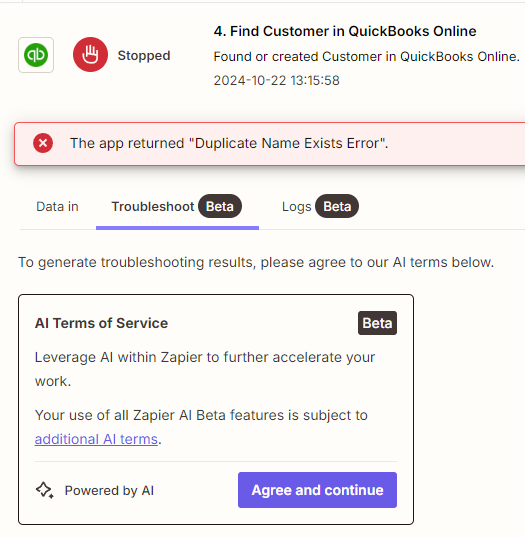
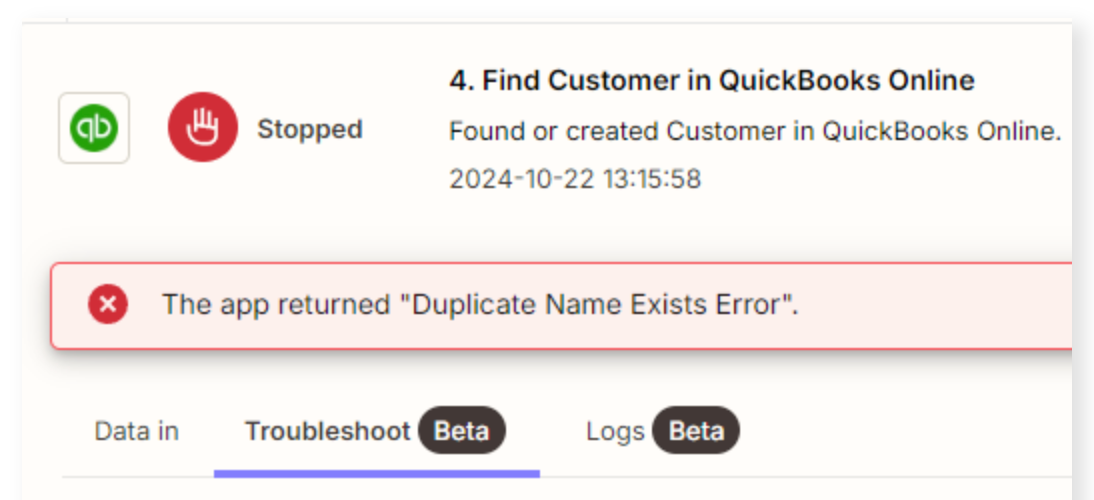
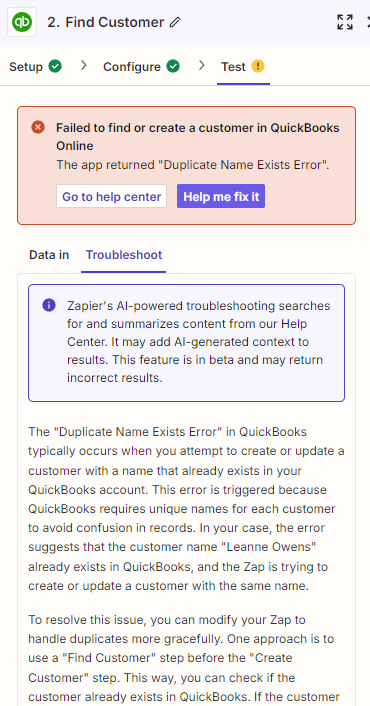
I’ve seen this topic has been discussed at great lengths before and I see an admin has posted that the bug was fixed, however I am still getting this error. 

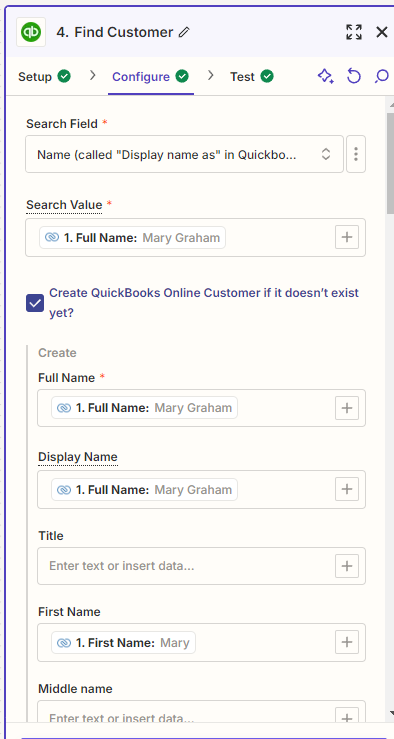
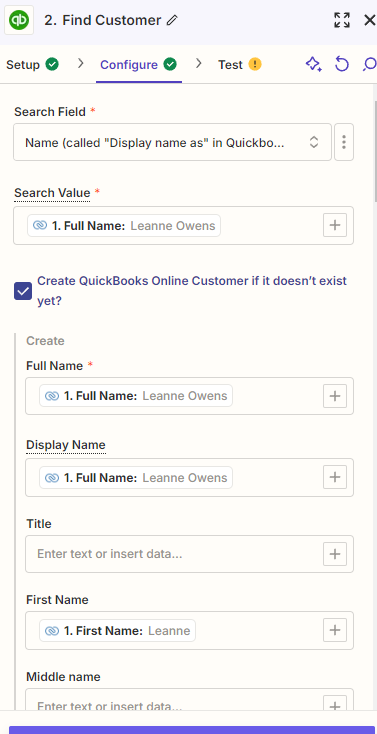
I have set up a zap to create a customer in Quickbooks when a lead in Zoho is created. I used the ‘find customer’ action and selected the ‘create new customer if none is found’.  

All seems to be working fine, but I get an error whenever a customer that matches the lead already exists. It does not create a duplicate record, but why do I get the error message? Seems like the zap is doing what it supposed to do by not creating the duplicate record. 



Best answer by Troy Tessalone

@leannemustang 

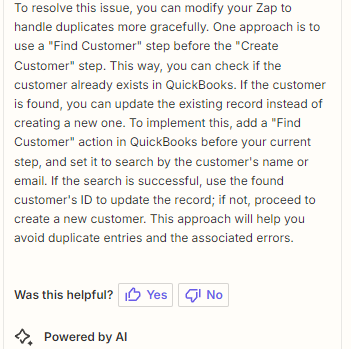
As an alternative, try this Zap step logic…

  1. Trigger: [APP] - [EVENT]
  2. Action: QBO - Find Customer
    1. Do not create a new Customer if not found
    2. Enable the setting to continue if not found
  3. Action: Filter
    1. Condition found = FALSE
  4. Action: QBO - Create Customer
View original
This post has been closed for comments. Please create a new post if you need help or have a question about this topic.

13 replies

Troy Tessalone
Zapier Orchestrator & Solution Partner
Forum|alt.badge.img+14
  • Zapier Orchestrator & Solution Partner
  • Oct 22, 2024 8:48 PM UTC

Hi @leannemustang 

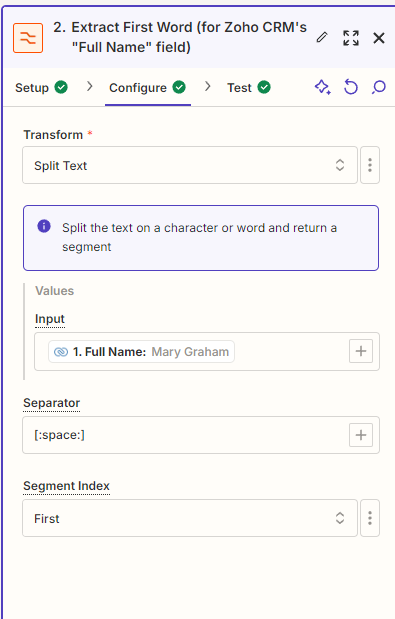
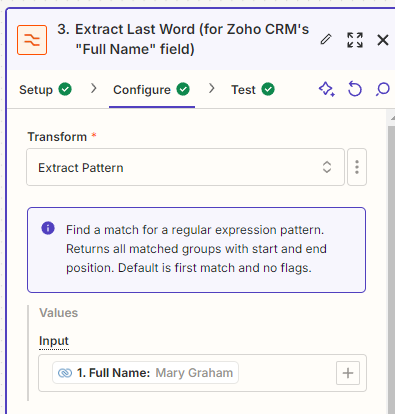
Help us have more info by posting these screenshots:

  • how your Zap steps are outlined and configured in EDIT mode so we can see the field mappings
  • the encountered Zap step error


Troy Tessalone
Zapier Orchestrator & Solution Partner
Forum|alt.badge.img+14
  • Zapier Orchestrator & Solution Partner
  • Oct 22, 2024 9:36 PM UTC

@leannemustang 

OBSERVATION: The outputs from the Formatter steps are not mapped to Zap Step 4.


TIP: In the Zap Run, check the LOGS tab to see the underlying API request/response that may provide more details about the encountered error.


As an alternative, try this Zap step logic…

  • Action: QBO - Find Customer
    • Do not create a new Customer if not found
    • Enable the setting to continue if not found
  • Action: Paths
    • Action: Path A - Customer found = FALSE
      • Action: Filter
        • Condition found = FALSE
      • Action: QBO - Create Customer
      • Action: [APP] - [EVENT]
        • Up to you
    • Action: Path B - Customer found = TRUE
      • Action: Filter
        • Condition: found = TRUE
      • Action: [APP] - [EVENT]

  • Author
  • Beginner
  • Oct 22, 2024 10:07 PM UTC

I tried to simplify the zap a bit. Any other tips? 


  • Author
  • Beginner
  • Oct 22, 2024 10:09 PM UTC

I would think by offering the check box for ‘create quickbooks online customer if it doesn’t exist yet’, that it would know not to create if there is an existing customer?  

I’m still not understanding, sorry I’m new at this! 


  • Author
  • Beginner
  • Oct 22, 2024 10:09 PM UTC


  • Author
  • Beginner
  • Oct 22, 2024 10:09 PM UTC


Troy Tessalone
Zapier Orchestrator & Solution Partner
Forum|alt.badge.img+14
  • Zapier Orchestrator & Solution Partner
  • Answer
  • Oct 22, 2024 10:10 PM UTC

@leannemustang 

As an alternative, try this Zap step logic…

  1. Trigger: [APP] - [EVENT]
  2. Action: QBO - Find Customer
    1. Do not create a new Customer if not found
    2. Enable the setting to continue if not found
  3. Action: Filter
    1. Condition found = FALSE
  4. Action: QBO - Create Customer

  • Author
  • Beginner
  • Oct 22, 2024 10:32 PM UTC

That worked! Thank you very much! 


JammerS
Forum|alt.badge.img+6
  • Zapier Staff
  • Oct 23, 2024 3:22 AM UTC

Hi @leannemustang,


Wow! Thank you for confirming that Troy’s resolution got the Zap running. This will significantly help our Community members to have as a reference for the same issue.