Best answer

"Create Google Sheets Spreadsheet Row if it doesn’t exist yet?" On yet new row not created in google sheets

  • June 22, 2025
  • 1 reply
  • 46 views

Issue:
I’m trying to take certain contacts from my CRM, and if they are in my google spreadsheet, to update contact information. If they are not, to create a contact. Even though I have clicked on “Create Google Sheets Spreadsheet Row if it doesn’t exist yet?”, and mapped contact fields, this new contact is not being crated in the spreadsheet.

Current Zap setup:
Step 1: Trigger in my (crm) of new tag being created

Step 2: Lookup spreadsheet row.
[Create Google Sheets Spreadsheet Row if it doesn’t exist yet?] has been clicked on, and contact fields have been mapped

Step 3: Update spreadsheet row

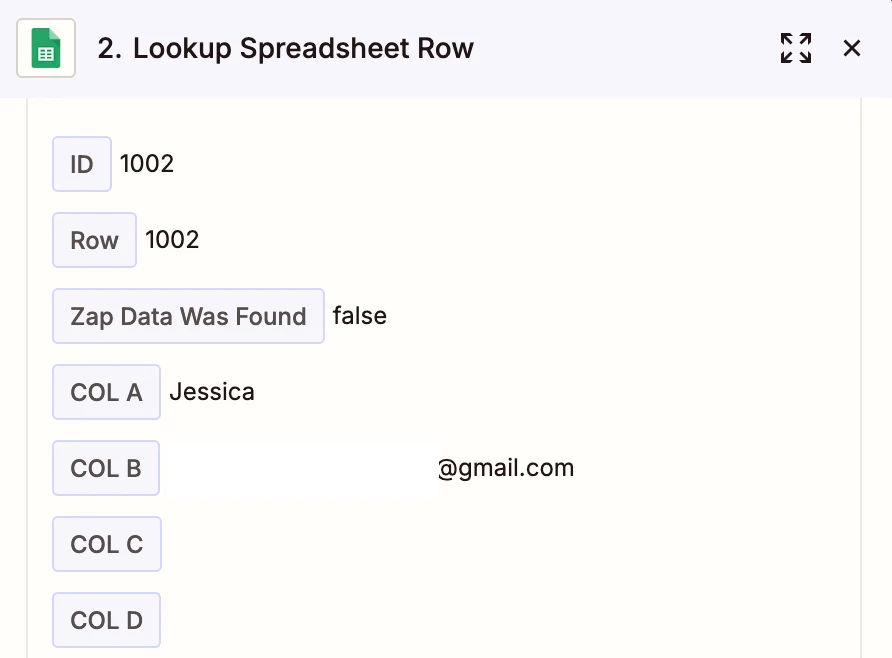
When testing with a contact that is not in my spreadsheet, a new row is not created in the spreadsheet
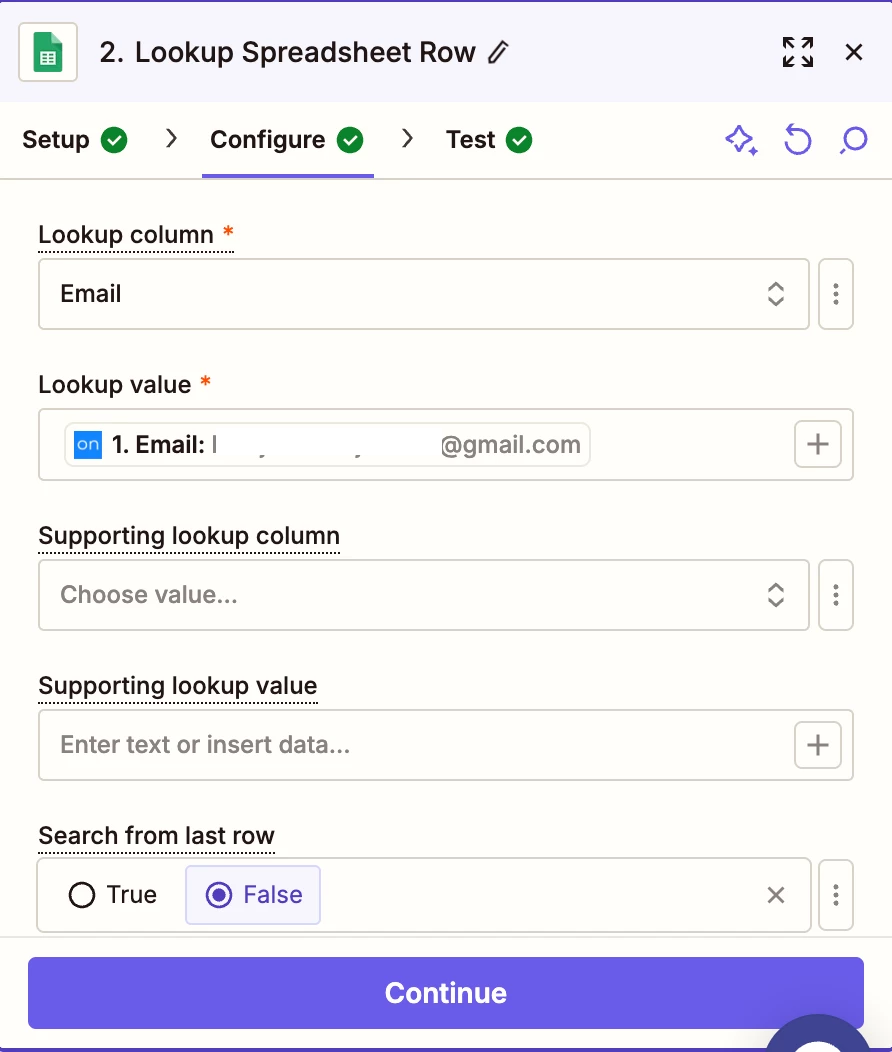
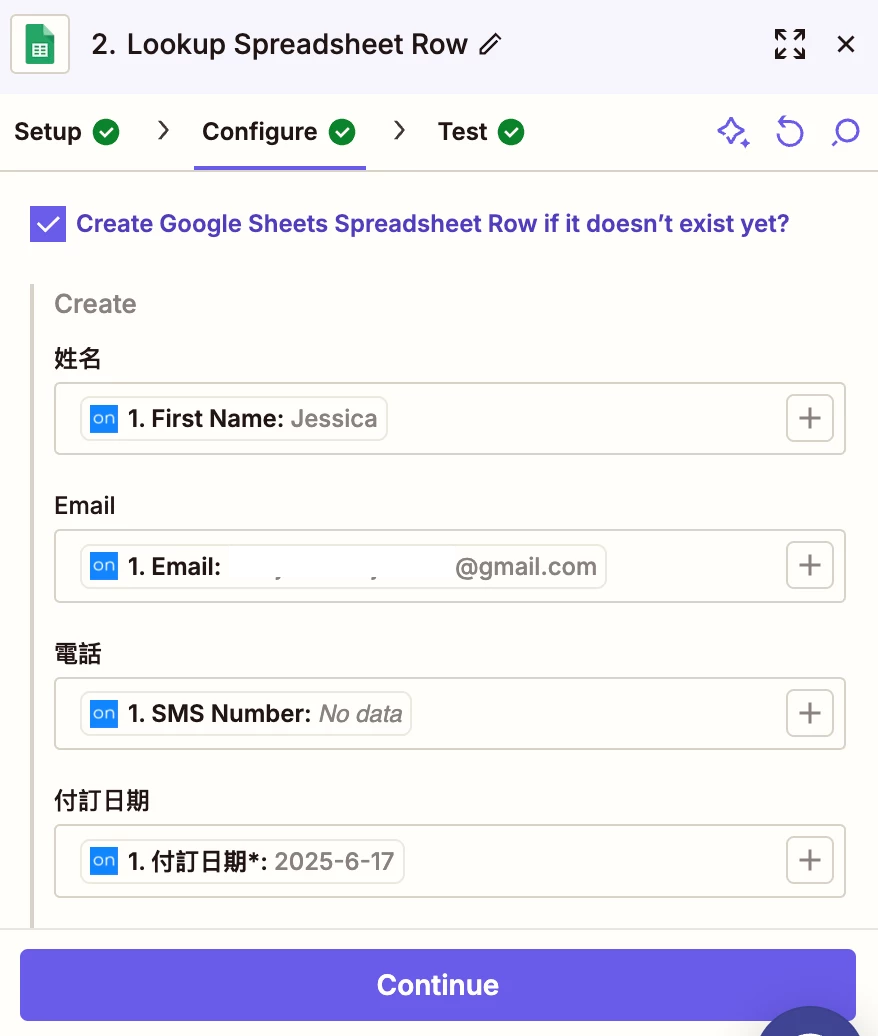
Step 2 Setup


Step 2 setup


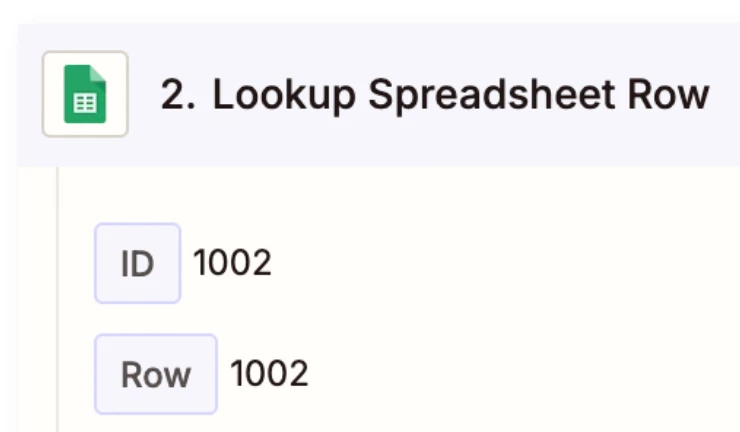
This is the run of a contact that was not in the spreadsheet, but was also did not have a new row added.


Best answer by Troy Tessalone

Hi ​@BOS 

Check the returned Row/ID in your GSheet to see the created Row data.

Seems like you may have formulas in a GSheet column that are impacting where the new Row is created.

Help links for using GSheets in Zaps: https://zapier.com/apps/google-sheets/integrations#help


This post has been closed for comments. Please create a new post if you need help or have a question about this topic.

1 reply

Troy Tessalone
Zapier Orchestrator & Solution Partner
Forum|alt.badge.img+14
  • Zapier Orchestrator & Solution Partner
  • Answer
  • June 22, 2025

Hi ​@BOS 

Check the returned Row/ID in your GSheet to see the created Row data.

Seems like you may have formulas in a GSheet column that are impacting where the new Row is created.

Help links for using GSheets in Zaps: https://zapier.com/apps/google-sheets/integrations#help