

Best answer

Take topmost record from airtable view?

  • May 6, 2021
  • 7 replies
  • 197 views

jtoeman
Forum|alt.badge.img

Simply put: trying to make a Zap that automatically pulls in data from whatever is the topmost row in a (grid) view. FWIW the Airtable view automatically sorts itself based on a set of criteria, so what I want is when the Zap is triggered, it just grabs whichever one is currently on top.

I did try using Airtable’s “Autonumber” field, with the intent to simply do a Find Record and grab #1, but I can’t get the Autonumber to update post-sorting on its own.

So as far as I can tell, I either need to find a way to make the Autonumber thing work, OR do a Find Record and force it to either select All and use the first record OR some way to force it to Find the 1st row. OR maybe use Code and force it via Javascript, but that’s a little beyond my capabilities.

Any help would be lovely :)

Best answer by Troy Tessalone

@jtoeman

Actually try this which is simpler…

In your Zap, Action: Airtable Find Record and use the Search Formula field.

The idea would be to search for criteria that will always return a result, such a field is not empty. (e.g Name!="") [That means to search the ‘Name’ field for a record that is not null/empty/blank]

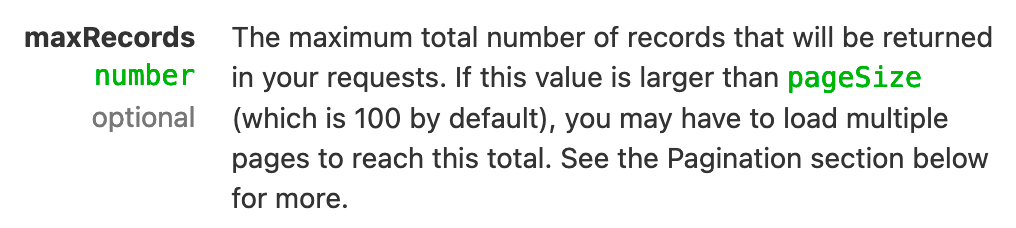
This will only return 1 record, the topmost record in a View.


This post has been closed for comments. Please create a new post if you need help or have a question about this topic.

7 replies

Troy Tessalone
Zapier Orchestrator & Solution Partner
Forum|alt.badge.img+14
  • Zapier Orchestrator & Solution Partner
  • 34018 replies
  • May 6, 2021

Hi @jtoeman 

This can be done using the Airtable API which can be used in a Zap action step via the Webhooks app with a simple GET request.

Airtable API: https://airtable.com/api

Webhook: https://zapier.com/apps/webhook/integrations#triggers-and-actions


Troy Tessalone
Zapier Orchestrator & Solution Partner
Forum|alt.badge.img+14
  • Zapier Orchestrator & Solution Partner
  • 34018 replies
  • Answer
  • May 6, 2021

@jtoeman

Actually try this which is simpler…

In your Zap, Action: Airtable Find Record and use the Search Formula field.

The idea would be to search for criteria that will always return a result, such a field is not empty. (e.g Name!="") [That means to search the ‘Name’ field for a record that is not null/empty/blank]

This will only return 1 record, the topmost record in a View.


jtoeman
Forum|alt.badge.img
  • Author
  • Beginner
  • 10 replies
  • May 7, 2021

@jtoeman

Actually try this which is simpler…

In your Zap, Action: Airtable Find Record and use the Search Formula field.

The idea would be to search for criteria that will always return a result, such a field is not empty. (e.g Name!="") [That means to search the ‘Name’ field for a record that is not null/empty/blank]

This will only return 1 record, the topmost record in a View.


Will try it tomorrow and report back, thank you!!


jtoeman
Forum|alt.badge.img
  • Author
  • Beginner
  • 10 replies
  • May 10, 2021

Thanks @Troy Tessalone - this does seem to be working so far, BUT, it’s not helping with the Sorted view. Do you know of any way to incorporate that?


Troy Tessalone
Zapier Orchestrator & Solution Partner
Forum|alt.badge.img+14
  • Zapier Orchestrator & Solution Partner
  • 34018 replies
  • May 10, 2021

@jtoeman 

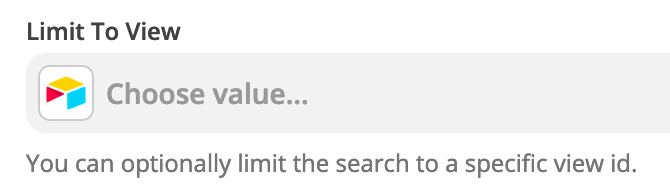
Make sure to select the desired view as part of the Find Record step.


AndrewJDavison_Luhhu
Forum|alt.badge.img+11

@jtoeman 
Just checking in to see if you still need help with this? 


jtoeman
Forum|alt.badge.img
  • Author
  • Beginner
  • 10 replies
  • June 29, 2021

nope, it’s working, thank you!