
Answer

Need to Choose from List based on Name

  • March 9, 2021
  • 2 replies
  • 140 views

Hey all! 

I have a unique situation. 

In my CRM, I create documents for my real esate business. We have 4 main documents that I want to send to SignNow- Purchase Agreement, Inbound Deed, Sales Agreement and Outbound Deeds. 

I’m looking to Zap those documents over to Sign Now. 

When the documents get sent out of my CRM (Pebble), it is seperate document URLS and it looks like this…in this example I want to send the document that contains “purchase agreement” or the word “Purchase” is fine too. 
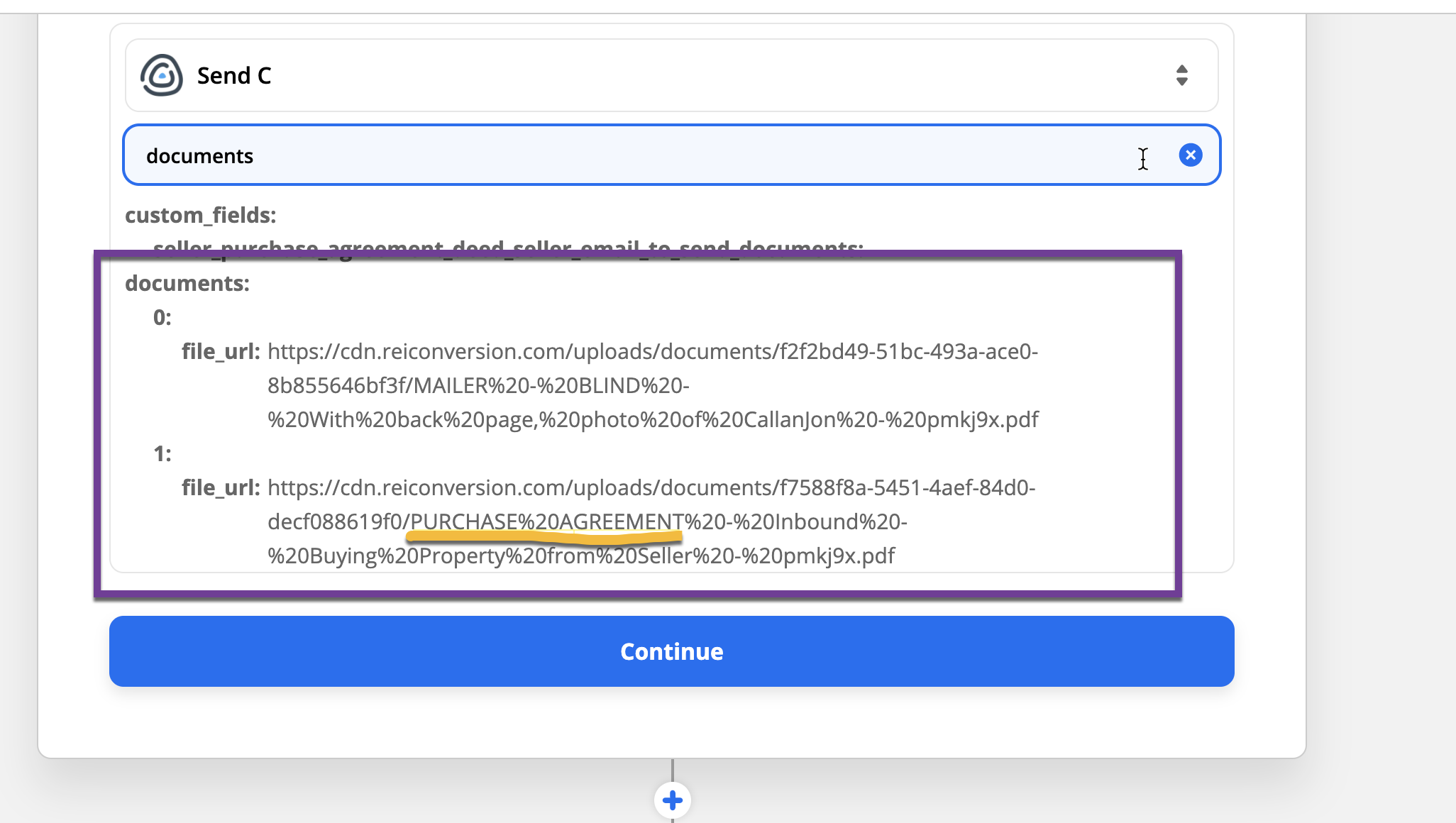
 

How do I set it up so I can choose the right file URL to send a purchase agreement from my CRMto Sign Now? 

THANK YOU!!

Best answer by Troy Tessalone

Hi @callanfaulkner 

Try using the Formatter > Utilities > Lookup Table: https://zapier.com/help/doc/how-use-formatter-functions#using-the-lookup-table

You may also need to utilize the Looping action if there are more than 1 file: https://zapier.com/apps/looping/integrations

This post has been closed for comments. Please create a new post if you need help or have a question about this topic.

2 replies

Troy Tessalone
Zapier Orchestrator & Solution Partner
Forum|alt.badge.img+14
  • Zapier Orchestrator & Solution Partner
  • Answer
  • March 9, 2021

Hi @callanfaulkner 

Try using the Formatter > Utilities > Lookup Table: https://zapier.com/help/doc/how-use-formatter-functions#using-the-lookup-table

You may also need to utilize the Looping action if there are more than 1 file: https://zapier.com/apps/looping/integrations


Forum|alt.badge.img+9
  • Zapier Staff
  • May 17, 2021

Hey @callanfaulkner!

Any luck with this workflow?

You could try a Formatter/Line Item to Text to split up the urls of the documents into individual fields: https://zapier.com/help/create/format/convert-line-items-into-text-strings to use in later steps of the Zap!



