Best answer

How to show 0 number in Monday.com's Board?

  • August 18, 2022
  • 10 replies
  • 169 views

I am using Zapier to transfer data from Shopify to Monday.com. It seems every field equals to 0 doesn’t show as 0 in Monday. It just blank. Is there any way to display those 0 value in Monday?

 

Best answer by SamB

Hey folks, just stopping by here to share that the bug has finally been resolved! 😁

Thanks so much for bearing with us on this one, we hope you’re able to take advantage of this fix soon. That said, if it’s not working as expected please share it with the Community here or connect with our Support team directly and we’ll happy assist further. In the meantime, happy Zapping! ⚡

This post has been closed for comments. Please create a new post if you need help or have a question about this topic.

10 replies

Troy Tessalone
Zapier Orchestrator & Solution Partner
Forum|alt.badge.img+14
  • Zapier Orchestrator & Solution Partner
  • 34052 replies
  • August 18, 2022

Hi @harveysun 

Good question.

Check your Zap Runs details to see the DATA IN/OUT for each Zap step to help you troubleshoot: https://zapier.com/app/history/


We’d need to see screenshots with how your Zap steps are configured in order to have proper context.


  • Author
  • Beginner
  • 4 replies
  • August 19, 2022

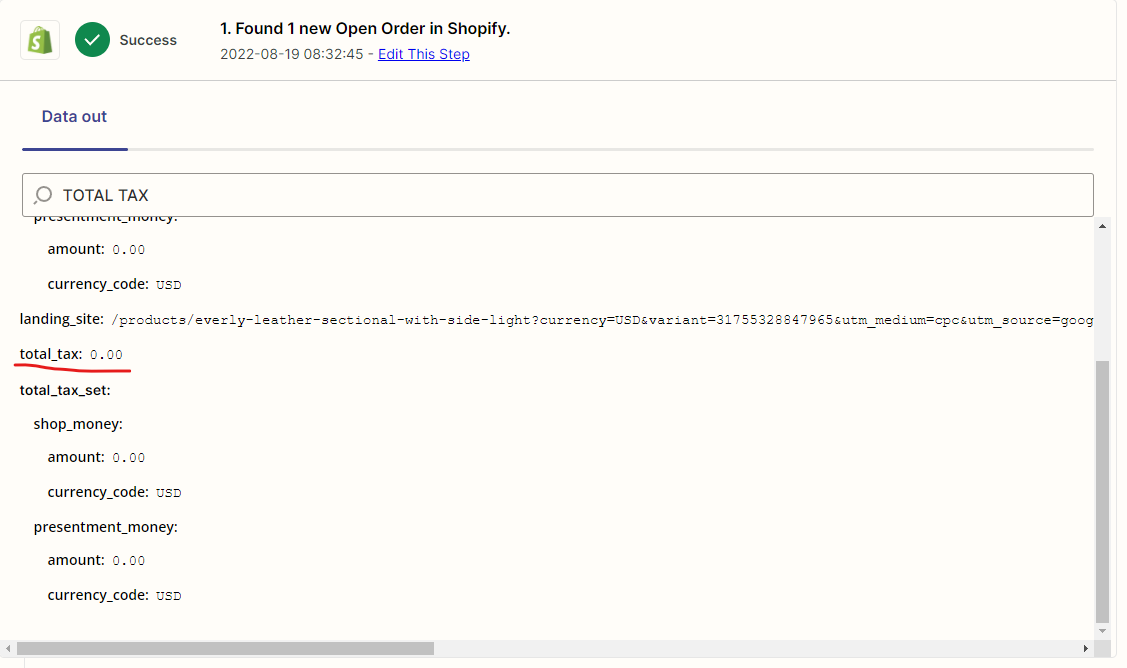
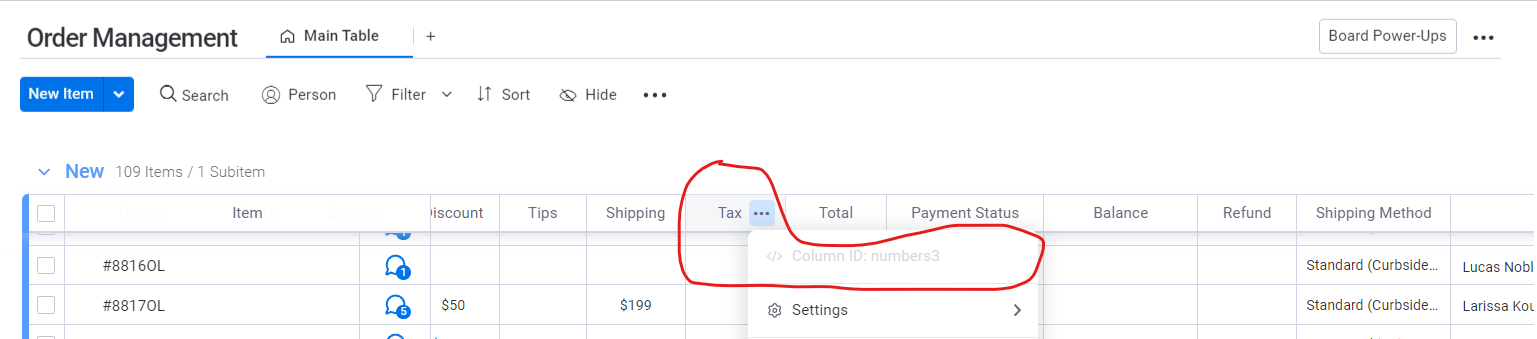
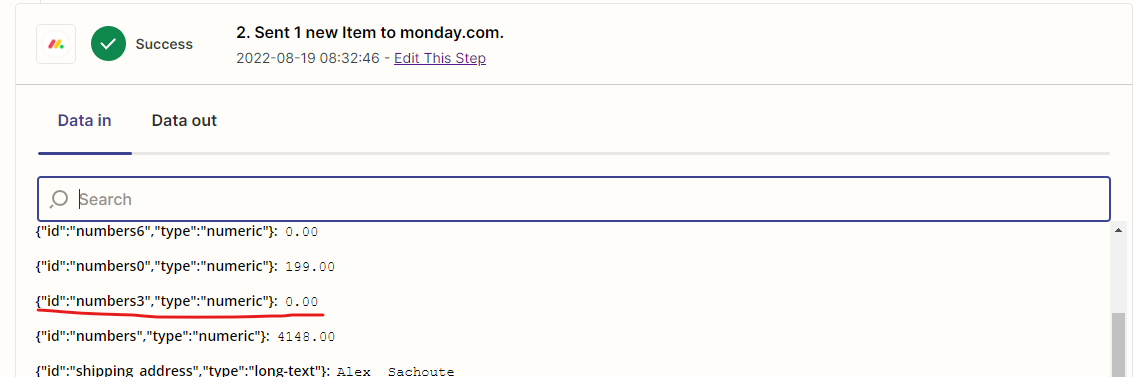
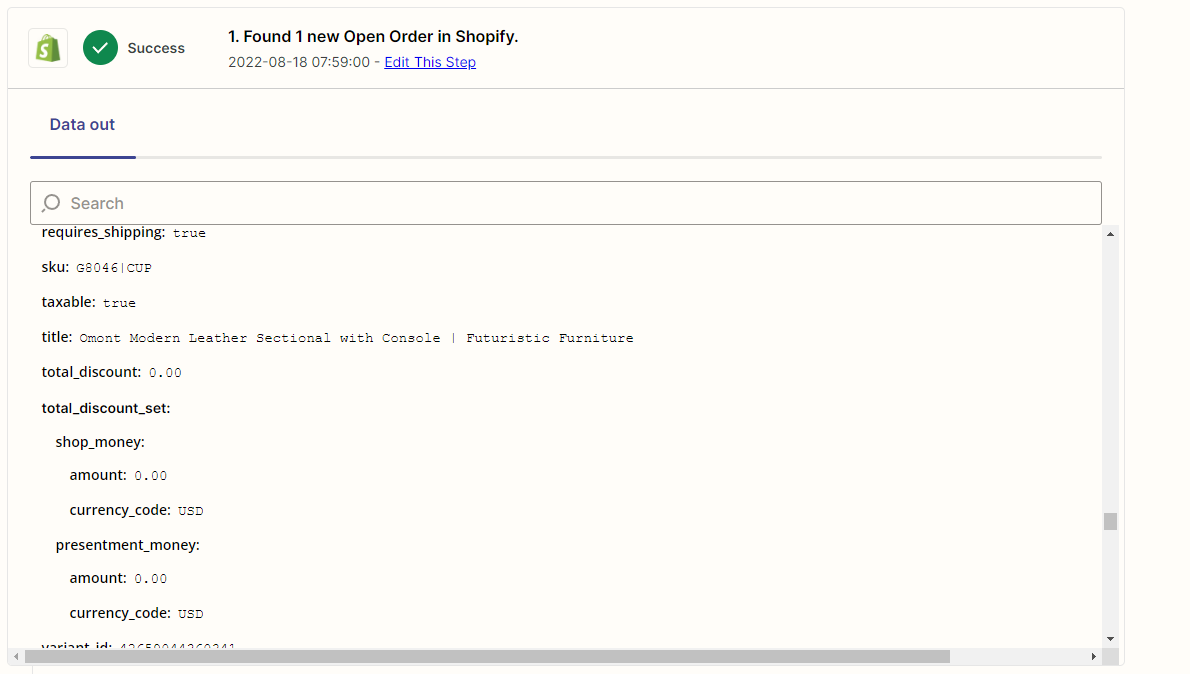
I screenshot each step and take filed “total_tax” as example.

First step output
The corresponding column in Monday
Data transfer to Monday


Troy Tessalone
Zapier Orchestrator & Solution Partner
Forum|alt.badge.img+14
  • Zapier Orchestrator & Solution Partner
  • 34052 replies
  • August 19, 2022

@harveysun 

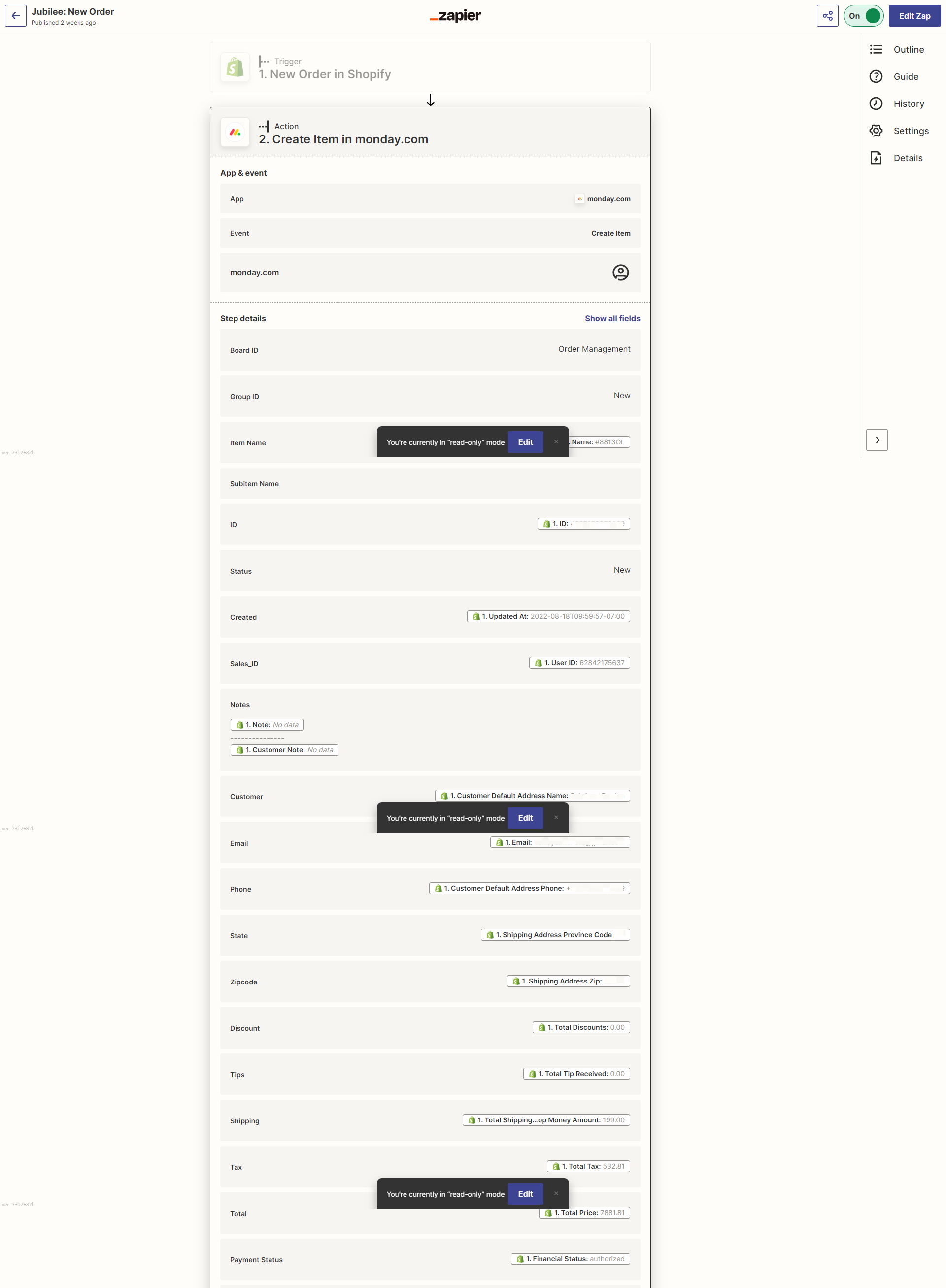
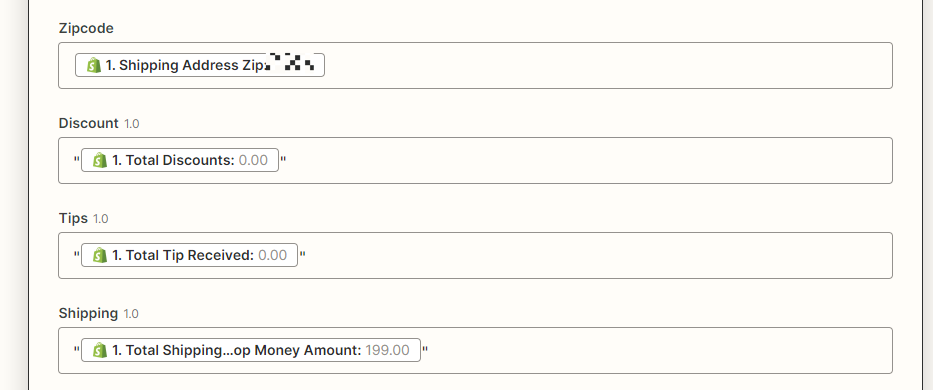
Can you show how your Monday Zap action step is configured with the fields mapped from the Zap trigger step?


  • Author
  • Beginner
  • 4 replies
  • August 19, 2022

This post has been edited by a moderator to remove personal information. Please remember that this is a public forum and to remove any sensitive information prior to posting.


Troy Tessalone
Zapier Orchestrator & Solution Partner
Forum|alt.badge.img+14
  • Zapier Orchestrator & Solution Partner
  • 34052 replies
  • August 19, 2022

@harveysun 

Try adding double quotes around each of those mapped variables.


Per the Monday GraphQL API docs: https://api.developer.monday.com/docs/number


Updating a numbers column

You can update a numbers column with both a simple string or a JSON string.


Simple strings

To update the numbers column, send a string containing a float or int.

For example: "3"


  • Author
  • Beginner
  • 4 replies
  • August 19, 2022

This post has been edited by a moderator to remove personal information. Please remember that this is a public forum and to remove any sensitive information prior to posting.

It seems this doesn’t work. I tried to test it, the result is still the same.


Troy Tessalone
Zapier Orchestrator & Solution Partner
Forum|alt.badge.img+14
  • Zapier Orchestrator & Solution Partner
  • 34052 replies
  • August 19, 2022

@harveysun 

I was able to replicate the issue with 0s.

I suggest opening a ticket with Zapier Support: https://zapier.com/app/get-help


jesse
Forum|alt.badge.img+9
  • Architect
  • 1348 replies
  • August 22, 2022

Hey @harveysun just checking in here! It looks as though our support team got back to you and said:

Would you please try escaping the added double quotes in the fields in the Zap editor like so:
 
\"...\"

Were you able to try that and if so, did it help? If not, we definitely recommend continuing to troubleshoot with the support team in your open ticket with them. 

Keep us posted! It looks like you’re so close to getting this working. 🙂


christina.d
Forum|alt.badge.img+9
  • Zapier Staff
  • 2653 replies
  • September 14, 2022

Hi friends. I wanted to pop in and mention it looks like @harveysun is running into a bug in the Monday app. 😔

They were added to a bug report and will be emailed once a fix is in place. We’ll also be sure to update the thread once that takes place.

Thanks for flagging this in the Community!


SamB
Community Manager
Forum|alt.badge.img+11
  • Community Manager
  • 9694 replies
  • Answer
  • October 30, 2024

Hey folks, just stopping by here to share that the bug has finally been resolved! 😁

Thanks so much for bearing with us on this one, we hope you’re able to take advantage of this fix soon. That said, if it’s not working as expected please share it with the Community here or connect with our Support team directly and we’ll happy assist further. In the meantime, happy Zapping! ⚡