

Best answer

How do I add line items to an invoice in Quickbooks?

  • May 14, 2020
  • 5 replies
  • 2673 views

Bellevuefineart
Forum|alt.badge.img+1
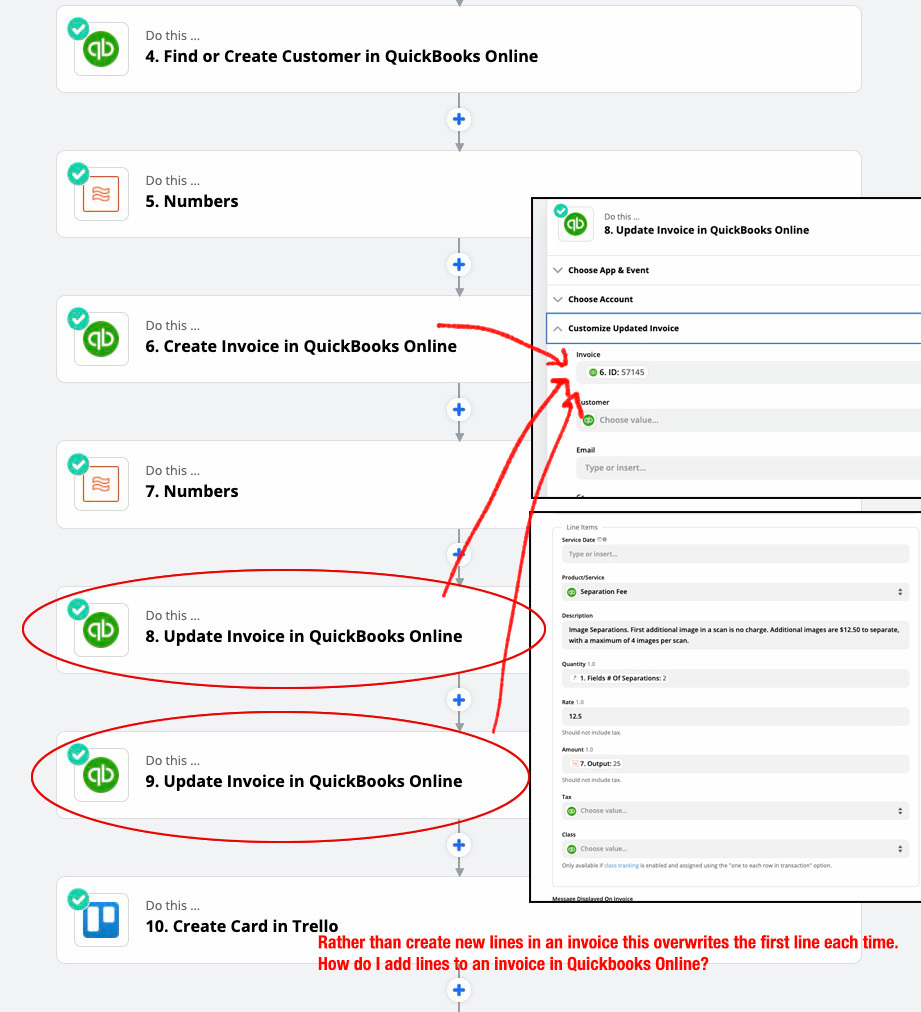
  1. I start with a Jotform and pull the data from there. It works fine. 
  2. Create a dropbox folder and share it. Fine
  3. Search for client in Quickbooks. If not found, create new client. 
  4. Create invoice with multiline support. 
  5. create second line in invoice using update invoice. Take invoice ID from step 6. 
  6. create third line in invoice using udpate invoice. Take invoice ID from step 6.

The problem is that the invoice doesn’t get updated with a new line, the first line gets overwritten each time. How can I achieve making a multiline invoice?

 

Best answer by AndrewJDavison

My mistake @Bellevuefineart 

It’s “Storage->Push Value Onto List”

This post has been closed for comments. Please create a new post if you need help or have a question about this topic.

5 replies

Bellevuefineart
Forum|alt.badge.img+1

nobody?


AndrewJDavison
Forum|alt.badge.img+11
  • Zapier Solution Partner
  • May 15, 2020

Hi @Bellevuefineart 

First, drop the “Update Invoice” steps as it’s not possible to attach new line items to an existing invoice.

You can add the multiple line items in the “Create Invoice” step.

Check out “Formatter->Push Value Onto List” you can do that multiple times to create a list of line items. Then add a “Formatter->Get Value” step to retrieve that list. You can then map that into the “Create Invoice” step and you’ll get a multiline invoice.

Let us know if you get stuck.


Bellevuefineart
Forum|alt.badge.img+1

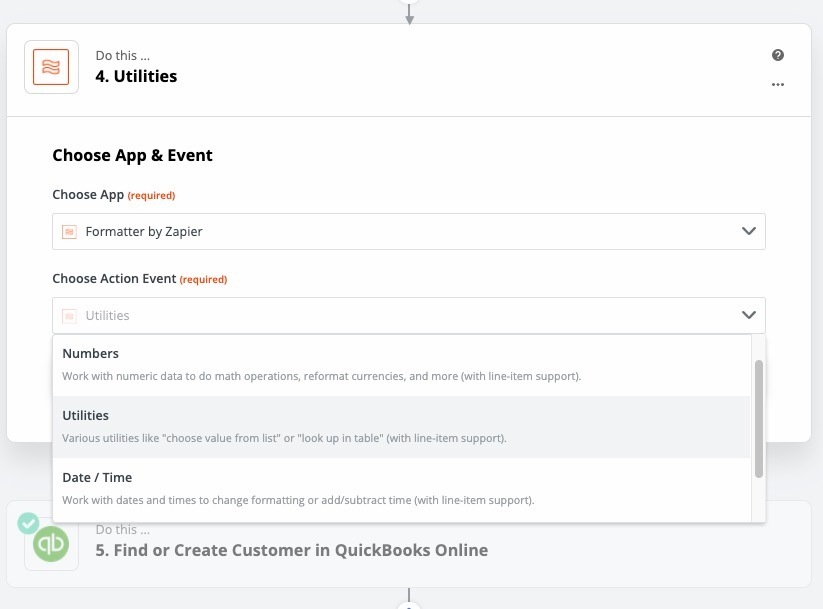
thanks for the hint. Yes, I’m stuck. There is not such thing that I can find under Formatter. 

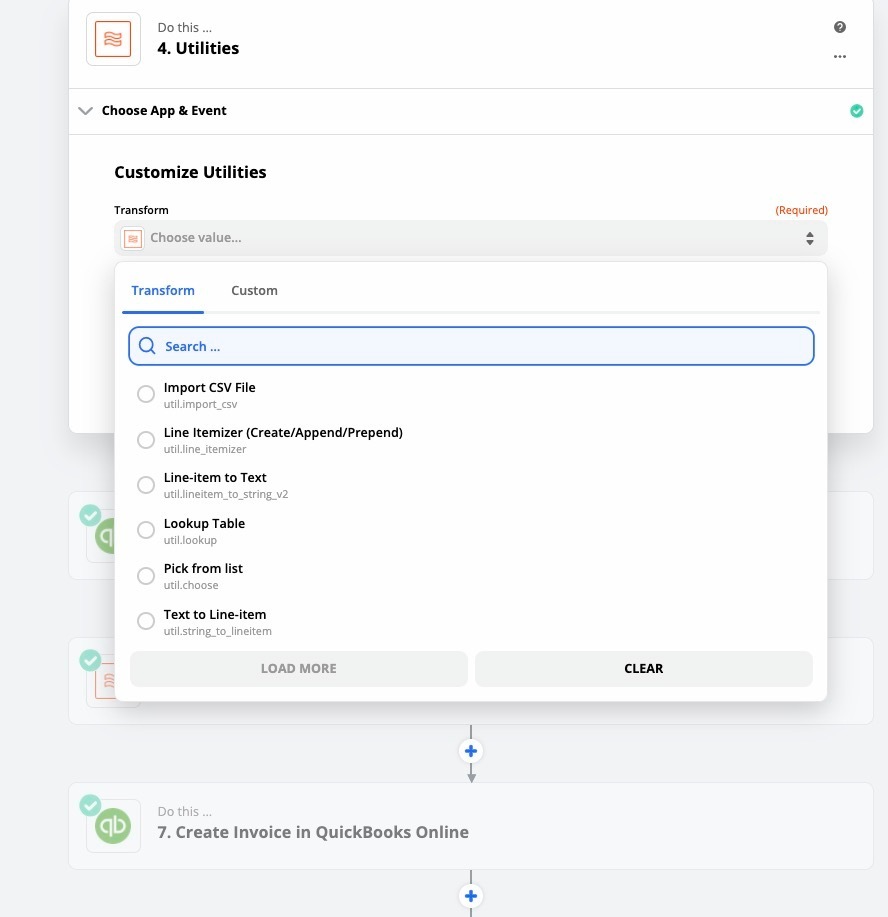
I can select “utilities” and then these are my choices. 


But line itemizer doesn’t look like what i want or need. 

Could you possibly be more specific in how I get to “push value onto list”?


thanks


AndrewJDavison
Forum|alt.badge.img+11
  • Zapier Solution Partner
  • Answer
  • May 18, 2020

My mistake @Bellevuefineart 

It’s “Storage->Push Value Onto List”


Bellevuefineart
Forum|alt.badge.img+1

thanks