Best answer

How can I update my Acuity-Mailchimp Zap to only tag new clients for email sequences?

  • Jan 15, 2024 4:28 PM UTC
  • 4 replies
  • 165 views

Hello,

I have a Zap for ACUITY SCHEDULING adding clients into Mailchimp. 

I need to update this zap by adding a TAG (i.e. NEW CLIENTS) to new contacts only.

So, when new client book appt they will be tagged, but if current clients book their details will be updated with latest appt type and date without tagging them. 

Once the new contact is tagged with the specific, then it will trigger email sequence in Mailchimp.

Any idea how can I do this would be appreciated.
 

Thank you. 
Best answer by Troy Tessalone

Hi @Pav 

Try these Zap steps:

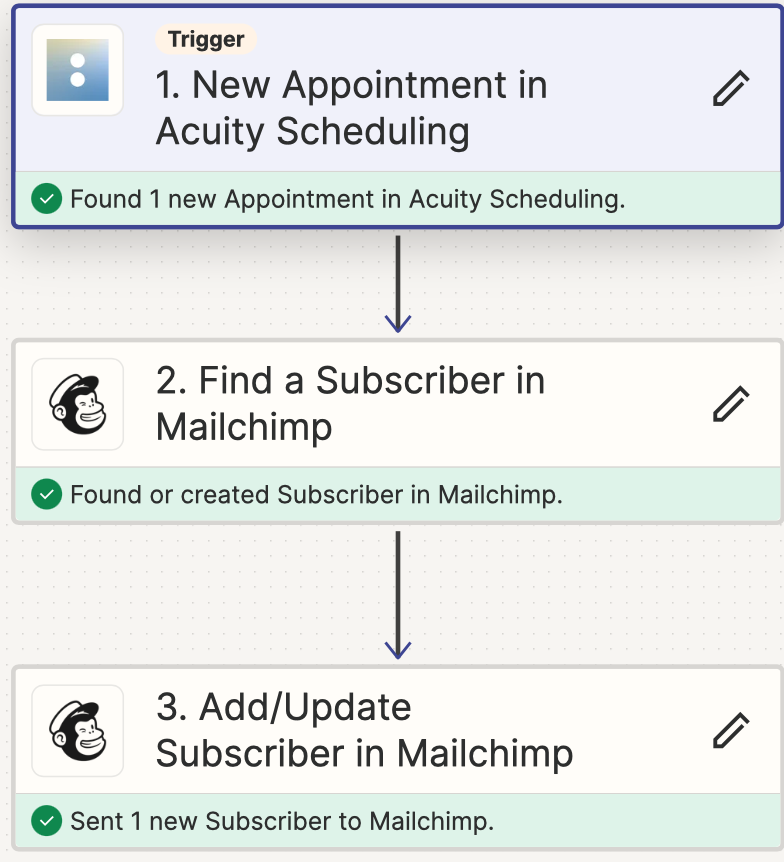
  1. Trigger: Acuity
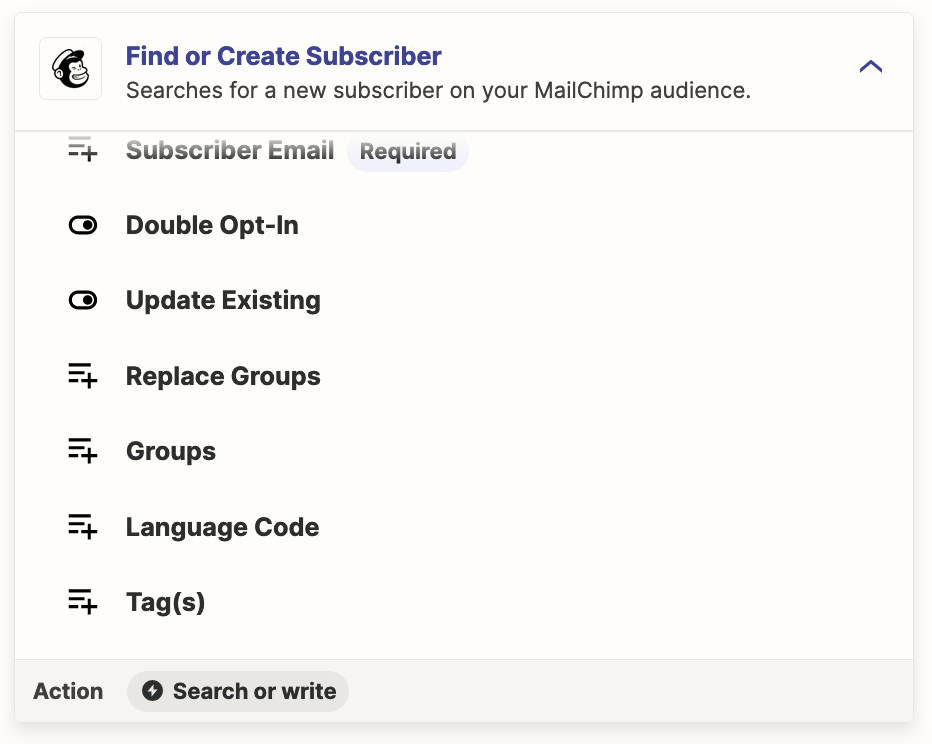
  2. Action: Mailchimp - Find Subscriber
    1. Check the checkbox to create new Subscriber if not found
    2. Set the Tag here as this would only apply to newly created Subscribers
  3. Action: Mailchimp - Update Subscriber


View original
This post has been closed for comments. Please create a new post if you need help or have a question about this topic.

4 replies

Troy Tessalone
Zapier Orchestrator & Solution Partner
Forum|alt.badge.img+14
  • Zapier Orchestrator & Solution Partner
  • Answer
  • Jan 15, 2024 7:36 PM UTC

Hi @Pav 

Try these Zap steps:

  1. Trigger: Acuity
  2. Action: Mailchimp - Find Subscriber
    1. Check the checkbox to create new Subscriber if not found
    2. Set the Tag here as this would only apply to newly created Subscribers
  3. Action: Mailchimp - Update Subscriber


  • Author
  • New
  • Jan 16, 2024 1:15 PM UTC

Thank you Troy, 

it looks like it its working exactly how I wanted

Tagging new contact and still updating the current contacts with latest appointment type and date. 

thanks 🙏  again. 


  • Author
  • New
  • Jan 16, 2024 1:17 PM UTC

these is how it looks like 


ken.a
Forum|alt.badge.img+6
  • Zapier Staff
  • Jan 17, 2024 9:04 AM UTC

That’s awesome @Pav! A big thanks to Troy for pointing you in the right direction!

If you have any other questions, please don’t hesitate to reach out to the Community. We’re always happy to help! 🤗