Best answer

Free account: 1 step Zap (contact in Mailchimp) to Invite to Google Event

  • Feb 12, 2024 12:08 PM UTC
  • 3 replies
  • 110 views

Hello everybody! I have a free account, I created 1 step Zap that Triggerd when a new Subscriber is created in Mailchimp with a certain tag, action is Add this contact to Google Event. When I test it runs perfectly. But it didn’t trigger when I go live (published, scenario is active and only 1 is tunning in the account). When I go and push Run Zap manually, it works perfectly. Can the problem be related to the fact that I have a free account? Thank you for any help!

P.S. I have enough free opeations, only one scenrio is running in the account, this is 1 step scenario, it is published and has no variants.

Best answer by Troy Tessalone

Hi @AlinaR 

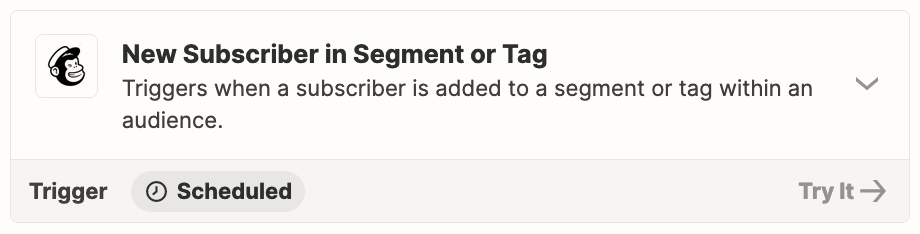
That Mailchimp Zap trigger is scheduled, meaning it can take from 1-15 minutes to fire depending on your Zapier plan.

Learn about trigger types: https://help.zapier.com/hc/en-us/articles/8496244568589-Types-of-triggers-in-Zaps

Check your Zap Runs history for activity: https://zapier.com/app/history/


View original
This post has been closed for comments. Please create a new post if you need help or have a question about this topic.

3 replies

Troy Tessalone
Zapier Orchestrator & Solution Partner
Forum|alt.badge.img+14
  • Zapier Orchestrator & Solution Partner
  • Answer
  • Feb 12, 2024 3:30 PM UTC

Hi @AlinaR 

That Mailchimp Zap trigger is scheduled, meaning it can take from 1-15 minutes to fire depending on your Zapier plan.

Learn about trigger types: https://help.zapier.com/hc/en-us/articles/8496244568589-Types-of-triggers-in-Zaps

Check your Zap Runs history for activity: https://zapier.com/app/history/


  • Author
  • Beginner
  • Feb 12, 2024 3:39 PM UTC

Thank you very much for the prompt reply!


ken.a
Forum|alt.badge.img+6
  • Zapier Staff
  • Feb 15, 2024 9:09 AM UTC

That’s awesome @AlinaR! A huge thanks to Troy for pointing you in the right direction!

If you have any other questions, please don’t hesitate to reach out to the Community. We’re always happy to help! 🤗