Best answer

Auto populate Hubspot Contact Notes

  • Apr 13, 2023 11:19 PM UTC
  • 3 replies
  • 314 views

I have a virtual assistant type service where if I don’t pick up my phone, the call is re-directed to the virtual assistance. The VA then sends an email to me with the call details which is simply a template that is populated by the VA with the unique information of the caller.


I have set up Zapier email parse and have the following process implemented:


  1. Email from VA -->
  1. Forwarded to Zapier Email Parse -->
  1. Zapier Zap pushes the information into Hubspot and creates a new contact.


The only bit i’m missing is populating the Hubspot Contact Notes (Hubspot Contact > Activities > Notes section). What field should I be selecting for my Zap to populate this in Hubspot? I’ve tried a few and none of them work.


Following fields working:

  • Name
  • Email address
  • Telephone number
  • Postcode


Just need the Notes sections to be working and then this process would work perfectly for me.
Best answer by Troy Tessalone

Hi @cloak 

Good question.

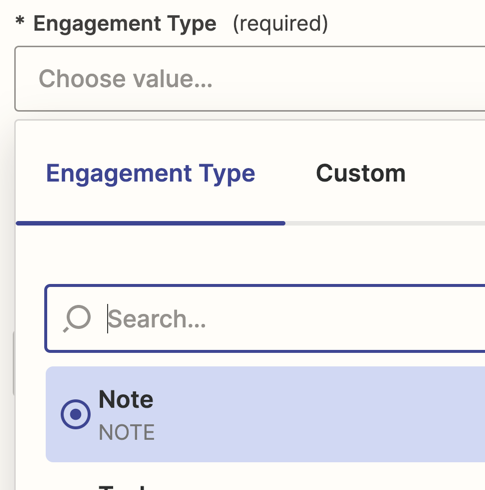
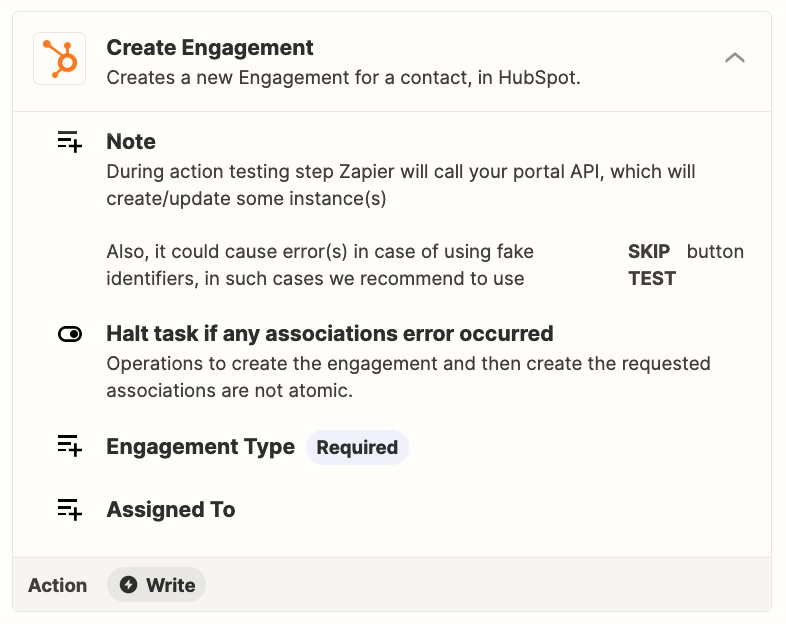
Try using this Zap action: HubSpot - Create Engagement


View original
This post has been closed for comments. Please create a new post if you need help or have a question about this topic.

3 replies

christina.d
Forum|alt.badge.img+9
  • Zapier Staff
  • Apr 14, 2023 1:12 AM UTC

Hey there, @cloak! Great question.

I believe Notes can be added through the “New Engagement” Hubspot action! Could you try adding that as a third action after the “Create New Contact” action to see if that works? 

I hope some of this helps - keep us posted! 🧡


Troy Tessalone
Zapier Orchestrator & Solution Partner
Forum|alt.badge.img+14
  • Zapier Orchestrator & Solution Partner
  • Answer
  • Apr 14, 2023 1:22 AM UTC

Hi @cloak 

Good question.

Try using this Zap action: HubSpot - Create Engagement


  • Author
  • Beginner
  • Apr 14, 2023 7:13 AM UTC

Thank you @christina.d @Troy Tessalone this works perfectly for me now.