


Question

Error copying files in Google Drive with Zapier automation

  • December 8, 2025
  • 3 replies
  • 11 views

Forum|alt.badge.img+1

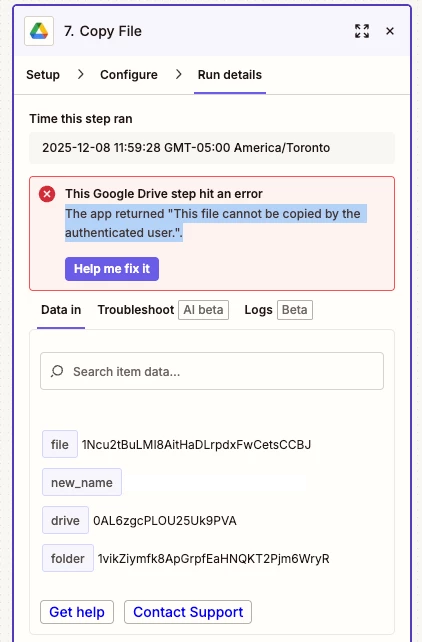
We use a copy file action to copy final client applications to an external access drive to be processed by our mailing service. All was working fine until we got an error “The app returned "This file cannot be copied by the authenticated user.". The user trying to copy is the admin for the drive and the manager/ editor of all the folders. Again this was a single error which I cannot understand (the new name was removed)

 

3 replies

Troy Tessalone
Zapier Orchestrator & Solution Partner
Forum|alt.badge.img+14
  • Zapier Orchestrator & Solution Partner
  • December 8, 2025

Hi ​@crelis 

If this is a one-off Zap Run error, then it is likely due to a temp issue (try to replay the Zap Run) or a bad data related to the file.


The error means the Google account connected to Zapier does not have permission to make a copy of the file you are trying to duplicate.

Plain explanation of what causes this:

  1. The file is view only and the owner has disabled options that allow viewers to copy, download, or print.

  2. The file lives in a Shared Drive where your account has insufficient privileges. You need at least Contributor for copying.

  3. The file is owned by someone else and they did not give you edit access.

  4. The file’s copy permissions are restricted by the organization’s admin settings.

How to fix it:

  1. Open the file in Google Drive and confirm that your connected Google account has Editor access.

  2. If you only have Viewer access, ask the file owner to enable “Viewers and commenters can see the option to download, print, and copy.”

  3. If it is in a Shared Drive, make sure your role is Content Manager or Contributor or higher.

  4. Reconnect the correct Google account in Zapier if you are using the wrong one.

Once you gain permission to copy the file manually in Drive, the Zap can copy it too.


Forum|alt.badge.img+1
  • Author
  • Beginner
  • December 8, 2025

If you read my post, I did explain that the user trying to copy the file is the admin for the drive and an editor/ manager in all folders and files. These are also shared drive so you dont have the issue of personal restrictions.  Anyways the permission were the first think I checked. I have no issue copying manually. I also tried running it multiple times in edit mode.  Even though it is a single error, nothing in the file seem to be different to any other file, so i thought I ask. Didn’t expect basic training response but thank you nevertheless


Troy Tessalone
Zapier Orchestrator & Solution Partner
Forum|alt.badge.img+14
  • Zapier Orchestrator & Solution Partner
  • December 8, 2025

@crelis 

If other Zap Runs are processing as expected, then the issue is likely an exception for the file itself.


