
Best answer

How to use Quickbooks Online API call option into Zapier

  • Mar 13, 2023 1:09 PM UTC
  • 9 replies
  • 938 views

Forum|alt.badge.img

Hi there,


Anyone has used API Call option provided by Quickbooks Online App on Zapier? If yes can you please help me with the exact steps and possible values into the URL field and other fields?


Thanks

Best answer by Troy Tessalone

@WilCompute

If you need help, consider hiring a Certified Zapier Expert: https://zapier.com/experts/automation-ace


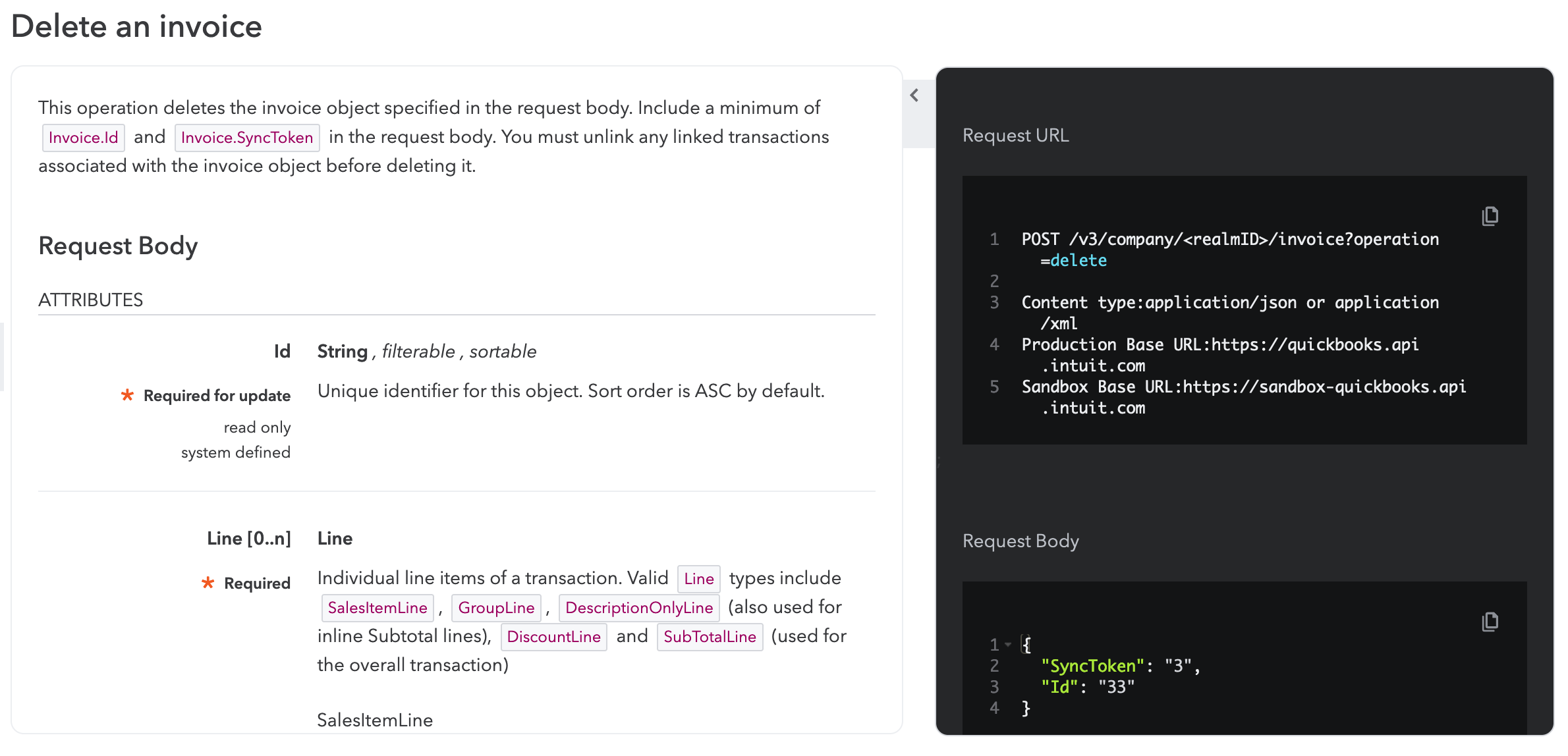
Get base URLs for the QBO Accounting API
  • For sandbox and testing environments: https://sandbox-quickbooks.api.intuit.com
  • For production apps: https://quickbooks.api.intuit.com
 

QBO API endpoint for Delete Invoice:

https://developer.intuit.com/app/developer/qbo/docs/api/accounting/most-commonly-used/invoice#delete-an-invoice


Base URL + path/parameters


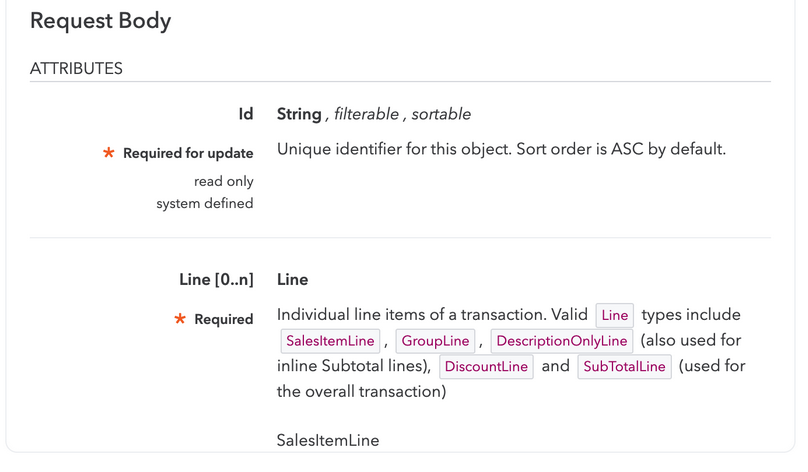
Body Data (there are more shown when scrolling down on the QBO API page)
 

Header

 

View original
This post has been closed for comments. Please create a new post if you need help or have a question about this topic.

9 replies

Troy Tessalone
Zapier Orchestrator & Solution Partner
Forum|alt.badge.img+14
  • Zapier Orchestrator & Solution Partner
  • Mar 13, 2023 3:52 PM UTC

Hi @WilCompute 

Good question.

Which QBO API endpoint are you trying to use?

https://developer.intuit.com/app/developer/qbo/docs/api/accounting/all-entities/account


Forum|alt.badge.img
  • Author
  • Beginner
  • Mar 13, 2023 3:55 PM UTC

Hi @Troy Tessalone ,


Thanks for your quick reply.


I want to use Delete Invoice Endpoint.


Thanks


Forum|alt.badge.img
  • Author
  • Beginner
  • Mar 13, 2023 4:02 PM UTC

@Troy Tessalone 

I am confused about the fields inside Red boxes in the above image. Please help if you clarify me about these fields with regards of QBO.


Thanks in advance.


Troy Tessalone
Zapier Orchestrator & Solution Partner
Forum|alt.badge.img+14
  • Zapier Orchestrator & Solution Partner
  • Answer
  • Mar 13, 2023 4:07 PM UTC

@WilCompute

If you need help, consider hiring a Certified Zapier Expert: https://zapier.com/experts/automation-ace


Get base URLs for the QBO Accounting API
  • For sandbox and testing environments: https://sandbox-quickbooks.api.intuit.com
  • For production apps: https://quickbooks.api.intuit.com
 

QBO API endpoint for Delete Invoice:

https://developer.intuit.com/app/developer/qbo/docs/api/accounting/most-commonly-used/invoice#delete-an-invoice


Base URL + path/parameters


Body Data (there are more shown when scrolling down on the QBO API page)


Header



Forum|alt.badge.img
  • Author
  • Beginner
  • Mar 14, 2023 1:20 AM UTC

Thank you @Troy Tessalone ,


I will try these suggestions.


Regards


Forum|alt.badge.img
  • Beginner
  • Apr 14, 2023 1:36 AM UTC

@Troy Tessalone since we are accessing the API through Zapier what should the <realmID> be?


Troy Tessalone
Zapier Orchestrator & Solution Partner
Forum|alt.badge.img+14
  • Zapier Orchestrator & Solution Partner
  • Apr 14, 2023 1:32 PM UTC

@sgalway 

Can you please provide screenshots with what you are referring to?


Forum|alt.badge.img
  • Beginner
  • Apr 14, 2023 2:02 PM UTC

@Troy Tessalone in your example above, in the path/parameters, there is a place holder for <realmID>.  What shall we use for the <realmID>?


@WilCompute

If you need help, consider hiring a Certified Zapier Expert: https://zapier.com/experts


Get base URLs for the QBO Accounting API
  • For sandbox and testing environments: https://sandbox-quickbooks.api.intuit.com
  • For production apps: https://quickbooks.api.intuit.com
 

QBO API endpoint for Delete Invoice:

https://developer.intuit.com/app/developer/qbo/docs/api/accounting/most-commonly-used/invoice#delete-an-invoice


Base URL + path/parameters


Body Data (there are more shown when scrolling down on the QBO API page)


Header


Forum|alt.badge.img
  • Beginner
  • Apr 14, 2023 11:29 PM UTC

I have figured out the <realmID> is the company iD from Quickbooks Accounts and Settings → Billing & subscription.