
Best answer

Converting Transform:Compare Dates Output to Minutes

  • May 15, 2023
  • 4 replies
  • 62 views

dshaines

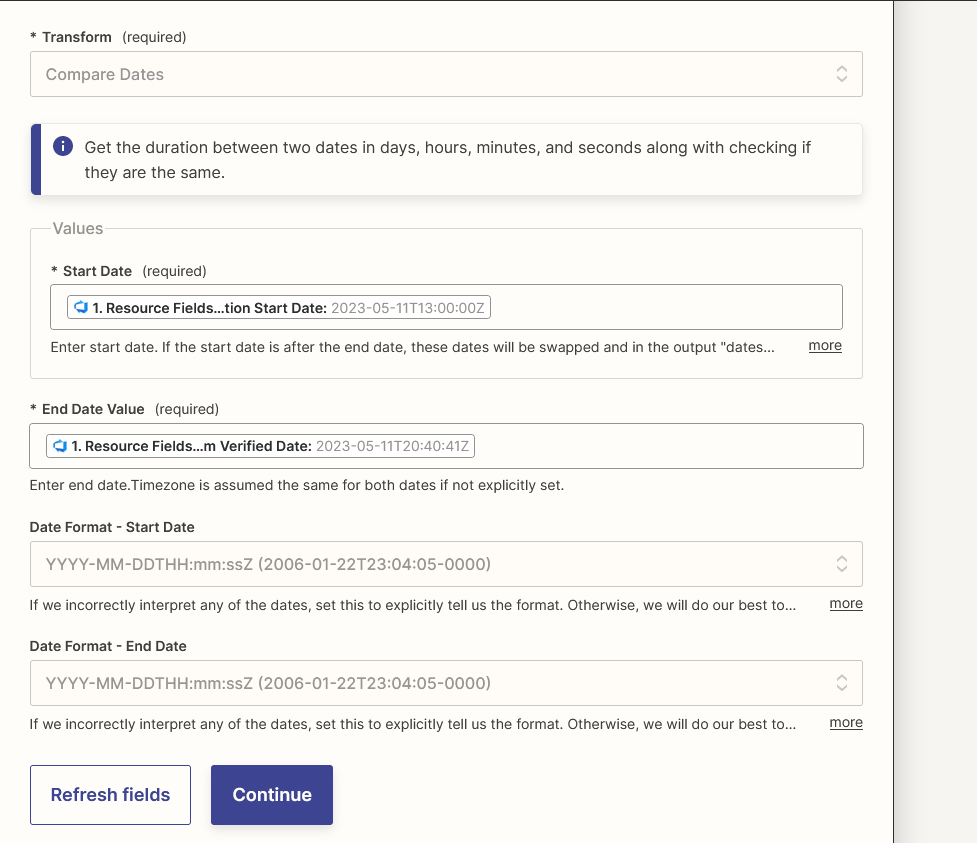
Hello! Currently struggling with this one and I am unsure on how best to proceed. We are looking to convert the result of Compare Dates into a minutes format and webhook this into a field within DevOps. I am able to compare the dates and receive an output but cannot find a way to manipulate this date and achieve what’s needed. Thank you.
 

Compare Dates
Output


Best answer by Troy Tessalone

@dshaines 

FYI: You can use a Formatter > Numbers > Perform Math Operation action.

This post has been closed for comments. Please create a new post if you need help or have a question about this topic.

4 replies

Troy Tessalone
Zapier Orchestrator & Solution Partner
Forum|alt.badge.img+14
  • Zapier Orchestrator & Solution Partner
  • May 15, 2023

Hi @dshaines 

Can you please clarify your question?

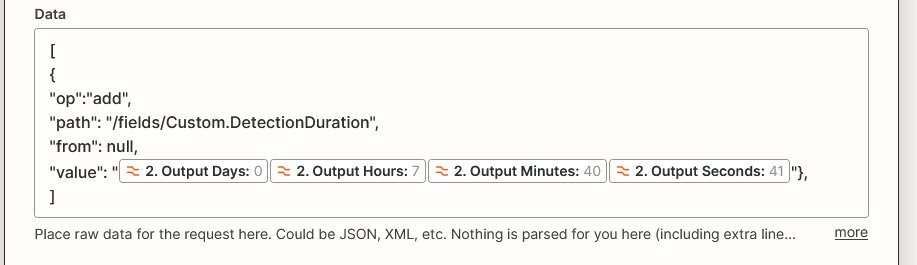
Your screenshot shows 4 variables mapped.

Which would produce this value: 074041


dshaines
  • Author
  • Beginner
  • May 15, 2023

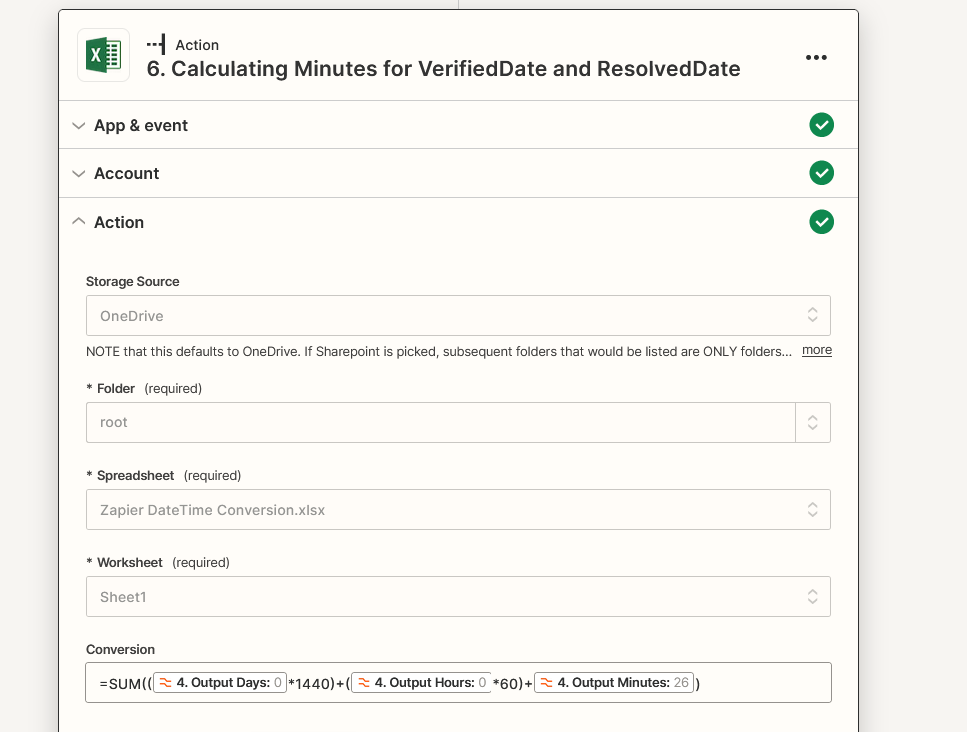
Hi Troy. Sorry about the confusion. The question was “How do I take all outputs from CompareDates and convert it into minutes”. The current output of CompareDates gives me days, hours, minutes, and seconds. I was having an issue using this dynamic content and converting it into total minutes.

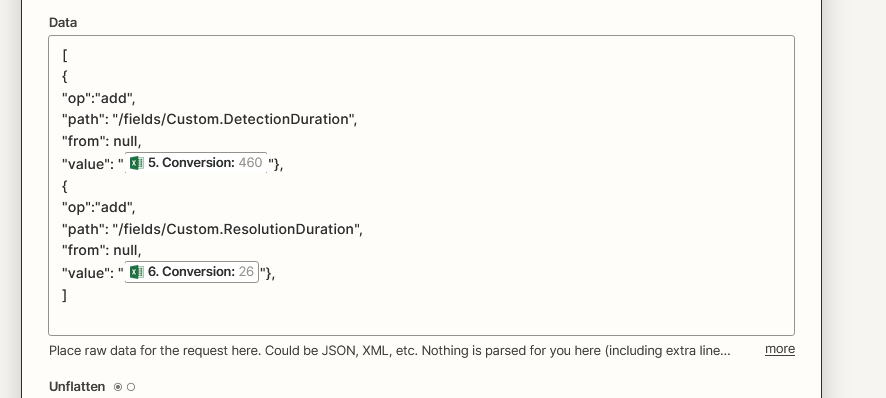
I was able to accomplish this by calling an Excel action.Using the SUM function, then patching the result via webhook into the necessary field in DevOps.


Troy Tessalone
Zapier Orchestrator & Solution Partner
Forum|alt.badge.img+14
  • Zapier Orchestrator & Solution Partner
  • Answer
  • May 15, 2023

@dshaines 

FYI: You can use a Formatter > Numbers > Perform Math Operation action.


dshaines
  • Author
  • Beginner
  • May 15, 2023

That makes it much easier! I missed that when trying to find a solution for this. Thank you!