Question

ChatGPT OAuth state invalid why trying to connect zapier actions

  • Nov 13, 2023 10:09 AM UTC
  • 29 replies
  • 3081 views

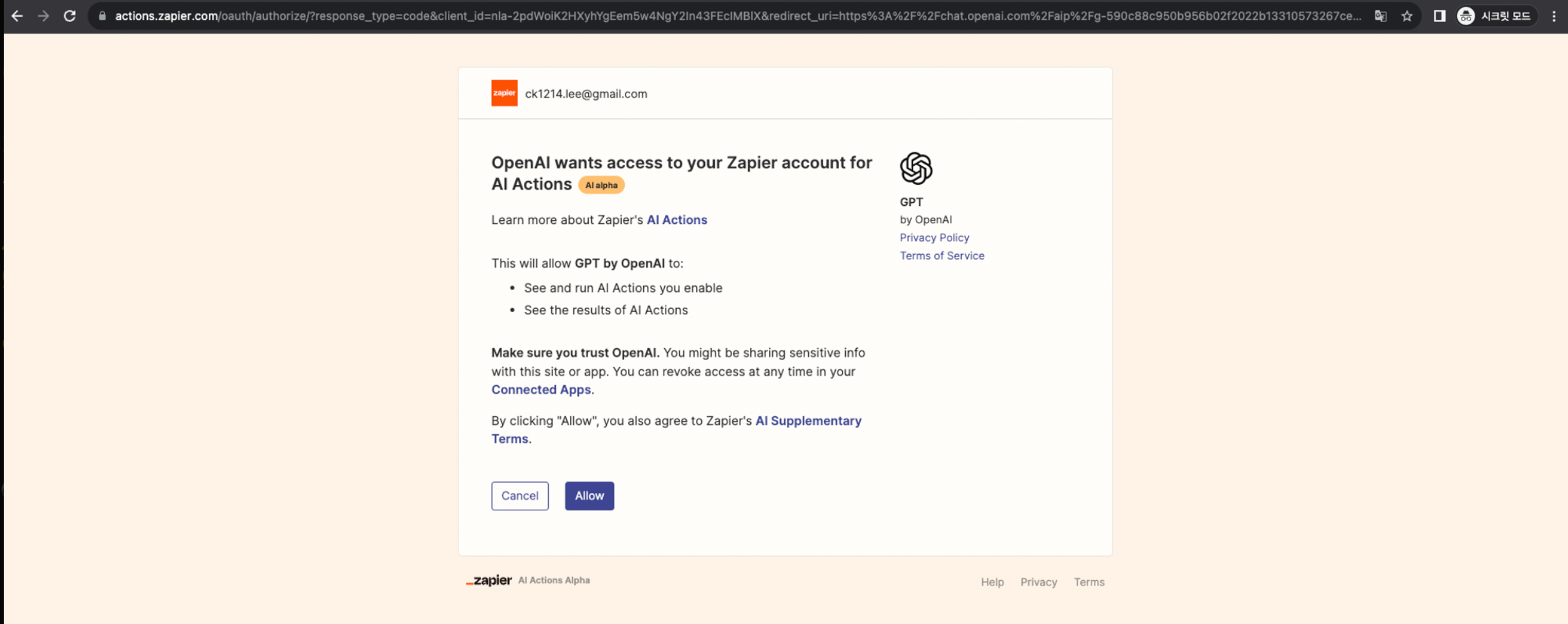
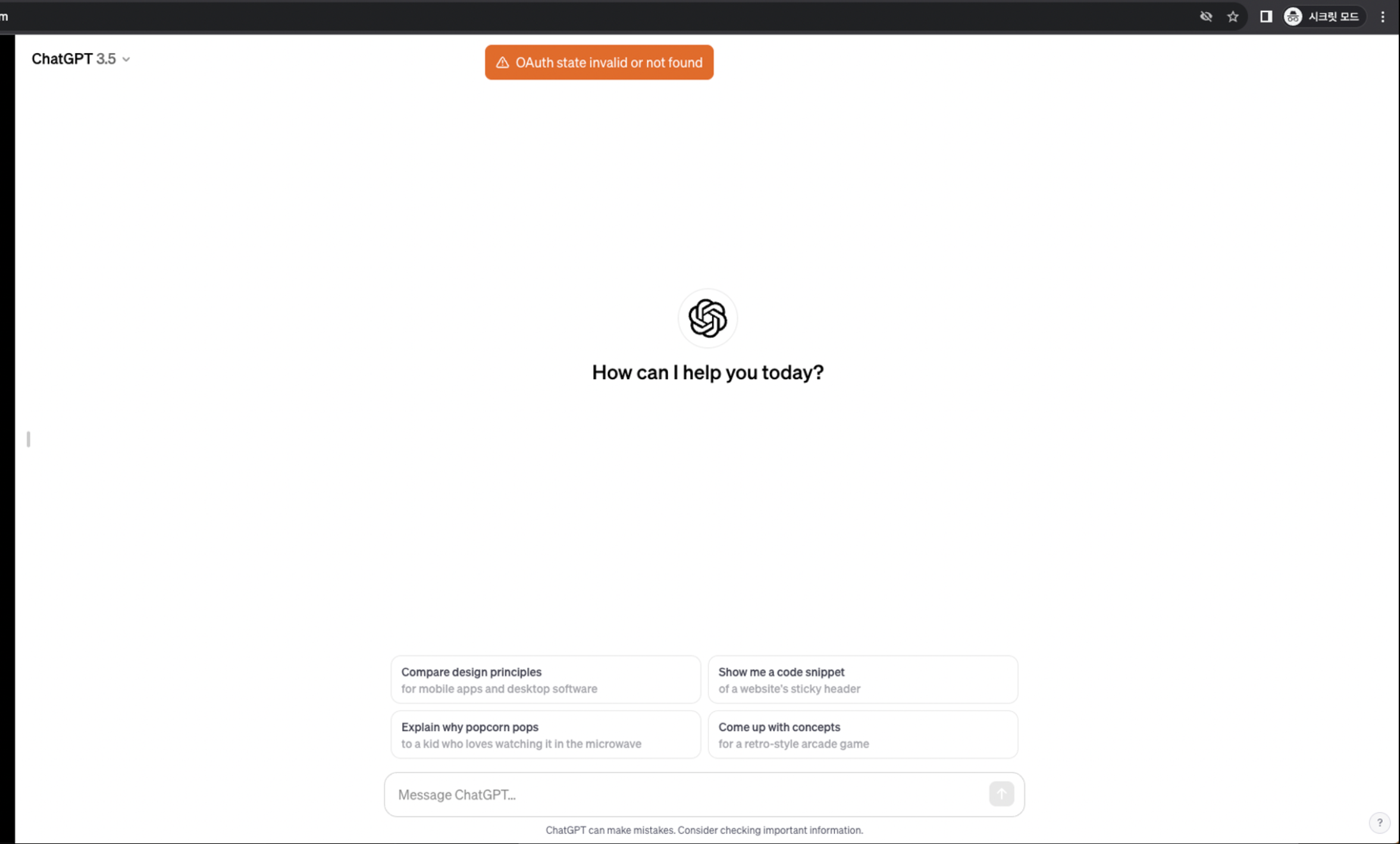
Whenever I try to configure a action by clicking: https://actions.zapier.com/gpt/actions/ and giving OpenAI access to Zapier, it goes back to ChatGPT and displayed “OAuth state invalid or not found” then after GPT proceeds to tell me there are no Zapier actions connected even though I know I made sure they are turned on;. 

I have loaded the schema and done everything asked for in the tutorial. I’ve deleted my cookies, tried microsoft edge and Firefox, nothing seems to work. Any suggestions as to how to troubleshoot this?

Thank you,
OptimizeAll

This post has been closed for comments. Please create a new post if you need help or have a question about this topic.


29 replies

  • New
  • Nov 13, 2023 11:01 AM UTC

Same issue for me. Can you please fix this?


  • New
  • Nov 13, 2023 3:53 PM UTC

  • New
  • Nov 14, 2023 12:11 PM UTC

Same issue here. Any news on this one please? 

When redirecting, we are getting a “Oauth invalid state or not found” error. 


Forum|alt.badge.img

same issue here


  • New
  • Nov 14, 2023 2:57 PM UTC

Same issue here, please someone do something.


  • New
  • Nov 14, 2023 4:39 PM UTC

I have the same issue! 


  • New
  • Nov 14, 2023 6:05 PM UTC

Exactly the same for me..


Forum|alt.badge.img+7
  • Zapier Staff
  • Nov 14, 2023 9:03 PM UTC

Hi everyone, 

I appreciate your time and efforts on this, and I’m aiming to get eyes on this as quickly as possible. 

In the meantime, can someone please confirm if they’re tried the following?

  • Signing out of ChatGTP, signing back in, and trying again
  • Revoking access, trying again

Note, I’m not necessarily suggesting to revoke access if you haven’t already. I’m curious to hear if that’s had an effect—if anyone has already tried it—as I’m unable to reproduce this personally. 

Thank you!


flex lee
  • New
  • Nov 15, 2023 5:57 AM UTC

Same Issue.

This is my step in an incognito window. Same session browser.

  1. Login https://chat.openai.com/ 
  2. Revoke accessed everything at https://actions.zapier.com/providers/
  3. my GPTs were created at https://actions.zapier.com/docs/platform/gpt
  4. Access https://actions.zapier.com/gpt/start > Allow > OAuth state invalid or not found


  • New
  • Nov 15, 2023 8:33 AM UTC

Hi everyone, 

I appreciate your time and efforts on this, and I’m aiming to get eyes on this as quickly as possible. 

In the meantime, can someone please confirm if they’re tried the following?

  • Signing out of ChatGTP, signing back in, and trying again
  • Revoking access, trying again

Note, I’m not necessarily suggesting to revoke access if you haven’t already. I’m curious to hear if that’s had an effect—if anyone has already tried it—as I’m unable to reproduce this personally. 

Thank you!


HI. I did the same and the problem still exists. 


  • New
  • Nov 15, 2023 8:59 PM UTC

Hope this will be solved soon?


  1. Retry OAuth process.
  2. Verify Zapier permissions.
  3. Use incognito/private mode.
  4. Disable browser extensions.
  5. Confirm redirect URLs.
  6. Double-check tutorial steps.
  7. Clear browser cache.
  8. Try a different browser.
  9. Contact OpenAI and Zapier support.
  10. Recreate the Zap if needed.  My Receiptify

  • Beginner
  • Nov 17, 2023 6:30 PM UTC

All those steps did not work.

OpenAI support? I have not find one, where can i find it? Even ChatGPT cannot give a desc how to find the openai support:) if you know it, please share it :)


  • New
  • Nov 17, 2023 6:42 PM UTC

Same problem here! its a global issue? 


  • New
  • Nov 20, 2023 12:57 AM UTC

Hello ! I’ve been running in the same problem here.

Followed all the different recommendations that were given here.
So here’s the thing : After the problems I went through, I decided to re-create a new GPT and it seems to me that Zapier is not answering to GPT, or maybe GPT is not correctly getting the info from Zapier.


When I tried to re-configure the webhook on it, the special link that was given in the tutorial (special link below) doesn’t generate a text for the webhook  after clicking on the “Import” button.

https://actions.zapier.com/gpt/api/v1/dynamic/openapi.json?tools=meta

At least I managed to do it manually with the help of the special link.


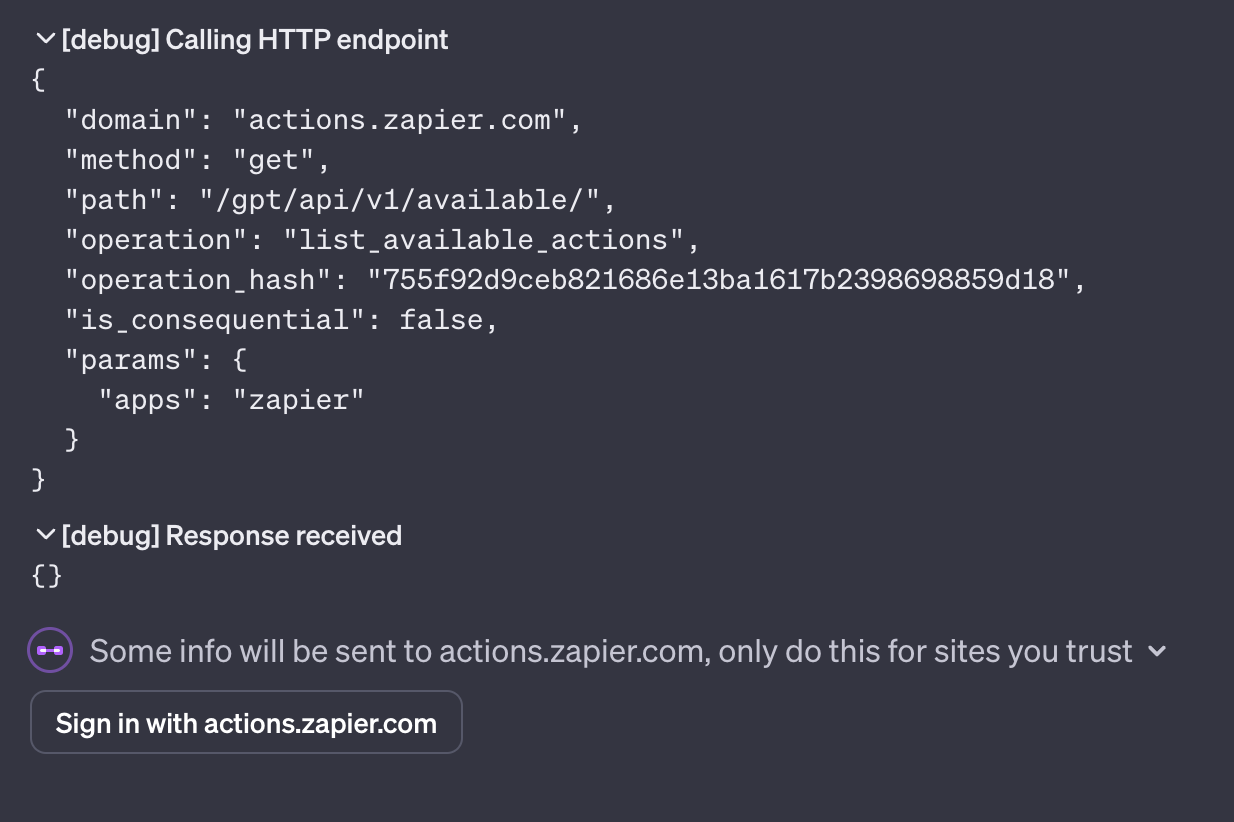
But then again, when GPT tries to test it’s available actions, the request seems to be sent fine, however GPT won’t receive any response as it seems empty.

Similarly, the “Sign in with actions.zapier.com” button won’t generate any specific event on my browser whatsoever.


Too bad.. I had taken the free week trial with Zapier just to try this new feature. Worked for the 1st day and then stopped working..


Same error here with the following steps:

  1. Deleted Zapier account completely
  2. Logged out of OpenAI
  3. Cleared all cache & cookies
  4. Logged back into OpenAI
  5. Created a new Zapier account
  6. Visited https://actions.zapier.com/gpt/actions/ and was prompted to allow access
  7. On OpenAI I receive an error “OAuth state invalid or not found”
  8. On Zapier, it believes it has a successful connection (as viewed in https://actions.zapier.com/apps/)
  9. The action’s “Authentication” field in GPT builder stays at “None”, and any tests fail with a message suggestion there is an invalid token.

  • New
  • Nov 26, 2023 7:55 PM UTC

ich habe genau das selbe problem und hoffe auf baldige Lösung. Ich habe zu Lösung alle Schritte befolgt.


  • New
  • Nov 26, 2023 9:20 PM UTC

Hello ! I’ve been running in the same problem here.

Followed all the different recommendations that were given here.
So here’s the thing : After the problems I went through, I decided to re-create a new GPT and it seems to me that Zapier is not answering to GPT, or maybe GPT is not correctly getting the info from Zapier.


When I tried to re-configure the webhook on it, the special link that was given in the tutorial (special link below) doesn’t generate a text for the webhook  after clicking on the “Import” button.

https://actions.zapier.com/gpt/api/v1/dynamic/openapi.json?tools=meta

At least I managed to do it manually with the help of the special link.


But then again, when GPT tries to test it’s available actions, the request seems to be sent fine, however GPT won’t receive any response as it seems empty.

Similarly, the “Sign in with actions.zapier.com” button won’t generate any specific event on my browser whatsoever.


Too bad.. I had taken the free week trial with Zapier just to try this new feature. Worked for the 1st day and then stopped working..

Exactly the same problem


  • New
  • Nov 27, 2023 9:41 AM UTC

the same, so bad user experiece, just telling us log off ChatGPT, what a stupid solution.


  • New
  • Nov 27, 2023 9:54 AM UTC

Same Issue


same issue


  • Beginner
  • Nov 29, 2023 4:01 PM UTC

Whenever I try to configure a action by clicking: https://actions.zapier.com/gpt/actions/ and giving OpenAI access to Zapier, it goes back to ChatGPT and displayed “OAuth state invalid or not found” then after GPT proceeds to tell me there are no Zapier actions connected even though I know I made sure they are turned on;. 

I have loaded the schema and done everything asked for in the tutorial. I’ve deleted my cookies, tried microsoft edge and Firefox, nothing seems to work. Any suggestions as to how to troubleshoot this?

Thank you,
OptimizeAll

This post has been edited by a moderator to remove personal information. Please remember that this is a public forum and to remove any sensitive information prior to posting.

i had this problem now and i fix it with hard work but i know the way 
if you want i will fix for all send whats..a.p.p
+.xxx-.xx xxx.--xxx. x


  • New
  • Nov 30, 2023 3:30 PM UTC

Same here :( any ETA for this fix?


  • New
  • Dec 1, 2023 2:33 PM UTC

Hi everyone, 

I appreciate your time and efforts on this, and I’m aiming to get eyes on this as quickly as possible. 

In the meantime, can someone please confirm if they’re tried the following?

  • Signing out of ChatGTP, signing back in, and trying again
  • Revoking access, trying again

Note, I’m not necessarily suggesting to revoke access if you haven’t already. I’m curious to hear if that’s had an effect—if anyone has already tried it—as I’m unable to reproduce this personally. 

Thank you!


Hey! 


Do you have any update on this?


  • New
  • Dec 3, 2023 10:36 AM UTC

so no solution right ? nobody could fix this problem with the instruction they gave ?