Best answer

Zaps on hold after account switch

  • March 5, 2026
  • 10 replies
  • 24 views

Forum|alt.badge.img+1

Hello Zapier Community,


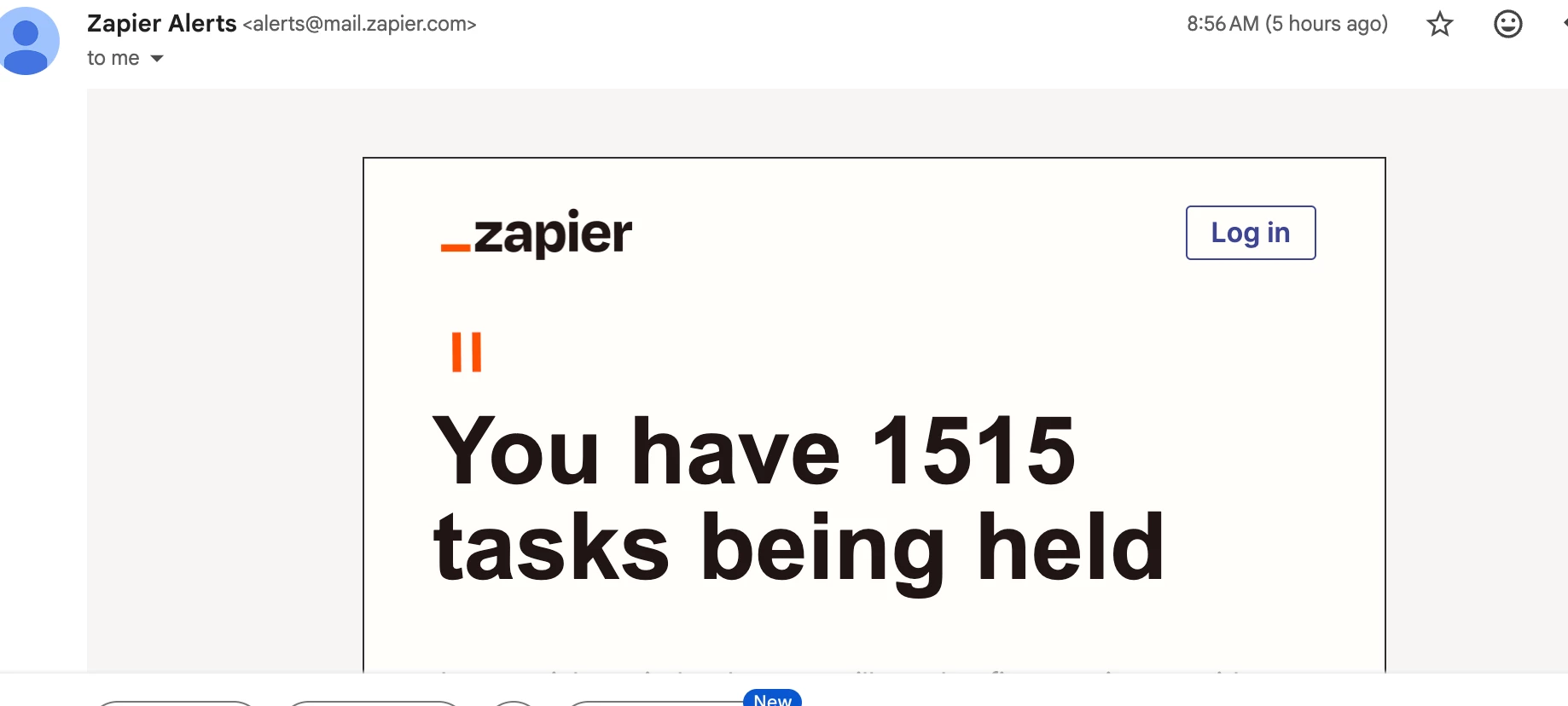
I built a Zap for the president of my company that when she creates a google calendar event with a specific title, the zap fires and adds the event and related information (title, location, start time, end time) into a Google spreadsheet that she can then add pertinent information for our accounting team to invoice the member. It works great!! I built it with my Google Calendar account initially to run all the tests and make sure it was correct. It was! Then, I changed the google account to my presidents and now I’m getting an error message saying “719 zaps on hold” and again this morning that “1515 zaps on hold”. I asked chatgpt about it yesterday and it said it had something to do with switching the account and to NOT delete them (or they will be counted towards my usage zaps) and that the best thing to do was to let the 30 expiry pass. Then, I got the email this morning with 1515. What do I do? 


Thanks,

Dena
Best answer by Troy Tessalone

@DenaT 

TIP: When configuring a Zap step, you can click field labels to see tooltips with more info about valid values, expected formats, etc.


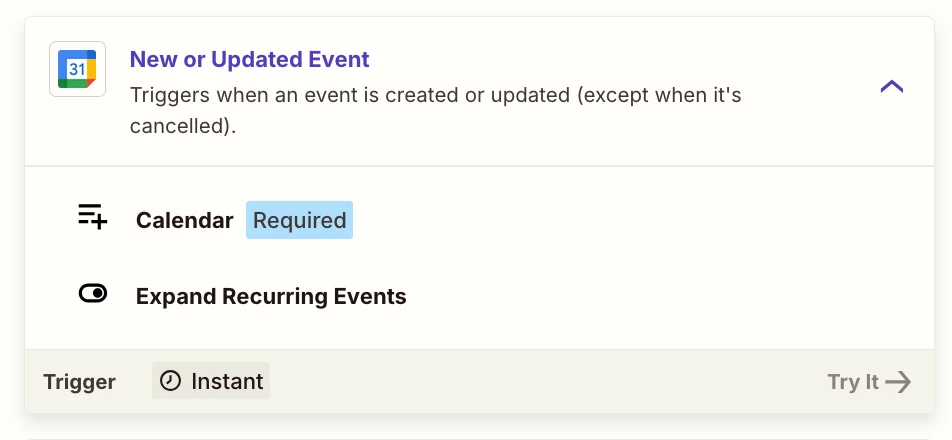
Zap trigger: GCal - New or Updated Events

  • Perhaps you want to use this Zap trigger: GCal - New Event

Description: Triggers when an event is created or updated (except when it's cancelled).

Meaning: It will trigger for ALL new events and it will trigger for ALL updated events.


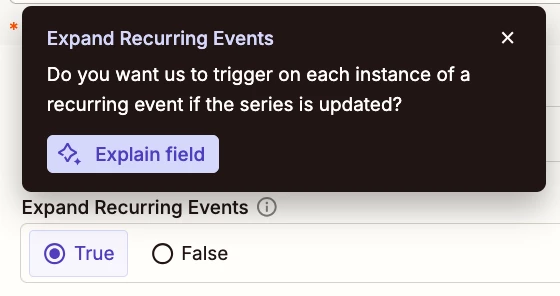
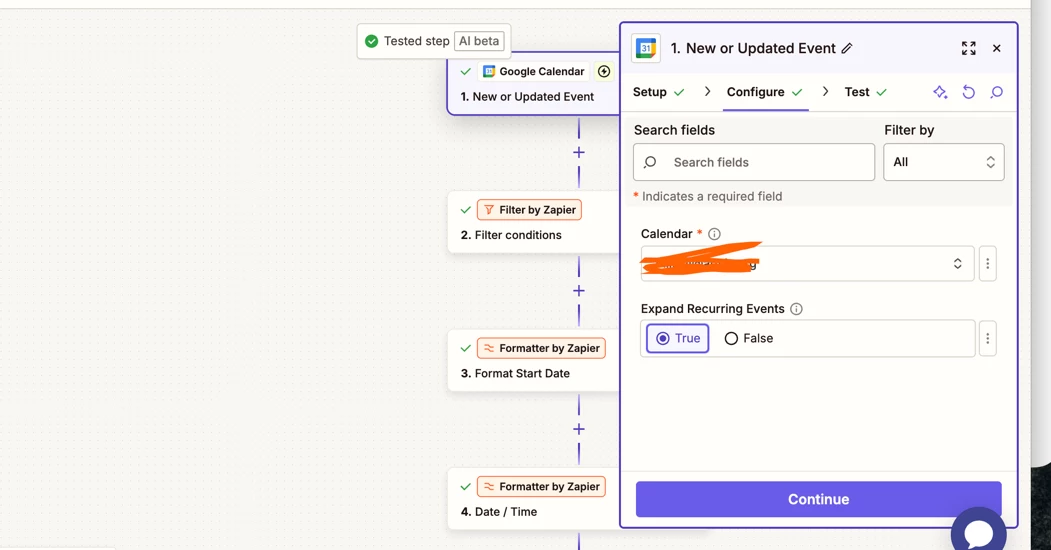
Field: Expand Recurring Events

Value: True

Tooltip: Do you want us to trigger on each instance of a recurring event if the series is updated.

Feedback: You may want to change this to FALSE.


If the GCal has a lot of activity to create new events or updated existing events, then that can trigger a lot of Zap Runs, especially for recurring events.


10 replies

Troy Tessalone
Zapier Orchestrator & Solution Partner
Forum|alt.badge.img+14
  • Zapier Orchestrator & Solution Partner
  • March 5, 2026

Hi ​@DenaT 

Post screenshots to give us more context about how your Zap steps are outlined and how your Zap trigger step is configured, along with the encountered error stating Zap Runs are HELD.


Forum|alt.badge.img+1
  • Author
  • Beginner
  • March 5, 2026

Hello, As I mentioned the zap worked perfectly and the only change was to the google calendar account from mine to my bosses. Is there something about changing accounts that would do this?


Forum|alt.badge.img+1
  • Author
  • Beginner
  • March 5, 2026


Forum|alt.badge.img+1
  • Author
  • Beginner
  • March 5, 2026


Troy Tessalone
Zapier Orchestrator & Solution Partner
Forum|alt.badge.img+14
  • Zapier Orchestrator & Solution Partner
  • Answer
  • March 5, 2026

@DenaT 

TIP: When configuring a Zap step, you can click field labels to see tooltips with more info about valid values, expected formats, etc.


Zap trigger: GCal - New or Updated Events

  • Perhaps you want to use this Zap trigger: GCal - New Event

Description: Triggers when an event is created or updated (except when it's cancelled).

Meaning: It will trigger for ALL new events and it will trigger for ALL updated events.


Field: Expand Recurring Events

Value: True

Tooltip: Do you want us to trigger on each instance of a recurring event if the series is updated.

Feedback: You may want to change this to FALSE.


If the GCal has a lot of activity to create new events or updated existing events, then that can trigger a lot of Zap Runs, especially for recurring events.


Forum|alt.badge.img+1
  • Author
  • Beginner
  • March 6, 2026

Thank you so much for this help..I’ve made the changes and I see if that fixes the problem!


Thanks again,
Dena


SamB
Community Manager
Forum|alt.badge.img+11
  • Community Manager
  • March 9, 2026

Hi there ​@DenaT! Did the changes Troy suggested do the trick?

Let us know how you get on 🙂 


Forum|alt.badge.img+1
  • Author
  • Beginner
  • March 9, 2026

It seems like they did! I haven’t gotten any more error messages. Now I just have to wait the 30 days for the holds to expire, it seems. Thanks for checking in!


SamB
Community Manager
Forum|alt.badge.img+11
  • Community Manager
  • March 10, 2026

Yay! 🎉 That’s great news ​@DenaT. I’m so glad that sorted it, thanks for letting us know. And a big thank you to ​@Troy Tessalone for helping out here 🤗

With the held Zap runs, if they were accidental triggers for recurring events and you don’t want those to run I’d suggest deleting them. To do that go to the Zap history, filter by "On hold" status, select all the held runs, and delete them. That will clears them from your account immediately and doesn't count toward usage since they were held before any actions could be run successfully.


Forum|alt.badge.img+1
  • Author
  • Beginner
  • March 10, 2026

Thank you, everyone!!

D