


Hi everyone,
I’m struggling with a mapping issue using Zapier Tables as a trigger (New or Updated Record).
Even after creating clean test records and naming all my columns correctly in the Table, the Zap editor keeps showing internal field IDs like "Old Data F 3 Label" or "New Data F3" instead of the actual column labels I've set (e.g., "Volunteer Name" or "Task Status").
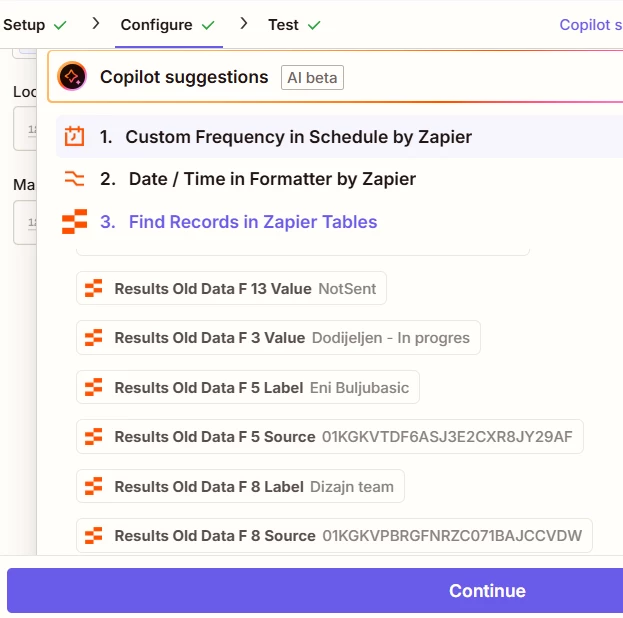
Here is what’s happening:
-
I see a mix of "New Data [Internal ID]" and "Old Data [Internal ID]" fields even when I'm testing a brand new record.
-
My actual column names do appear but often show "(no data)", while the corresponding "F" field contains the actual value I need.
-
If I map the "F" fields, I’m worried the Zap will break if I ever change the table schema or add new columns.
What I’ve already tried:
-
Deleting all records and creating a new "perfect" test record.
-
Clicking "Refresh Fields" in the Action step.
-
Using "Find New Records" in the Trigger step multiple times.
Is this a known caching issue with Zapier Tables, or is there a way to force the editor to only show the "Label" names and hide these internal system fields? It makes mapping very confusing and feels unstable for long-term use.
Any help or workarounds would be greatly appreciated!






