
I'm running into an issue where a live Zap run is evaluating old test data from my editing session instead of dynamic live data, causing my filter step to fail.
The Setup:
-
Step 4: Zapier Table: Update Record
-
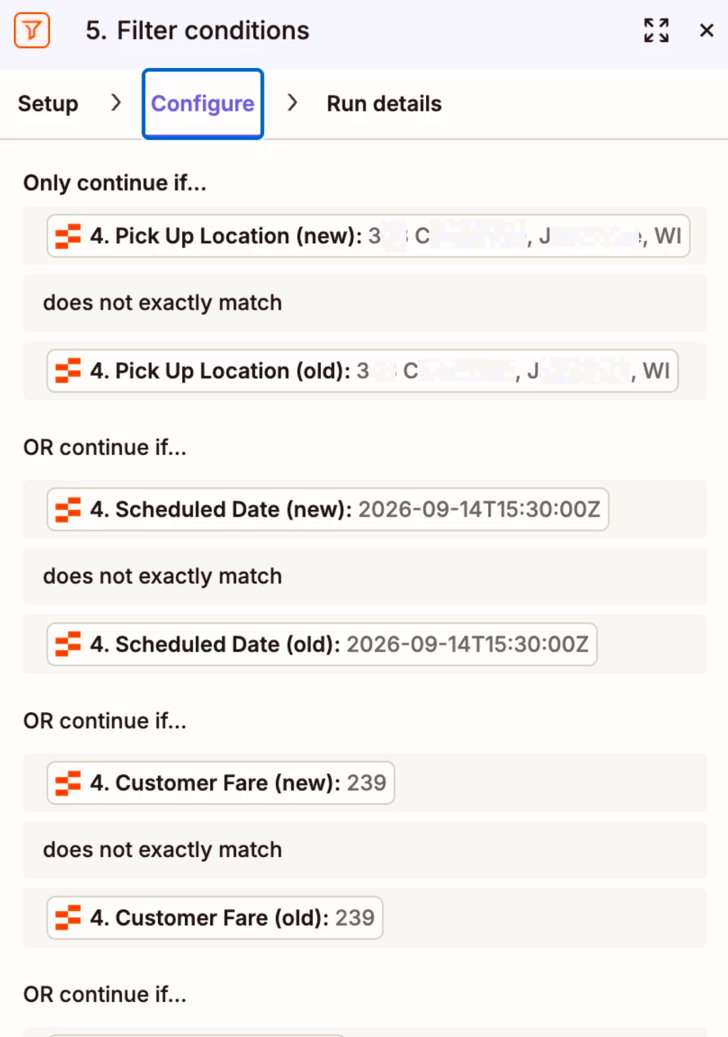
Step 5: Filter conditions comparing
Newdata vsOlddata (e.g.,Pick Up Location (new)does not matchPick Up Location (old)).
The Issue:
-
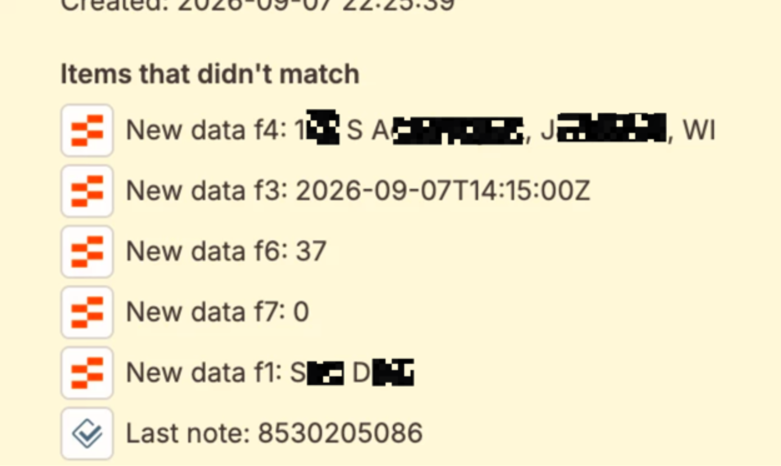
In the Editor: When editing and testing the Zap, the test payload correctly identifies the updated vs old values.
-
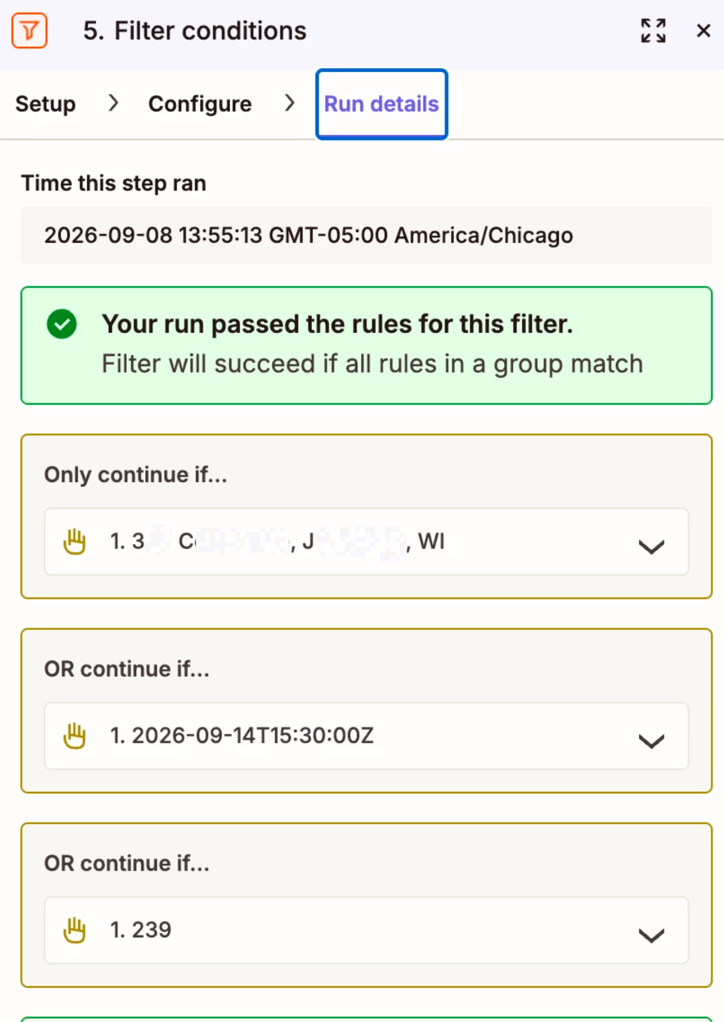
In Live Runs: When the Zap runs live, the Configure tab shows the mapped fields correctly, but under Run Details, the filter evaluates the static test sample (
3XX CXXXXX XXX, JXXXXXXXXX, WI) from when I was editing instead of the actual pre-update state from the live trigger.
Because it keeps pulling this hardcoded/cached sample value for the "old" data during live runs, the filter condition is not behaving properly.
Screenshots attached:
-
Live record change payload showing updated fields.
-
Step 5 Configure tab showing the field mappings.
-
Step 5 Run details tab (yellow box) showing the live run falling back to the editor sample data.
Is there a reason Zapier Table triggers don't pass dynamic "old" data in live executions, or am I mapping these fields incorrectly? Any help would be appreciated!
This post has been edited by a moderator to remove personally identifiable information (PII). Please remember that this is a public forum and avoid sharing personal or potentially sensitive details.







