
Question

Zapier Sees Folder on MS Teams, but not the file inside the folder.

  • December 30, 2023
  • 1 reply
  • 32 views

My requirement is to connect a wpform entry from a Wordpress website to an Excel spreadsheet in a Microsoft Teams (new version) channel. I want the new entry data to add to a row in the spreadsheet.

Teams (new) now has a One Drive feature for file management. When setting up the zap, there is no issue contacting the wpform. I can successfully connect to the Teams account and the Zap will also successfully identifies the folder in which the spreadsheet is located. However, it apparently does not see inside folder to the Excel sheet, as show below.
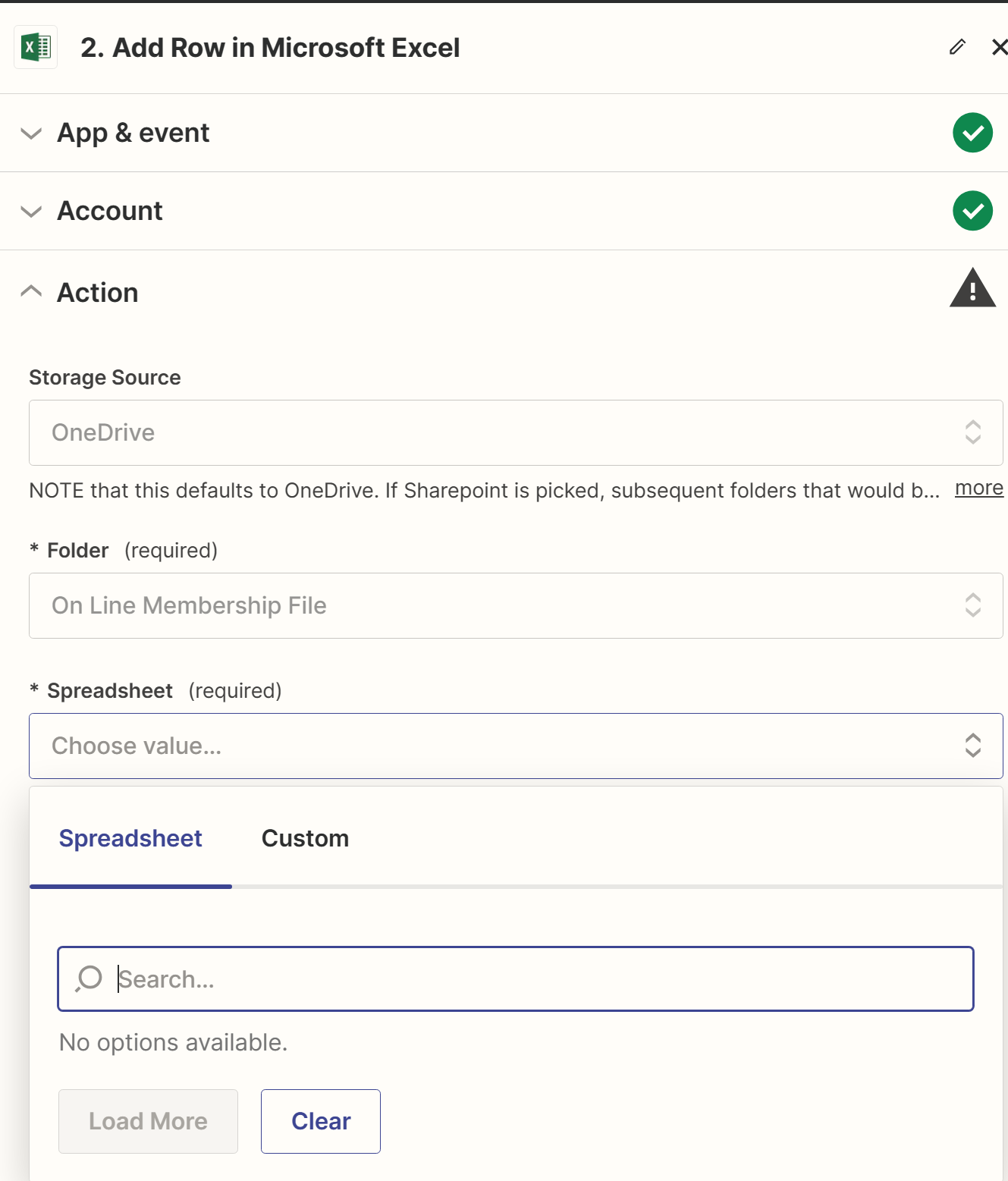
 

Any help on this is appreciated.



This post has been closed for comments. Please create a new post if you need help or have a question about this topic.

1 reply

ken.a
Forum|alt.badge.img+6
  • Zapier Staff
  • January 2, 2024

Hi there @ebfis,

Welcome to the Community! 🎉

Could you double-check that your Excel files have the .xlsx file extension at the end rather than .xls? The xls and xlm file types are not supported and won't show up in the Zap editor, but .xlsx should.

Please keep me posted!

