Question

Zapier QuickBooks Online: Find Purchase (Expense) breaks on amount field with QueryParserError

  • March 22, 2026
  • 5 replies
  • 43 views

I am using the QuickBooks Online “Find Purchase (Expense)” step in Zapier, and the test fails whenever I search using an amount. The error is: QueryParserError: Encountered "<FLOAT> "9.05 "" ... Was expecting "false" or "true"
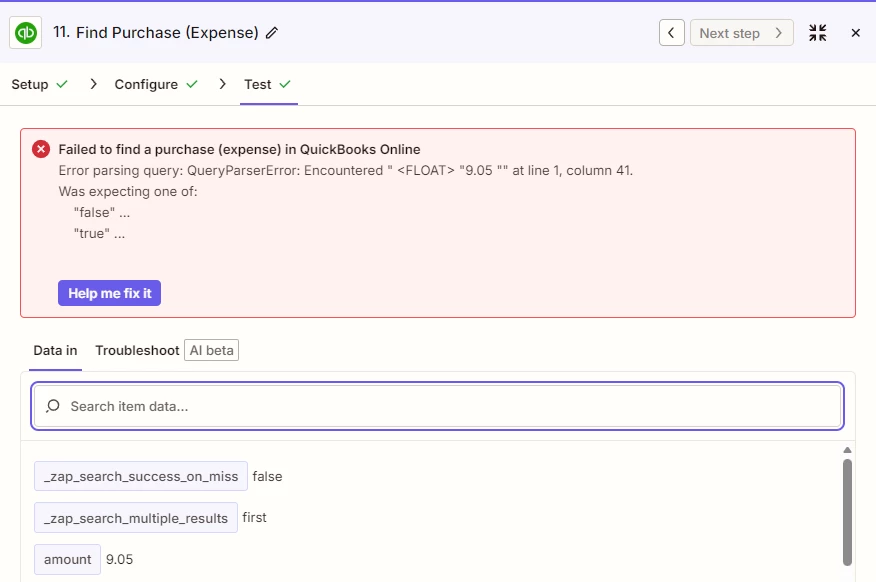
Perhaps a potential mapping error?


5 replies

Sparsh from Automation Jinn
Forum|alt.badge.img+6

Hey ​@Andrew Pham,

Try adding a Formatter → Numbers → Format Number action before mapping the amount in Find Purchase action.

This should fix it probably. Otherwise post screenshots of whole Data In, Data Out as well as how each Zap step is configured for us to have more context. 

Hope it helps!


Troy Tessalone
Zapier Orchestrator & Solution Partner
Forum|alt.badge.img+14
  • Zapier Orchestrator & Solution Partner
  • March 23, 2026

Hi ​@Andrew Pham 

For us to have more info about the error, post screenshots showing how your Zap step 11 is configured in the CONFIGURE tab.


  • Author
  • Beginner
  • March 23, 2026

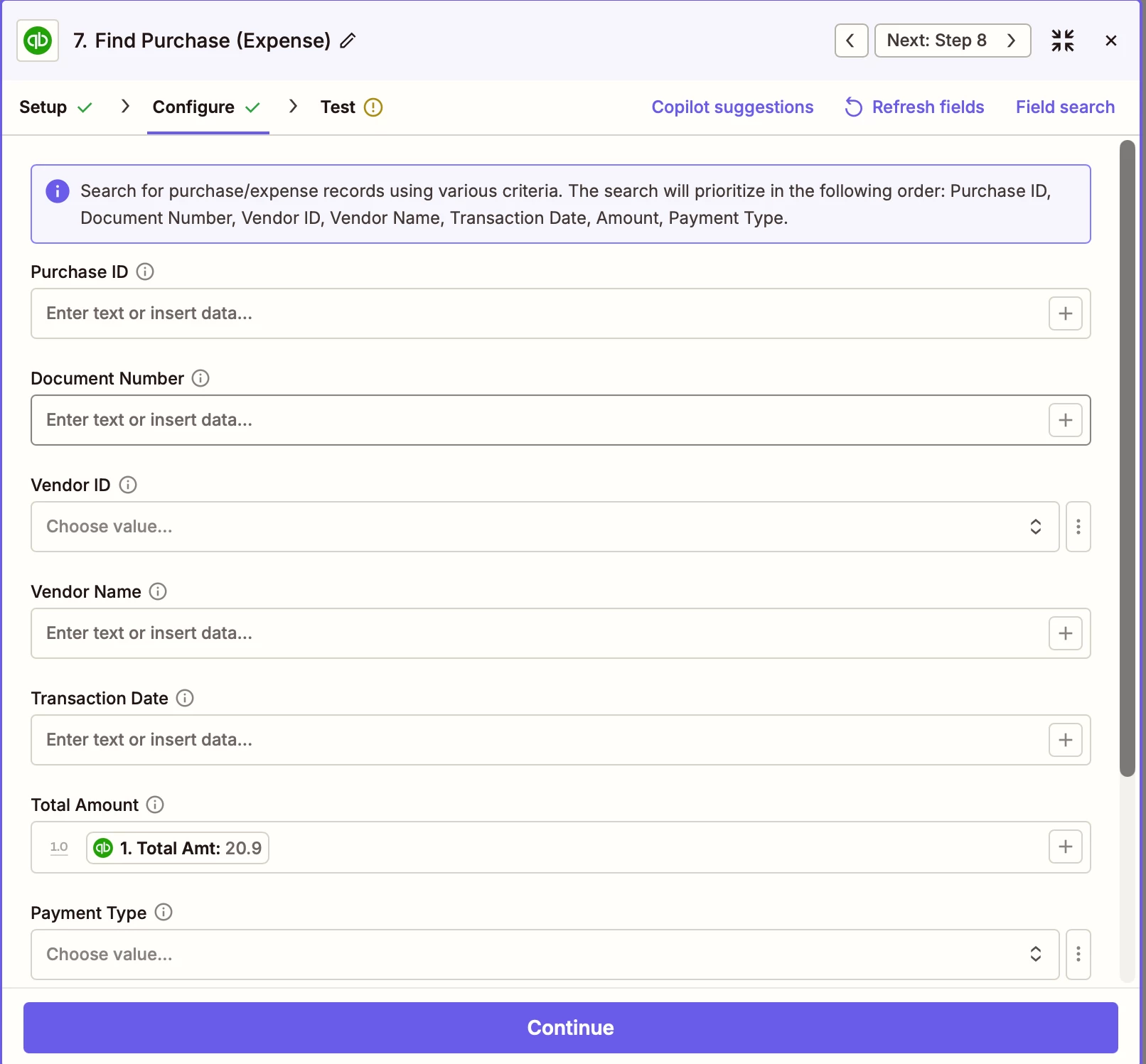
Hi Troy, currently i’m only searching by amount, please find the attached picture:


Troy Tessalone
Zapier Orchestrator & Solution Partner
Forum|alt.badge.img+14
  • Zapier Orchestrator & Solution Partner
  • March 23, 2026

@Andrew Pham 

TIP: Click field labels to see tooltips with more info about expected field values and formats.


This might be a bug with how the Zap step is configured.

You can try reporting it via a ticket to Zapier Support: https://zapier.com/app/get-help


You can try other approaches:


Sparsh from Automation Jinn
Forum|alt.badge.img+6

Hey ​@Andrew Pham,

Did you try formatting the number as I suggested before? Please try that to see if it fixes your issue.

If the action is not working as expected, you probably have to query the Quickbooks API directly using API request action. Here is a helpful article about API request action in Zapier- https://help.zapier.com/hc/en-us/articles/12899607716493-Create-an-API-Request-action

I know it can get a bit more technical and complex but if it’s important for you, you can give this approach a try. Hope it helps!

PS: If you need more active help, I’m happy to connect through my Zapier Solution Partner page if you’d like to reach out here- https://zapier.com/partnerdirectory/automation-jinn