Answer

Zapier Creating Duplicate Contacts in Lead Connector

  • May 9, 2024
  • 7 replies
  • 175 views

I’m trying to update a contact field in Lead Connector. But, instead it creates a duplicate contact in lead connector. This has never happened before so I’m not sure why all of a sudden it’s being weird. 
 

Best answer by Troy Tessalone

@rvk18 

Perhaps there are duplication settings configured in GHL.

https://help.gohighlevel.com/support/solutions/articles/48001181714-allow-duplicate-contact-explained

This post has been closed for comments. Please create a new post if you need help or have a question about this topic.

7 replies

Troy Tessalone
Zapier Orchestrator & Solution Partner
Forum|alt.badge.img+14
  • Zapier Orchestrator & Solution Partner
  • May 9, 2024

Hi @rvk18 

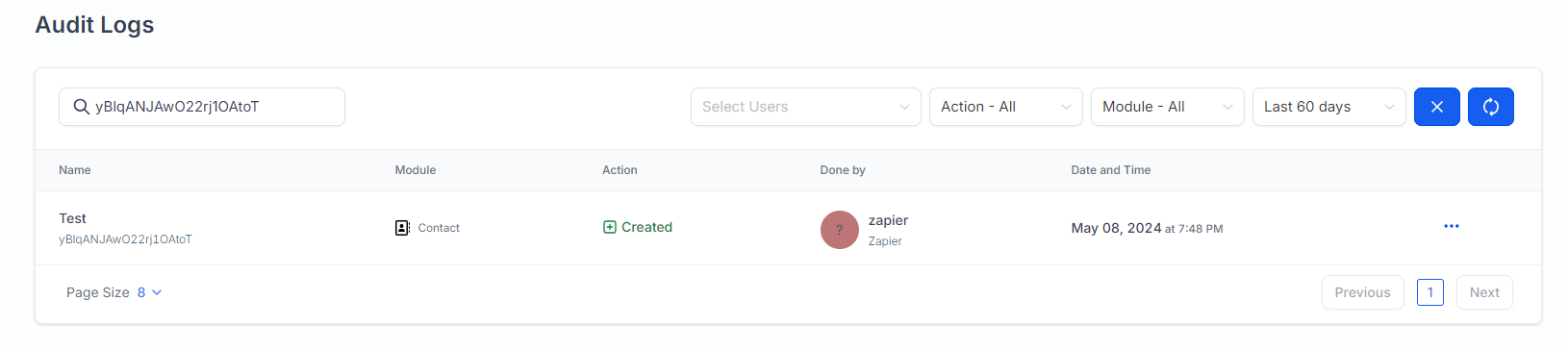
Check in GHL to see the history log of details for when the Contact was created, when, how, and by who.


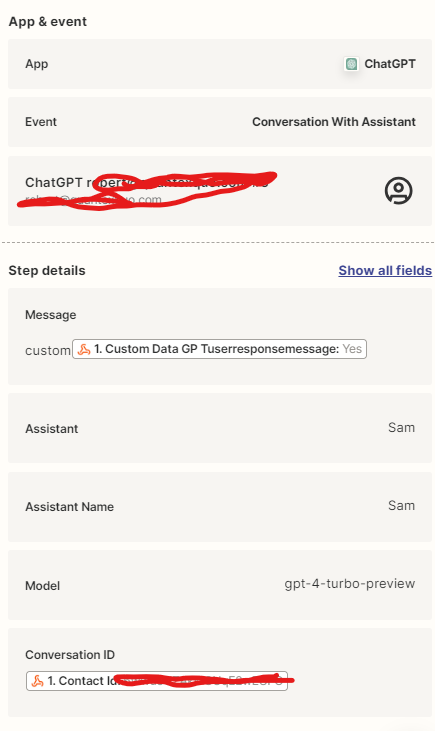
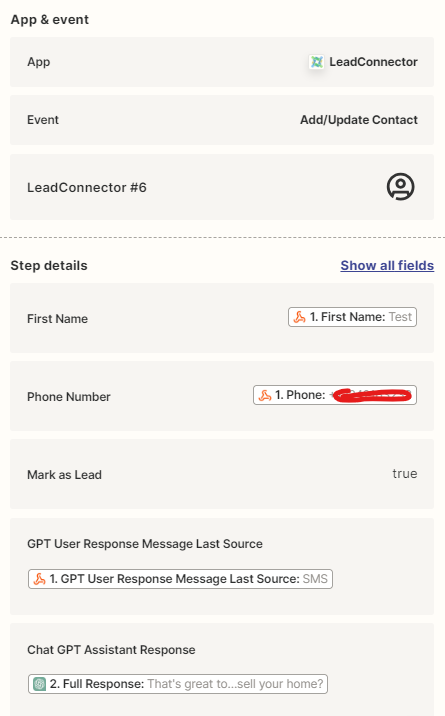
Check your Zap Runs history details to see the DATA IN/OUT for each step to help you trace the data flow and troubleshoot: https://zapier.com/app/history/


Check if the Zap is actually running multiple times.


  • Author
  • New
  • May 9, 2024
This is what GHL says, Zapier is creating the contact. ^
The original contact doesn’t update at all. It instead creates a new contact with the updated fields that I need.  


Troy Tessalone
Zapier Orchestrator & Solution Partner
Forum|alt.badge.img+14
  • Zapier Orchestrator & Solution Partner
  • May 9, 2024

@rvk18 

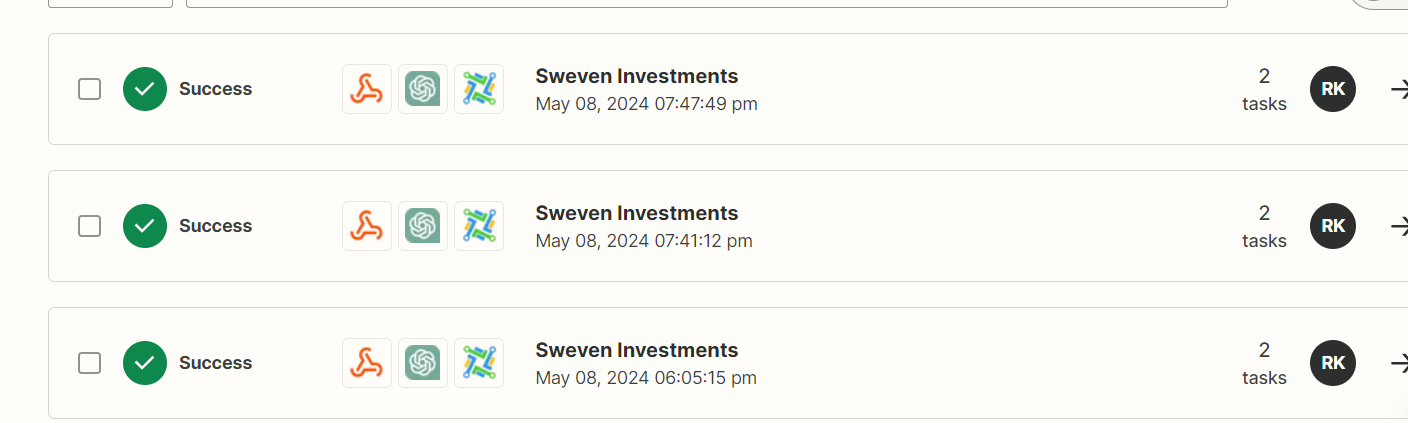
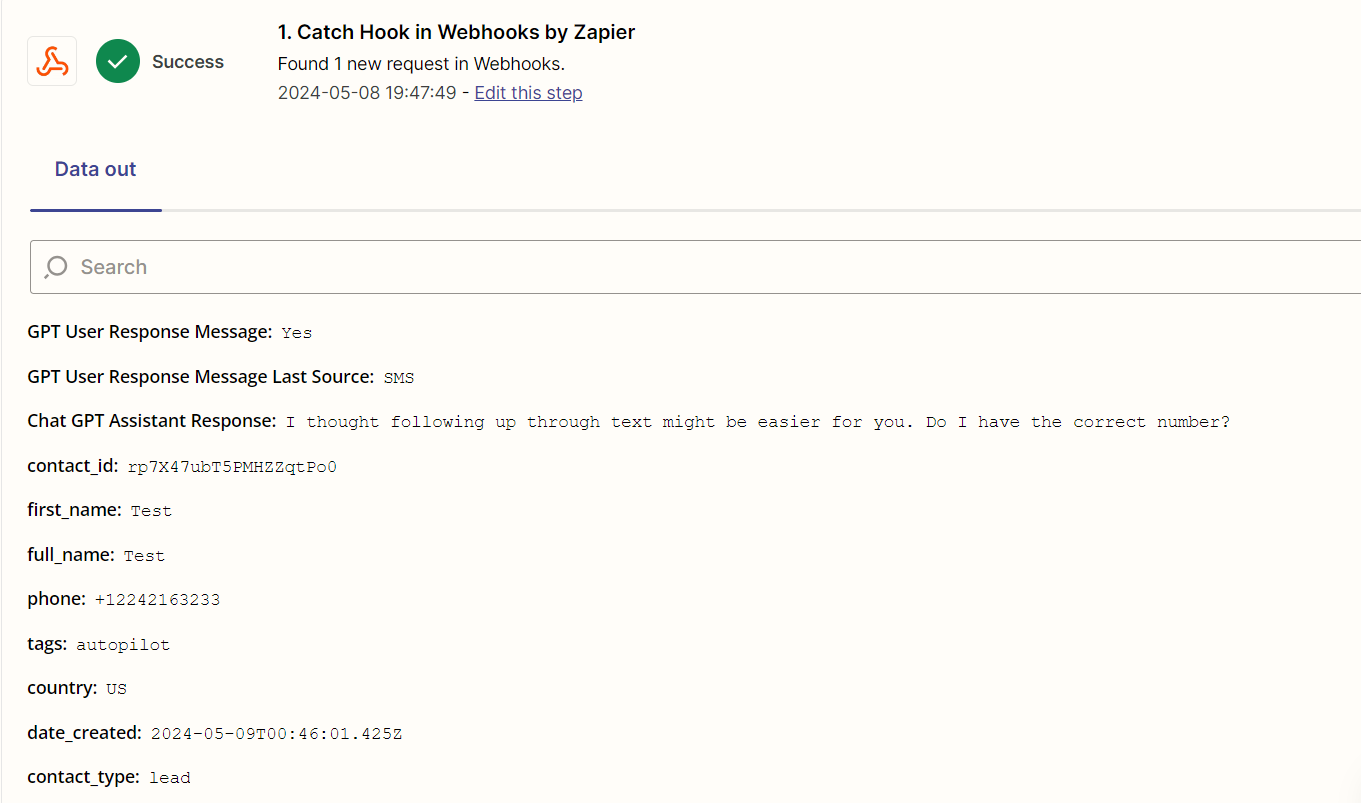
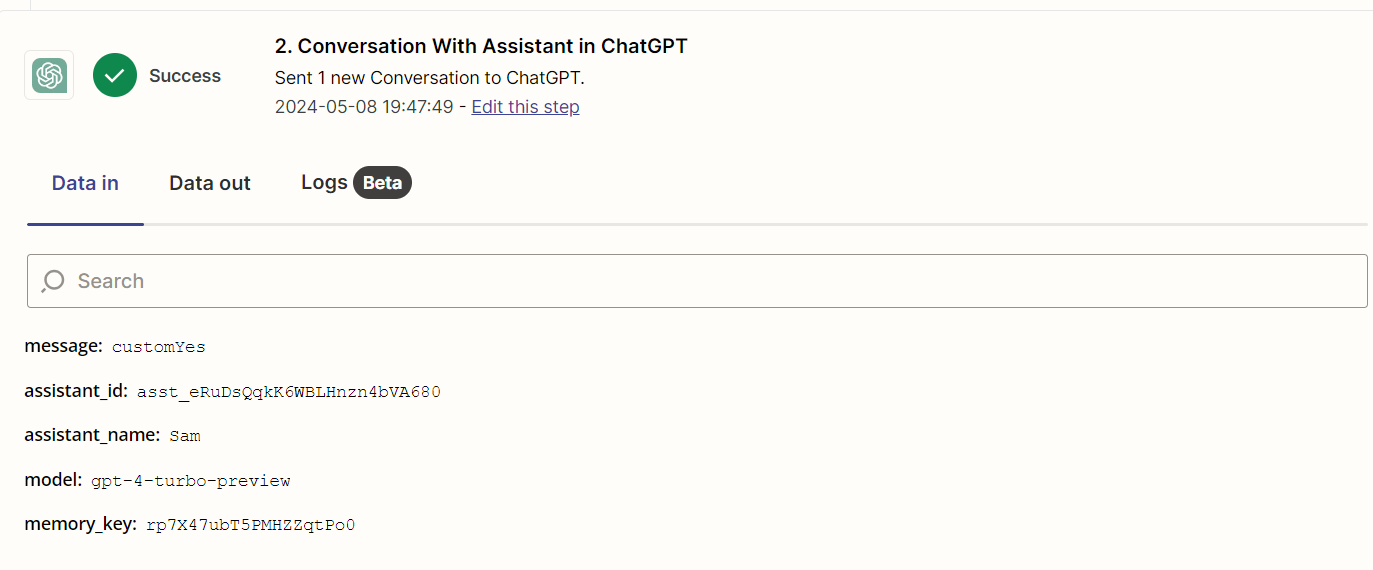
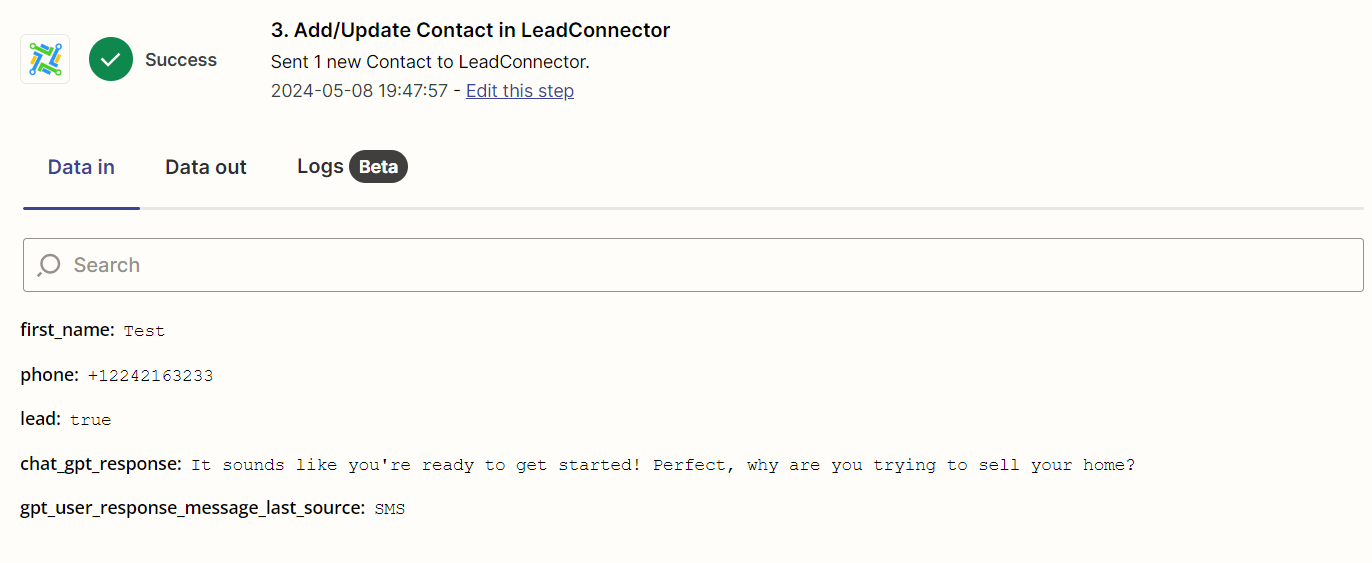
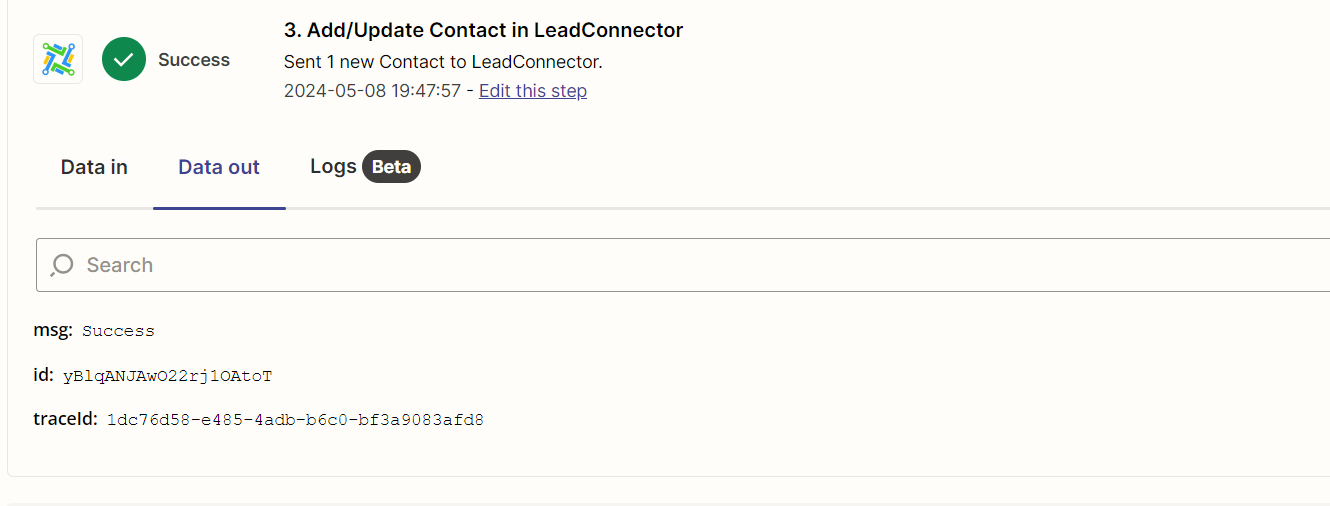
Can you post screenshots from your Zap Runs that show multiple Zap Runs for the same contact?

https://zapier.com/app/history/


  • Author
  • New
  • May 9, 2024

Does this help. I’m not sure why this is working. It works for every other account I do this for.


Troy Tessalone
Zapier Orchestrator & Solution Partner
Forum|alt.badge.img+14
  • Zapier Orchestrator & Solution Partner
  • Answer
  • May 9, 2024

  • Author
  • New
  • May 9, 2024

Thank you so much you just saved me


ken.a
Forum|alt.badge.img+6
  • Zapier Staff
  • May 9, 2024

That’s awesome @rvk18! A huge thanks to Troy for pointing you in the right direction!

If you have any other questions, please don’t hesitate to reach out to the Community. We’re always happy to help! 🤗