

Best answer

Zap to Detrack uploads Only 1 Row and we are expecting 6

  • April 16, 2024
  • 3 replies
  • 36 views

Hi,

I’m am new to Zapier and just created my 1st Zap. The Zap “worked” but did not upload all rows to Detrack. There are six (6) rows/lines on the order but only one (1) line uploaded to Detrack. 


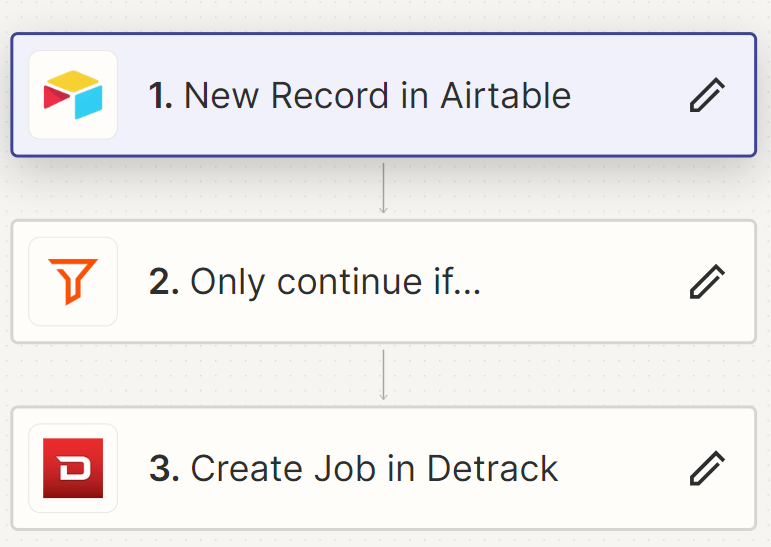
Below is what I have…

1 - When a new record is created in Airtable

2 - Only continue if the record has been checked 

3 - Upload order to Detrack


Best answer by Troy Tessalone

Hi @calvinscm 

To troubleshoot, check your Zap Runs history details to see the DATA IN/OUT for each step: https://zapier.com/app/history/


For us to have more context, we would need to see screenshots with how the steps are configured along with more details about the specific example you mentioned.


This post has been closed for comments. Please create a new post if you need help or have a question about this topic.

3 replies

Troy Tessalone
Zapier Orchestrator & Solution Partner
Forum|alt.badge.img+14
  • Zapier Orchestrator & Solution Partner
  • 34064 replies
  • Answer
  • April 16, 2024

Hi @calvinscm 

To troubleshoot, check your Zap Runs history details to see the DATA IN/OUT for each step: https://zapier.com/app/history/


For us to have more context, we would need to see screenshots with how the steps are configured along with more details about the specific example you mentioned.


  • Author
  • Beginner
  • 2 replies
  • April 16, 2024

Thank you, Troy. The link “https://zapier.com/app/history/” helped me to identify the issue. The order number is being used multiple times vs once… Looks like Detrack was thinking, lines were duplicated. 


Again, thank you Troy!


ken.a
Forum|alt.badge.img+6
  • Zapier Staff
  • 6780 replies
  • April 17, 2024

That’s awesome @calvinscm! A huge thanks to Troy for pointing you in the right direction!

If you have any other questions, please don’t hesitate to reach out to the Community. We’re always happy to help! 🤗





