

Answer

Zap test says successful but it's not landing in MailerLiter

  • March 1, 2024
  • 6 replies
  • 47 views

I have set up a zap between Calendly and MailerLite, bot of which Zapier says are successfully connected. Yet when I test the zap, Zapier says the zap was successful, but the email for the lead from Calendly is NOT showing up in the Mailerlite group indicated by the zap.  

I’ve chatted with Calendly and the only possibility is that I need to replace the old API link with Zapier with their new V2 API, yet I cannot find where in Zapier to do that.

I have successful zaps other than this one that moves data into MailerLite, so that should be OK.  

Any thoughts?  Thanks for anything you may offer.
Best answer by Troy Tessalone

@RLEschler 

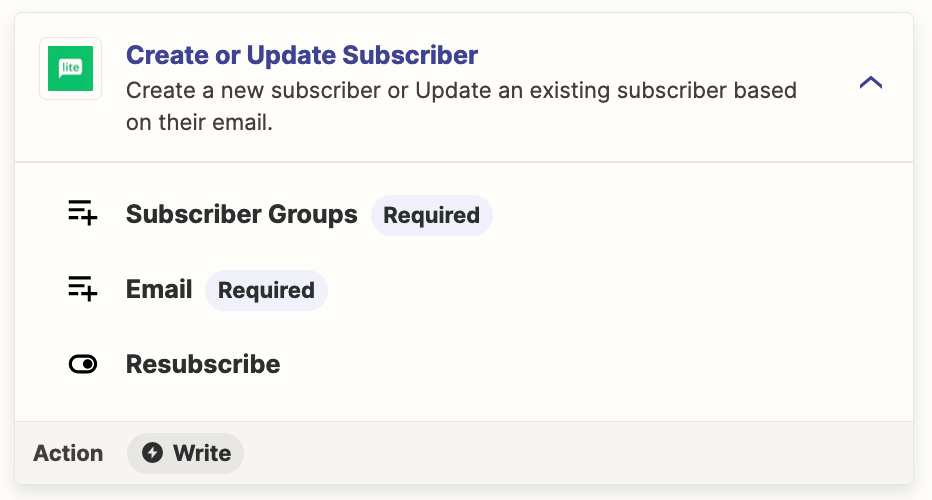
Instead, use this Zap action: MailerLite - Create/Update Subscriber


This post has been closed for comments. Please create a new post if you need help or have a question about this topic.

6 replies

Troy Tessalone
Zapier Orchestrator & Solution Partner
Forum|alt.badge.img+14
  • Zapier Orchestrator & Solution Partner
  • March 1, 2024

Hi @RLEschler 

For us to have context, post screenshots with how your steps are outlined and configured, thanks.


  • Author
  • Beginner
  • March 2, 2024

See attached for visual of Zap and successful test, yet the actual lead supposedly sent via Zapier to MailerLite does not show up there.  Other zaps to Mailerlite have worked but not this particular one for Calendly.


Troy Tessalone
Zapier Orchestrator & Solution Partner
Forum|alt.badge.img+14
  • Zapier Orchestrator & Solution Partner
  • Answer
  • March 2, 2024

@RLEschler 

Instead, use this Zap action: MailerLite - Create/Update Subscriber


  • Author
  • Beginner
  • March 2, 2024

I had tried that first.  It didn’t work either, but I’ll try again.


  • Author
  • Beginner
  • March 2, 2024

I started from scratch and it seems to be working finally.  Thank you!


ken.a
Forum|alt.badge.img+6
  • Zapier Staff
  • March 4, 2024

That’s great news @RLEschler! Big thanks to Troy for lending a hand here.

If you have any other questions, please don’t hesitate to reach out to the Community. We’re always happy to help! 🤗






