
Question

Zap says that it's set up properly but the email isn't being sent

  • July 3, 2026
  • 3 replies
  • 35 views

Hey! I set up a Zap to connect my Stan Store to Beehiiv so that buyers can receive a welcome email after their purchase. The Zap shows that it’s set up properly but the customer didn’t receive the email. Can someone help with this? (Setup photos attached)
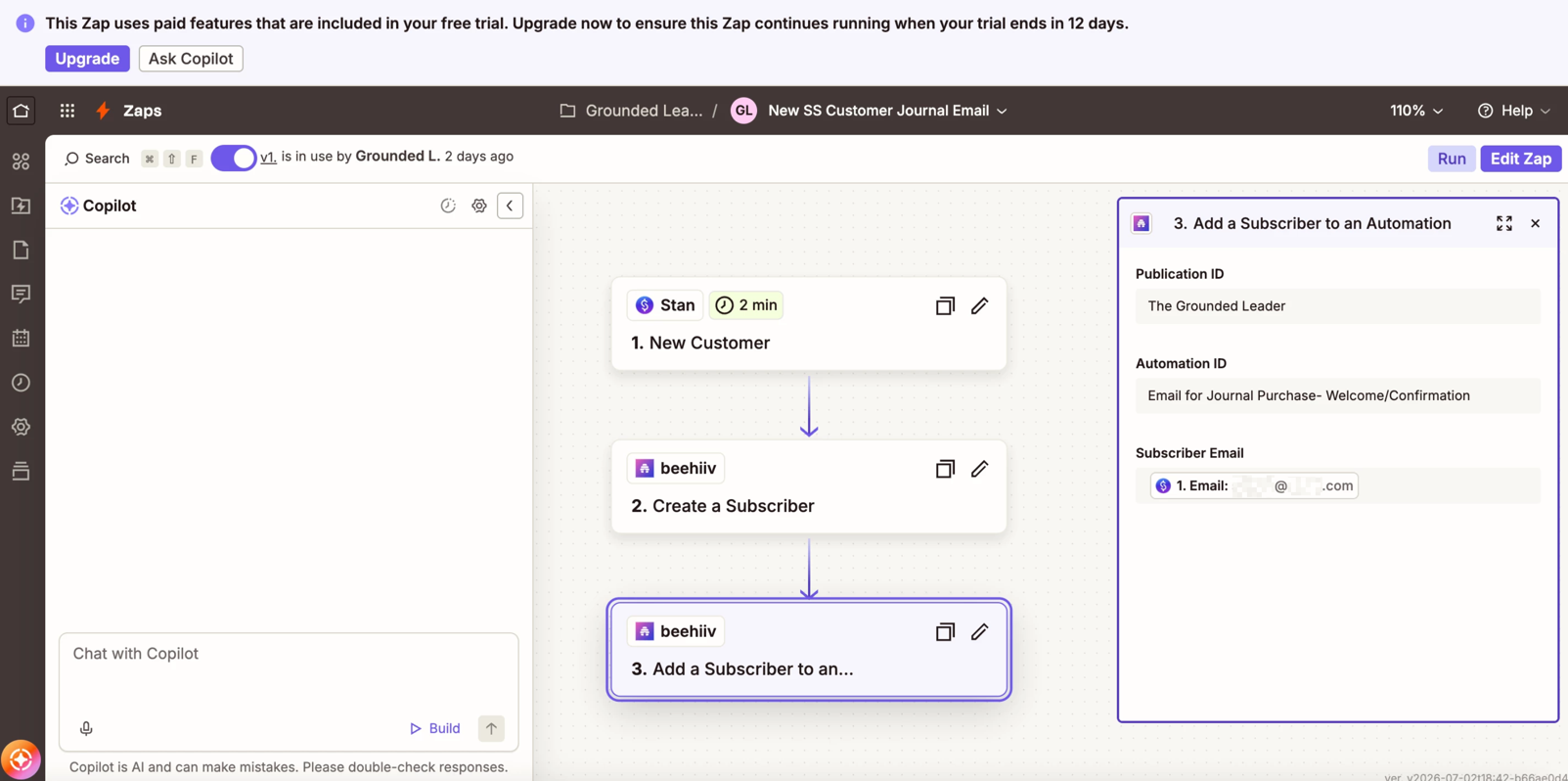
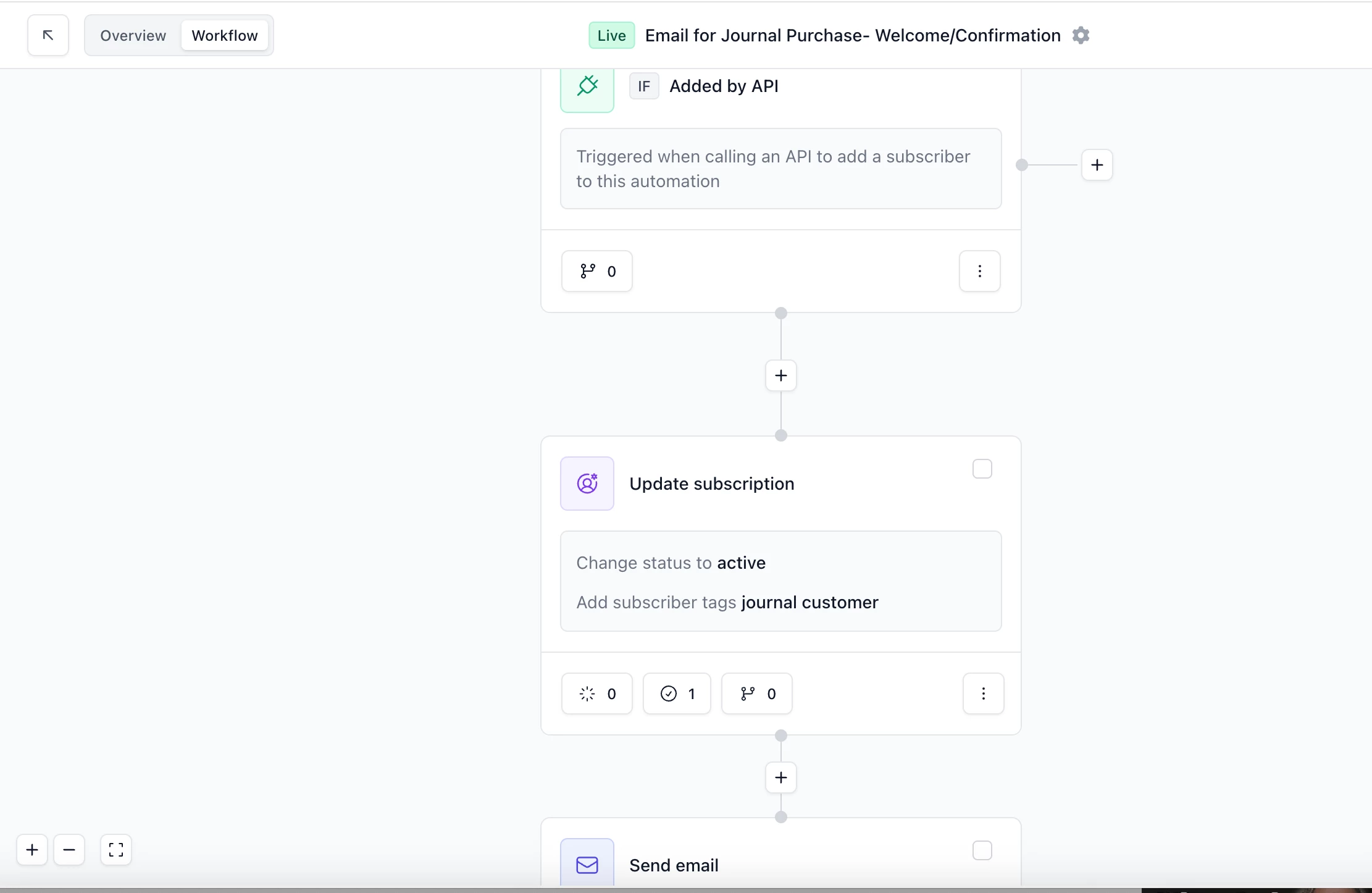
Not sure if the email section is supposed to be an email data tag
Beehiiv automation for email to go to customer


This post has been edited by a moderator to remove personally identifiable information (PII). Please remember that this is a public forum and avoid sharing personal or potentially sensitive details.


3 replies

Forum|alt.badge.img+4
  • Zapier Solution Partner
  • July 3, 2026

Hi ​@Groundedleaderco 

Here's the doc that might help: Link

  • Verify your "Send email" step has content: Click that "Send email" node in your Beehiiv automation. You need to select an actual email draft from the dropdown — the Beehiiv docs say some actions like this need to be saved before they're complete. If nothing's selected, pick your welcome email and save it.

Forum|alt.badge.img+1
  • New
  • July 3, 2026

The issue is usually not with Zapier itself, but with how beehiiv handles newly imported subscribers or how the email triggers are configured. First, log into your beehiiv dashboard, navigate to Settings > Emails > Preset Emails, and verify that the toggle next to "Enable a welcome email that is sent to new subscribers" is explicitly turned on. Even if the email content is written and saved, it will not deploy to API-imported contacts unless this master switch is active. Additionally, verify if your beehiiv account has completed its mandatory initial signup verification, as unverified accounts will block all outgoing automated delivery.


Forum|alt.badge.img+4
  • Zapier Solution Partner
  • July 8, 2026

Hi ​@Groundedleaderco did any of these suggestions work for you? Were you able to fix the issue?

