Answer

Zap not saving a selection when I publish

  • April 24, 2024
  • 6 replies
  • 61 views

I'm trying to build a Zap where a student is automatically added to an online course. When I select which course I want to enroll them in (Course A), it's not saving my selection and keeps defaulting to a different course (Course B) that doesn't even exist anymore.

Can anyone explain why it defaults to the incorrect course even after I publish the Zap?

Secondly, there are times after I finish trying to apply my edits where the "Publish" button is grayed out. It doesn’t appear that there are any issues with the Zap setup, so I could use some advice about that as well.


Best answer by ken.a

Hi @Seth2107,

Have you tried creating the Zap from scratch to see if it’ll resolve this issue?

I'll be keeping an eye out for your response!

This post has been closed for comments. Please create a new post if you need help or have a question about this topic.

6 replies

Troy Tessalone
Zapier Orchestrator & Solution Partner
Forum|alt.badge.img+14
  • Zapier Orchestrator & Solution Partner
  • April 24, 2024

Hi @Seth2107 

One option is to try using a new /different private browser to configure your Zap steps.

Otherwise, for us to have context, post screenshots with how your Zap steps are outlined and configured.


  • Author
  • New
  • April 25, 2024

Sure @Troy Tessalone , I’ll try to add some more context. I did try a private browser as well as a different browser, but I got the same results. So I’ll add some more details if that's helpful.

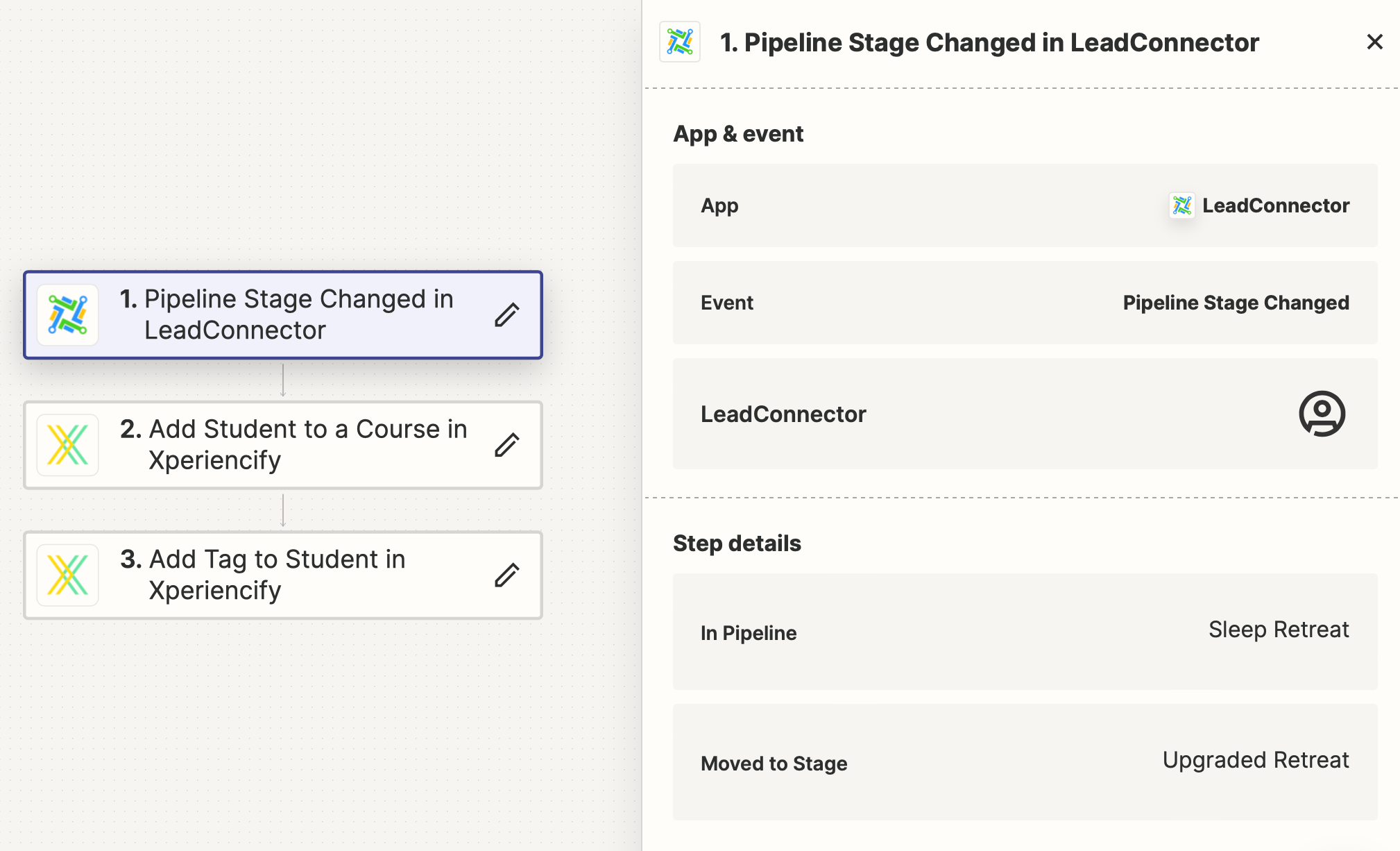
Here is the step outline:


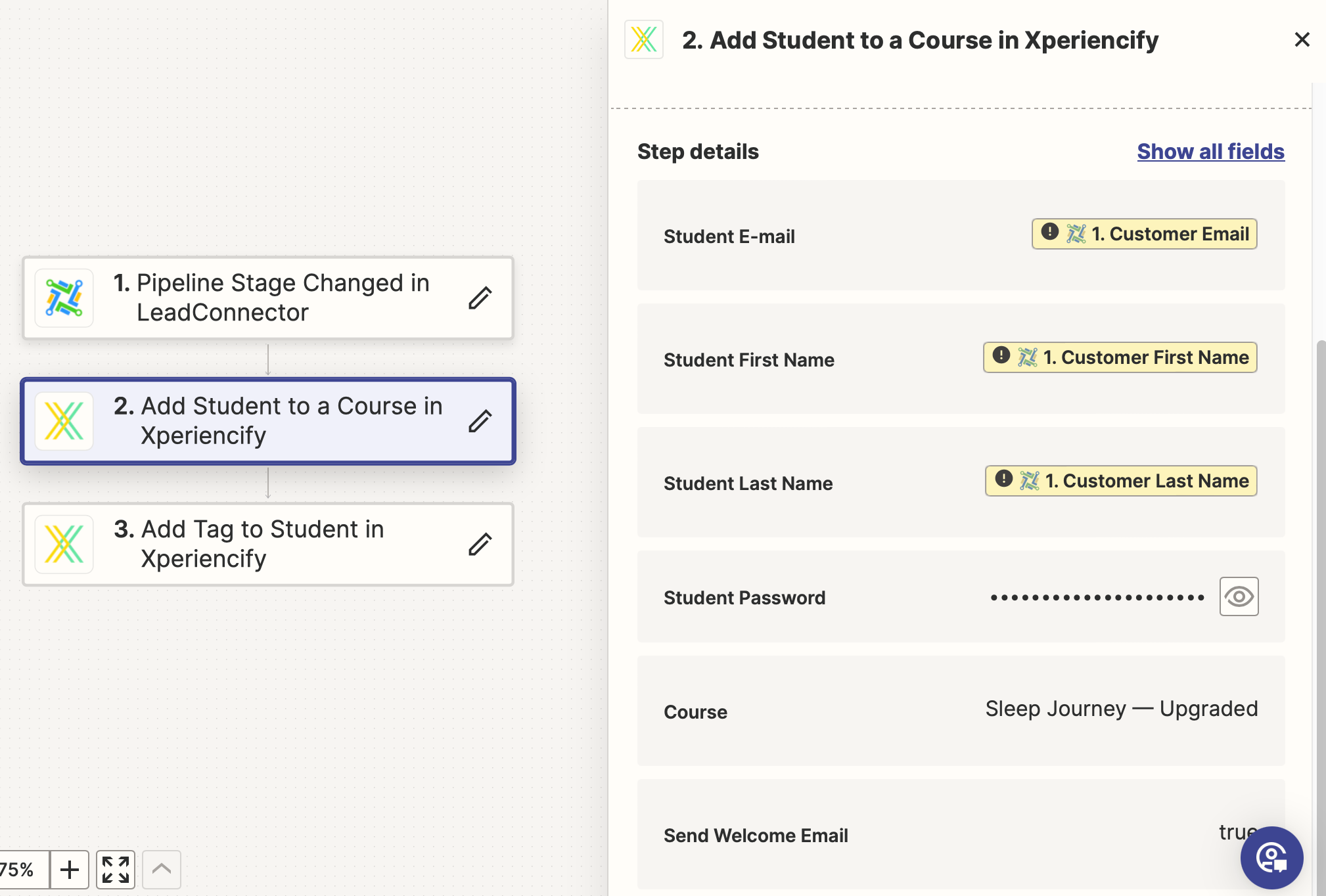
In the second step, you can see that the pre-selected Course is Sleep Journey — Upgraded:


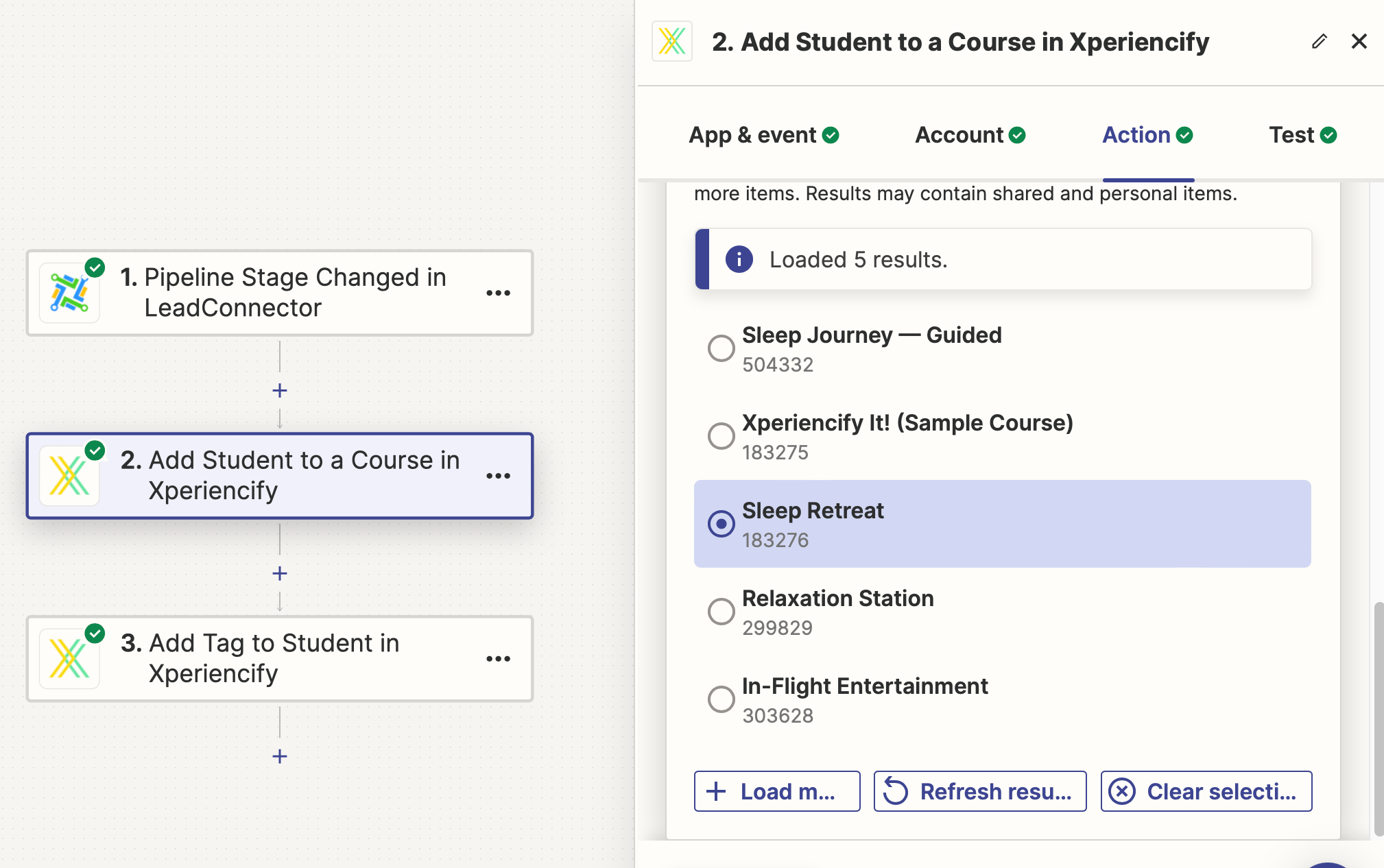
I select a different course (Sleep Retreat), go through the rest of the setup process, and publish the Zap:


But when I return to view the details of the published Zap, it has reverted to having Sleep Journey — Upgraded as the selected course. The other strange part is that Sleep Journey — Upgraded isn’t even an item that I can select because it doesn’t exist (perhaps it did at one point, but it was deleted long ago).

So I’m not sure why it’s defaulting to something that doesn’t exist, and why it won’t let me save a different selection.


ken.a
Forum|alt.badge.img+6
  • Zapier Staff
  • Answer
  • April 25, 2024

Hi @Seth2107,

Have you tried creating the Zap from scratch to see if it’ll resolve this issue?

I'll be keeping an eye out for your response!


Troy Tessalone
Zapier Orchestrator & Solution Partner
Forum|alt.badge.img+14
  • Zapier Orchestrator & Solution Partner
  • April 25, 2024

@Seth2107 

Also, try using these buttons.


  • Author
  • New
  • April 25, 2024

Thanks so much for your help, @ken.a and @Troy Tessalone . It did come down to creating the Zap from scratch, so I’ll keep that in mind for future Zaps!


ken.a
Forum|alt.badge.img+6
  • Zapier Staff
  • April 26, 2024

You are most welcome @Seth2107!

If you have any other questions, please don’t hesitate to reach out to the Community. We’re always happy to help! 🤗