Question

Zap not running in Google Sheets

  • February 12, 2026
  • 11 replies
  • 41 views

zap not trigger when added new row in google sheet. it is working fine when click on “run test “ button. we have successfully published in free tier. It shows instant trigger only. 

11 replies

Troy Tessalone
Zapier Orchestrator & Solution Partner
Forum|alt.badge.img+14
  • Zapier Orchestrator & Solution Partner
  • February 12, 2026

Hi ​@raghuybr 

Help links for using GSheets in Zaps: https://zapier.com/apps/google-sheets/integrations#help


Make sure your GSheet is configured correctly to be used in Zaps: 

  • Row 1 with headers and a value in A1
  • No gap rows/columns
  • No grouped rows/columns


Check your Zap Run history for activity and errors: https://zapier.com/app/history/


  • Author
  • New
  • February 12, 2026


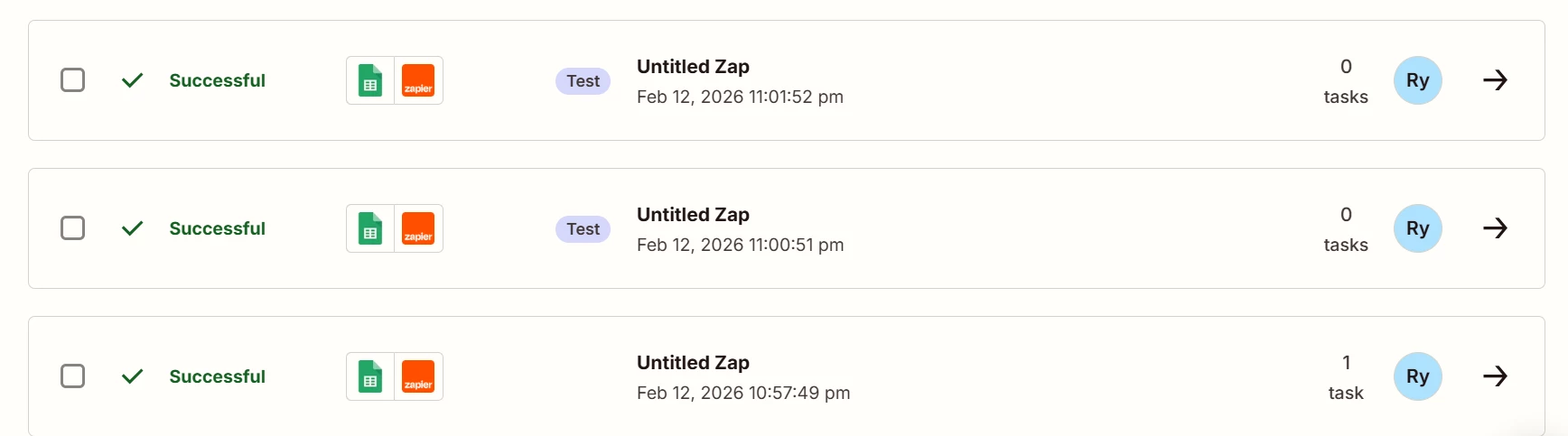
I have configured properly and able to see success in app history. Please check above screenshot. It is connected Google Sheets -> private zapier app. While testing it works as expected. But our endpoint did not get data which defined in actions of zapier app.


Troy Tessalone
Zapier Orchestrator & Solution Partner
Forum|alt.badge.img+14
  • Zapier Orchestrator & Solution Partner
  • February 12, 2026

@raghuybr 

Post screenshots showing how your Zap steps are outlined and configured in the CONFIGURE tab while in EDIT mode for us to have more info.


  • Author
  • New
  • February 13, 2026


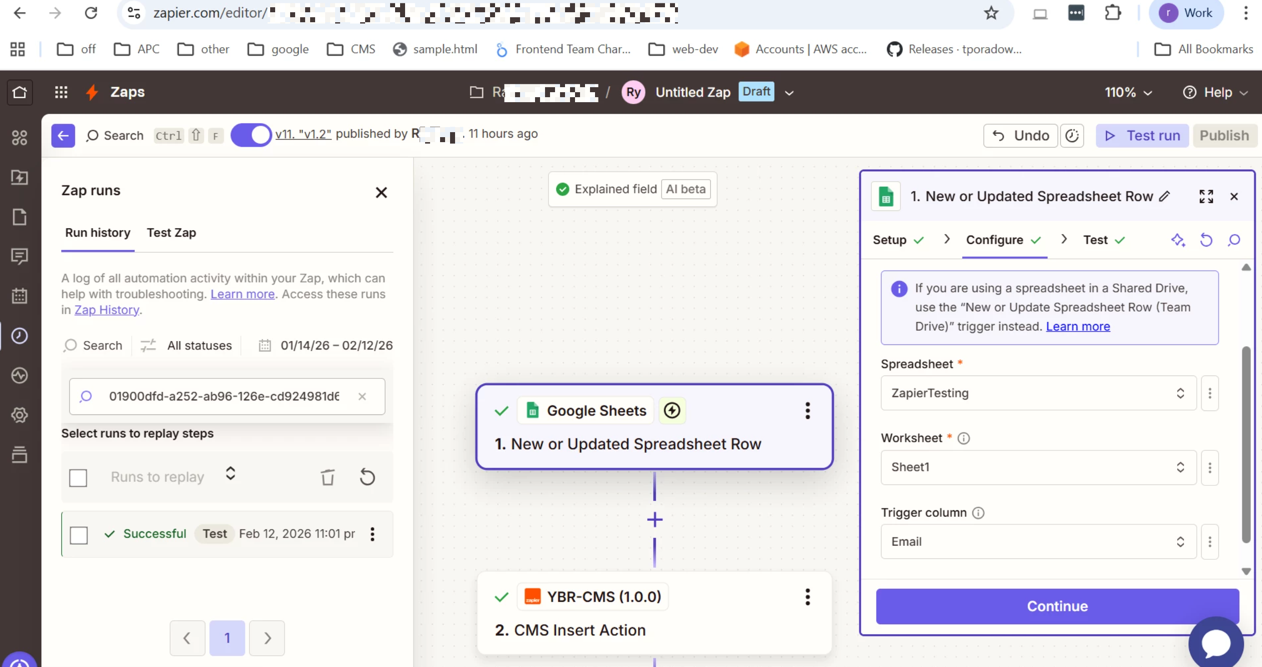
Please check above screenshots for your reference and guide us 


This post has been edited by a moderator to remove personally identifiable information (PII). Please remember that this is a public forum and avoid sharing personal or potentially sensitive details like Zap links.


Troy Tessalone
Zapier Orchestrator & Solution Partner
Forum|alt.badge.img+14
  • Zapier Orchestrator & Solution Partner
  • February 13, 2026

@raghuybr 

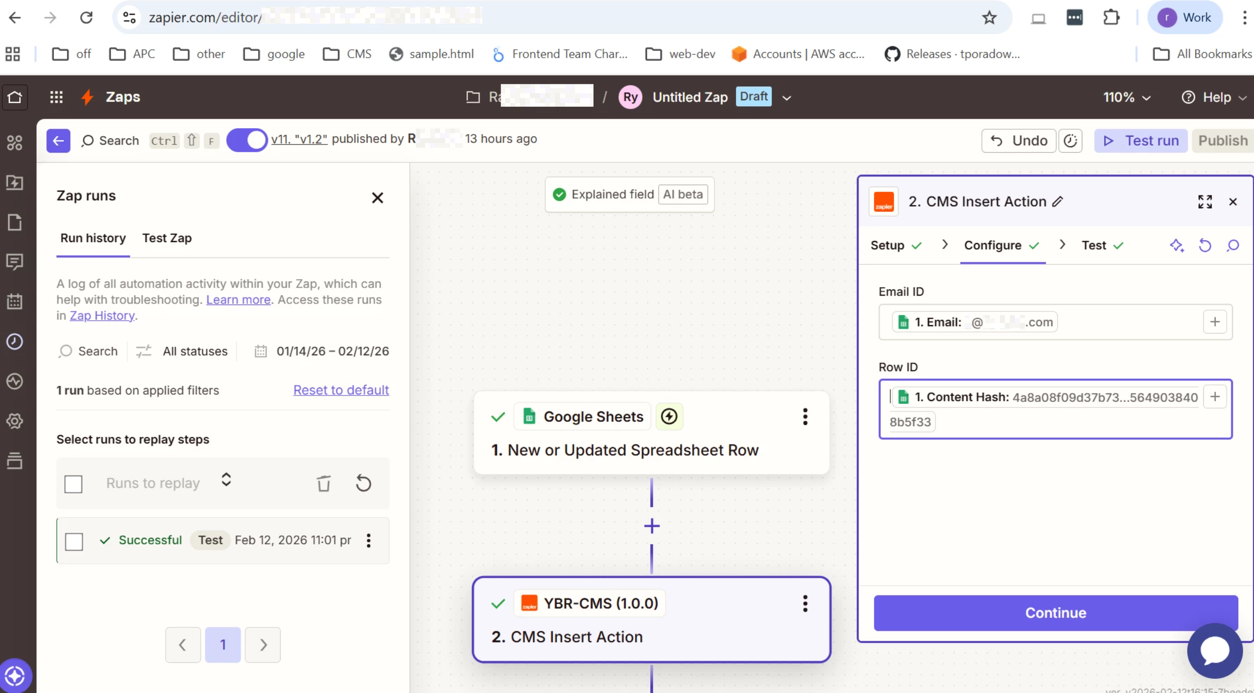
Screenshot does not show how Zap step 2 is configured.


  • Author
  • New
  • February 13, 2026


please check step 2 screenshot


This post has been edited by a moderator to remove personally identifiable information (PII). Please remember that this is a public forum and avoid sharing personal or potentially sensitive details like Zap links.


Forum|alt.badge.img+1

Hey ​@raghuybr Instant triggers on Google Sheets only work for certain sheet types and accounts. On the free plan, new rows may not trigger automatically. Try switching the trigger to “New Spreadsheet Row” (polling) instead of instant, or upgrade to a paid plan to use instant triggers reliably.


Troy Tessalone
Zapier Orchestrator & Solution Partner
Forum|alt.badge.img+14
  • Zapier Orchestrator & Solution Partner
  • February 13, 2026

@raghuybr 

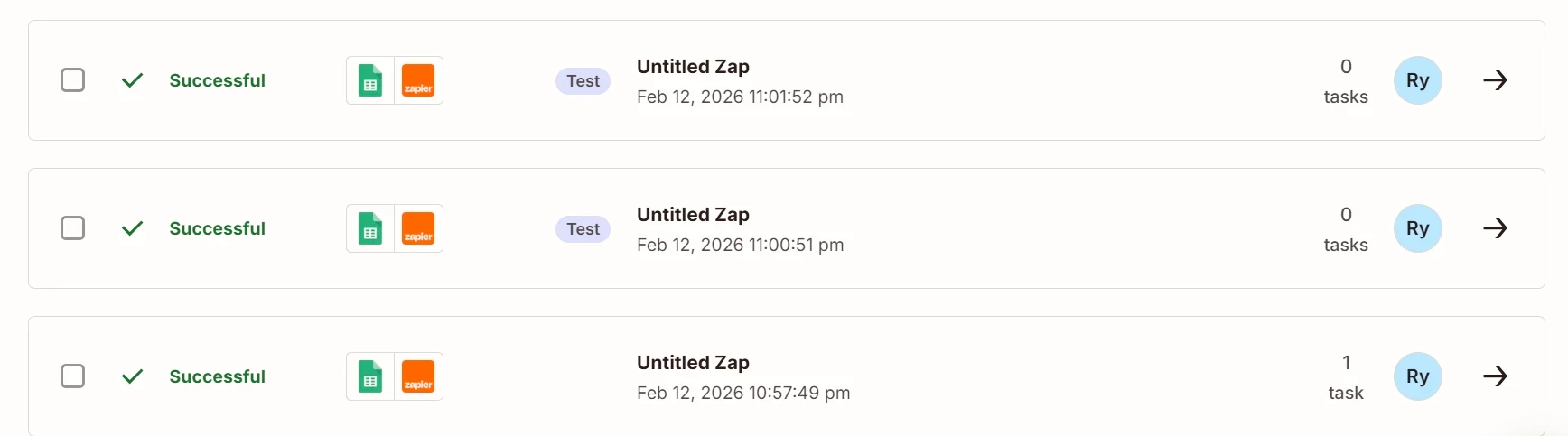
From your screenshot below, the bottom Zap Run happened automatically.

Click on a Zap Run to see how the Zap steps processed.

Click on a Zap Run Step to see the DATA IN/OUT for each step to help you trace the data flow and troubleshoot.

The Zap action step DATA OUT should return and ID that you can use to find the record in the app to verify the data.

Otherwise, there may be an issue with the private Zap app integration used in Zap step 2.


  • Author
  • New
  • February 13, 2026

How can switch the trigger to “New Spreadsheet Row” (polling) instead of instant trigger ?


SamB
Community Manager
Forum|alt.badge.img+11
  • Community Manager
  • February 18, 2026

Hi there ​@raghuybr 👋

The only polling version I could see for the “New Spreadsheet Row” Google Sheets trigger, would be the Team Drive version. The non-team drive version is an instant trigger:

876b11f30f21055954d9290df406bd88.png
 

As the Zap was triggering previously but suddenly stopped working, this could be caused by a structural change being made to the spreadsheet. For example, if rows were deleted or columns were added/deleted then that might have caused a disconnect between the Zap and Google Sheets. You can learn more about the other types of spreadsheet changes that can prevent a Zap from triggering here: Google Sheets error: Zap not triggering

In which case, I’d suggest turning the Zap off and back on again to re-establish its connection to the spreadsheet. Then, add a new row to see if that triggers the Zap. 

Let us know how it goes!


AutomateMyBiz
Forum|alt.badge.img

Hey ​@raghuybr, if you’re still stuck then happy to help you out.


Book a free 20min troubleshooting call from my calendar here: https://automatemybiz.ai/zapier-troubleshooting/


Let me see if we can solve the issue on that call


Fahad S
Founder @ AutomateMyBiz.ai. | Zapier Platinum Partner