Question

Your Zap could not be turned on

  • December 12, 2025
  • 3 replies
  • 17 views

I'm having a hard time connecting my zap here to my home IQ Buyer Lead. Every time I try to zap it into my CRM it works in the testing phase and it populates the lead in there with no problem. But once I turn on the zap. It automatically turns off, and I get an email saying that the app cannot be turned on. I even tested it to send the my home IQ Buyer Lead into Google sheets and it works, but for some reason, it automatically turns off after

Here is a video to go along: 

--Link removed by moderator--


This post has been edited by a moderator to remove video containing personally identifiable information (PII). Please remember that this is a public forum and avoid sharing personal or potentially sensitive details.


3 replies

Sparsh from Automation Jinn
Forum|alt.badge.img+6

Hey ​@anthonylar2,

Can you duplicate the Zap and try publishing it?

If it still doesn’t fix it, try reaching out to Zapier support here- https://zapier.com/app/get-help


  • Author
  • New
  • December 12, 2025

I just tried duplicating and no luck… thank you. I do not have paid version for support, can someone help me?

@Sparsh from Automation Jinn 


SamB
Community Manager
Forum|alt.badge.img+11
  • Community Manager
  • December 12, 2025

Hi there ​@anthonylar2, welcome to the Community! 🎉

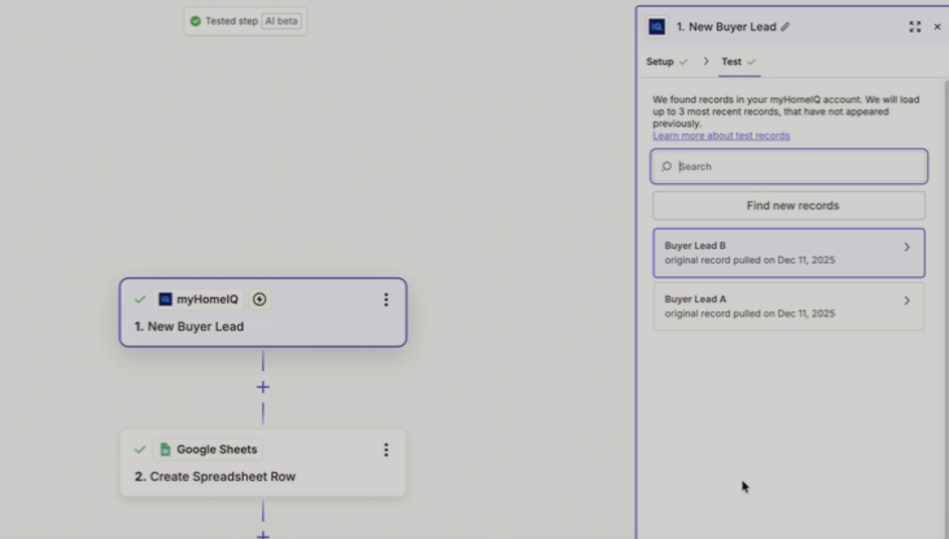
When a Zap gets switched off automatically it can be due to a number of reasons like repeated errors or plan limits. From the video it looks like you were successfully able to load some new buyer lead test records from myHomeIQ:

60775f4ad354bbd2d19553606dc899c6.png
 

That said, it’s still possible for a Zap to be able to load test data but fail to stay switched on once it runs live. I’ve seen this happen sometimes with other apps when the trigger returns errors during live polling/webhook checks, even though testing works normally. Zapier will automatically turn a Zap off after repeated errors from the trigger app.

I checked myHomeIQ’s pricing page and it looks like any of their plans would be able to use their Zapier integration, so this doesn’t appear to be a plan-related limitation on their end. Since the myHomeIQ app isn’t considered a premium app on Zapier, and the Zap isn’t a multi-step Zap it should be fine to use while on our Free plan. And the trigger doesn’t appear to have any configuration options, so I wonder if the issue might be with the API Key that it’s using for the connection. 🤔 

Can you try regenerating the API Key (ideally using an admin-level user), then add it in Zapier as a completely new app connection?

Let us know how that goes!