Question

Xero Sales Invoice date, one day behind

  • May 21, 2024
  • 6 replies
  • 74 views

Since moving to the new Xero intregration with zapier sales invoices are being posted one day behind. The date going into the Xero Sales invoice is correct but the output  is one day behind 

This post has been closed for comments. Please create a new post if you need help or have a question about this topic.

6 replies

ken.a
Forum|alt.badge.img+6
  • Zapier Staff
  • May 22, 2024

Hi @rpuser,

Before we dig deeper into this, could you please let me know if you’re experiencing this issue with the “due_date” or “date” field?

I'll be keeping an eye out for your response!


Michael Lucas
Forum|alt.badge.img
  • Zapier Solution Partner
  • May 24, 2024

Hi @ken.a 


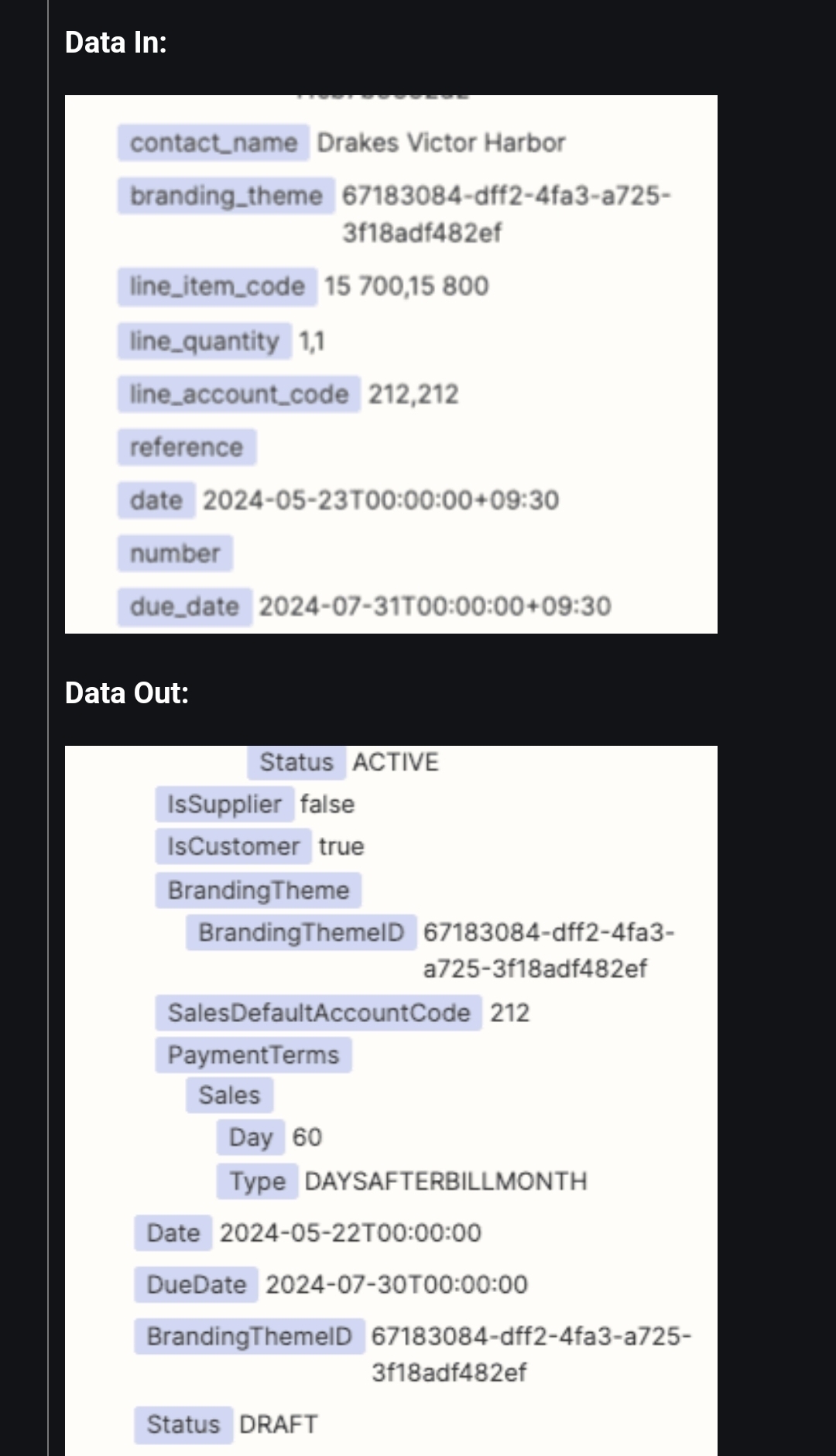
We are currently experiencing the same issue, and it relates to both the date and due_date fields when creating a Sales Invoice.


We are currently passing in both dates in the same format as Xero, and both dates when processed show as a day earlier - an example of data in and data out are attached.


This only looks to be an issue since updating to the last version of the Xero connector if you can advise.


ken.a
Forum|alt.badge.img+6
  • Zapier Staff
  • May 27, 2024

Hi @Michael Lucas,

Thanks for confirming.

I did some digging into this, and it seems like this was a bug. However, it looks like this bug has been fixed 2 days ago. Could you please confirm if you’re still running into this issue?

I'll be keeping an eye out for your response!


  • Author
  • Beginner
  • May 28, 2024

Hello


We resolved the issue using a formater to format the invoice date to UTC. This solve the issue for the invoice date but using the formater in the same way to format the invoice due date, the output in Xero is always the invoice date and not the due date passed to the formater


  • Beginner
  • August 15, 2024

Hi, I’m having the same issue with my automation. Often I notice the invoice [created] date is one day earlier than it should be. It doesn’t happen for all invoices, I think it gets to a time in the day and switches to the correct date. The due date is always fine but it’s just the invoice [created] date. 


@rpuser can you elaborate on how you used the formatter to resolve it?

@ken.a do you have any further suggestions on how to resolve?


ken.a
Forum|alt.badge.img+6
  • Zapier Staff
  • August 16, 2024

Hi @Apollo,

Could you please attempt to modify the "Invoice Date" field and add a +1d at the end of the mapped data in that field? We have a help article on how to do this here: https://help.zapier.com/hc/en-us/articles/8496307860109-Adjust-date-and-time-values-in-Zaps.

Kindly give it a try and let me know how it goes? I'll keep an eye out for your response!