Answer

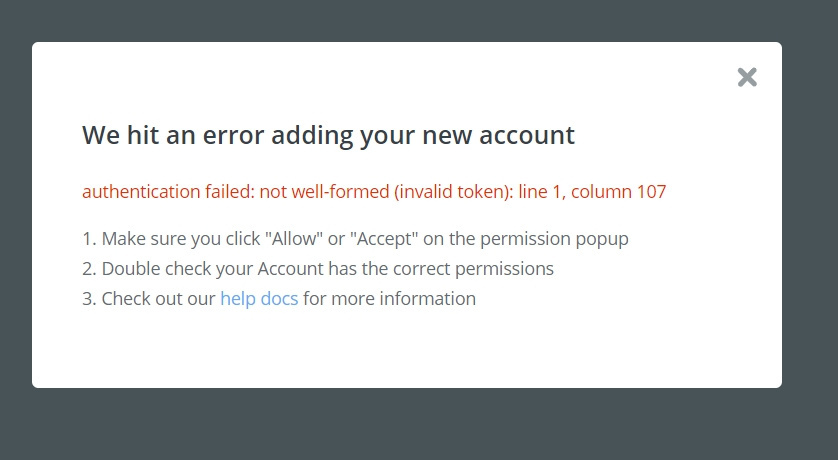
WordPress error: Authentication failed, not well-formed (invalid token) line 1, column 107

  • November 19, 2019
  • 11 replies
  • 1908 views

Zapier connet.jpgI was creating zaps this morning linked with wordpress. I tested and everything was correct. But now the error appears below and does not connect with my website.

Has this happened to anyone? how can I solve this?


Best answer by AndrewJDavison

Hi @LourdesF - you may want to take this one to Zapier support at contact@zapier.com - they have access to more detailed logs and might be able to find some clues from the call Zapier's servers made to your Wordpress site and the response they got back.


This post has been closed for comments. Please create a new post if you need help or have a question about this topic.

11 replies

AndrewJDavison
Forum|alt.badge.img+11
  • Zapier Solution Partner
  • Answer
  • November 19, 2019

Hi @LourdesF - you may want to take this one to Zapier support at contact@zapier.com - they have access to more detailed logs and might be able to find some clues from the call Zapier's servers made to your Wordpress site and the response they got back.


  • Author
  • November 19, 2019

@AndrewJDavison_Luhhu thank you !


AndrewJDavison
Forum|alt.badge.img+11
  • Zapier Solution Partner
  • November 19, 2019

@LourdesF - One other thing to try while you wait is to go to the link below and click "Reconnect" next to Wordpress. Can sometimes help.

https://zapier.com/app/connections


  • Author
  • November 19, 2019

😪Unfortunately it does not help. I tried several times but still the same error appears.

thank you anyway


AndrewJDavison
Forum|alt.badge.img+11
  • Zapier Solution Partner
  • November 19, 2019

My only other question would be if you added, removed or updated any plugins on your site since first connecting it to Zapier?


  • Author
  • November 19, 2019

No, I added some fields in the advance field pluggin, that's all. This morning I did a new zap with hootsuite and everything was working fine. started giving the error when I added another zap to pinterest and since then I can't reconnect it again.

I don't really know what happened.

Is anything you need to do in wordpress to allow to enter zapier?


AndrewJDavison
Forum|alt.badge.img+11
  • Zapier Solution Partner
  • November 19, 2019

@LourdesF - there shouldn't be, but the wording of your error makes it look like Zapier is getting a PHP error from your Wordpress site when it tries to connect.

Now, if it worked before, but doesn't now - and we see that the issue is with Wordpress - it makes sense to backtrack anything you've done in the interim.

What you could do is quickly deactivate every single plugin you've got - test again - and if it works, switch each plugin back on in turn, testing your Zapier connection after each.


  • Author
  • November 19, 2019

I tried again and zapier connected with wordpress.🤗

Whatever happened is resolved.

technology sometimes goes crazy🤪

Thank you @AndrewJDavison_Luhhu


AndrewJDavison
Forum|alt.badge.img+11
  • Zapier Solution Partner
  • November 19, 2019

YAY! Glad to hear it.


Danvers
Forum|alt.badge.img+12
  • Zapier Staff
  • November 20, 2019

Thanks for all you help with this one @AndrewJDavison_Luhhu!

Permissions are often a tricky one for connecting WordPress and Zapier @LourdesF, I'm glad that it's worked out now 😊

This help guide has a lot of troubleshooting tips for permission-related errors if it does come up again: https://zapier.com/apps/wordpress/help#common-problems-wordpress


jdel
  • New
  • July 24, 2023

Nobody should take any comfort in a SERIOUS issue that just solves itself.  Imagine if you were relying on this for a production website.  The community should understand how this happened and how it was resolved.  Otherwise, expect it to happen again and to be left hanging.