Question

Why isn't my Squarespace form appearing in Zapier's trigger dropdown?

  • August 6, 2026
  • 3 replies
  • 34 views

Hi,

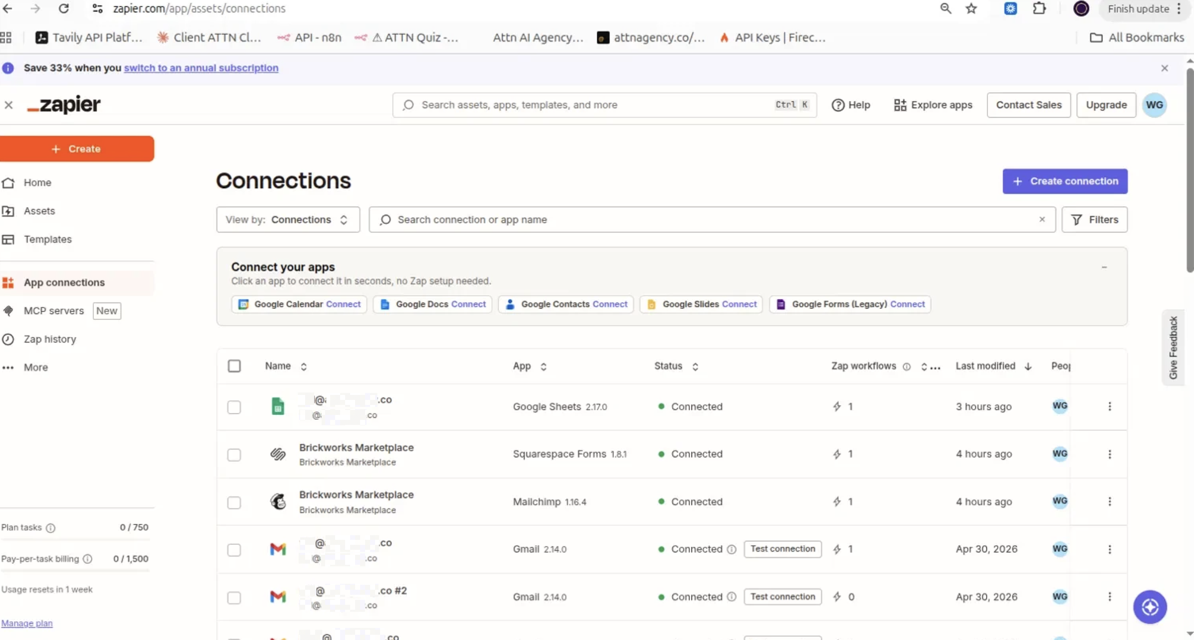
I'm setting up a Zap with a Squarespace Forms trigger ("New Form Submission") connected to my Squarespace site "Brickworks Marketplace." The connection itself is active and shows as "Connected" (see screenshot 3 - App Connections page).

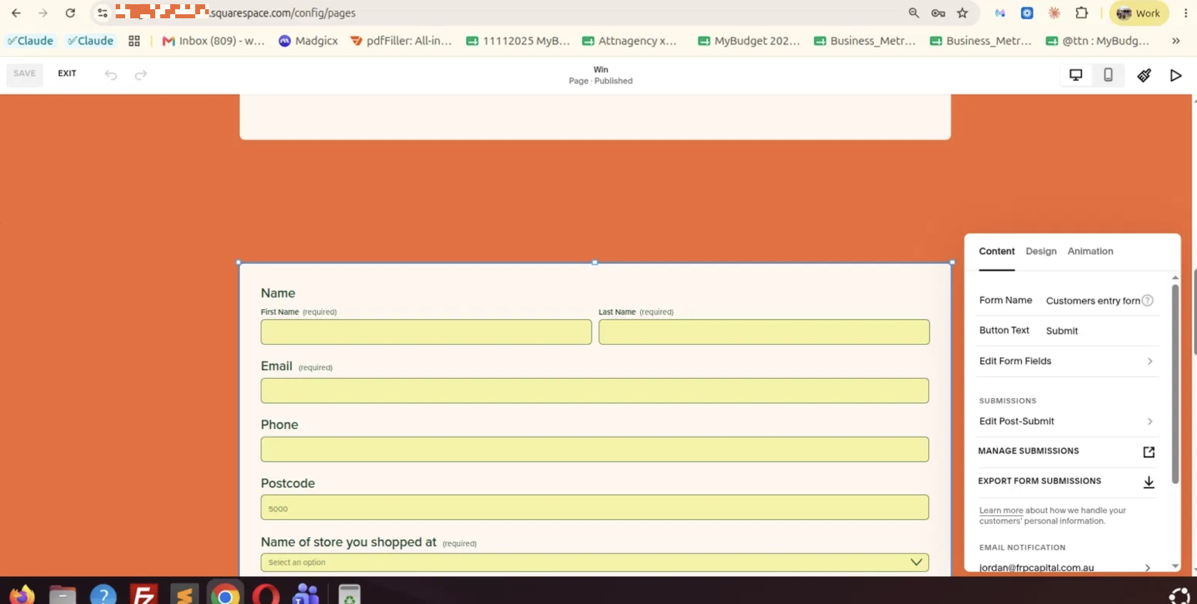
The issue: I have a form on my site named "Customers entry form" (confirmed directly in the Squarespace page editor - see screenshot 2, where the "Form Name" field clearly shows "Customers entry form"). This form is published and live on the page.

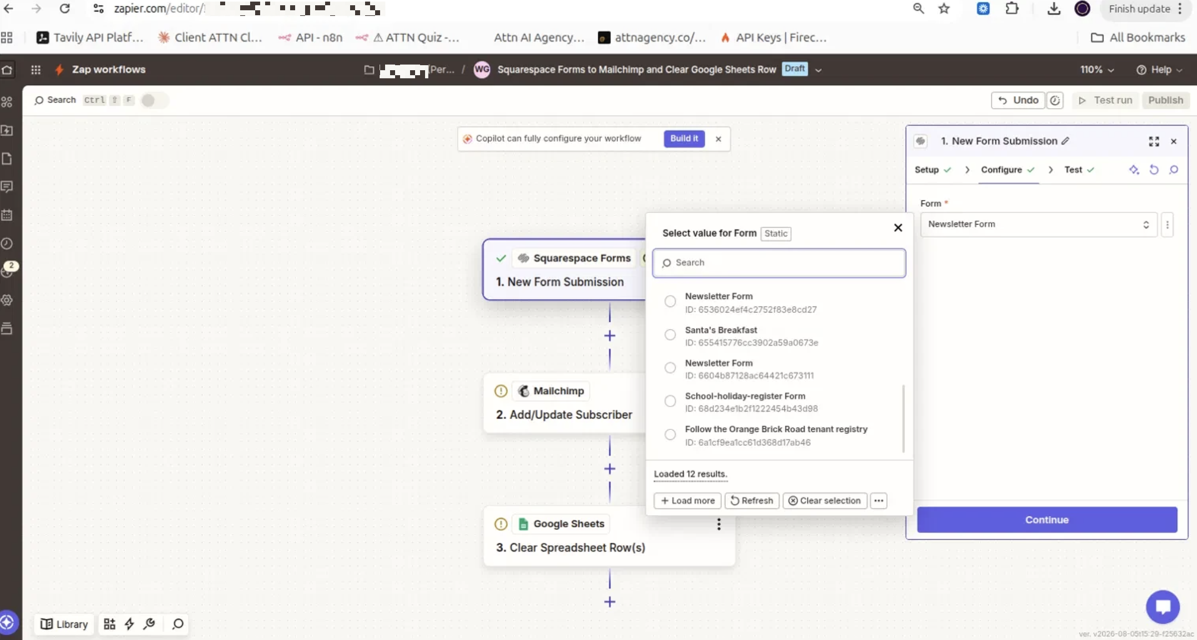
However, when I go to select this form in the Zap's trigger step (Setup → Form dropdown), it does not appear in the list at all — even after clicking "Refresh" and "Load more" multiple times, and even after reconnecting/replacing the connection. See screenshot 1: the dropdown only loads 12 results, none of which is "Customers entry form." The forms that do appear (Newsletter Form, Santa's Breakfast, School-holiday-register Form, Follow the Orange Brick Road tenant registry, etc.) all seem to be older or unrelated forms from the same site.

What I need help with:

  1. Why is this specific form ("Customers entry form") not syncing to the Zapier form list, when other forms on the same connected site do appear?
  2. Is there a sync delay, a caching issue, or a limit on the number of forms Zapier fetches from Squarespace (only 12 loaded)?
  3. Is there anything I need to do on the Squarespace side (beyond publishing the page) to make a form "visible" to Zapier's API?

Zap name: "Squarespace Forms to Mailchimp and Clear Google Sheets Row"
Connected account: Brickworks Marketplace (Squarespace Forms v1.8.1)

Attaching 3 screenshots for reference. Appreciate your help resolving this so I can complete the integration.

Thanks!
 

This post has been edited by a moderator to remove personally identifiable information (PII). Please remember that this is a public forum and avoid sharing personal or potentially sensitive details.


3 replies

Troy Tessalone
Zapier Orchestrator & Solution Partner
Forum|alt.badge.img+14
  • Zapier Orchestrator & Solution Partner
  • August 6, 2026

Hi ​@attnagency 

Ref the help links for using Squarespace in Zaps: https://zapier.com/apps/squarespace-forms/integrations#help


Prerequisites

To use the Squarespace Forms app on Zapier, you must have:


Limitations

  • Only works with form blocks, newsletter blocks, and cover page forms - it's not possible to connect Zapier to other forms on your site.
  • Squarespace does not store form submissions, so Zapier automatically generates example forms for testing purposes.
  • Each form or newsletter block needs at least one Zap per action - you cannot have multiple actions triggered by a single Zap connection.

  • Author
  • New
  • August 7, 2026

Hi Troy,

Thank you for the detailed explanation - that clarifies the "example data" issue we were seeing.

However, we've already followed the prerequisite steps you mentioned:

  • Admin has generated the API key with Forms permissions 
  • The form is a proper Form Block on the Squarespace page 
  • We went into the form's settings in Squarespace and confirmed the "Additional Storage → Zapier" section shows it's connected (currently displays "0 Zaps connected") 

Despite this, the specific form ("Customers entry form") still does not appear in the Zapier trigger dropdown when selecting a form for "New Form Submission." Only older/unrelated forms from the same site load (12 results total) - this specific form is missing entirely, even after multiple refreshes, "Load more" attempts, and reconnecting the Squarespace-Zapier connection.

Could you help investigate why this particular form isn't syncing to the dropdown, even though the connection and permissions appear correctly set up on both sides?

Thanks!


Troy Tessalone
Zapier Orchestrator & Solution Partner
Forum|alt.badge.img+14
  • Zapier Orchestrator & Solution Partner
  • August 7, 2026

@attnagency 

Provide more context about where/how the form is configured in Squarespace with screenshots.


NOTE: Only works with form blocks, newsletter blocks, and cover page forms - it's not possible to connect Zapier to other forms on your site.