

Hi,
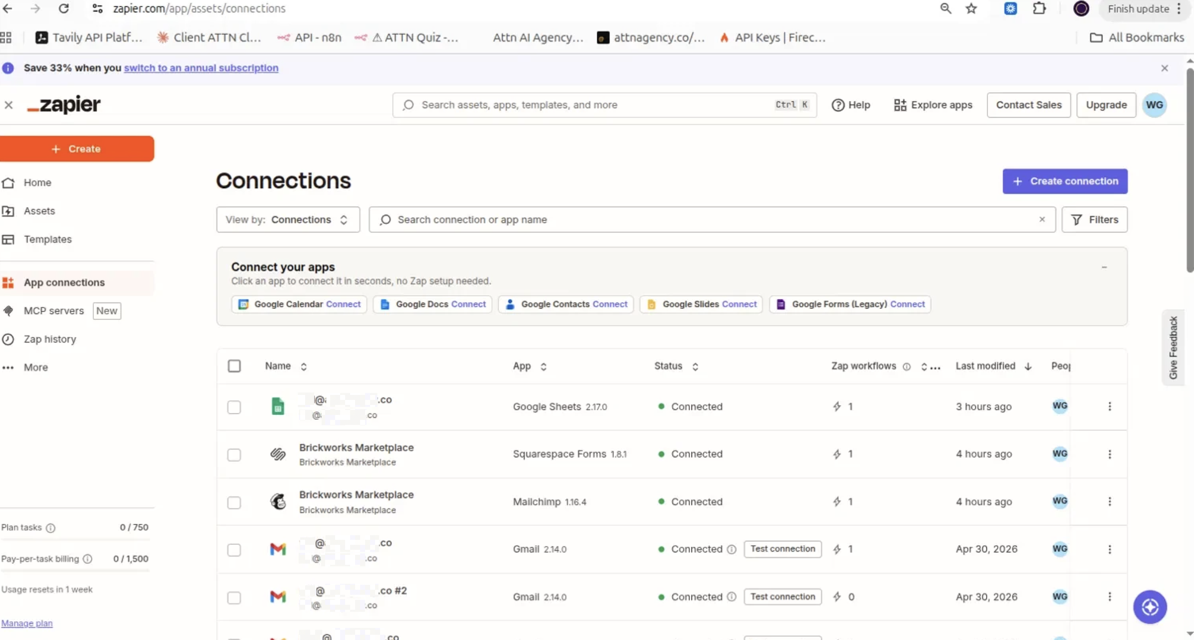
I'm setting up a Zap with a Squarespace Forms trigger ("New Form Submission") connected to my Squarespace site "Brickworks Marketplace." The connection itself is active and shows as "Connected" (see screenshot 3 - App Connections page).
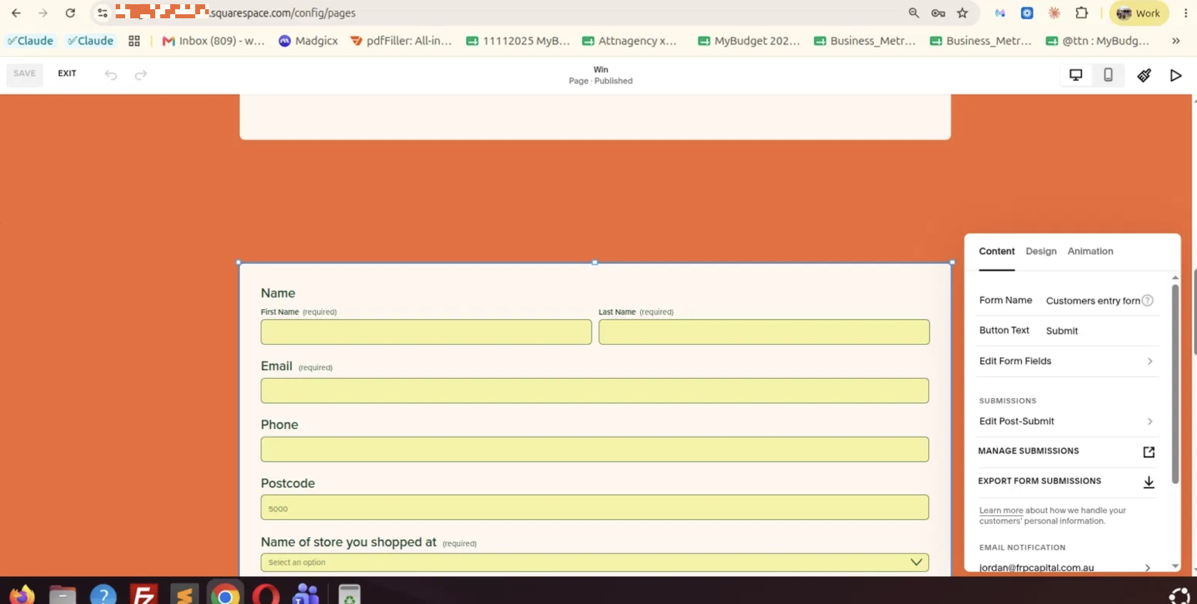
The issue: I have a form on my site named "Customers entry form" (confirmed directly in the Squarespace page editor - see screenshot 2, where the "Form Name" field clearly shows "Customers entry form"). This form is published and live on the page.
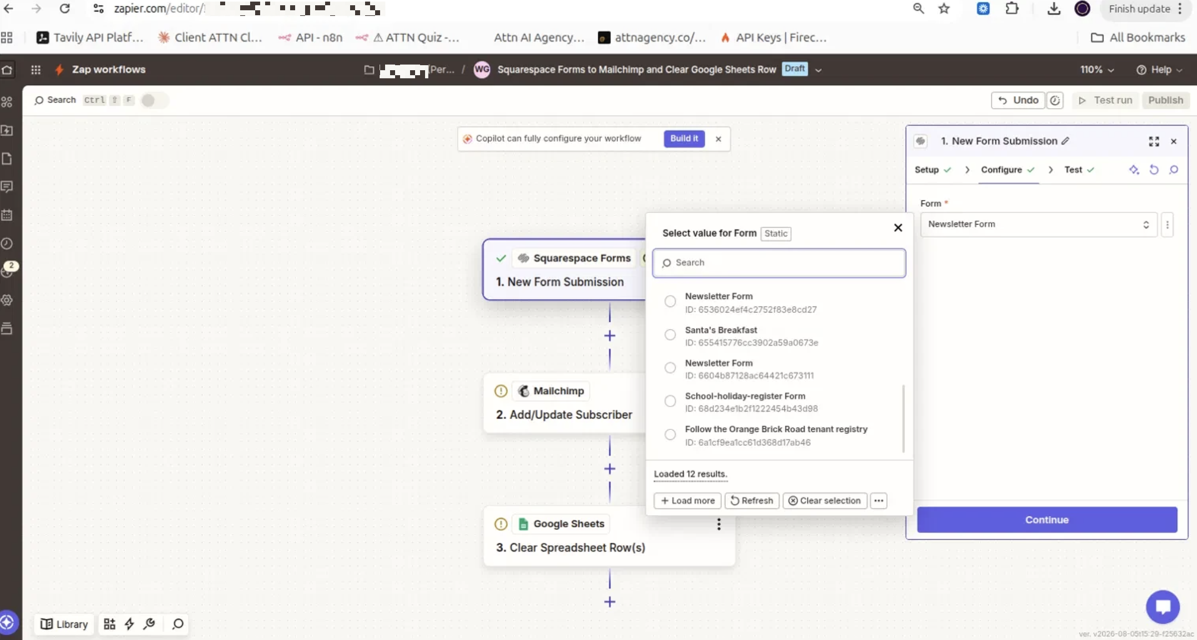
However, when I go to select this form in the Zap's trigger step (Setup → Form dropdown), it does not appear in the list at all — even after clicking "Refresh" and "Load more" multiple times, and even after reconnecting/replacing the connection. See screenshot 1: the dropdown only loads 12 results, none of which is "Customers entry form." The forms that do appear (Newsletter Form, Santa's Breakfast, School-holiday-register Form, Follow the Orange Brick Road tenant registry, etc.) all seem to be older or unrelated forms from the same site.
What I need help with:
- Why is this specific form ("Customers entry form") not syncing to the Zapier form list, when other forms on the same connected site do appear?
- Is there a sync delay, a caching issue, or a limit on the number of forms Zapier fetches from Squarespace (only 12 loaded)?
- Is there anything I need to do on the Squarespace side (beyond publishing the page) to make a form "visible" to Zapier's API?
Zap name: "Squarespace Forms to Mailchimp and Clear Google Sheets Row"
Connected account: Brickworks Marketplace (Squarespace Forms v1.8.1)
Attaching 3 screenshots for reference. Appreciate your help resolving this so I can complete the integration.
Thanks!
This post has been edited by a moderator to remove personally identifiable information (PII). Please remember that this is a public forum and avoid sharing personal or potentially sensitive details.







