Question

Why can't I log into my Autotask account?

  • February 20, 2026
  • 4 replies
  • 24 views

Why I can’t log in my Autotask account. It keeps saying “We hit an error adding your new account” my log in credentials are correct, I’ll try so many times same scenario. Why?

4 replies

drtanvisachar
Forum|alt.badge.img+5
  • Zapier Solution Partner
  • February 20, 2026

Hello ​@ImatecSolutions 
 

That error usually means Zapier can’t complete the Autotask connection even if your web login works.

Most common causes:

  1. Autotask requires API credentials (not your normal password)

  2. Your Autotask user doesn’t have API access enabled (an admin must turn it on)

  3. The API key/secret is expired or was regenerated

Try removing the Autotask connection from “My Apps” in Zapier and reconnecting it from scratch. If it still fails, ask your Autotask admin/support to confirm API access and valid API credentials.

Dr. Tanvi Sachar
Monday Certified Partner, Tuesday Wizard


Troy Tessalone
Zapier Orchestrator & Solution Partner
Forum|alt.badge.img+14
  • Zapier Orchestrator & Solution Partner
  • February 20, 2026

Hi ​@ImatecSolutions 
 

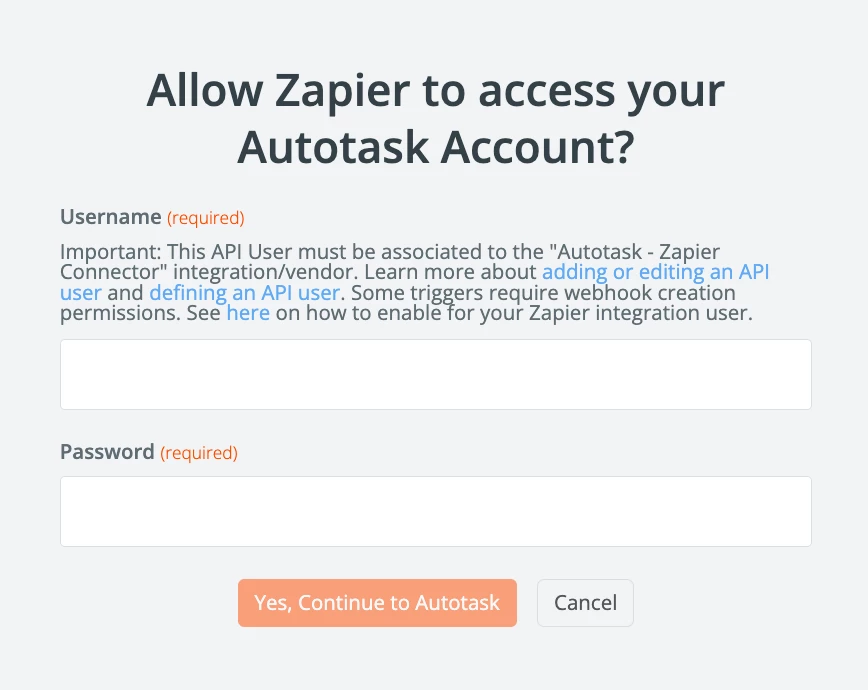
Important: This API User must be associated to the "Autotask - Zapier Connector" integration/vendor.
Learn more about adding or editing an API user and defining an API user.
Some triggers require webhook creation permissions.
See here on how to enable for your Zapier integration user.


Forum|alt.badge.img+1

Hi ​@ImatecSolutions It’s typically caused by how Autotask’s API handles new connections. Zapier or other integrations can’t always add your account if:
Your Autotask user doesn’t have the required API access or permissions. Make sure API/Web Services access is enabled for that user.
MFA (multi-factor authentication) or SSO is enabled on your Autotask account. Zapier logins often fail if MFA/SSO is required.
There’s a temporary API issue on Autotask’s side. Sometimes waiting a few minutes or trying a different browser helps.
Check that your user has full API/Web Services rights and that any SSO or MFA restrictions are accounted for. If it still fails, the next step is usually contacting Autotask support, they can confirm if your account can be linked via API.


AutomateMyBiz
Forum|alt.badge.img

Hey ​@ImatecSolutions, it’s not an issue from Zapier’s end but from AutoTask or the App created on Zapier for that platform.


I recommend creating your own integration using API calls leveraging “Webhooks by Zapier” App.


If you need assistance on this, book a free 20min troubleshooting call from my calendar here: —LINK REMOVED—

This post has been edited by a moderator to remove self-promotional calendar booking link as per our Community Code of Conduct.