Question

Whop buyer email shows “No data” when mapping to systeme.io in Zapier


I’m building a Zap with Whop → New Member Joined as the trigger and systeme.io → Create or Update a Contact, Including Adding Tags as the action.

The Whop trigger successfully finds my recent paid transaction.

In the systeme.io action, I need the buyer’s email mapped into the required Email field so the contact can receive the SS-Golden Ticket Buyer tag.

The problem is that Zapier shows “User Email: No data” and also inserted a “User” value into the Email field. I cannot remove these values individually or get the actual buyer email to populate.

How do I correctly map the buyer’s email from Whop into systeme.io?

If New Member Joined does not reliably provide the buyer’s email, which Whop trigger or field should I use instead?


3 replies

Troy Tessalone
Zapier Orchestrator & Solution Partner
Forum|alt.badge.img+14
  • Zapier Orchestrator & Solution Partner
  • October 6, 2026

Hi ​@Senseim 

For us to have more context, post screenshots showing how your Zap steps are outlined and configured, along with the DATA OUT from Zap step 1.


Help link for mapping variables between Zap steps: https://help.zapier.com/hc/en-us/articles/8496343026701-Send-data-between-steps-by-mapping-fields


Make sure Zap step 1 returns a real record to use to configure the Zap action steps.


Try turning the Zap ON and testing live.

Check the Zap Run history to see the DATA OUT from the Zap trigger step to see if that includes the Member email address.


Help link for how to use a previous live Zap Run as a Zap trigger example record.

https://help.zapier.com/hc/en-us/articles/42896259263373-Use-a-previous-Zap-run-as-a-test-record


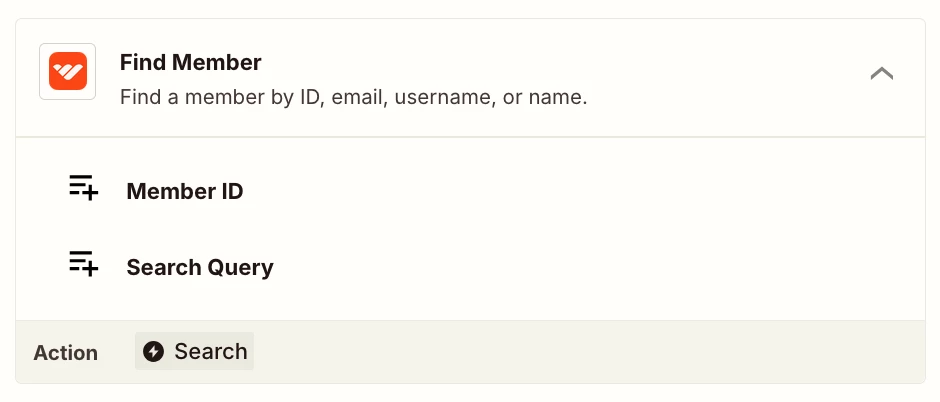
If Zap step 1 returns the Member ID, you can try adding this Zap action step “Whop - Find Member” to see if that returns the Member Email to map.


Otherwise try different Whop trigger events to see if those return the Member email address to map.


Had this one too. What finally fixed it for me was adding a Delay step right after the trigger — just 2 minutes — so the source system actually finishes writing before Zapier reads it. If the data's still missing, check the trigger test data vs what the live run sees, they almost never match. Saved me a ton of debugging


Troy has covered the diagnostics well, and Dylan's delay step is worth trying, since Whop may simply be writing the member record just after the trigger fires. The Find Member action Troy mentioned offers another route, using the Member ID from the trigger to fetch the email properly. If the trigger consistently returns nothing, trying a different Whop trigger event may be the cleaner fix.