Best answer

Updating Quickbooks Invoice with Shipstation Tracking number

  • June 2, 2026
  • 5 replies
  • 43 views

As you know, QB online don’t support using customer’s shipping accounts. So, I want to use shipstation to use customer’s shipping accounts and create shipping label with tracking number. By this purpose, I want to integrate between QB online and shipstation, via zapier. 

So, I created 2 zaps like below stream;


  1. 1st Zap
    Send invoice from QB online to shipstation
    Trigger: create an invoice at QB Online
    Action: Find Invoice in QBO - Order Number
    Action: Send this Invoice in QBO to Shipstation (it will be delivered in awaiting payment)
  2. 2nd Zap
    Send updated invoice from Shipstation to QB Online to update existing QB Online invoice with tracking info
    Trigger: Make the Shipped invoice (order#) atshipstation
    Action: Find an invoice with same order# (invoice) at QB Online
    Action: Send this updated invoice with tracking # in Shipstation to QB Online (it should update existing QB Online Invoice)


Is this the right way to make updates in QBO ? Because, when I run 1st zap, it is working. But, the 2nd zap is not working. Would you this workflow is correct or need to adjust it ?


Thanks!
Best answer by Troy Tessalone

@viewz 

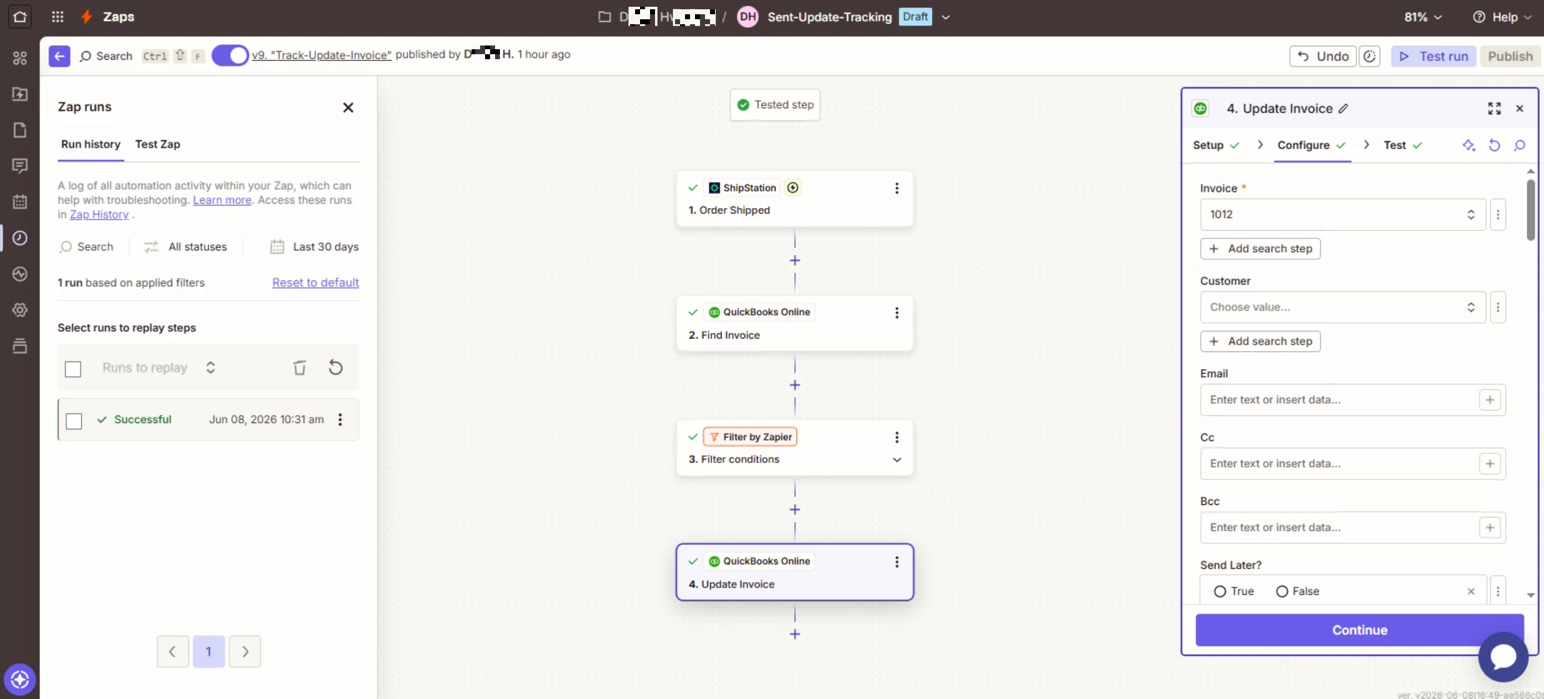
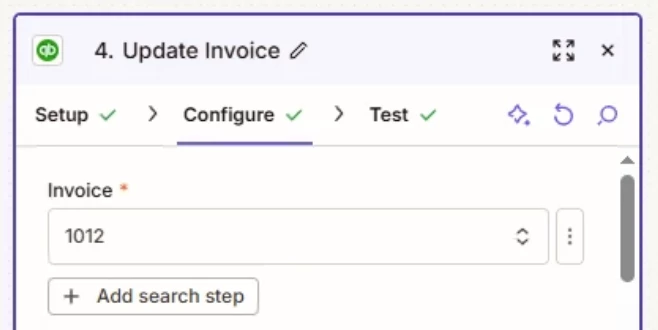
In Zap step 4, for the Invoice field, you have a static value set for the Invoice.

Instead, you need to map the Invoice ID from Zap step 2.


5 replies

Troy Tessalone
Zapier Orchestrator & Solution Partner
Forum|alt.badge.img+14
  • Zapier Orchestrator & Solution Partner
  • June 3, 2026

Hi ​@viewz 

What is not working with Zap 2? (provide specific details about any errors with screenshots)


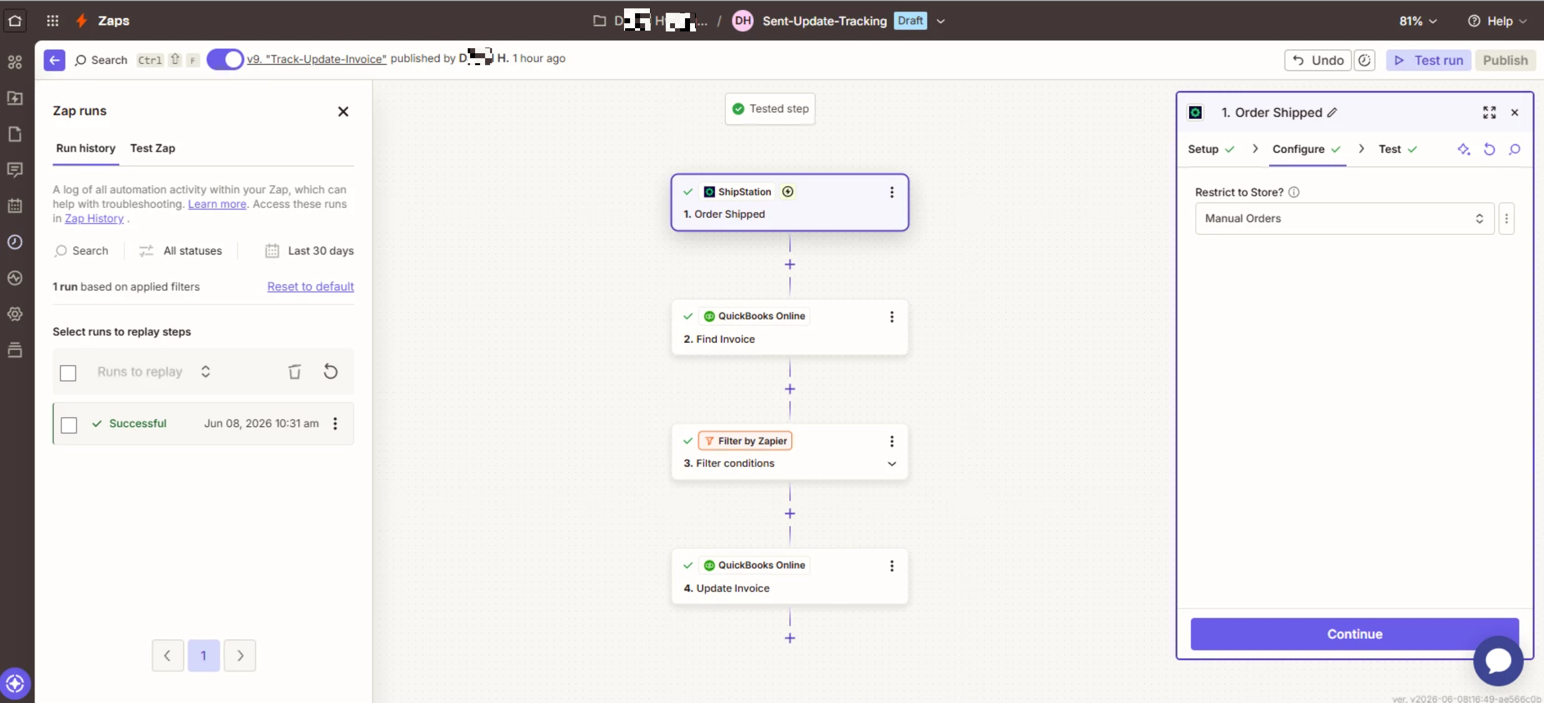
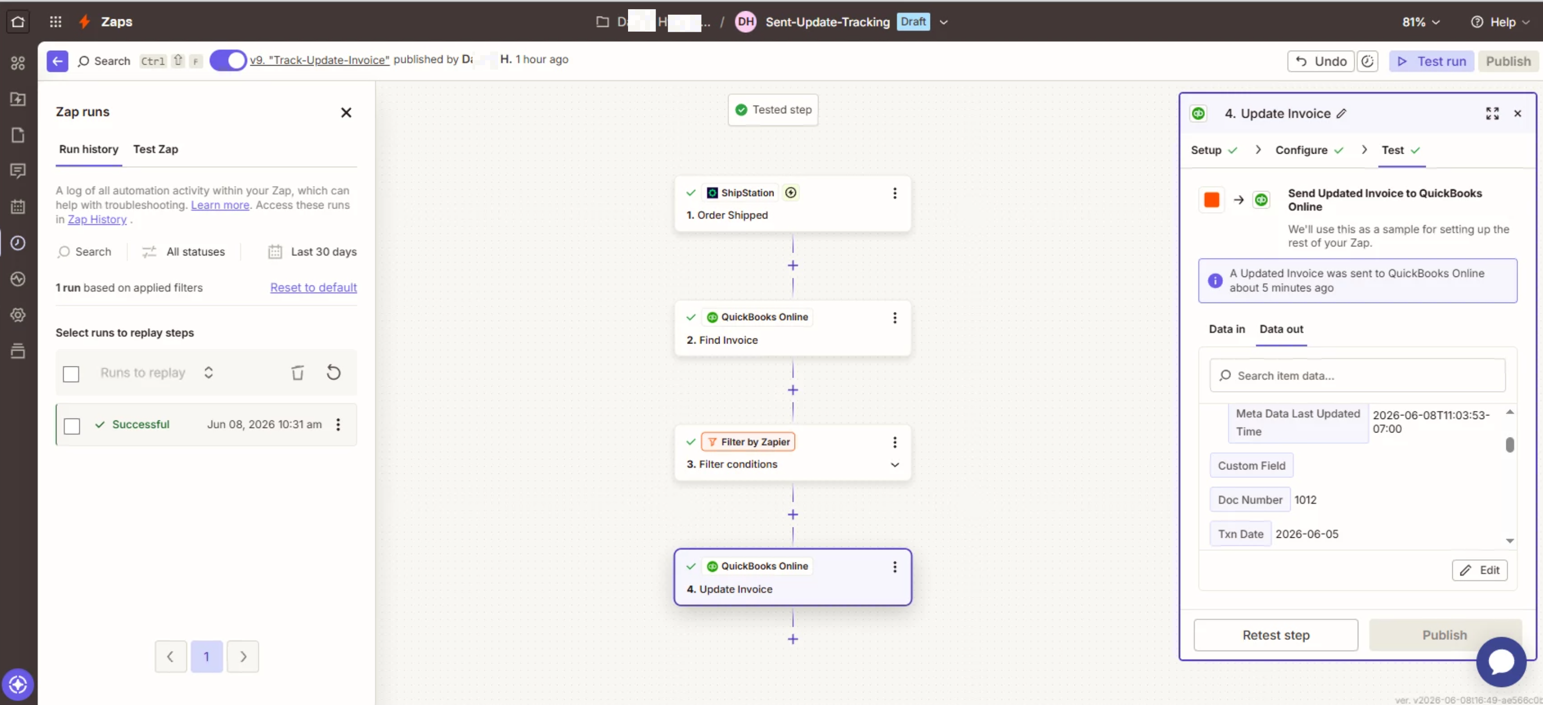
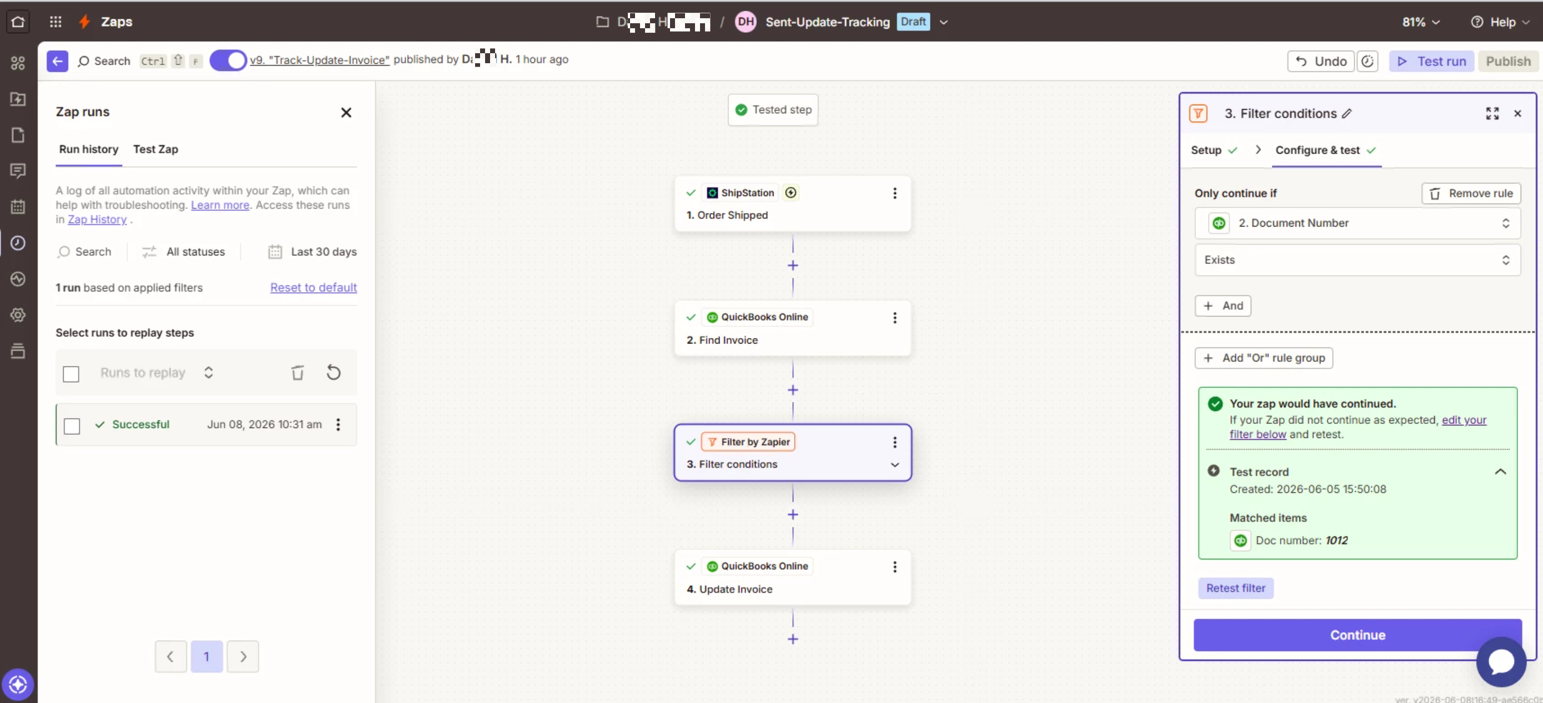
For us to have more info, post screenshots showing how your Zap steps are outlined and configured in the CONFIGURE tab while in EDIT mode with the field mappings visible.


  • Author
  • Beginner
  • June 8, 2026

Hi Troy,

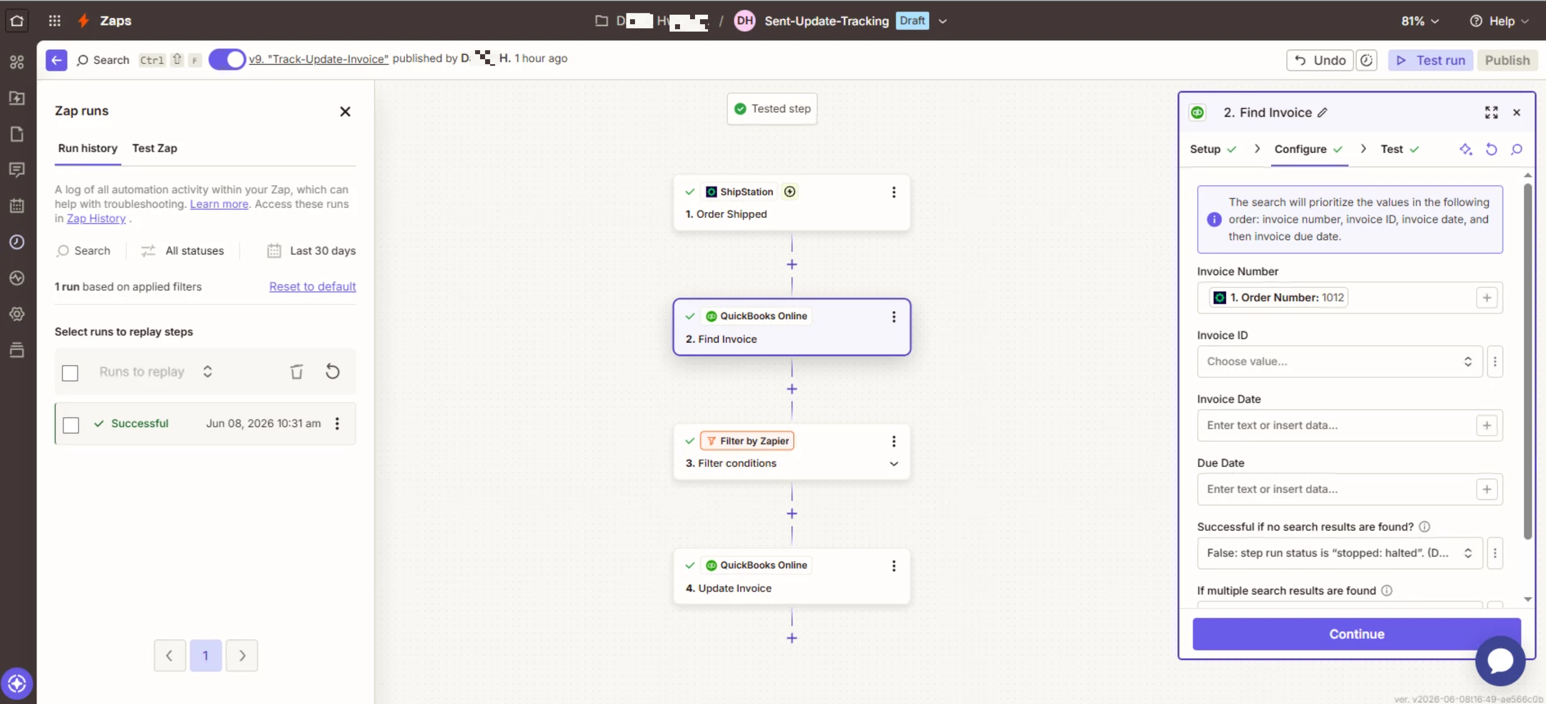
The funny thing is the Zap #2 is not working at all. But the funny thing is when I test run Zap#2, it correctly works.

And here is screenshots of Zap#2 and attached files are the screenshots of each step’s configure.


Would you find what is the issue why I cannot see the updated info at QB online ?


This post has been edited by a moderator to remove personally identifiable information (PII). Please remember that this is a public forum and avoid sharing personal or potentially sensitive details.


Troy Tessalone
Zapier Orchestrator & Solution Partner
Forum|alt.badge.img+14
  • Zapier Orchestrator & Solution Partner
  • Answer
  • June 8, 2026

@viewz 

In Zap step 4, for the Invoice field, you have a static value set for the Invoice.

Instead, you need to map the Invoice ID from Zap step 2.


  • Author
  • Beginner
  • June 8, 2026

Hi Troy,

That’s the answer. It work now !!


Thank you


SamB
Community Manager
Forum|alt.badge.img+11
  • Community Manager
  • June 10, 2026

That's great to hear, ​@viewz! 🎉 So glad Troy’s suggestion to map the Invoice ID from step 2 did the trick. Thanks so much for helping ​@Troy Tessalone! 🧡